Dec 25, 2023

Timedoor Academy Bootcamp December 2023 Awardee Announcement

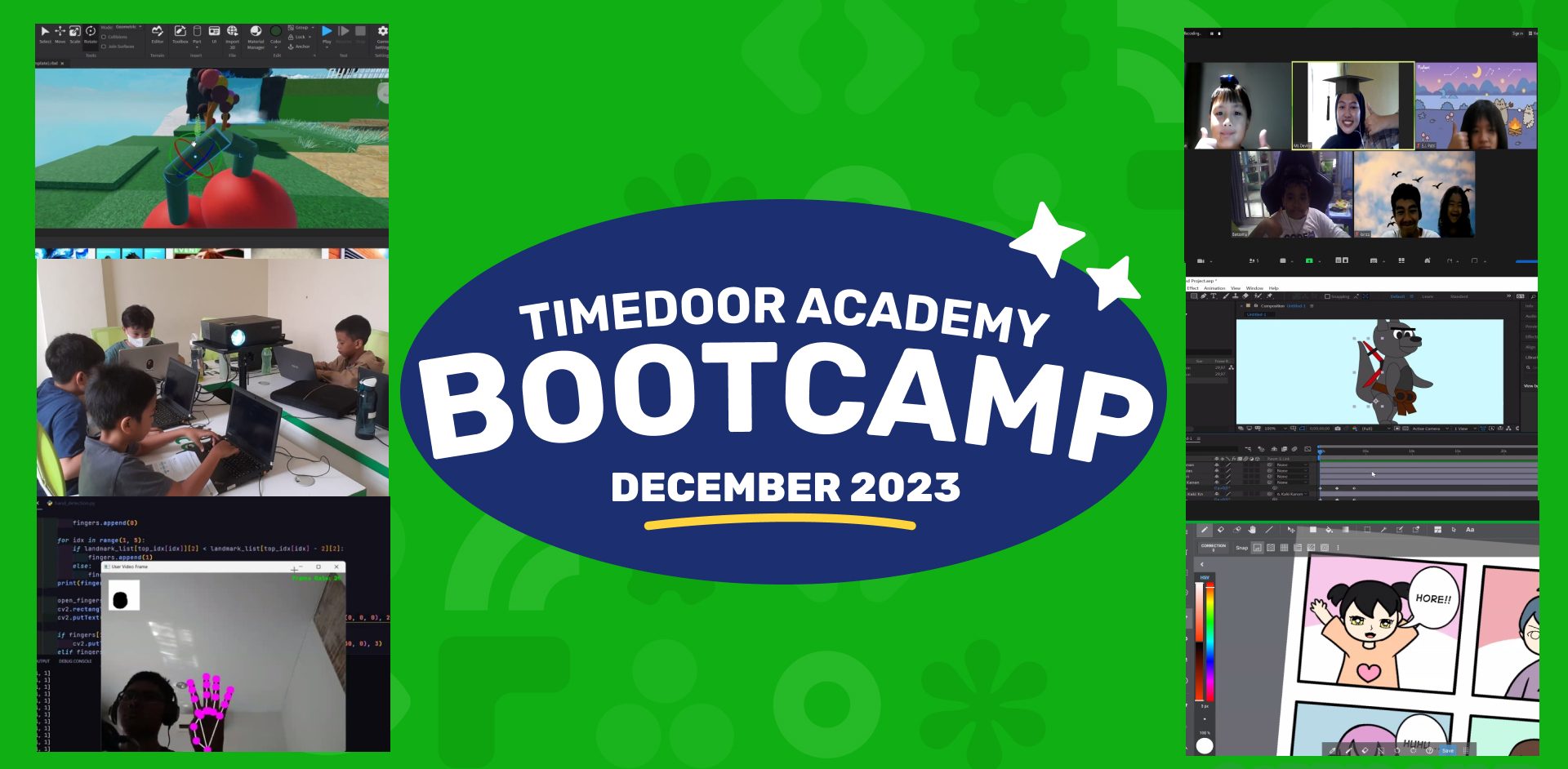
Timedoor Academy Bootcamp December 2023 Awardee Announcement image

Timedoor Academy BootCamp 2023 Batch 1 and Batch 2 was held from 11 – 22 December 2023. With more than 200++ participants from Online Classes and Offline Classes in several areas including Jakarta, Bogor, Tangerang, Bandung, Surabaya, Bali, Batam and Medan. We also launched our new programs, UI/UX Design and Internet of Thing (IOT) which were held online and offline in several regions.

Timedoor Academy holds Programming and Multimedia Design classes for 5 days with various programs that students can choose according to their interests. Coding Camp offers many programs including Game Developer, Website Developer, Python Developer, Roblox Developer, Artificial Intelligence Development, and Internet of Thing (IOT). As before, we are offers Design Camp with a learning program that focuses on children’s creativity including Making Animations, Design Branding, UI/UX Design and Comic Making.

Timedoor Academy sets a goal for students to become programmers, designers and comic artists in just 5 days by creating the best projects using the chosen platform that challenges them to be able to become digital experts in the present and the future!

Today we announced the 2 best award recipients from each program category. Award recipients consist of Best Project and Best Participant. Please check below :


JUNIOR ANIMATOR
CATEGORY PARTICIPANT’S NAME
Best Project  I Gusti Agung Gde Nathan Iswara Dwipayana
Best Participant  Luh Putu Derian Dharma
JUNIOR DEVELOPER
CATEGORY PARTICIPANT’S NAME
Best Project  Khalid izzudin
Best Participant  Darren Gavriel
JUNIOR ADVANCE GAME DEV
CATEGORY PARTICIPANT’S NAME
Best Project  Benjamin Othniel Sianturi
Best Participant  Alaric Dante Miranda
KIDS CONSTRUCT BEGINNER + WEB
CATEGORY PARTICIPANT’S NAME
Best Project  Araya Khanti Devi
Best Participant  Irdana Halwa
KIDS ROBLOX
CATEGORY PARTICIPANT’S NAME
Best Project  Dave Michael Timothy Panjaitan
Best Participant  Ryan Kenzie Tanady
KIDS PYTHON
CATEGORY PARTICIPANT’S NAME
Best Project  Laurencia Clio Setiadi
Best Participant  Maxwell Oscario Tan
KIDS IOT
CATEGORY PARTICIPANT’S NAME
Best Project  Kadek Vedhanta Asahi Wijaya
Best Participant  Dewa Gede Narayana Satria Daton Putra
KIDS COMIC
CATEGORY PARTICIPANT’S NAME
Best Project  Aiesha Naiaputri Nugroho
Best Participant  Hilwa Fathiya Qurrata’ain
TEENS PHASER
CATEGORY PARTICIPANT’S NAME
Best Project  Andrian Wurich
Best Participant  Miguel Aipassa
TEENS WEB DEVELOPER
CATEGORY PARTICIPANT’S NAME
Best Project  Keila Kusuma
Best Participant  Gilberto Rafael Effendie
TEENS APP DEVELOPER
CATEGORY PARTICIPANT’S NAME
Best Project  Raisha Afiqah Khairunnisa
Best Participant  Rafael Davin
TEENS ROBLOX
CATEGORY PARTICIPANT’S NAME
Best Project  Julio Miguel Setiawan
Best Participant  Samuel Lovenno Sadana
TEENS PYTHON
CATEGORY PARTICIPANT’S NAME
Best Project  Hendry Hermawan
Best Participant  Arka Pradipa Dwi Santoso
TEENS IOT
CATEGORY PARTICIPANT’S NAME
Best Project  Fathi Rafi Ismail Priambodo
Best Participant  Ryu Garren Siarta
 TEENS ARTIFICIAL INTELLIGENCE
CATEGORY PARTICIPANT’S NAME
Best Project  Reagan Dathan Mula
Best Participant  Cornelius Rafanala Maheswara
TEENS COMIC
CATEGORY PARTICIPANT’S NAME
Best Project  Rajwa Nurul Dzihni
Best Participant  Ida Ayu Dhama Parwati Astuti
DESIGN ANIMATION
CATEGORY PARTICIPANT’S NAME
Best Project  Emerentia Jessica Putri
Best Participant  Cedric Franklin Chandra
UI/UX Design
CATEGORY PARTICIPANT’S NAME
Best Project  Eleanora Kalyca Fayola Siregar
Best Participant  Vanessa Althea Aditya

All awardee will receive medals, exclusive T-shirts and merchandise from Timedoor Academy. Send your address to Timedoor Academy Admin to claim your prize.

Keep Reading

Kids Coding Course: A Smart Investment for Your Child’s Digital Future in 2025
In today’s digital era, children are growing up surrounded by technology. From playing games and watching educational videos to using learning apps, their daily lives are filled with gadgets and the internet. However, simply being passive users is no longer enough. To stay competitive in the future, children need to be equipped with digital skills from an early age. One of the best ways to achieve this is by enrolling them in a kids coding course. This article will explore why a kids coding course is an essential investment for modern parents, the benefits it offers for children’s development, and how to choose the right coding program. Let’s dive in.   Why Is a Kids Coding Course Important? Many parents still think learning to code is only for children who want to become programmers. In reality, the benefits go far beyond that. A kids coding course teaches critical thinking, problem-solving, and creativity—skills that are valuable across all fields, not just the tech industry. According to the World Economic Forum, abilities like problem-solving, critical thinking, and creativity are among the top 10 skills required in the job market by 2030. By joining a kids coding course, your child will begin developing these competencies early, giving them a head start in facing future challenges.   The Benefits of a Kids Coding Course for Your Child's Development Here are some tangible benefits that a kids coding course offers for both children and parents: 1. Enhances Logical and Structured ThinkingCoding teaches children how to break down problems into smaller parts, find solutions, and troubleshoot errors. This way of thinking helps them tackle academic and everyday life challenges. 2. Boosts Creativity and ImaginationThrough coding projects, children can create simple games, animations, and even mini-apps. This process nurtures their imagination while encouraging out-of-the-box thinking. 3. Builds Perseverance and ResilienceWhen a program doesn’t work as expected, children learn to troubleshoot and try again. This growth mindset fosters resilience and a never-give-up attitude, which are crucial for character development. 4. Prepares Them for Future CareersTech-related professions are growing rapidly. By enrolling in a kids coding course, your child gains a solid foundation to explore future career opportunities in the digital world.   When Should Children Start a Kids Coding Course? It’s never too early to start learning coding. Children as young as six can begin understanding basic programming concepts through interactive visual platforms like Scratch or Blockly. For older kids, platforms like Python, Roblox, or even web development offer more challenging and exciting projects. However, it’s essential for parents to choose a kids coding course that aligns with their child's age and learning level to ensure the experience remains fun and engaging.   Tips for Choosing the Right Kids Coding Course To maximize the benefits, here are a few tips for selecting the right kids coding course: Ensure Age-Appropriate and Skill-Based MaterialsChoose programs with a progressive curriculum, starting from basics to more advanced real-world projects. Experienced and Child-Friendly MentorsInstructors who understand how to communicate with children will create a more comfortable and effective learning environment. Interactive Learning MethodsAvoid courses that are too theoretical. Look for project-based learning where children can immediately apply what they’ve learned. Certificates and Project PortfoliosCertificates showcase achievements, while project portfolios help children build a digital track record from an early age.   Enroll Your Child in Timedoor Academy's Kids Coding Course! Don't miss the opportunity to prepare your child for a tech-driven future. By joining a kids coding course at Timedoor Academy, your child will not only learn about technology but also develop creativity, logical thinking, and self-confidence from a young age. The fun and practical learning experience helps children see technology as something they can master, not something to fear. If you want your child to enjoy a rewarding and exciting coding journey, Timedoor Academy is your perfect partner. We invite you to try a free trial class for our kids coding course. Register now and let your child explore the world of coding in a fun, structured, and inspiring way!
Aplikasi Belajar Anak SD
Top 10 Technology Tools for Elementary Students in 2025
As we step into 2025, technology tools for elementary students are more important than ever. These tools enhance creativity, improve learning outcomes, and foster engagement both inside and outside the classroom. With the help of these technology tools for elementary students, children can develop essential skills that will serve them throughout their academic careers and beyond. Here’s a list of 10 essential technology tools for elementary students to boost their educational experience in 2025. Top 10 Technology Tools for Elementary Students in 2025 1. Kahoot! Focus: Interactive learning and quizzes Kahoot! remains one of the most popular technology tools for elementary students because it turns learning into a fun and competitive experience. Teachers and students can create customized quizzes on subjects like math, science, and language arts, fostering active participation. How to Use It: By incorporating Kahoot! in lessons, educators can make learning feel like a game. Students can play individually or in teams, which makes learning not only engaging but also interactive. With real-time feedback, teachers can adjust their lessons based on students' performance, ensuring that every child stays on track. 2. Seesaw Focus: Digital portfolio and communication Seesaw is another fantastic example of technology tools for elementary students that focuses on student documentation and communication. It allows students to create digital portfolios where they can showcase their work through photos, videos, and drawings. This tool strengthens the bond between teachers and parents, as they can track the progress of the students in real-time. How to Use It: With Seesaw, students can upload images of their assignments or record their thoughts on projects. Teachers can provide feedback and conduct virtual lessons or activities, keeping students and parents connected in an efficient, digital space. 3. Google Classroom Focus: Classroom management and assignment tracking Google Classroom is essential for managing assignments, tracking progress, and organizing classroom materials. As one of the top technology tools for elementary students, it helps both teachers and students streamline their work. Teachers can assign tasks, grade assignments, and provide real-time feedback, while students can easily access learning materials and submit work in one centralized platform. How to Use It: Teachers can post assignments and resources to Google Classroom, making it easy for students to stay organized. Additionally, it integrates with Google Drive, enabling students to collaborate on documents and presentations. This makes it easier to stay on top of deadlines and receive instant feedback. 4. Scratch Focus: Coding and creativity Scratch is one of the most popular technology tools for elementary students when it comes to learning programming. Through visual coding, students can create interactive stories, games, and animations, sparking creativity while teaching them important skills in computational thinking. How to Use It: Scratch is beginner-friendly and offers a drag-and-drop interface for students to build their own projects. Teachers can incorporate Scratch into STEM lessons, teaching logic, sequencing, and problem-solving through interactive coding challenges. This tool is a great starting point for young learners to get familiar with coding and digital creation. 5. Epic! Focus: Digital library for young readers For young readers, Epic! is an invaluable tool in the world of technology tools for elementary students. Epic! offers access to thousands of books, audiobooks, and educational videos. Its interactive features like read-aloud and quizzes make reading more engaging for children. How to Use It: Teachers can assign reading materials directly from Epic! to keep students engaged with books that suit their level. Students can explore a vast library of e-books or listen to audiobooks that cater to their individual reading preferences. Epic! fosters a love for reading by offering a fun and interactive approach to literature. 6. ClassDojo Focus: Classroom behavior and communication ClassDojo is one of the best technology tools for elementary students when it comes to fostering positive behavior and classroom culture. It allows teachers to reward students for good behavior, accomplishments, and teamwork. How to Use It: Teachers can assign points to students based on specific behaviors, such as being on task, helping others, or staying focused. These points can be exchanged for rewards like extra break time or special privileges. ClassDojo is an excellent tool for teaching students about responsibility and positive reinforcement. 7. TinkerCAD Focus: 3D design and engineeringFor students interested in design and engineering, TinkerCAD is one of the leading technology tools for elementary students. This user-friendly 3D design platform allows children to create their own digital models. How to Use It: Students can start by designing simple objects like keychains or toys and gradually work their way up to more complex 3D projects. Teachers can use TinkerCAD to introduce students to engineering and design concepts, making it easier for them to visualize their ideas and understand the basics of 3D modeling and printing. 8. Google Earth Focus: Geography and exploration Google Earth opens up the world to elementary students by allowing them to explore every corner of the globe. Whether for geography lessons or environmental studies, this tool is an essential part of technology tools for elementary students. How to Use It: Teachers can use Google Earth to give virtual tours of countries, cities, landmarks, and natural wonders. Students can explore geographical features and learn about different cultures and ecosystems. This immersive tool makes learning about the world fun and interactive. 9. Duolingo Focus: Language learning As one of the leading technology tools for elementary students, Duolingo helps young learners acquire new languages in a fun, gamified format. This app is perfect for introducing kids to a new language, including popular languages like Spanish, French, and German. How to Use It: Duolingo presents lessons in bite-sized segments that are both fun and educational. Students can practice daily and track their progress. This tool offers rewards and challenges, motivating students to keep learning new words and phrases while building language proficiency. 10. BrainPOP Focus: Educational videos and quizzes BrainPOP is a popular educational platform that offers animated videos and interactive quizzes. It covers a wide range of subjects, including science, math, and social studies, making it one of the best technology tools for elementary students to enhance their learning. How to Use It: Teachers can use BrainPOP to introduce new concepts in a fun and visual way. After watching the videos, students can complete quizzes and discuss the material in class. This helps reinforce key ideas and assess student understanding in an engaging, interactive manner. Why Technology Tools Matter for Elementary Students In 2025, technology tools for elementary students are not just an enhancement to traditional learning; they are essential to developing digital literacy and critical thinking skills. These tools help provide personalized learning experiences that adapt to the needs of each student, whether they need extra support or more challenging material. By incorporating technology tools for elementary students into the classroom, teachers can create an environment that promotes engagement, creativity, and collaboration, preparing students for future success in an increasingly digital world. Start Your Digital Learning Journey Today! Want to make learning even more engaging for your child? Explore Timedoor Academy and try free trial class today and discover how our digital learning platform can support your child’s educational growth with interactive lessons and expert-curated content.
How to Choose Coding Course for Kids: A Step-by-Step Guide In 2025
In today’s digital era, coding is becoming a vital skill for children to learn early. Whether they are interested in games, animation, or just curious about how technology works, finding the right course can shape their learning journey. If you are wondering how to choose coding course for kids, this guide will walk you through the essential steps every parent should know. It covers what to consider, how to evaluate a course, and how platforms like Timedoor Academy make it easier than ever to get started. 1. Understand Your Child's Interests and Learning Style The first step in how to choose coding course for kids is to understand what motivates your child. Do they enjoy building things, telling stories, or playing logic games? A child who loves art might enjoy animation-focused coding, while one interested in tech may love learning how apps work. Choosing a course that connects to their personal interests makes it easier to keep them engaged and excited about learning. 2. Match the Course to Their Age and Skill Level Another important step in how to choose coding course for kids is making sure the difficulty fits your child’s current level. Younger children do better with visual tools like Scratch or Blockly, which help them understand basic logic without typing code. Older kids or those with some experience may benefit more from Python or JavaScript. Timedoor Academy provides coding programs grouped by age and ability, so children can learn comfortably at their own pace. 3. Look for Strong Curriculum and Project-Based Learning When exploring how to choose coding course for kids, the course structure matters. A good program should combine clear explanations with plenty of opportunities to build projects. Kids learn best by doing, so check if they’ll be creating apps, games, or animations. Timedoor Academy follows a project-based approach where each lesson builds toward a hands-on goal, helping children stay focused and feel proud of their work. 4. Decide Between Online or In-Person Formats Your child’s learning environment can impact their progress. As you consider how to choose coding course for kids, think about whether online or in-person learning works better for your family. Online courses are flexible and accessible from anywhere, while in-person classes may provide more direct support. Timedoor Academy offers live online sessions with real instructors and small class sizes, blending structure with flexibility. 5. Evaluate the Teachers and Student Support One of the key factors in how to choose coding course for kids is the quality of the teaching staff. Great instructors are not just skilled in programming—they also know how to communicate with children. Look for teachers who are patient, encouraging, and responsive. At Timedoor Academy, instructors are carefully trained to work with young learners and guide them with a friendly, easy-to-follow approach. 6. Try a Free Trial to See What Works Before making a commitment, it is helpful to try a class. This is one of the smartest ways in how to choose coding course for kids. A trial session lets your child experience the lesson format, meet the teacher, and decide if they enjoy it. Timedoor Academy offers free trial classes where children can explore coding firsthand, ask questions, and complete a mini project. This can be the difference between guessing and choosing a course with confidence. Ready to Begin Your Child’s Coding Journey? If you’re still wondering how to choose coding course for kids, the best way is to let them experience it. Timedoor Academy offers interactive and engaging online coding classes made for kids of all ages. With expert instructors, hands-on projects, and a flexible schedule, your child will not only learn coding but also grow in confidence and creativity. Sign up for a free class today and see how fun learning to code can be.
float button