May 02, 2025

The Role of Parents in Kids Digital Learning: Practical Tips for 2025
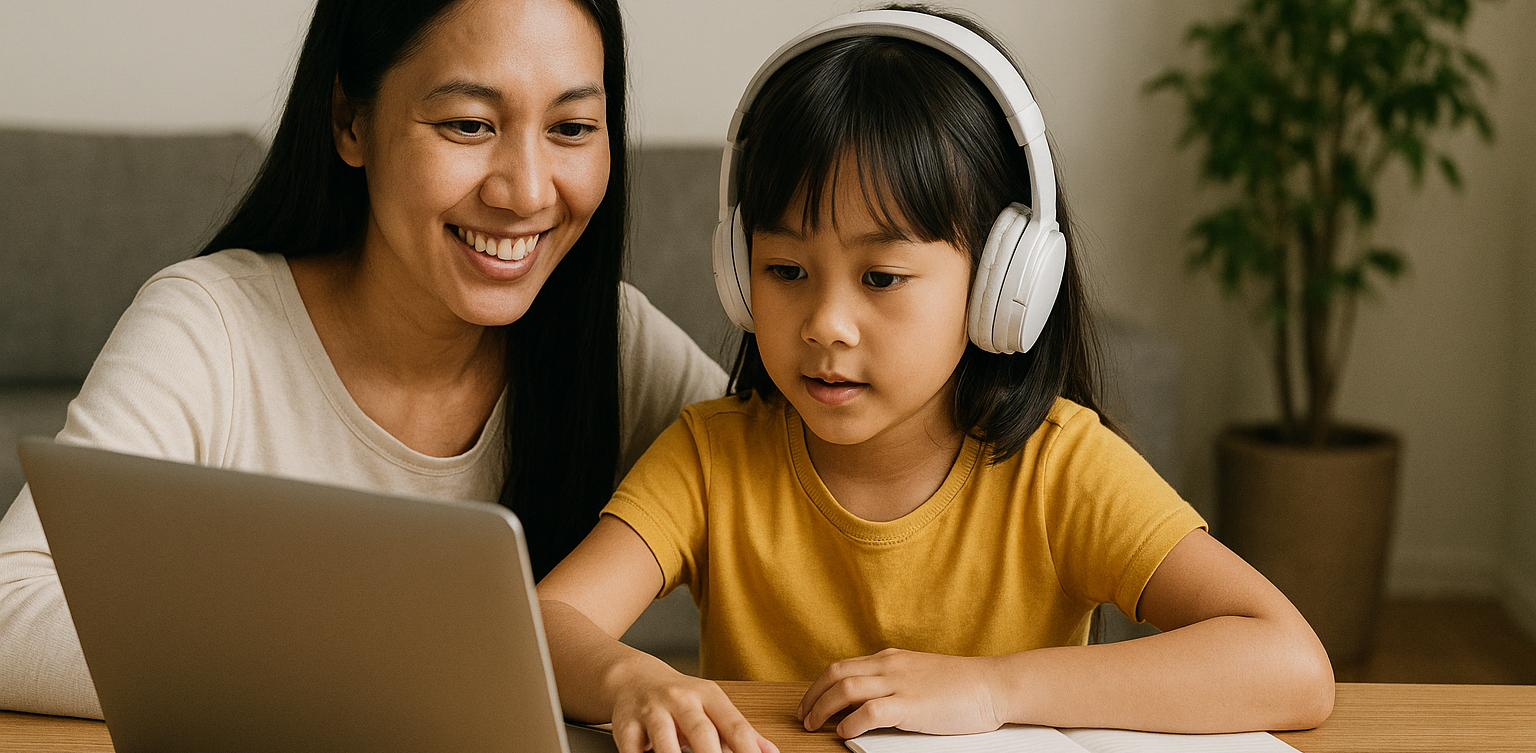
The Role of Parents in Kids Digital Learning: Practical Tips for 2025 image

Digital learning is now a core part of how kids learn. Since the pandemic, many have grown used to studying through screens, whether from school platforms or extra classes like coding, languages, or math. But behind the ease of technology, the role of parents in kids digital learning is still key to making learning effective.

Some might think digital learning makes kids more independent, but not all are ready to manage time, stay focused, or understand lessons on their own. This is where the role of parents in kids digital learning remains essential. Parents are not just supervisors but active guides who support and respond to their kids’ needs.

Setting a Healthy Learning Rhythm

role of parents in kids digital learning

Time management is one of the biggest challenges in digital learning. Without a teacher physically present, kids can get distracted easily when learning at home. Parents can help by building a consistent routine that balances study and rest.

This structure helps shape responsible habits early. It is one of the simplest ways to support the role of parents in kids digital learning and helps build long-term discipline.

Creating a Supportive Learning Space

Focus depends a lot on environment. At home, distractions like TV, traffic noise, or a younger sibling playing nearby can make learning harder. Parents should create a quiet, comfortable study spot where kids can focus better.

Make sure tools like laptops, headphones, and internet connections are working properly. These technical basics matter more than they seem. Helping with this setup is a key part of the role of parents in kids digital learning at home.

Offering Emotional Support

Digital learning can feel isolating. Kids may feel stuck, frustrated, or unsure who to talk to when lessons are hard. That is why emotional support is just as important as helping with assignments.

Simple questions like “Was today’s class fun?” or “Anything that confused you?” can make a big difference. Being emotionally available is a powerful part of the role of parents in kids digital learning, helping kids stay motivated and confident.

Guiding Tech Use with Balance

Technology can help learning, but it can also be distracting. Kids might be tempted to play games or watch videos during study time. That is why parents should stay involved by setting rules and limits that feel fair.

Use screen timers, focus modes, or parental control tools. More importantly, explain why these rules exist so kids see them as helpful, not harsh. Balanced tech use is part of the role of parents in kids digital learning that keeps learning on track.

Becoming a Learning Partner

Parents do not have to know everything their kid is learning. Just being involved by listening to a project explanation or joining an online session shows support.

Being a learning partner means exploring together and showing real interest. This shared effort makes learning more engaging and strengthens the role of parents in kids digital learning by building trust and motivation.

Why Parents Still Matter in Kids’ Digital Learning

Technology has made learning more flexible, but the role of parents in kids digital learning is still irreplaceable. From setting routines to offering encouragement, parents help make learning not only effective but enjoyable.

By staying engaged and present, you give your kid the best chance to succeed. You become the connection between digital tools and real growth.

Support Your Kid’s Digital Learning with Timedoor Academy

Looking for a better way to support your kid’s learning at home? Timedoor Academy offers fun and interactive online classes in coding, math, and robotics. All programs are designed specifically for kids.

 Image

Try a free class today and discover how we make your role of parents in kids digital learning easier and more meaningful.


Keep Reading

Tips for Managing Your Child’s Screen Time: How to Wisely Handle Kids’ Screen Time in 2025
In today’s digital era, screen time for kids has become a regular part of their daily lives. Devices like smartphones, tablets, and laptops are often used for playing, watching, and learning. However, many parents find it challenging to manage screen time so that their children stay healthy while maximizing its benefits. This article shares practical tips on managing your child’s screen time so it can be used wisely and productively.   Why Is Managing Screen Time for Kids Important? Excessive screen time without proper supervision can lead to problems such as eye strain, reduced physical activity, and sleep issues. By properly managing screen time for kids, parents help safeguard their children’s physical and mental health while supporting effective learning.   Effective Tips to Manage Screen Time for Kids 1. Set Clear Time Limits Create rules about when and how long your child can use gadgets daily. For example, limit usage to 1-2 hours a day, adjusted based on age and needs. Consistency is key so kids understand and follow the rules. 2. Choose Educational and Age-Appropriate Content Ensure your child accesses apps, videos, or games that support learning and fit their age group. Educational content turns screen time into enjoyable learning moments. 3. Accompany Your Child During Screen Time Parents should stay with their children while they use gadgets, especially for younger kids. This helps monitor content and provide explanations to maximize benefits. 4. Create a Balanced Screen Time Schedule Balance screen time with other activities, such as after completing homework or physical play. Avoid letting screen time replace outdoor play or social interaction. 5. Use Parental Control Features Take advantage of device settings to restrict access to inappropriate content and manage usage duration. 6. Set a Good Example Children tend to imitate their parents’ behavior. Use gadgets responsibly yourself to teach by example.   Benefits of Properly Managing Screen Time for Kids With proper management, screen time for kids not only avoids negative effects but also: Improves focus and concentration in learning Encourages independent learning through technology Strengthens parent-child relationships through shared screen time Develops digital skills from an early age   Challenges in Managing Kids’ Screen Time Managing screen time is not always easy. Common challenges include: Children resisting or struggling to follow screen time limits Parents lacking time to supervise gadget use consistently Difficulty finding engaging and educational content Devices often being used more for entertainment than education To overcome these, parents need patience and creativity in setting and enforcing rules. Open communication and involving children in rule-making can improve compliance.   Supporting Your Child’s Digital Growth Through Coding Beyond managing screen time, introducing children to coding is a positive step. Timedoor Academy offers fun and easy-to-understand coding programs designed specifically for kids. With this program, your child’s screen time becomes more meaningful—not just entertainment but also time spent learning creativity and critical thinking. Timedoor Academy also offers free trial classes, allowing parents and kids to explore coding stress-free before committing.   How to Effectively Manage Screen Time for a More Meaningful Experience Managing your child’s screen time is key to ensuring healthy and productive gadget use. By setting limits, choosing educational content, supervising usage, and balancing with other activities, screen time can become an effective learning tool. Equally important is supporting your child’s digital development through coding education, which is a valuable investment for their future. Timedoor Academy’s child-friendly methods and free trial classes provide an excellent opportunity for kids to explore the tech world in a fun, pressure-free way.
<strong>What Is Deepfake? The Impact on Children in 2025 and How to Respond Wisely</strong>
What Is Deepfake? The Impact on Children in 2025 and How to Respond Wisely
The rapid development of digital technology has brought about countless innovations, and one of the most talked-about today is deepfake technology. Recently, the term “deepfake” has been frequently discussed, especially as more and more fake videos that appear shockingly real circulate on social media. But what is deepfake exactly, and why do parents need to understand and be cautious about this technology, especially to protect their children? This article will explain what is deepfake, how it works, and the potential impact it can have on children. We’ll also cover practical steps parents can take to help their kids face digital challenges with confidence. What Is Deepfake? Understanding the Technology Behind Fake Faces Before exploring its impact, it’s important for both parents and children to know what is deepfake. Deepfake is a term used for videos, images, or audio created with artificial intelligence (AI) so convincingly that they appear real, even though they’re fake. This technology can swap faces, mimic voices, or even make someone say or do things that never actually happened. Originally, deepfake technology was developed for entertainment and cinema, such as creating special effects in movies. However, as technology has advanced, deepfakes are increasingly misused—for spreading hoaxes, scams, and even digital bullying. That’s why digital literacy and education about deepfake is now more crucial than ever for Indonesian families. How Does Deepfake Work? To help children and parents better understand what is deepfake, let’s look at the basics of how this technology operates. Deepfake uses machine learning, especially deep learning techniques, to analyze and mimic someone’s facial expressions, voice, and movements. Using sets of videos or photos of a target, AI “learns” unique patterns and then applies them to new videos to make them appear extremely realistic. The end result of a deepfake is often very difficult to distinguish from real footage, especially at a glance. This makes deepfake technology dangerous if misused, particularly for children who may not yet know how to verify what they see online. The Impact of Deepfake on Children After understanding what is deepfake, it’s essential to recognize the negative effects it can have on children in the digital era: 1. Spread of Hoaxes and MisinformationChildren can easily be convinced by a deepfake video or audio that looks and sounds real, making them vulnerable to fake news, slander, or provocative issues. 2. Cyberbullying and ExploitationDeepfake can be used to create fake content that humiliates or damages a child’s reputation, or even as a tool for online bullying and exploitation. 3. Fraud and Privacy ThreatsA child’s personal data can be stolen and used to create deepfakes, which could then be involved in scams, blackmail, or other crimes. 4. Self-Doubt and Mental Health IssuesIf a child becomes a victim of deepfake, they may experience stress, shame, and even trauma, which can affect their self-confidence and mental well-being. 5. Difficulty Distinguishing Fact from ManipulationAt a young age, children are not fully equipped to tell the difference between genuine and fake content. Lack of digital literacy can make them more susceptible to digital manipulation. The Role of Parents: Education and Protection Simply understanding what is deepfake isn’t enough. Parents must also actively educate and guide their children to stay safe in the digital world. Here are some practical steps: Teach Digital Literacy EarlyDiscuss with your child about what is deepfake, how to spot fake content, and the importance of not believing every piece of information encountered online. Build Open CommunicationEncourage children to talk if they come across suspicious content or feel uncomfortable with something online. Strengthen Data Privacy AwarenessHelp children understand the importance of keeping personal data—photos, videos, and identity information—private and protected. Be a Role ModelParents should use technology and social media wisely, and avoid sharing or spreading unverified content. Introduce Positive Digital ActivitiesRedirect children’s attention to educational and productive digital activities, such as learning coding, creating digital projects, or exploring new knowledge. Coding: A Smart Way to Protect Children in the Digital World One concrete way to equip children for the deepfake era is to introduce them to coding. By learning to code, children don’t just become technology users—they also gain an understanding of how technology works. Coding sharpens logic, analytical skills, and encourages critical and creative thinking. Children who learn coding are better able to recognize digital manipulation and understand how AI behind deepfake works. Timedoor Academy offers interactive, fun, and age-appropriate coding programs. Children can learn to build apps, simple games, and even understand basic AI concepts through friendly and easy-to-follow methods. Time to Outsmart Deepfake, Starting from Home In today’s digital age, understanding what is deepfake should be a priority for every family. With the right knowledge, digital literacy education, and technology skills such as coding, children will be better prepared to face the risks and opportunities of the online world. Don’t let your child fall victim to digital manipulation! Register your child for a free trial class at Timedoor Academy and introduce them to coding and digital safety from an early age.
<strong>5 Top Recommendations for Saving Accounts for Kids: Safe and Educational Options</strong>
5 Top Recommendations for Saving Accounts for Kids: Safe and Educational Options
Teaching children to save from an early age is a smart move to help them build healthy financial habits. One of the most effective steps parents can take is to open saving accounts for kids with a trusted bank. Through these special products, parents can introduce financial concepts, help children manage their allowance, and encourage a sense of responsibility about money management right from the start. Today, many banks around the world offer saving accounts for kids that are both attractive and educational. Parents can easily keep an eye on the balance and guide their children toward reaching their savings goals, whether it’s for a new toy, a book, or something they need for school. However, choosing saving accounts for kids should not be done on a whim. There are several factors to consider, including minimum deposit requirements, fees, as well as features like debit cards, mobile banking apps, and educational resources. Here are five of the best saving accounts for kids from globally recognized banks that are worth considering this year. 1. HSBC MySavings Youth Account The HSBC MySavings Youth Account is a popular choice among saving accounts for kids. Designed for children and teens (typically ages 7 to 17, though age requirements vary by country), this account helps kids understand banking basics and offers competitive interest rates with parental oversight. Highlights: No monthly fees Low minimum deposit Optional debit card with parental approval Online banking access for both parents and kids HSBC’s strong global network and easy-to-use digital services make it a reliable choice for families everywhere. 2. Santander 123 Mini Account The Santander 123 Mini Account is an excellent example of saving accounts for kids that are accessible internationally, especially in the UK and Spain. Suitable for children up to 17 years old, this account focuses on developing smart savings habits through a simple interface. Highlights: No monthly maintenance fees No minimum deposit Optional contactless debit card for older kids Online and mobile banking for parents and children This account lets parents supervise transactions while helping children learn the importance of saving and budgeting. 3. Capital One Kids Savings Account For families in the United States, the Capital One Kids Savings Account is an easy and fee-free way to get children started with saving accounts for kids. This account offers robust parental controls and is designed to be managed entirely online. Highlights: No monthly or annual fees No minimum balance requirement Competitive interest rates User-friendly mobile banking app Capital One also provides helpful resources for parents and kids to learn about money management together. 4. Revolut <18 (Under 18 Account) Revolut <18 is a digital solution for saving accounts for kids, available across Europe, the UK, Australia, Singapore, and other regions. Designed for children ages 6 to 17, it provides a digital wallet and a prepaid debit card under the supervision of a parent. Highlights: Instant app-based notifications Parental controls and spending limits Prepaid debit card for safe transactions Budgeting tools and goal setting Revolut <18 is ideal for families who want a modern, digital approach to teaching kids about saving and spending safely. 5. Chase First Banking Chase First Banking is one of the latest saving accounts for kids in the United States, created in partnership with Greenlight. It combines checking and savings features with strong parental controls and educational tools. Highlights: No monthly service fees Customizable saving, spending, and earning features Parental approval for key transactions Access to a large network of ATMs and branches Chase’s mobile app is intuitive and helps children learn to set goals, manage money, and track their progress in real time. Tips for Choosing the Right Saving Accounts for Kids To maximize the benefits, here are some useful tips for selecting saving accounts for kids: Choose an account that suits your child’s age and offers strong parental oversight. Look for low fees, reasonable minimum deposits, and attractive interest rates. Consider extra features such as mobile banking, debit cards, and educational content. Prefer banks with programs that reward good saving habits and offer financial education. Involve your child in the process of opening the account to build a sense of responsibility and motivation. Saving, Financial Literacy, and Digital Skills for the Future Introducing saving accounts for kids is not just about putting money away; it’s about building a foundation for lifelong financial literacy. In our increasingly digital world, it’s also wise to introduce children to essential digital skills like coding, preparing them for tomorrow’s challenges. If you want your child to become both financially responsible and tech-savvy, sign them up for a free trial coding class at Timedoor Academy. Kids can learn money management while developing logical thinking and creativity, helping them grow into a wise and innovative generation.
float button