Jul 09, 2025

9 Key Differences Between the 2013 Curriculum and the Merdeka Curriculum Today (2025 Update)

9 Key Differences Between the 2013 Curriculum and the Merdeka Curriculum Today (2025 Update) image

The differences between the 2013 curriculum and the Merdeka curriculum today have become an essential topic for parents to understand. This shift in educational approach is more than just a name change. It directly affects how children learn in school. With the right understanding, parents can better support their children’s learning process at home.

The 2013 curriculum has been used for over a decade. However, ongoing evaluations showed a need for a more flexible and student-centered approach. This led to the introduction of the Merdeka curriculum as a major refresh to the national education system. So, what are the real differences between the 2013 curriculum and the Merdeka curriculum today?

Below are nine key differences that parents need to know and how they impact children’s education.

1. Curriculum Goals
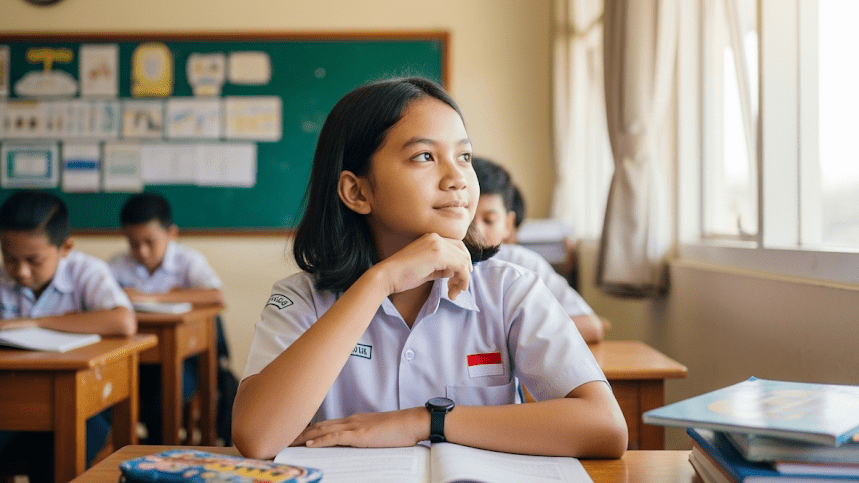
Differences Between the 2013 Curriculum and the Merdeka Curriculum

The 2013 curriculum aims to balance character, knowledge, and skills. In contrast, the Merdeka curriculum focuses more on developing each student’s unique potential based on their interests and talents. This is one of the main differences between the 2013 curriculum and the Merdeka curriculum today in terms of how educational goals are designed and delivered in the classroom.

2. Learning Structure

In the 2013 curriculum, all learning content is determined centrally, leaving teachers with limited flexibility. The Merdeka curriculum gives schools more freedom to adapt the structure based on local context and student needs. This flexibility is one of the most appreciated differences between the 2013 curriculum and the Merdeka curriculum today.

3. Learning Approach

The 2013 curriculum uses a scientific approach that involves observation, questioning, data collection, analysis, and communication. Meanwhile, the Merdeka curriculum adopts a differentiated approach, allowing teachers to adjust teaching methods based on each student’s learning style and needs.

4. Lesson Content

Another clear difference between the 2013 curriculum and the Merdeka curriculum today is the amount of learning material. The Merdeka curriculum simplifies content so students aren’t overwhelmed. It focuses on mastering key concepts instead of covering a large volume of topics, allowing for deeper understanding.

5. Assessment Method
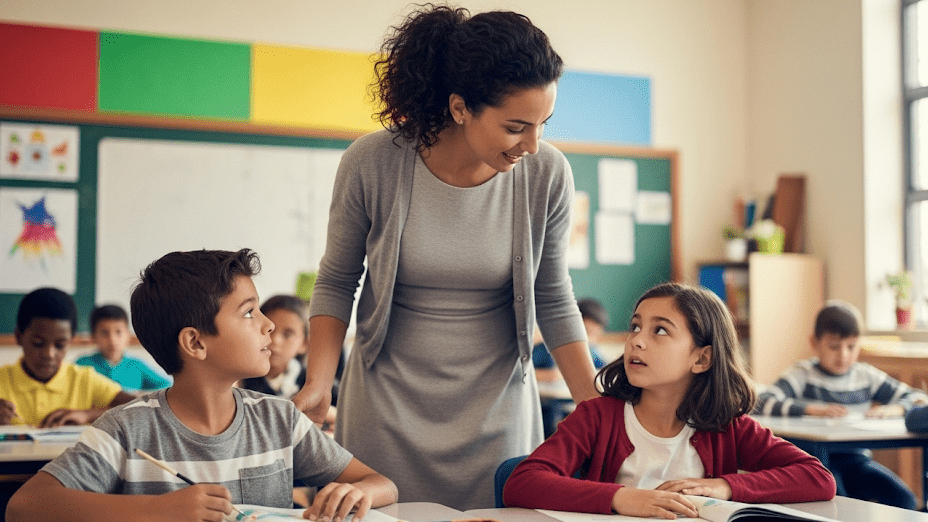
The 2013 curriculum relies heavily on administrative and quantitative assessments, which many teachers find complex and time-consuming. On the other hand, the Merdeka curriculum promotes formative assessments that help track a student’s progress and improve the learning process.

6. Role of Teachers

Teachers in the 2013 curriculum function mainly as content deliverers. In the Merdeka curriculum, they take on the role of facilitators, guiding students through their learning journey. This shift in teaching roles is another major difference between the 2013 curriculum and the Merdeka curriculum today, reflecting a more student-centered learning experience.

7. Pancasila Student Profile Projects (P5)

The 2013 curriculum didn’t include thematic projects. The Merdeka curriculum introduces P5 activities that help build student character through relevant themes like collaboration, creativity, and global diversity. This is one of the most visible differences between the 2013 curriculum and the Merdeka curriculum today in daily school activities.

8. Flexibility in Time and Learning Activities

The 2013 curriculum tends to have rigid and packed schedules. In contrast, the Merdeka curriculum allows schools to organize learning time more flexibly. Lessons can happen outside the classroom through experiments, discussions, or even community-based learning.

9. Readiness for the Future
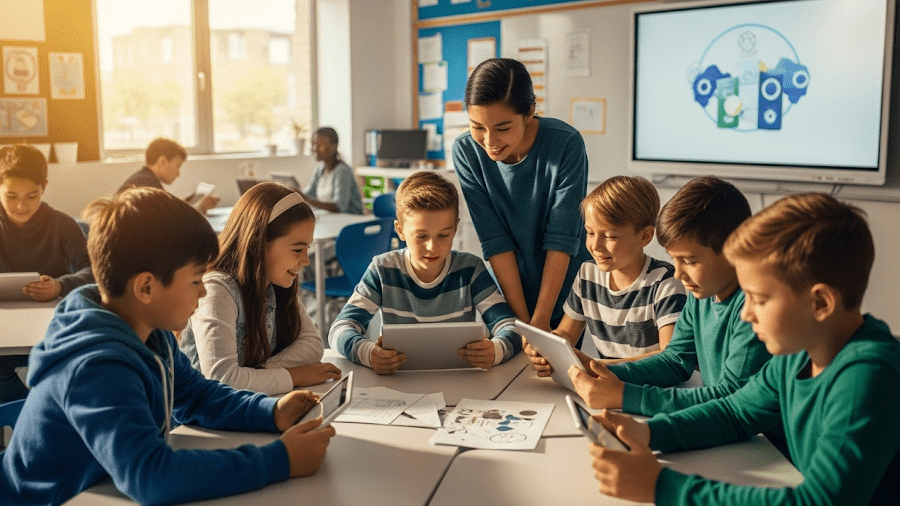
Perbedaan Kurikulum 2013 dan Kurikulum Merdeka

The Merdeka curriculum is designed to meet 21st-century demands. It emphasizes critical thinking, communication, collaboration, and digital literacy. One of the most forward-looking differences between the 2013 curriculum and the Merdeka curriculum today is its focus on preparing students for technological and societal changes.

The Role of Parents in the Merdeka Curriculum Era

Parents are not just supporters but active partners in the Merdeka curriculum. Children need consistent support and involvement from home. One meaningful way to align with the spirit of this curriculum is by introducing your child to positive, skill-based activities like learning coding.

Try a Free Coding Class at Timedoor Academy

Ingin tahu detail program? Image

Ingin tahu detail program?

Timedoor Academy offers free trial coding classes specifically designed for kids based on their age and interests. These classes go beyond teaching technology. They help build logical thinking, creativity, and self-confidence.

Each lesson is project-based, perfectly in line with the Merdeka curriculum. Kids will create games, animations, or basic apps while developing problem-solving skills and collaboration. With the support of experienced mentors, learning becomes fun, interactive, and meaningful. Let your child experience the joy of coding and build a stronger foundation for the future starting today.
Keep Reading

7 Top Movie Recommendations for Kids: Best Family Films of 2024 – 2025!
Watching movies with your children is not only a fun family activity, but also a meaningful way to teach important values, expand horizons, and spark their imagination. By choosing the right movie recommendations for kids, parents can introduce positive messages and exciting stories that stay with their children for years to come. Between 2024 and 2025, there are many new animated and live-action releases that are full of adventure and valuable lessons. Here are seven movie recommendations for kids that you should not miss for your next family movie night. 1. Jumbo (2025) Released on March 31, 2025, Jumbo is an Indonesian animated film directed by Ryan Adriandhy. The story follows Don, an orphaned boy often underestimated because of his large size. With the help of a tiny fairy named Meri, Don embarks on a magical adventure to discover the meaning of friendship and courage. Jumbo quickly became Indonesia’s highest-grossing animated movie of all time, reaching more than two million viewers in just eleven days. This is a must-watch and one of the top movie recommendations for kids in 2025. 2. Inside Out 2 (2024) Inside Out 2, released on June 14, 2024, is the much-anticipated sequel to Pixar’s acclaimed film. The story continues with Riley as she enters her teenage years, experiencing new emotions such as anxiety and embarrassment. As one of the most talked-about movie recommendations for kids this year, Inside Out 2 provides deep insight into the importance of understanding and managing feelings, making it both entertaining and meaningful for children and parents alike. 3. Elio (2025) Set to premiere on June 13, 2025, Elio is Pixar’s next big animated release. The movie centers on Elio, a young boy who is accidentally abducted by an intergalactic organization and suddenly finds himself appointed as Earth’s ambassador. Packed with vibrant interstellar adventures and positive messages about courage and self-discovery, Elio stands out among the latest movie recommendations for kids for families seeking something unique and imaginative. 4. The Wild Robot (2024) The Wild Robot was released on September 27, 2024, and tells the story of Roz, a robot who becomes stranded on a deserted island and must learn to adapt to the natural world and its inhabitants. This beautifully animated film is one of the most inspiring movie recommendations for kids, sharing heartfelt lessons about compassion, adaptation, and the importance of building relationships with others, no matter how different they may seem. 5. Zootopia 2 (2025) Zootopia 2 is scheduled for release on November 25, 2025, and brings back the beloved characters Judy Hopps and Nick Wilde as they solve new mysteries in the vibrant city of Zootopia. The movie is highly anticipated and is sure to be one of the top movie recommendations for kids next year, offering exciting stories and positive messages about diversity, teamwork, and justice. 6. Space Cadet (2025) Space Cadet, a Canadian animated film, had its world premiere on February 16, 2025, at the Berlin International Film Festival. This dialogue-free movie tells the story of a young astronaut and her robot guardian, exploring themes of loss, love, and finding your place in the universe. With its stunning visuals and emotional depth, Space Cadet is a standout among movie recommendations for kids and offers a unique viewing experience for the whole family. 7. Sauvages (2024) Released on May 18, 2024, Sauvages is a stop-motion animated film about Kéria, a young girl living in Borneo who teams up with her cousin and an orangutan to fight against deforestation. The movie addresses important themes of environmental conservation and cultural identity, making it one of the most educational and relevant movie recommendations for kids this year. Tips for Enjoying Movies with Kids To get the most out of these movie recommendations for kids, parents can try these simple tips: Choose movies that are appropriate for your child’s age and always check reviews beforehand. Discuss the story after watching, asking your child about their favorite characters and what lessons they learned. Combine movie time with other activities, such as reading related books or doing crafts inspired by the film’s themes. Limit screen time and balance it with physical activities and social interaction. Make movie night a special bonding time for the family, not just entertainment. By carefully selecting movie recommendations for kids, parents can help their children develop empathy, broaden their perspectives, and gain positive values from a young age. Balancing Entertainment and Digital Learning In today’s digital world, children need not only quality entertainment but also essential skills for the future. Along with watching the latest movie recommendations for kids, introduce them to the world of coding, creativity, and technology through fun educational activities. If you want your child to develop logical thinking, creativity, and self-confidence, sign them up for a free trial coding class at Timedoor Academy. Make family time even more fun and meaningful by balancing great entertainment with digital learning opportunities.
10 Powerful Reasons Why Understanding The Importance of Digital Safety for Kids Matters Today
In the digital era, kids are growing up surrounded by screens, the internet, and endless online interactions. While technology offers many advantages, it also introduces new challenges that parents cannot ignore. From social media exposure to online gaming and digital learning, kids face potential risks that may affect their privacy, safety, and mental well-being. That is why understanding the importance of digital safety for kids has become a vital aspect of modern parenting. As technology becomes an inseparable part of daily life, the need to educate kids about online behavior, privacy protection, and responsible technology use becomes more urgent. Digital literacy is no longer just an option; it is an essential skill for every child in the 21st century. 1. Building Awareness About Online Threats Many kids use the internet without understanding its potential dangers. Parents and educators need to guide them to recognize harmful websites, suspicious links, or strangers who might have bad intentions. Teaching kids about the importance of digital safety for kids helps them develop awareness from an early age, making them more cautious when navigating the online world. 2. Protecting Personal Information One of the key components of the importance of digital safety for kids is teaching them how to protect their personal information. Many websites and apps ask for details such as names, photos, and locations. Without proper knowledge, kids may share private data that could be misused by others. Parents must teach their kids never to share personal information without permission and to use privacy settings responsibly. 3. Preventing Cyberbullying Cyberbullying is a growing concern in today’s society. Kids who spend time on social media or online games may face bullying, harassment, or exclusion. By understanding the importance of digital safety for kids, both parents and kids can learn how to prevent, identify, and handle cyberbullying effectively. Encouraging open communication and emotional support is key to protecting a child’s mental health online. 4. Encouraging Responsible Social Media Use Social media platforms are a popular space for kids to express themselves and connect with friends. However, it is also a place where misinformation, inappropriate content, and privacy issues can occur. Educating kids about the importance of digital safety for kids means guiding them to use social media responsibly, think before they post, and understand the consequences of sharing personal content publicly. 5. Managing Screen Time Wisely Digital safety also includes managing how much time kids spend online. Excessive screen time can lead to fatigue, distraction, and reduced focus in learning. Understanding the importance of digital safety for kids helps parents and kids create healthy boundaries between study time, online entertainment, and offline activities. Balanced screen time supports both mental and physical well-being. 6. Strengthening Digital Literacy Skills Digital literacy goes beyond knowing how to use gadgets. It involves critical thinking, information evaluation, and problem-solving skills. Through programs like coding or digital creativity classes, kids can learn how to use technology safely and productively. Learning the importance of digital safety for kids empowers them to become responsible digital citizens who use technology for positive purposes. 7. Avoiding Scams and Online Manipulation Kids can easily fall for online scams, such as fake giveaways or misleading ads. They may also be influenced by manipulative content designed to collect data or promote harmful behavior. Teaching them the importance of digital safety for kids helps prevent these incidents. They learn to identify suspicious behavior and make smarter online choices. 8. Promoting Positive Online Communication Online communication can be beneficial when used positively. Kids can learn, share ideas, and collaborate across cultures. However, they must also understand the ethics of digital communication, such as respecting others’ opinions and avoiding hurtful language. Incorporating the importance of digital safety for kids into their learning encourages empathy and respect in every online interaction. 9. Preparing for a Digital Future As technology continues to evolve, digital safety becomes an essential foundation for every future career. Kids who understand the importance of digital safety for kids will grow into professionals who value data protection, cybersecurity, and ethical technology use. Early exposure to these concepts prepares them to thrive in a world where digital skills are in high demand. 10. Empowering Parents and Schools to Collaborate Lastly, promoting the importance of digital safety for kids requires collaboration between parents, teachers, and institutions. Schools can integrate digital safety education into the curriculum, while parents can apply these lessons at home. Together, they create a safe and supportive environment where kids can explore technology without fear. How Timedoor Academy Helps Strengthen Digital Safety Education Timedoor Academy understands that technology can be both exciting and challenging for kids. Through structured learning programs, students not only develop coding and digital skills but also gain awareness about online safety, privacy, and responsible internet use. Each class is designed to help kids understand the importance of digital safety for kids in practical and engaging ways. By joining Timedoor Academy, your child will be guided by professional mentors who are committed to creating a positive and secure learning environment. Parents can feel confident knowing that their kids are developing both technical knowledge and safe digital habits. Ready to Help Your Child Explore Technology Safely? Digital safety begins with knowledge. If you want your child to grow up as a confident, creative, and responsible digital user, now is the perfect time to take the first step. Register your child for a free trial class at Timedoor Academy today! Discover how our expert mentors can help shape your child’s understanding of technology while ensuring their safety in the digital world.
Top 5! How to Limit YouTube for Kids Effectively
In today’s digital world, YouTube has become one of the most popular entertainment platforms for children. While it offers a wide variety of educational content, it also exposes kids to videos that may not be suitable for their age. That’s why many parents are searching for a clear and practical solution: how to limit YouTube for kids. Ensuring your child’s safety while exploring the internet is no easy task. YouTube’s algorithm often suggests videos based on watch history, not necessarily on age-appropriateness. This makes it even more critical for parents to learn how to limit YouTube for kids as part of responsible digital parenting. Why It’s Important to Monitor Kids on YouTube While YouTube can be a great source of learning—offering science experiments, storytime videos, and creative tutorials—it can also lead kids down a rabbit hole of violent, inappropriate, or misleading content. Without proper supervision, your child may unintentionally view content that contradicts the values you are trying to instill. That’s why understanding how to limit YouTube for kids is not just a parenting option, but an essential digital safety measure. How to Limit YouTube for Kids: Practical Steps Here are some concrete steps you can take as a parent: 1. Use YouTube Kids App YouTube offers a child-friendly version of its platform called YouTube Kids. This app is designed with automatic filters to block inappropriate content and provide age-appropriate viewing. It’s a strong first step in your approach to how to limit YouTube for kids. 2. Enable Restricted Mode If your child uses the standard YouTube app, you can enable “Restricted Mode” in the settings. This feature helps filter out videos flagged as unsuitable. It adds an extra layer of protection in your efforts to control what your child watches. 3. Set Parental Controls Both YouTube Kids and the regular app allow you to set screen time limits and control the types of content your child can access. These built-in parental controls are crucial in enforcing how to limit YouTube for kids without needing constant supervision. 4. Establish Viewing Schedules Create specific times for when your child is allowed to watch YouTube, such as after completing homework or during weekends. Clear time restrictions encourage discipline and help children value their screen time. 5. Watch Together Spend time watching YouTube with your child. It’s not just about monitoring—it’s an opportunity to bond, understand their interests, and gently guide them toward more enriching content. 6. Educate Your Child on Good Content Choices Teach your child how to recognize content that is inappropriate or makes them uncomfortable. Encourage them to speak up if they come across something they don’t understand or that feels wrong. This empowers them to be responsible digital citizens. 7. Use Third-Party Monitoring Apps Tools like Google Family Link can provide more detailed control over your child’s online behavior. You can view their activity, set time limits, and even approve or block apps. These tools are highly effective in supporting your journey in how to limit YouTube for kids. Common Challenges Parents May Face Setting limits is not always easy. Children may resist new rules or attempt to find workarounds to access restricted content. That’s why consistency, patience, and open communication are key. Involve your child in creating these rules so they feel included and understand the reasons behind them. It’s also important to strike a balance. Remember, the goal of learning how to limit YouTube for kids is not to ban access entirely but to guide children toward safe and meaningful digital experiences. Limiting is Not Banning, It’s Redirecting When done right, how to limit YouTube for kids becomes a way of redirecting your child’s screen time toward educational and creative growth. There are countless videos that can inspire innovation, critical thinking, and even spark a passion for science, art, or coding—when chosen wisely. As parents, we have the power to shape how children interact with technology. By combining digital tools with parental guidance and open conversations, we prepare them for a safer and smarter future online. Try a Free Coding Class at Timedoor Academy Parenting in the digital era requires new tools and strategies. With the right knowledge and support, you can protect your child from harmful content while encouraging their curiosity and creativity. If you're looking for a positive and productive way to introduce your child to the digital world, consider enrolling them in a fun and educational tech program. Timedoor Academy offers free trial courses in coding, tailored for children aged 5 to 19.
float button