May 05, 2025

How to Choose Coding Course for Kids: A Step-by-Step Guide In 2025

How to Choose Coding Course for Kids: A Step-by-Step Guide In 2025 image

In today’s digital era, coding is becoming a vital skill for children to learn early. Whether they are interested in games, animation, or just curious about how technology works, finding the right course can shape their learning journey. If you are wondering how to choose coding course for kids, this guide will walk you through the essential steps every parent should know. It covers what to consider, how to evaluate a course, and how platforms like Timedoor Academy make it easier than ever to get started.

1. Understand Your Child’s Interests and Learning Style

how to choose coding course for kids

The first step in how to choose coding course for kids is to understand what motivates your child. Do they enjoy building things, telling stories, or playing logic games? A child who loves art might enjoy animation-focused coding, while one interested in tech may love learning how apps work. Choosing a course that connects to their personal interests makes it easier to keep them engaged and excited about learning.

2. Match the Course to Their Age and Skill Level

Another important step in how to choose coding course for kids is making sure the difficulty fits your child’s current level. Younger children do better with visual tools like Scratch or Blockly, which help them understand basic logic without typing code. Older kids or those with some experience may benefit more from Python or JavaScript. Timedoor Academy provides coding programs grouped by age and ability, so children can learn comfortably at their own pace.

3. Look for Strong Curriculum and Project-Based Learning
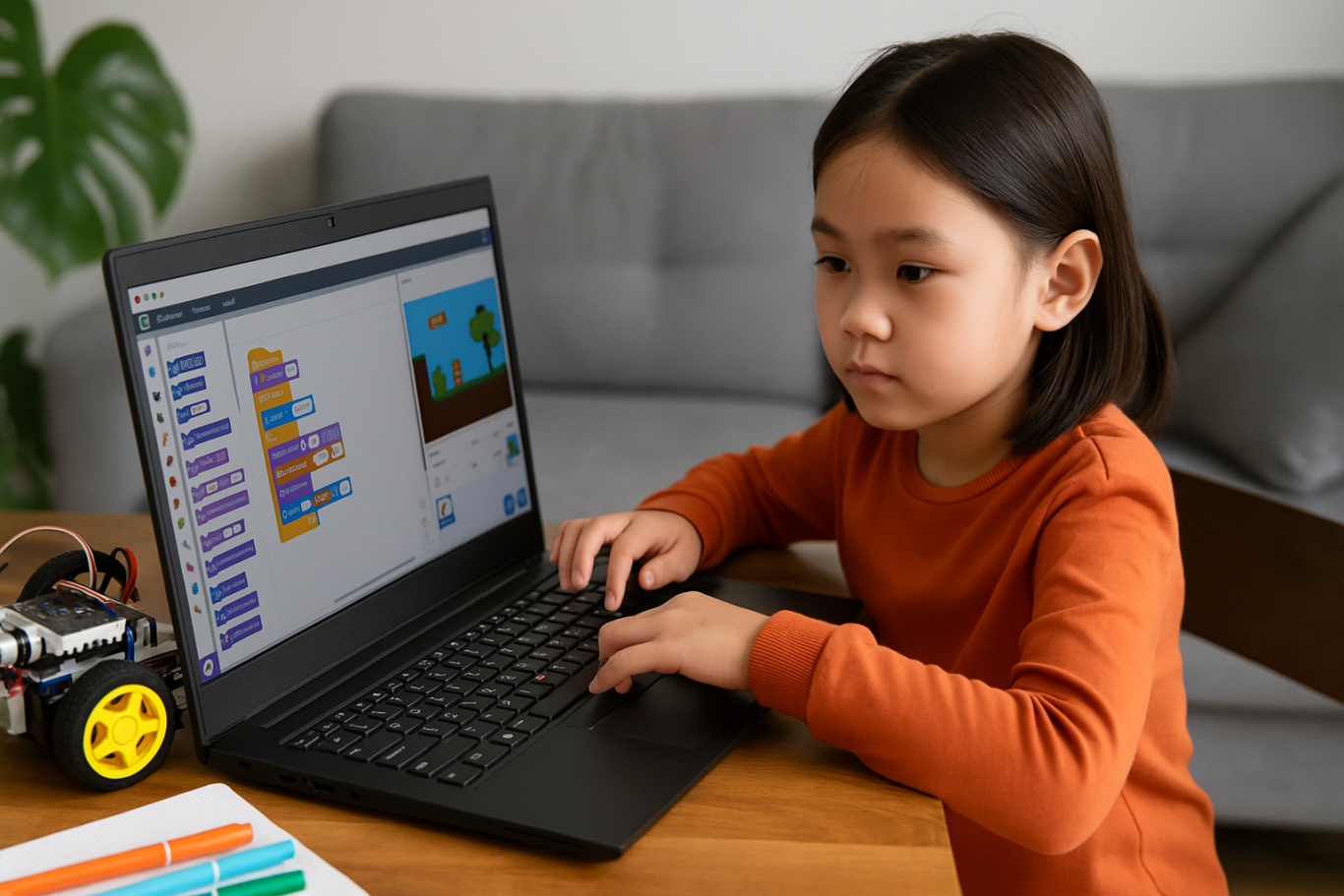
When exploring how to choose coding course for kids, the course structure matters. A good program should combine clear explanations with plenty of opportunities to build projects. Kids learn best by doing, so check if they’ll be creating apps, games, or animations. Timedoor Academy follows a project-based approach where each lesson builds toward a hands-on goal, helping children stay focused and feel proud of their work.

4. Decide Between Online or In-Person Formats

Your child’s learning environment can impact their progress. As you consider how to choose coding course for kids, think about whether online or in-person learning works better for your family. Online courses are flexible and accessible from anywhere, while in-person classes may provide more direct support. Timedoor Academy offers live online sessions with real instructors and small class sizes, blending structure with flexibility.

5. Evaluate the Teachers and Student Support

One of the key factors in how to choose coding course for kids is the quality of the teaching staff. Great instructors are not just skilled in programming—they also know how to communicate with children. Look for teachers who are patient, encouraging, and responsive. At Timedoor Academy, instructors are carefully trained to work with young learners and guide them with a friendly, easy-to-follow approach.

6. Try a Free Trial to See What Works

kursus anak di kelapa gading

Before making a commitment, it is helpful to try a class. This is one of the smartest ways in how to choose coding course for kids. A trial session lets your child experience the lesson format, meet the teacher, and decide if they enjoy it. Timedoor Academy offers free trial classes where children can explore coding firsthand, ask questions, and complete a mini project. This can be the difference between guessing and choosing a course with confidence.

Ready to Begin Your Child’s Coding Journey?

Ingin tahu detail program? Image

Ingin tahu detail program?

If you’re still wondering how to choose coding course for kids, the best way is to let them experience it. Timedoor Academy offers interactive and engaging online coding classes made for kids of all ages. With expert instructors, hands-on projects, and a flexible schedule, your child will not only learn coding but also grow in confidence and creativity. Sign up for a free class today and see how fun learning to code can be.


Keep Reading

<strong>7 Top Facts About the Danger of YouTube Shorts for Kids in 2025</strong>
7 Top Facts About the Danger of YouTube Shorts for Kids in 2025
In today’s digital age, YouTube is no longer just an entertainment platform for adults. It has become part of many children’s daily routines. One of the most popular features among kids today is YouTube Shorts — short-form videos lasting between 15 to 60 seconds that auto-play in endless succession. While this feature may seem fun and harmless, parents should be aware of the growing danger of YouTube Shorts for kids. YouTube Shorts are designed to keep users engaged for as long as possible. They are particularly captivating to children, who are naturally drawn to fast, colorful, and funny content. However, beneath the surface of quick entertainment lies a range of hidden risks that could seriously affect a child’s mental, emotional, and social development. Here are seven critical facts that explain the danger of YouTube Shorts for kids, and why it’s important for parents to take action early. 1. Instant Content Builds Impatience in Children One major danger of YouTube Shorts for kids is the way it encourages instant gratification. Since the content is so short and constantly changing, kids become less capable of sustaining attention or focus. They are trained to expect quick entertainment without needing to think deeply. Over time, this can harm their concentration and patience when learning or completing tasks. 2. Algorithm Traps Kids in an Endless Loop YouTube Shorts uses an algorithm that adjusts content based on user preferences. If a child watches a funny or exciting video, the system will keep serving similar clips. This creates a cycle that’s hard to break. Without realizing it, the danger of YouTube Shorts for kids increases as they spend hours watching, neglecting social interaction or physical activities that are crucial for healthy growth. 3. Age-Inappropriate Content Slips Through While YouTube offers parental controls, they are far from foolproof. Many kids are still exposed to content that isn’t age-appropriate — from foul language and violence to questionable values. This is a serious danger of YouTube Shorts for kids that many parents overlook. Kids may start mimicking language or behaviors they don’t fully understand or know how to handle. 4. Decline in Imagination and Creativity Excessive exposure to passive visual content can weaken a child’s imagination. Instead of creating their own stories or games, they become consumers rather than creators. One long-term danger of YouTube Shorts for kids is the potential drop in creativity and problem-solving skills, both of which are essential in today’s evolving world. 5. Disruption of Daily Routines Children who frequently watch YouTube Shorts often lose track of time. What starts as watching “just one video” turns into hours of screen time, disrupting sleep, meals, and study schedules. This danger of YouTube Shorts for kids can interfere with healthy routines and habits that should be formed at a young age. 6. Increased Anxiety and FOMO Even kids are now experiencing fear of missing out (FOMO). They feel pressured to keep up with trends so they can relate to their peers. This constant need to stay updated leads to anxiety and social stress. If left unchecked, the danger of YouTube Shorts for kids can turn into issues with self-esteem and dependency on social media for validation. 7. Reduced Interest in Learning and Physical Play When children prefer watching short videos over reading books, playing outdoors, or spending time with family, it’s a red flag. They may lose interest in vital developmental activities. The danger of YouTube Shorts for kids here lies in reduced motivation to learn and a lack of physical exercise, both of which are essential for their overall health and development. What Can Parents Do About It? The first step is recognizing that banning technology altogether is not a realistic solution. Instead, children should be taught how to use it responsibly. Open communication, empathetic guidance, and clear boundaries are key to managing their digital habits. One effective approach is to redirect their attention to more productive digital activities, like learning to code. Coding helps children shift from passive consumption to active creation. It boosts their confidence, strengthens their focus, and opens doors to a bright future. Try a Free Coding Class at Timedoor Academy To counter the danger of YouTube Shorts for kids, Timedoor Academy offers specially designed coding classes that are fun, visual, and age-appropriate. Children are guided to create games, animations, and digital projects that build both creativity and logic. You can sign up for a free coding class at Timedoor Academy as a great first step. With an engaging, project-based curriculum and the support of professional mentors, your child can transition from passive viewer to empowered creator. Help your child grow into a tech-savvy learner with healthy digital habits today.
6 Simple and Trendy Street Food Recipes for Kids in 2025
Snacks are an important part of a child's school day, especially during breaks and playtime. In 2025, the trend for street food recipes for kids is growing, focusing on healthy ingredients, easy preparation, and of course, great taste. Making snacks at home not only saves money but also allows parents to control the quality and hygiene of the food their children eat. Plus, cooking together can be a valuable time for learning and creativity. Here are 6 trendy and easy street food recipes for kids that you can try at home using simple ingredients and straightforward steps.   1. Mini Pancakes with Fresh Fruit Mini pancakes are a favorite snack for many kids. Their soft texture and the natural sweetness from fresh fruit make them a healthy choice for lunchboxes or afternoon treats. Ingredients: 100 grams all-purpose flour 1 egg 150 ml milk 2 tablespoons sugar Fresh fruit pieces (strawberries, bananas, blueberries) How to make: Mix all dry and wet ingredients until smooth without lumps. Heat a non-stick pan on low heat, pour small round pancakes, and cook until golden on both sides. Serve the mini pancakes topped with fresh fruit for an appealing and nutritious snack.   2. Date Chocolate Balls For kids who love sweet snacks but need something healthy, these date chocolate balls are perfect. Dates provide natural sweetness and high fiber, which is good for digestion. Ingredients: 150 grams pitted dates 2 tablespoons cocoa powder 50 grams chopped walnuts How to make: Blend or mash the dates until smooth. Mix in cocoa powder and chopped walnuts until well combined. Shape the mixture into small balls and chill in the fridge for at least 30 minutes to firm up before serving.   3. Banana Yogurt Ice Cream Banana ice cream with plain yogurt is a refreshing and healthy treat. Yogurt contains probiotics that benefit kids' digestive health. Ingredients: 2 ripe bananas 150 ml plain yogurt 1 tablespoon honey How to make: Blend the bananas, yogurt, and honey until smooth and well mixed. Pour the mixture into ice cream molds and freeze for at least 4 hours. This banana yogurt ice cream is perfect for cooling off while providing good nutrition.   4. Chocolate and Cheese Roll Sandwiches These easy-to-make roll sandwiches are kids' favorites thanks to the delicious mix of sweet chocolate and savory cheese. Ingredients: 4 slices of crustless white bread Chocolate spread as needed Grated cheese as needed How to make: Spread chocolate on each bread slice, sprinkle with grated cheese, then roll up tightly. Slice as desired. These rolls can be eaten as is or lightly toasted to melt the cheese and add a crispy texture.   5. Fruit Yogurt Salad Fruit salad with yogurt is a healthy and refreshing snack. Feel free to vary the fruits depending on the season for more variety. Ingredients: Chopped apples, grapes, melon, and other fruits 150 ml plain yogurt 1 tablespoon honey How to make: Mix the chopped fruits with yogurt and honey. Stir well and serve chilled for a fresh and tasty treat.   6. Banana Chocolate Muffins These banana chocolate muffins combine the natural sweetness of bananas with chocolate chips that kids love. They're perfect for school snacks or afternoon treats. Ingredients: 2 ripe bananas, mashed 100 grams all-purpose flour 50 grams sugar 1 egg 50 grams chocolate chips How to make: Mix mashed bananas, egg, and sugar until smooth. Gradually add flour while stirring. Fold in the chocolate chips gently. Pour the batter into muffin molds and bake at 180°C (350°F) for 20 minutes or until cooked through.   Why Making Your Own Street Food Recipes for Kids Matters Making street food recipes for kids at home has many benefits. Besides ensuring the ingredients are healthier and safer, children also learn about food and cooking processes. This helps boost their creativity and responsibility for what they eat. Cooking together also creates precious bonding moments between parents and children. Teaching kids to make healthy snacks encourages better lifestyle habits from an early age.   Learning Coding for Kids — How Does It Connect with Cooking? Combining cooking with learning coding can make kids even more excited to learn. For example, children can be encouraged to create a simple app featuring their favorite snack recipes while picking up basic coding skills. This is a fun and effective way to introduce technology at an early age. For parents who want their kids to start learning coding in a fun and easy way, Timedoor Academy offers specially designed coding programs for children. You can also take advantage of Timedoor Academy’s free trial class so your child can try coding for free before enrolling in full courses. So, don’t hesitate to try these 6 trendy and easy street food recipes for kids. Not only are they delicious and healthy, but cooking together can be a fun and rewarding learning experience. And don’t forget to support your child’s coding journey so they’re ready for the digital world ahead with Timedoor Academy.
5 Top Causes of Stunting in Children and How to Prevent It
Causes of stunting in children remains one of the most serious public health challenges globally. This condition not only affects a child’s height, making them shorter than their peers, but it also impacts brain development and long-term cognitive ability. To prevent this condition early, it is essential for parents and caregivers to understand the main causes of stunting in children and how to effectively address them. In this article, we will explore five key causes of stunting in children along with practical solutions that can support optimal growth and development. 1. Poor Nutritional Intake During Pregnancy One of the leading causes of stunting in children is inadequate nutrition during pregnancy. When a pregnant mother does not consume a well-balanced diet, there is a higher risk of giving birth to babies with low birth weight, which is an early factor that can lead to stunting. A fetus depends entirely on the nutrients the mother consumes. A lack of important micronutrients such as iron, folic acid, and calcium can hinder fetal growth. It is therefore crucial for expectant mothers to maintain regular check-ups and follow a nutritious, balanced diet from the beginning of pregnancy. 2. Inadequate Exclusive Breastfeeding Another common cause of stunting in children is the lack of exclusive breastfeeding during the first six months of life. Breast milk contains all the essential nutrients a baby needs, including antibodies that protect against infection. Babies who do not receive exclusive breastfeeding or who are introduced to complementary food too early are at higher risk of nutrient deficiencies that may affect growth. After six months, it is recommended to introduce complementary foods that are age-appropriate and nutrient-dense, while continuing to breastfeed. 3. Unbalanced Diet During Toddler Years After the breastfeeding stage, children need a daily intake of nutritious foods to support their growth. A frequent cause of stunting in children is an unbalanced diet that relies heavily on carbohydrates but lacks adequate protein, vitamins, and minerals. Children’s meals should include diverse food groups such as animal and plant-based proteins, vegetables, fruits, and energy sources like rice or tubers. Serving colorful and varied meals is a simple way to ensure that children receive the nutrients they need to grow optimally. 4. Frequent Infections and Poor Sanitation Repeated infections such as diarrhea, respiratory illness, and worm infestations are also major contributors to stunting in children. When a child is frequently ill, their body uses energy to fight off infections rather than to grow. This reduces nutrient absorption and may gradually impair development. Poor sanitation, unsafe drinking water, and lack of access to clean toilets increase the risk of infectious diseases. Families should ensure a clean living environment and teach children good hygiene habits, such as washing hands with soap before meals and after using the toilet. 5. Limited Parental Knowledge of Nutrition and Development A lack of awareness about nutrition and child development among parents is an indirect but significant factor contributing to stunting in children. Many caregivers are unaware of how to track their child’s growth or recognize early signs of nutritional deficiencies. Visiting local health centers, participating in parenting classes, or accessing online consultations with nutritionists can help improve parents’ knowledge. With the right information, parents can take preventive steps early and ensure their child grows up healthy and strong. How to Effectively Prevent Stunting in Children Stunting does not happen overnight. It is often the result of multiple contributing factors from pregnancy through the first two years of life. This period, known as the first 1,000 days of life, is critical for building a child’s foundation for long-term health and development. Some effective steps parents can take include: Eating a balanced diet during pregnancy Exclusively breastfeeding for the first six months Introducing nutritious complementary foods from six months onward Practicing good hygiene and maintaining clean living conditions Regularly monitoring child growth with healthcare professionals Public education on proper nutrition and sanitation must also be expanded so that every child has an equal chance to grow and thrive. Healthy Body, Healthy Brain, and Digital Skills Too Understanding the causes of stunting in children is the first step in making informed decisions about their well-being. Alongside proper nutrition and health care, it is also beneficial to introduce children to future-ready skills such as coding. Timedoor Academy offers fun, interactive online coding classes tailored for kids. These classes help develop logical thinking and creativity in a child-friendly environment. Try a free trial class now at Timedoor Academy!
float button