Jun 13, 2025

5 Effective Strategies on How to Improve Children’s Focus

<strong>5 Effective Strategies on How to Improve Children’s Focus</strong> image

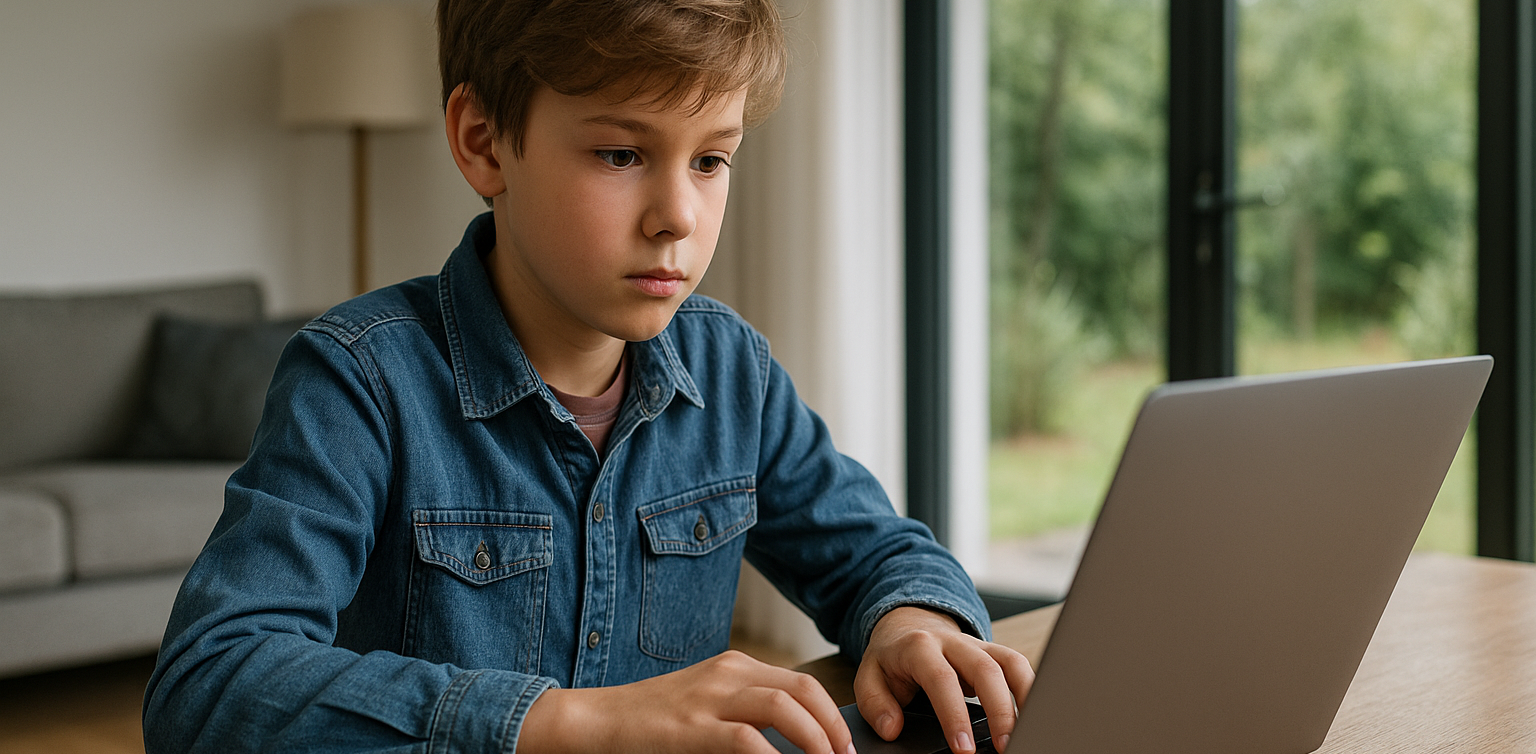
The ability to focus is one of the most important foundations of a child’s learning process. Children with good concentration skills tend to absorb information better, complete tasks more efficiently, and perform well both at school and in daily life. However, improving focus is not something that happens overnight. It requires strategy, patience, and consistency from parents. That’s why it’s essential to understand how to improve children’s focus from an early age.

Not all children are naturally focused. Some are more easily distracted, especially by noisy environments or digital devices. But with the right approach, children can gradually build their ability to concentrate.

1. Build a Consistent Daily Routine

how to improve children's focus

The first step in understanding how to improve children’s focus is by creating a structured daily routine. A predictable schedule helps children know what to expect throughout the day. Setting consistent times for learning, playing, eating, and sleeping helps their minds prepare for each activity, reducing distractions and enhancing focus.

Routines also give children a sense of safety and stability. This sense of order supports their ability to concentrate because their brains are not constantly adjusting to unpredictable changes.

2. Limit Digital Distractions

Excessive screen time is one of the biggest obstacles to concentration. A practical tip on how to improve children’s focus is by limiting access to gadgets like tablets, smartphones, or television, especially during study or family interaction time.

Encourage children to engage in physical or creative activities like drawing, building puzzles, or reading. These types of play stimulate the brain and teach children to complete tasks without being distracted by fast-paced digital entertainment.

3. Introduce Mindfulness Activities

how to improve children's focus

Mindfulness isn’t just for adults. There are now many child-friendly mindfulness techniques that support how to improve children’s focus. These exercises include deep breathing, listening to natural sounds, or observing objects closely to help kids become more aware of the present moment.

For example, ask your child to sit quietly and listen to the sound of rain or birds for one full minute. It may seem simple, but it can help strengthen their attention span over time.

4. Use Focus-Enhancing Games

Games can be a fun and effective way to teach concentration. Puzzle-solving, matching games, memory cards, or board games like chess and snakes and ladders are excellent tools for building attention skills.

These games teach kids to stay on one task, follow rules, and think ahead. Integrating these activities into your child’s routine is a proven method on how to improve children’s focus while keeping it enjoyable.

5. Start with Simple, Age-Appropriate Tasks

Small, manageable tasks help train a child’s ability to focus. Whether it’s tidying up their toys, watering plants, or helping set the table, these tasks are a great way to build responsibility and concentration.

When exploring how to improve children’s focus, assigning simple chores can go a long way. It teaches kids to stick with one task until it’s done. Celebrate their success with specific praise, like “You finished the puzzle all by yourself. That’s awesome!” to boost their motivation.

Challenges in Building Focus

It’s normal for young children to have short attention spans. That’s why parents must be patient and avoid comparing their children to others. Each child has a different rhythm when it comes to learning and focusing.

If focus issues continue over a long period, consider consulting a child psychologist for further insights. However, most children benefit significantly from consistent routines and structured guidance at home.

Final Thoughts: Focus Can Be Learned

 Image

Improving focus is not a talent that children are born with, but a skill that can be developed. It benefits not just their academic performance but also their emotional regulation, problem-solving, and ability to work independently. Understanding how to improve children’s focus allows parents to guide their kids toward a stronger mental foundation for the future.

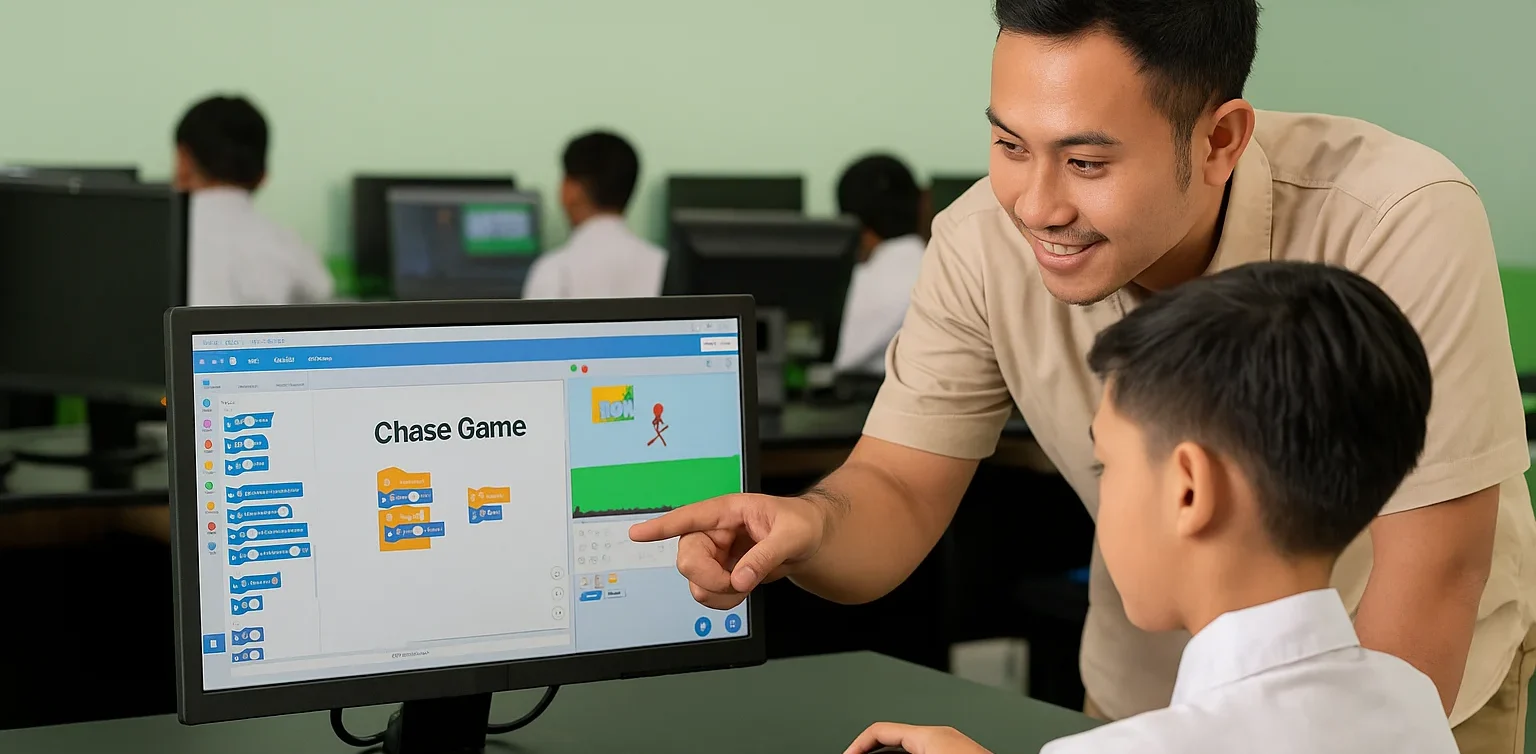
As a complement to focus training, coding classes can be a great tool. At Timedoor Academy, children can explore technology in an engaging and structured environment. Coding requires logic, patience, and attention, making it a powerful way to enhance your child’s concentration. Try a free coding class today and unlock your child’s potential in the digital age.
Keep Reading

7 Types of Robot Coding Suitable for Beginners
In today’s digital era, introducing children to technology is becoming increasingly important. One of the most engaging and educational ways to do this is through robot coding. This activity not only develops logical thinking but also fosters creativity, problem-solving skills, and teamwork. For parents, choosing the right robot coding tool for beginners is crucial. There are many options available, from simple to more advanced robots. To make the decision easier, let’s explore the benefits of robot coding, the types of beginner-friendly robots, and tips for choosing the most suitable option for your child. Why Choose Robot Coding for Beginners Robot coding is designed to help children learn programming interactively. Instead of only typing code on a screen, they can see how their commands make a robot move or perform specific actions. This makes the learning process more tangible and fun. Children become motivated to experiment because they immediately see the results of their code. For example, when they program a robot to move forward or avoid an obstacle, they witness how logic and commands shape real outcomes. This builds confidence and curiosity in young learners. Types of Robot Coding for Beginners Here are some beginner-friendly robots that children can easily explore: Line Following Robot This robot uses light sensors to follow a line on the floor. It is simple but effective for teaching decision-making based on conditions.   Obstacle Avoidance Robot Equipped with ultrasonic or infrared sensors, this robot avoids obstacles in its path. Children learn about basic if-else logic, which is fundamental in coding. Drawing Robot This robot can create patterns or drawings on paper. It is perfect for children who enjoy art, as they can combine coding logic with creativity.   Voice Controlled Robot A robot that responds to simple voice commands like “move” or “stop.” This helps children understand how machines interact with human input.   Dancing Robot Small robots that can be programmed to dance to patterns or music. It shows children that robot coding can be fun and expressive.   Sensor-Based Robot Robots equipped with light, temperature, or motion sensors that react to environmental conditions. For example, moving when motion is detected or turning on lights when it is dark.   Modular Robot Robots that can be reassembled and programmed with new functions. These encourage creativity and problem-solving by letting children design and rebuild their robots. With this wide selection, parents can choose robots based on their child’s interests. If the child enjoys art, a Drawing Robot is ideal. For those who love challenges, an Obstacle Avoidance Robot may be more suitable. Tips for Choosing Robot Coding Tools for Kids Match with Age Select robots appropriate for the child’s development stage. Younger children may benefit from block-based coding systems, while older ones can explore text-based coding.   Consider Child’s Interests Children who like creativity may prefer drawing robots, while those interested in problem-solving might enjoy sensor-based or obstacle avoidance robots.   Ease of Use A beginner robot coding kit should come with clear instructions, a user-friendly app, and ideally an active support community.   Prioritize Safety Ensure the materials are safe, durable, and suitable for repeated use by children. Long-Term Benefits of Learning Robot Coding Robot coding is not just a hobby. It builds a strong foundation for future skills. Children develop logical thinking, creativity, and perseverance, all of which are critical for success in the digital age. By experimenting with robots, kids also build resilience. If a program doesn’t work as expected, they learn to troubleshoot and try again, developing patience and determination. Parents can also participate in the process, making it a shared family activity that strengthens bonds while learning new skills. Learning Robots Coding Easier with Timedoor Academy Introducing children to robot coding at an early stage is a wise investment in their future. With the many beginner-friendly options available, each child can find a robot that suits their interests and learning style. If you are looking for a program that blends technology with creativity, Timedoor Academy offers interactive courses that can guide children step by step. Register your child now for a free trial at Timedoor Academy and discover how robot coding can be both an enjoyable and meaningful learning experience for their future.
How to Deal with Child Tantrums: Smart Tips for Calm and Confident Parenting
For many parents, figuring out how to deal with child tantrums is one of the toughest parts of raising young kids. One moment they are fine, and the next, they are crying, shouting, or throwing things across the room. It is a stressful and exhausting situation that can easily test your patience. That is why every parent needs to understand how to deal with child tantrums calmly and effectively. With the right approach, tantrums do not have to turn into a daily battle. In fact, they can be valuable opportunities for both children and parents to learn and grow together.   Why Do Children Have Tantrums? Before diving into how to deal with child tantrums, it is important to understand why they happen in the first place. Tantrums are a normal part of early childhood development, especially for children between the ages of one and four. At this stage, children are still learning how to express their feelings in words. When they feel tired, hungry, frustrated, or overwhelmed, they express those emotions through tantrums. It does not mean they are being naughty or trying to manipulate you. They simply have not yet learned how to manage big emotions in a more appropriate way.   How to Deal with Child Tantrums Without Losing Your Cool Here are some practical steps to help you manage tantrums and keep the situation under control: 1. Calm Yourself The first and most important step in how to deal with child tantrums is managing your own emotions. Children often mirror their parents' reactions. If you remain calm, you are setting an example of emotional control. If you panic or get angry, your child is likely to escalate even more.   2. Acknowledge Their Feelings Instead of immediately trying to stop the outburst, take a moment to validate their emotions. Simple phrases like "You are upset because we cannot buy that toy, right?" help your child feel understood. This small step is a key part of how to deal with child tantrums effectively.   3. Redirect Their Attention After acknowledging their feelings, gently guide your child toward another activity. Offer to play a game, read a book, or suggest something they enjoy. Redirecting attention is a practical and proven method in how to deal with child tantrums, especially with younger kids.   4. Be Consistent with Boundaries Giving in to tantrums just to stop the noise might bring short-term relief but teaches the wrong lesson. Children will learn that tantrums are a way to get what they want. Staying consistent and firm with rules is essential when learning how to deal with child tantrums in a healthy and constructive way.   5. Teach Simple Breathing Techniques Introducing basic breathing exercises can help children learn to self-regulate. Encourage them to take slow, deep breaths when they feel upset. This method is a valuable tool in how to deal with child tantrums and builds long-term emotional resilience.   Turning Tantrums into Positive Learning Opportunities One effective way to support emotional growth is by giving children constructive outlets for their energy and feelings. For example, simple coding activities can help children develop patience, focus, and logical thinking. While coding might seem unrelated to tantrums, the process of breaking down problems step by step helps children build important self-regulation skills. In many ways, teaching a child how to deal with frustration during coding challenges mirrors the lessons you want to teach when figuring out how to deal with child tantrums.   Patience and Consistency Are Key Learning how to deal with child tantrums is not about finding an instant solution. Emotional regulation is a life skill that takes time and practice. The real key is showing patience and maintaining consistency in your responses. This approach helps children gradually learn how to manage their own emotions more effectively. Tantrums are not a sign of failure. They are a chance to guide children toward healthier ways of expressing their feelings.   Supporting Emotional Growth Through Positive Activities While tantrums can be exhausting, handling them with empathy and patience teaches children valuable emotional skills. Additionally, engaging kids in structured activities like coding provides another opportunity to practice focus, problem-solving, and perseverance. Coding encourages children to approach challenges with a calm and logical mindset. These are the same qualities they need when learning how to deal with child tantrums in everyday life. Curious how coding can help your child develop these skills? Timedoor Academy offers a free coding class designed especially for kids. The lessons are fun, interactive, and tailored to your child's learning pace. Give your child a positive and engaging learning experience. Register now for a free trial class at Timedoor Academy!
How to Use Figma for Kids: A Fun and Simple Digital Design Guide
In today’s digital era, graphic design has become an increasingly essential skill, even for kids. Design is not just about drawing or creating illustrations. It also helps children develop creativity, visual logic, and systematic thinking. One of the most popular and beginner-friendly design tools to introduce early on is Figma. This article will guide you on how to use Figma for kids in a fun and easy-to-follow way. Figma is a web-based design platform widely used by UI/UX professionals and graphic designers. But because of its intuitive interface and real-time collaboration features, Figma can also be a great learning tool for children, especially those curious about digital design, posters, invitations, app layouts, or even simple games. Why Kids Should Learn Digital Design Digital design is not only about aesthetics, but also about communication. Kids who learn design early tend to express ideas visually, organize information clearly, and feel more confident experimenting with their creativity. Design skills also open doors to other fields like illustration, app development, animation, and branding. By learning how to use Figma for kids, the design process becomes more engaging. They can instantly try, rearrange, and explore design elements without needing to install any additional software. What to Prepare Before Using Figma Before your child starts designing, here are some things to set up: Figma account: Create a free account at figma.com. Use a parent’s email and assist during setup. Device: A laptop or desktop with a stable internet connection works best. Simple design theme: Start with fun, easy projects like a birthday card or character illustration. Benefits of Using Figma for Kids Here are some of the main benefits of using Figma as a learning tool for kids: Enhances creativity and visual aesthetics Builds logical thinking through layout structure Boosts confidence through hands-on creation Encourages teamwork and collaboration in online settings Step-by-Step Guide: How to Use Figma for Kids Below are specific steps on how to use Figma for kids, including core features and how to guide them: 1. Introduce the Interface and Basic Tools After logging in to a Figma account, walk your child through the main elements of the workspace: Canvas: the blank area where they’ll build designs Top toolbar: includes tools like Move, Frame, Shape, and Text Left panel: shows the object structure (layers) Right panel: used to adjust color, size, position, and effects Let them freely draw circles, squares, or stars and experiment with colors. This unstructured play helps them get familiar with Figma naturally. This is also a great starting point in how to use Figma for kids in a stress-free way. 2. Start a New Project Click New Design File and let your child name it something fun like “My Poster” or “Cute Cat Project.” Then: Create a Frame using A4 size or mobile screen dimensions Add shapes via the Shape tool, then change colors on the right panel Add text with the Text Tool, and adjust font size, color, and position This step of how to use Figma for kids feels like drawing on a digital piece of paper—fun and intuitive. 3. Add Images and Illustrations To make their design more dynamic, help them insert images: Click File > Place Image and choose from your computer Or simply drag and drop into the canvas Use the Unsplash plugin to find royalty-free images directly inside Figma This makes it easier for kids to create digital greeting cards, collages, or mood boards. These small projects are practical examples of how to use Figma for kids in real-life situations. 4. Create Simple App or Game Layouts For older kids, try introducing them to basic app layout design: Use Frames sized for iPhone or Android Add titles, icons, and buttons Turn elements into Components for duplication Use Prototype mode to simulate screen transitions This is a creative and exciting way to teach design logic and basic UX thinking. It’s also a more advanced stage in how to use Figma for kids who want to go deeper. 5. Collaborate and Present Figma is perfect for collaborative learning. Kids can: Click Share to invite parents, teachers, or friends Use Presentation Mode to view their design full-screen Receive comments directly on the canvas and learn from feedback These interactions help kids learn how to present and improve their ideas. How to use Figma for kids can extend into valuable lessons on teamwork and communication. Combine with Online Design Classes To support their learning journey, consider enrolling your child in an online design course. Timedoor Academy offers kid-friendly design programs based on fun projects and personalized learning. Learning how to use Figma for kids is much easier when supported by friendly mentors and structured activities. Tips for Parents to Support Learning To make the learning process smoother, parents can: Be present during the early stages, then give room to explore Ask about their designs and encourage storytelling Avoid focusing on perfection—celebrate creativity instead Try designing together as a bonding activity Ready to Introduce the World of Design? Introducing your child to digital creativity can begin with simple tools like Figma. With the right guidance and playful approach, how to use Figma for kids becomes a fun activity that sharpens logic, builds visual confidence, and sparks interest in technology. Timedoor Academy is here to support your journey. With interactive online classes and friendly instructors, your child can learn to design with confidence. Try a free class today and help your child discover their design potential from an early age.
float button