Sep 26, 2024

How to Keep Children Safe Online? – Internet Usage Guideline

How to Keep Children Safe Online? – Internet Usage Guideline image

Have you ever been concerned about your child’s safety online? and how to keep children safe online.

In today’s age, children are growing up with unprecedented access to the internet and various online platforms. Just like other people, children are getting more comfortable and used to doing things through the internet. 

While this internet connectivity offers incredible opportunities for learning and social interaction, the digital world can be a maze of challenges for an individual who lacks awareness of its potential dangers. From cyberbullying, inappropriate content, online predators, scammers, and many more. Thus, ensuring our children’s online safety has become a crucial aspect of modern parenting.

This guide aims to provide you with practical strategies and insights to help keep your child safe in the digital landscape, allowing them to enjoy the positives of the online world while minimizing potential dangers.

Keep Children Safe Online Guideline

Set Clear Boundaries and Rules

In the modern age, everyone can access the Internet including people with good and bad intentions. Establishing clear guidelines for internet use is fundamental to keeping your child safe online. These rules should be age-appropriate and evolve as your child grows and becomes more tech-savvy. The guidelines serve multiple purposes including providing a framework for healthy internet habits and content consumption.

Ethical Online Behavior 

Teaching your child about ethical online behavior is essential for digital citizenship. The main highlight is the need to teach them to be a responsible user. As parents, we need to help them either in real life or online where children also need to be respectful, supportive, and kind because this will maintain or create a positive habit user.

Appropriate Use

Every website and application has its own set of rules that users must follow, typically two types including Privacy Policy and Terms and Conditions (T&Cs). These are like house rules for each online platform. It is crucial for children and adults to be aware of these guidelines before using any online services.

One of these is age restrictions because many platforms for users with the purpose of protecting children from content not suitable for their age group. This is also to ensure compliance with data protection laws for minors and safeguard children from potential online risks. Also, ensure age-appropriate experiences and maintain the intended purpose of the platform. These rules also serve as behavioral guidelines to outline expected user conduct on the platform. It aims to maintain a safe and positive environment for all users. 

The consequence of violating the rules can lead to warnings, temporary restrictions, or even permanent bans. However, it is crucial to understand the rules for personal safety, digital citizenship, and legal compliance. Thus, it is important for both children and parents to be aware of the app’s policies that are being used by the children to protect them from exposure to inappropriate content or dangerous situations.

Read Our Other Articles:

Can Screen Time be Educational Learning for Kids? Coding Course Could Be The Answer

Freelance or Agency? Cost or Quality? Check Pros and Cons Before Ordering Website Development

Educate About Online Risks and Safety

Unfortunately, the digital landscape can be a complex and sometimes dangerous territory, especially for young people with a higher chance of being inexperienced users. The widespread function of the internet comes with numerous and ever-evolving threats. This is where education about online risks and safety becomes crucial. By equipping children, teenagers, and even adults with the knowledge of digital can ensure that everyone can reap the benefits of the internet while minimizing its potential harms. It is also to empower them with the tools that they need to make informed decisions, protect themselves, and contribute positively to the online community. \

The Permanence of Online Actions

Unlike spoken words that fade away, or physical documents that can be destroyed, digital information can persist indefinitely. It is called a digital footprint which refers to the trail of data that the user created while using the internet. Several footprints including posts, comments, photos, browsing history, and even IP addresses. 

Children need to know the basic concept of the internet, where any information that is online can be copied, accessed, and stored on multiple servers. It means truly erasing online information is challenging even information posted years ago could resurface. This digital footprint is easily accessible data to anyone and might be used maliciously in the future. Thus, it could affect their online safety and future well-being.

Responsible Information Sharing

The Internet was created to share information. However, with the ease of sharing information nowadays comes the responsibility to share information wisely and ethically. Responsible information sharing involves understanding the potential impacts of what we share, respecting others’ privacy, and contributing positively to the online community. 

Children already need to know how to be cautious about sharing personally identifiable information, location data, sensitive personal information, and even other people’s information. Encourage them to always have discussions with parents or reliable family members before sharing those types of information either online or in real life. It can be done by making children mindful of what to share, which can enhance safer online usage. 

Use Parental Controls or Monitoring Tools

parental guidance, internet usage guide for children, family spending time together

While setting clear boundaries, education about online risks, and promoting responsible behavior are essential strategies, sometimes additional measures are necessary to protect our children from potential online dangers. Having an extra layer of protection and oversight to ensure the safety of children online is also crucial. 

Safe Search Settings 

Safe search settings are features or tools that are filters designed to block potentially harmful material from search results. When being turned on, it can ensure that explicit, violent, and inappropriate content is not displayed on the page. They are particularly useful for preventing accidental exposure to mature content. 

These settings can be found in several search engines such as Google, Bing, and YouTube, including other platforms that can hide sensitive content like Instagram, X, Facebook, and others. When children search for information or images, safe search features ensure that the displayed results are also suitable for their age group while also reducing the risk of exposure to disturbing content. Other than that, there are also third-party applications other than built-in settings that allow parents to monitor online activity. 

Screen Time Management

Through this method, parents need to control the amount of time their children can spend interacting with screens including smartphones, tablets, and computers. Excessive screen time can have detrimental effects on children’s physical, mental, and emotional well-being. They can disrupt sleep quality, limit social interaction, and health problems like obesity and eye strain. 

Fortunately, several devices offer features that allow parents to set daily limits for app or device usage and usually this feature is attributed to activity reports that can be used to track usage patterns. Examples of these are Apple’s screen time, Google’s family link, and Microsoft’s family safety. These screen time management tools help balance a child’s online and offline activities with the hope of promoting healthier digital habit activities.

Introduce Them to Educational and Creative Online Spaces

Keep children safe online, safe online environment for children

After all, the internet offers a wealth of opportunities for children to learn, create, and grow and that is the reason it needed to introduce children to educational and creative online spaces. Parents can harness the power of technology for positive development while simultaneously promoting safer internet usage. 

Educational and Creative online spaces can provide children with access to a vast array of knowledge and skills, often in engaging and interactive formats. These spaces can supplement traditional education, introduce children to a more relevant modern environment, and foster adaptability.

Coding and Technology Skills

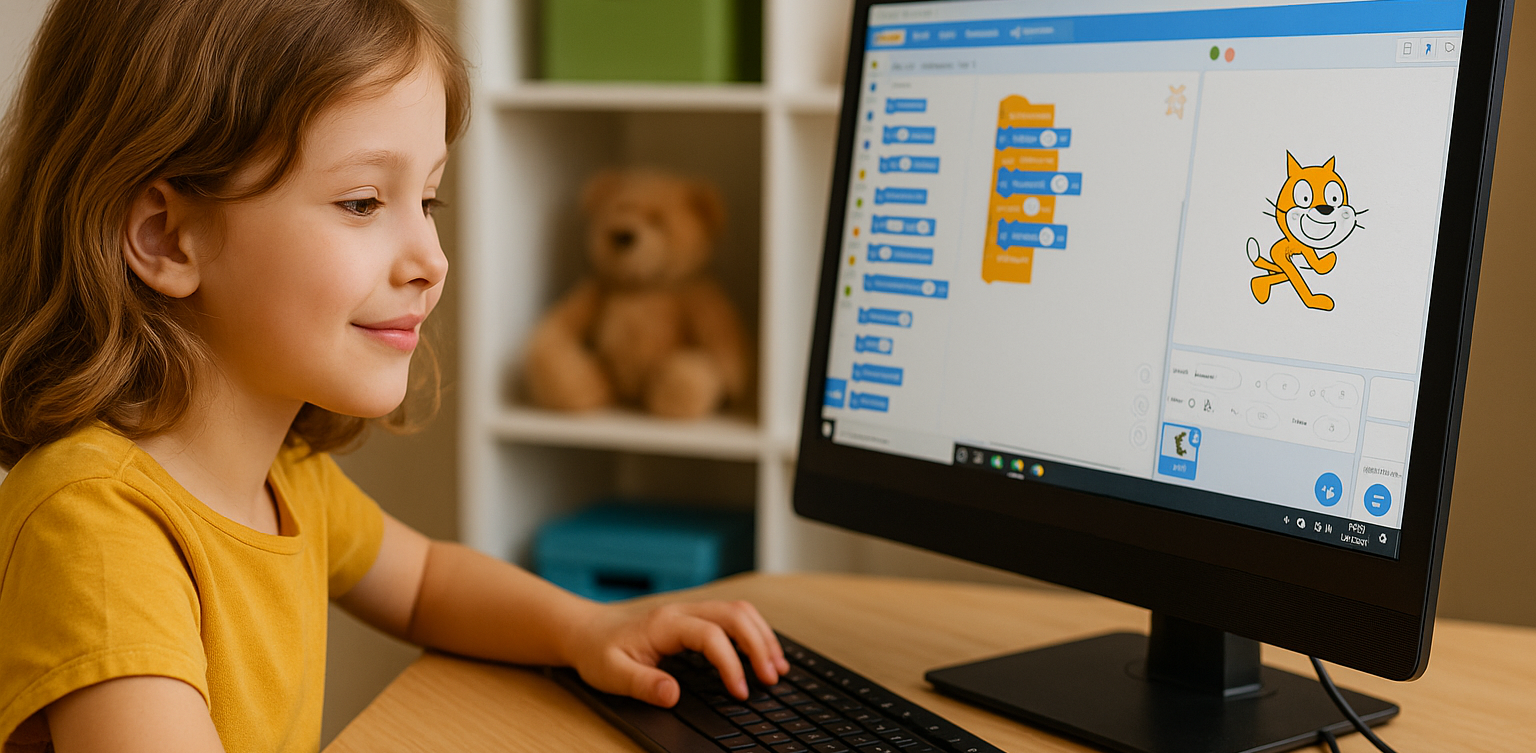
One particularly valuable area for children to be more aware of internet safety is through educational material about technology skills and coding. In our increasingly digital world, these skills are becoming as important as reading and writing, coding is the modern language, and useful skills in the future.

Benefits of Coding for Children

  • Problem-Solving Skills, there will always be mistakes that make errors in the journey of coding and it teaches children how to break down complex problems into smaller and manageable parts. 
  • Thinking Logically, the errors in their code are needed to be found and solved. When children have seen the code result and there are errors, they need to think logically and systematically about what made the errors, where is the mistake code, and how to solve it.
  • Creativity, coding can also allow children to think creatively and bring those ideas to life through coding. Examples would be making animation, designing the web, or even creating artificial intelligence, where coding skills are needed.
  • Future Career Preparation, technology skills like coding are in high demand across various industries because of the digital transformation that is ongoing and it will always be needed in the future modern era.

Guide Children

Timedoor Academy

Imagine a place where your young minds flourish, where curiosity is nurtured, and where the digital landscape becomes a safe playground for learning. Embark your child on a transformative journey with Timedoor Academy, where we’re revolutionizing the way children interact with technology. In today’s digital landscape, it’s crucial to introduce young minds to educational and creative online spaces that nurture growth and foster innovation. We’ve crafted an environment that harnesses the internet’s vast potential to create a safe, engaging, and enriching experience for your child. At Timedoor, we understand that the future speaks the language of code, and we’re here to ensure your child is fluent in it.

Join our free trial class and witness your child’s thrill with future technology innovation.

Check out Timedoor Academy‘s site for further information.

Keep Reading

<strong>The Best Sports for Children Ages 3–17</strong>
The Best Sports for Children Ages 3–17
In today’s modern era, one of the biggest challenges for parents is making sure their children stay physically active amid the dominance of gadgets and digital activities. Many children prefer playing games at home rather than running or playing outdoors. In reality, choosing the best sports for children is very important to support their growth, health, and happiness. Through the right physical activities, children can develop healthy habits that last into adulthood. Every child has different interests and abilities. That’s why it is important for parents to understand what types of sports are best for their child, based on age, interest, and health conditions. By introducing physical activity from an early age, children will get to know their bodies, learn teamwork, and build self-confidence. Recommended Sports for Children by Age To maximize the benefits, here are some recommendations for the best sports for children, grouped by age: Ages 3–6:At this stage, children need simple and fun physical activities. Some of the best sports for young children include playing ball, riding a tricycle, swimming, gymnastics, and dancing. Games like hide and seek or jumping rope are also great for developing gross motor skills. Ages 7–12:Children can start joining more structured and competitive sports. Recommended sports for this age group include soccer, basketball, badminton, athletics, martial arts, and swimming. At this age, children also begin to learn teamwork and sportsmanship. Teenagers:As they enter their teenage years, children can choose sports that match their interests and talents, whether in teams or individually. They can also try more specific sports such as volleyball, table tennis, pencak silat, or archery. Teenagers are usually more motivated if sports are done together with friends. Tips to Keep Children Excited About Sports To help children stay enthusiastic and consistent about sports, parents can try these tips: Make sports a family routine, such as exercising together every weekend. Give children the opportunity to try various types of sports until they find what they enjoy most. Avoid comparing your child’s abilities with others; focus on their progress and efforts. Offer praise and support for every effort and achievement. Keep the sports environment fun, so that sports never feel like a burden or punishment. Balancing Sports and Digital Activities Besides introducing the best sports for children, it is also important to teach children how to manage their time between physical and digital activities. In the technology era, it’s true that children need to become familiar with the digital world, but physical health should always be a priority. Parents can create a daily schedule that balances study time, screen time, and physical exercise. This will help build healthy habits and prevent children from becoming too attached to their devices. Developing Children’s Potential Through Sports and Coding Nurturing a child’s potential goes beyond just finding the best sports for children. It also involves introducing them to 21st-century skills such as coding. Balancing a healthy body with an active mind is essential in this digital age. Coding trains children to think logically, creatively, and to solve problems, while sports help them develop discipline and self-confidence. Parents can blend physical and digital activities so that children can grow optimally, both physically and mentally. Try a Free Trial Coding Class at Timedoor Academy To help your child be even more prepared for future challenges, encourage them to join a free trial coding class at Timedoor Academy. In this class, children learn coding in an interactive and creative way, guided by professional mentors. Make your child’s screen time more meaningful with educational digital activities, without neglecting the importance of finding the best sports for children. Visit our website or social media pages, Timedoor Academy, to register for a free trial coding class that can be attended online from home. Finding the best sports for children does take time, but the benefits are enormous for their future. Active support and involvement from parents is essential so children can grow up healthy, happy, and confident to face the modern world.
Cheap Laptops For Kids
10 Best Cheap Laptops for Kids in 2025: Specs and Prices
As digital learning becomes more integrated into daily education, laptops have become an essential tool for kids. From joining online classes to completing homework and exploring creative projects like coding or animation, a laptop can be a child’s gateway to limitless learning. In this article, we’ll share 10 best cheap laptops for kids in 2025 that strike the perfect balance between affordability, durability, and performance. Whether your child is in elementary or junior high school, these devices can support their learning journey without breaking your budget.   What to Look for in Cheap Laptops for Kids Before buying a laptop for your child, make sure you check the essentials: 1. Budget-friendly price Look for options ranging from $150 to $400 that still offer smooth performance for daily school needs. 2. RAM and Storage A minimum of 4 GB RAM and at least 64 GB storage is ideal for online learning, browsing, and video conferencing. 3. Battery Life Long battery life (6 to 10 hours) ensures your child can use the laptop for long school sessions without constantly needing to recharge. 4. Screen Size and Portability Laptops with 11 to 14 inch screens are the best for kids, offering a balance between portability and screen real estate for learning. 5. Operating System Windows 10 or 11 or ChromeOS laptops tend to support the widest range of educational apps and tools.   10 Best Cheap Laptops for Kids in 2025 Here are 10 cheap laptops for kids that are recommended based on their specifications and friendly prices as of April 2025:   1. ASUS Chromebook C204 Price: Around $220Display: 11.6-inch HDProcessor: Intel Celeron N4000RAM & Storage: 4 GB RAM, 32 GB eMMCBattery: Up to 10 hours This laptop is durable and perfect for younger kids who need something that can withstand a little rough handling. 2. Lenovo IdeaPad Slim 1 Price: Around $280Display: 14-inch HDProcessor: AMD 3020eRAM & Storage: 4 GB RAM, 64 GB eMMCBattery: Up to 8 hours An affordable laptop that packs just enough power for everyday school activities. 3. Acer Aspire 3 Slim A314 Price: Around $300Display: 14-inch HDProcessor: Intel Celeron N4500RAM & Storage: 4 GB RAM, 256 GB SSDBattery: Up to 9 hours This budget-friendly model is suitable for kids starting to experiment with design and coding. 4. HP Chromebook 11A G8 Price: Around $230Display: 11.6-inch HDProcessor: AMD A4RAM & Storage: 4 GB RAM, 32 GB eMMCBattery: Up to 10 hours Great for younger kids thanks to its simple design and intuitive ChromeOS. 5. Zyrex Sky 232 S2 Price: Around $210Display: 14-inch Full HDProcessor: Intel Celeron N3350RAM & Storage: 4 GB RAM, 128 GB SSDBattery: Up to 7 hours A local option that combines affordability with decent performance for online school activities. 6. Axioo MyBook 14E Price: Around $250Display: 14-inch HDProcessor: Intel Celeron N4020RAM & Storage: 4 GB RAM, 128 GB SSDBattery: Up to 8 hours This lightweight laptop is perfect for active kids who need to take their learning on the go. 7. Samsung Chromebook 4 Price: Around $240Display: 11.6-inch HDProcessor: Intel Celeron N4000RAM & Storage: 4 GB RAM, 32 GB eMMCBattery: Up to 12.5 hours A highly affordable energy-efficient device with an easy-to-use interface. 8. Dell Inspiron 11 3180 Price: Around $280Display: 11.6-inch HDProcessor: AMD A9RAM & Storage: 4 GB RAM, 64 GB eMMCBattery: Up to 9 hours Compact and sleek this laptop is perfect for light schoolwork and web browsing. 9. Lenovo Chromebook 3 14 Price: Around $300Display: 14-inch HDProcessor: MediaTek MT8183RAM & Storage: 4 GB RAM, 64 GB eMMCBattery: Up to 10 hours Perfect for kids using Google Classroom and other school apps. 10. HP Stream 11 Price: Around $260Display: 11.6-inch HDProcessor: Intel Celeron N4020RAM & Storage: 4 GB RAM, 64 GB eMMCBattery: Up to 10 hours Affordable portable and designed for basic school tasks and entertainment.   Cheap Laptops For Kids as Kids Learning Journey Support Giving laptops for kids is not just a financial decision. It’s an investment in their confidence independence and future potential. These cheap laptops for kids and affordable laptops for kids are not just tools. They’re a stepping stone into digital exploration. But to truly make the most of these tools your child also needs the right guidance. At Timedoor Academy we offer online classes in coding animation game development and more tailored for kids ages 7 to 18. Let your child explore the tech world with the support of expert mentors and interactive learning methods. Best of all you can try it out first. Sign up now for a free trial class and take the first step toward your child’s digital future.
How to Use Figma for Kids: A Fun and Simple Digital Design Guide
In today’s digital era, graphic design has become an increasingly essential skill, even for kids. Design is not just about drawing or creating illustrations. It also helps children develop creativity, visual logic, and systematic thinking. One of the most popular and beginner-friendly design tools to introduce early on is Figma. This article will guide you on how to use Figma for kids in a fun and easy-to-follow way. Figma is a web-based design platform widely used by UI/UX professionals and graphic designers. But because of its intuitive interface and real-time collaboration features, Figma can also be a great learning tool for children, especially those curious about digital design, posters, invitations, app layouts, or even simple games. Why Kids Should Learn Digital Design Digital design is not only about aesthetics, but also about communication. Kids who learn design early tend to express ideas visually, organize information clearly, and feel more confident experimenting with their creativity. Design skills also open doors to other fields like illustration, app development, animation, and branding. By learning how to use Figma for kids, the design process becomes more engaging. They can instantly try, rearrange, and explore design elements without needing to install any additional software. What to Prepare Before Using Figma Before your child starts designing, here are some things to set up: Figma account: Create a free account at figma.com. Use a parent’s email and assist during setup. Device: A laptop or desktop with a stable internet connection works best. Simple design theme: Start with fun, easy projects like a birthday card or character illustration. Benefits of Using Figma for Kids Here are some of the main benefits of using Figma as a learning tool for kids: Enhances creativity and visual aesthetics Builds logical thinking through layout structure Boosts confidence through hands-on creation Encourages teamwork and collaboration in online settings Step-by-Step Guide: How to Use Figma for Kids Below are specific steps on how to use Figma for kids, including core features and how to guide them: 1. Introduce the Interface and Basic Tools After logging in to a Figma account, walk your child through the main elements of the workspace: Canvas: the blank area where they’ll build designs Top toolbar: includes tools like Move, Frame, Shape, and Text Left panel: shows the object structure (layers) Right panel: used to adjust color, size, position, and effects Let them freely draw circles, squares, or stars and experiment with colors. This unstructured play helps them get familiar with Figma naturally. This is also a great starting point in how to use Figma for kids in a stress-free way. 2. Start a New Project Click New Design File and let your child name it something fun like “My Poster” or “Cute Cat Project.” Then: Create a Frame using A4 size or mobile screen dimensions Add shapes via the Shape tool, then change colors on the right panel Add text with the Text Tool, and adjust font size, color, and position This step of how to use Figma for kids feels like drawing on a digital piece of paper—fun and intuitive. 3. Add Images and Illustrations To make their design more dynamic, help them insert images: Click File > Place Image and choose from your computer Or simply drag and drop into the canvas Use the Unsplash plugin to find royalty-free images directly inside Figma This makes it easier for kids to create digital greeting cards, collages, or mood boards. These small projects are practical examples of how to use Figma for kids in real-life situations. 4. Create Simple App or Game Layouts For older kids, try introducing them to basic app layout design: Use Frames sized for iPhone or Android Add titles, icons, and buttons Turn elements into Components for duplication Use Prototype mode to simulate screen transitions This is a creative and exciting way to teach design logic and basic UX thinking. It’s also a more advanced stage in how to use Figma for kids who want to go deeper. 5. Collaborate and Present Figma is perfect for collaborative learning. Kids can: Click Share to invite parents, teachers, or friends Use Presentation Mode to view their design full-screen Receive comments directly on the canvas and learn from feedback These interactions help kids learn how to present and improve their ideas. How to use Figma for kids can extend into valuable lessons on teamwork and communication. Combine with Online Design Classes To support their learning journey, consider enrolling your child in an online design course. Timedoor Academy offers kid-friendly design programs based on fun projects and personalized learning. Learning how to use Figma for kids is much easier when supported by friendly mentors and structured activities. Tips for Parents to Support Learning To make the learning process smoother, parents can: Be present during the early stages, then give room to explore Ask about their designs and encourage storytelling Avoid focusing on perfection—celebrate creativity instead Try designing together as a bonding activity Ready to Introduce the World of Design? Introducing your child to digital creativity can begin with simple tools like Figma. With the right guidance and playful approach, how to use Figma for kids becomes a fun activity that sharpens logic, builds visual confidence, and sparks interest in technology. Timedoor Academy is here to support your journey. With interactive online classes and friendly instructors, your child can learn to design with confidence. Try a free class today and help your child discover their design potential from an early age.
float button