Jun 13, 2025

5 Top Tips How to Teach Discipline to Children

5 Top Tips How to Teach Discipline to Children image

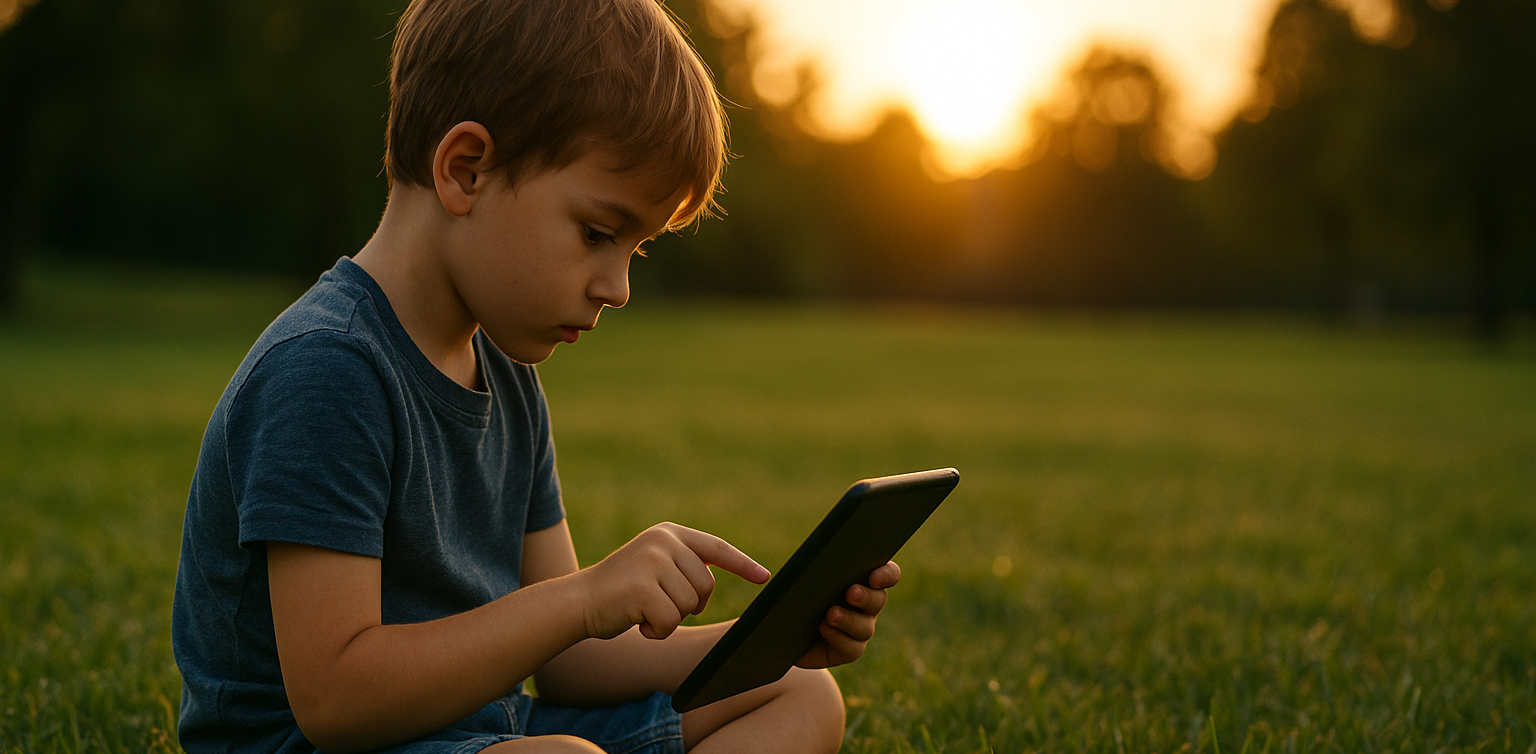
Teaching discipline is not an easy task, especially when it involves children. However, discipline is a crucial life skill that shapes a child’s future in terms of responsibility, self-control, and decision-making. That is why understanding how to teach discipline to children from an early age is an essential step for every parent.

Discipline does not mean punishment. On the contrary, it is a process of guiding children to understand right from wrong and helping them take responsibility for their actions. Children who grow up with healthy discipline tend to be better at managing their emotions, completing tasks, and building strong social relationships.

Why Discipline Matters for Children

how to teach discipline to children

Discipline plays a major role in character development. Children who are raised with consistent discipline are more likely to follow rules, respect time, and understand the difference between desires and responsibilities. These are the building blocks of independence and accountability.

Moreover, by understanding how to teach discipline to children, parents can avoid parenting styles that are either too strict or too permissive. A balanced approach, combining warmth and clear boundaries, is key to shaping positive behavior.

Effective Strategies to Build Discipline

Here are some effective ways parents can apply discipline at home:

  1. Set Clear Rules from the Start
    Children need to know what the house rules are. For example, bedtime routines, screen time limits, or daily chores. Use simple and age-appropriate language.
  2. Be Consistent
    One of the most common mistakes in how to teach discipline to children is inconsistency. If rules are only enforced occasionally, children will be confused and may start testing boundaries. Consistency helps them understand that rules apply all the time.
  3. Use Logical Consequences
    Discipline should be constructive, not harsh. For example, if your child leaves toys scattered, the consequence could be not playing until they are cleaned up. This teaches cause and effect.
  4. Use Positive Language
    Avoid saying “Don’t be naughty” or “You always misbehave.” Replace these with “Let’s try again the right way” or “Can you show me how you listen?” Encouraging language boosts confidence and cooperation.
  5. Lead by Example
    Children learn by watching. If parents are disciplined with time, responsibilities, and emotions, children will likely follow. That is why being a role model is an important part of how to teach discipline to children.

Challenges in Disciplining Children

Of course, the process will not always be smooth. There will be times when children test limits or throw tantrums. In such moments, it is important for parents to remain calm and avoid reacting in anger. Discipline is a long-term process, not a quick fix.

Another challenge is that every child is different. Some are naturally easygoing, while others may be more strong-willed. This means that how to teach discipline to children should be tailored to each child’s personality. A personal approach is often more effective than using the same method for every child.

Extra Tips for Building Discipline

  • Create a daily routine and involve your child in planning it
  • Use visual tools like chore charts to keep track of progress
  • Celebrate small successes with encouragement or praise
  • Involve your child in conversations about mistakes to help them reflect and grow

With consistency and patience, parents can succeed in teaching discipline. Children who learn to manage themselves early are better prepared for school, friendships, and life challenges ahead.

Final Thoughts: Discipline Builds the Future

 Image

Discipline is not about control, but about guidance. Children raised with healthy discipline are more likely to succeed academically, socially, and emotionally. Though the journey takes time, the results are worth it.

As a complement to character development, many parents today are introducing children to logical thinking through coding. At Timedoor Academy, kids can learn coding in a fun and age-appropriate way. It is not just about tech skills, but also about building focus, patience, and persistence — values that go hand in hand with discipline. Try a free coding class at Timedoor Academy and watch your child grow through learning!
Keep Reading

resep makanan sehat untuk anak
Healthy Food Recipes for Kids: Delicious and Nutritious Ideas for 2025
Finding healthy food recipes for kids that are both nutritious and loved by little ones can feel like a daily challenge. Many parents worry about picky eaters, sugar-filled snacks, and time-consuming meal prep. If you are searching for healthy food recipes for kids, you are in the right place. This article features easy, tasty, and nutritious meals that support your child’s growth and make healthy eating more exciting. Whether for breakfast, lunch, or snacks, these healthy food recipes for kids are designed to be simple and kid-approved.   Why Healthy Eating Matters for Kids Children need a balanced diet to grow strong and stay focused throughout the day. Healthy food recipes for kids help introduce essential nutrients like protein, fiber, vitamins, and minerals in fun and appealing ways. A variety of colorful, whole foods can encourage better eating habits and even reduce cravings for processed snacks.   1. Rainbow Veggie Quesadillas Why kids love it: They are colorful, cheesy, and easy to eat with fingers. Ingredients: 1 whole wheat tortilla ½ cup shredded cheddar or mozzarella cheese ¼ cup chopped bell peppers (red, yellow, green) ¼ cup corn 2 tablespoons chopped spinach Olive oil for cooking Instructions: Heat a pan and add a bit of oil. Place the tortilla on the pan and sprinkle cheese and vegetables on one half. Fold the tortilla and cook both sides until golden brown. Cut into triangles and serve warm. Tip: Using whole grain tortillas adds extra fiber to the meal.   2. Fruity Yogurt Parfaits Why kids love it: It looks like dessert, but it is a nutritious snack or breakfast. Ingredients: 1 cup plain Greek yogurt ½ banana, sliced ½ cup mixed berries (fresh or frozen) ¼ cup granola 1 teaspoon honey (optional) Instructions: Layer yogurt, fruit, and granola in a cup. Repeat the layers and drizzle with honey if desired. Tip: Greek yogurt is rich in protein and calcium for strong bones and muscles.   3. Mini Veggie Muffins Why kids love it: They are soft, tasty, and fun to eat. Ingredients: 1 cup grated zucchini or carrot 1 egg 1 cup whole wheat flour ½ teaspoon baking soda ½ teaspoon salt ½ cup milk ¼ cup olive oil ¼ cup shredded cheese Instructions: Preheat oven to 180°C (350°F). Mix all ingredients in a bowl. Pour into greased mini muffin trays. Bake for 15 to 20 minutes. Tip: These muffins are perfect for lunchboxes or after-school snacks.   4. Chicken and Veggie Rice Bowls Why kids love it: They get to build their own bowl with their favorite ingredients. Ingredients: 1 cup cooked brown rice ½ cup cooked chicken pieces ¼ cup steamed broccoli ¼ cup chopped carrots 2 tablespoons sweet corn 1 tablespoon soy sauce or sesame dressing Instructions: Add rice to a bowl and arrange chicken and vegetables on top. Let kids mix the ingredients themselves. Drizzle lightly with sauce. Tip: Use lean chicken and brown rice for more protein and fiber.   5. Baked Sweet Potato Fries Why kids love it: They are crispy on the outside and soft inside. Ingredients: 2 sweet potatoes 1 tablespoon olive oil ½ teaspoon paprika ¼ teaspoon salt Instructions: Preheat oven to 200°C (400°F). Peel and cut the sweet potatoes into strips. Toss with olive oil, paprika, and salt. Bake for 25 to 30 minutes, flipping halfway. Tip: Sweet potatoes are rich in vitamin A and antioxidants.   Making Healthy Eating Fun for Kids Here are a few ways to make healthy food recipes for kids even more enjoyable: Use cookie cutters to shape fruits, sandwiches, and pancakes Let kids help with washing, mixing, and serving Add a variety of colors to every meal Keep meals simple and avoid pressure during mealtime   Healthy Meals, Smarter Minds With the right approach, healthy food recipes for kids can be simple, delicious, and part of a fun daily routine. The meals shared above are designed to keep your child nourished and satisfied throughout the day. From rainbow quesadillas to sweet potato fries, each dish is packed with essential nutrients that growing kids need. And while you're helping your child eat better, consider supporting their brain development too. At Timedoor Academy, we offer online coding classes for kids that are just as exciting and educational as a well-balanced meal. Learning to code improves logical thinking, creativity, and confidence. Sign up for a free trial class at Timedoor Academy today and give your child the tools to succeed both in the kitchen and in the digital world.
Why did Indonesia ban Roblox but Australia did not? A thorough look at children’s digital safety
Source: marketing-interactive.com Recently, the government's policy to restrict or even block access to Roblox for children under the age of 16 has become a hot topic among parents. This move was triggered by the rampant cases of grooming (online child sexual abuse) and the spread of age-inappropriate content on the platform. As parents, it is natural to feel concerned. However, let us examine this phenomenon from a global perspective. In Australia, despite facing the same level of cybercrime risks, Roblox continues to operate without any restrictions. Why is the approach so different? Different Perspectives: Gaming Platform vs Social Media There are two main reasons why the Australian government did not take extreme measures such as a total block: Viewed as a Creative Ecosystem Platform, Not Just Social Media The Australian government and its digital regulatory agency view Roblox primarily as a gaming platform where children can learn to be creative, not just social media. Their regulatory focus is on the responsibility of game developers to create a safe environment, not on blocking access for users. Default Private Policy for Children's Accounts Through the Safety by Design initiative, the Australian government urges platforms to provide automatic protection. As a result, children's accounts there are set to private mode by default. This means that the chat feature with strangers and profile visibility are closed from the moment they register. So, what about children in Indonesia? The main control currently lies in the hands of parents. Parents must proactively activate security features manually. It's quite easy to do: go to the Settings menu, then select Parental Controls. There, parents can activate the Parent PIN so that children cannot change the settings, as well as turn off the chat feature to close two-way communication with strangers. Is Blocking Enough? The answer: No. Blocking one application may provide a temporary sense of security, but it does not solve the root of the problem. The digital world is vast. Currently, almost all online games have two-way communication features. If access to Roblox is closed, potential digital crimes such as cyberbullying or grooming can still lurk around children through other games or platforms. Closing one door will not stop ‘uninvited guests’ from looking for an open window. The only strong defence that children can take with them wherever they surf is digital literacy. Children must be equipped with critical thinking skills when communicating online. They must understand stranger danger (the danger of strangers in the virtual world), game literacy, and mindful messaging (thinking before responding to messages). Turning Concerns into Potential Teaching children technical digital literacy can sometimes be confusing. The language we use is often difficult for them to understand, or even comes across as lecturing. If parents are unsure where to start, entrusting this education to the experts is the wisest choice. At Timedoor Academy, children are not only taught to be passive consumers of games, but are guided to be productive creators. They can learn to make their own games using Roblox Studio in a 100% safe and monitored environment. Moreover, the Timedoor Academy curriculum incorporates digital literacy material in a fun and age-appropriate way. They will learn to recognise the characteristics of cyberbullying, understand privacy boundaries, and how to protect themselves online. In this era of artificial intelligence and rapidly advancing technology, limiting children's exploration risks leaving them far behind their peers. Children who are not equipped with technological skills and digital literacy from an early age will miss out on many opportunities in the future. Ensure your little ones are ready to face the challenges of the digital world with their full potential. Parents can secure their first steps by consulting for free at Timedoor Academy. The opportunity to provide protection while developing your child's talents is right before your eyes, do not delay in making a decision. Reading References for Parents: Australian eSafety Commissioner: Protecting children on gaming platforms Roblox Corp: Safety and Civility - Parent Guide UNICEF: Digital Literacy for Children and Teens Prepare your little one for the future through exciting learning experiences. Sign up for a free trial  session now!
What Is Vibe Coding? Understanding the Concept and Its Benefits for Kids
In today’s digital era, children are not only expected to excel academically but also to be creative, collaborative, and adaptable to technology. One learning method that is gaining attention in tech education is vibe coding. More parents and educators are beginning to ask: what is vibe coding, and how can it be used in a meaningful way to help children learn? This article will explain what is vibe coding, its core principles, and why this method is a fun and effective approach to introducing programming to young learners. If you’re considering a coding class that feels less rigid and more intuitive, vibe coding for kids might be the perfect fit. What Is Vibe Coding? To answer the question what is vibe coding, we need to understand the basic idea behind this learning method. Vibe coding refers to a teaching approach that emphasizes a fun, creative, and child-friendly atmosphere while learning programming. The word “vibe” represents the overall feeling or energy created during the learning experience. Unlike traditional programming lessons that can feel formal or rigid, vibe coding for kids focuses on letting children learn through play, imagination, and building meaningful projects. The emphasis is not just on the final product but also on enjoying the process of creating something. Why Is Vibe Coding a Great Fit for Kids? Once you understand what is vibe coding, it becomes clear why this method works especially well for children. Kids often get bored or overwhelmed by dry, technical lessons. Vibe coding for kids creates a fun, engaging environment that sparks curiosity and creativity. This approach incorporates storytelling, animations, music, and visuals to help children feel immersed in their projects. For example, kids can learn to code by creating their own video games, designing cartoon characters, or programming a virtual robot that follows commands. With this setup, children naturally learn the basics of coding such as logic, sequences, conditions, and loops. They’re not pressured to get everything right immediately. Instead, they’re encouraged to explore, try new things, and learn from mistakes. That’s the heart of vibe coding for kids: building a positive and flexible learning experience. Benefits of Vibe Coding for Kids For parents who are still unsure about this method, here are some key benefits that vibe coding for kids offers. It doesn’t just improve tech skills. It also supports broader developmental growth in young learners. Boosts creativityKids are encouraged to build things from their own ideas—games, animations, or simple apps. Develops logic and problem-solvingEven though the environment is playful, the foundation of vibe coding for kids is rooted in core programming logic. Promotes collaboration and communicationMany activities are group-based, teaching kids to discuss, share roles, and work as a team. Builds confidenceChildren gain pride and belief in their abilities when they successfully create something. Prepares them for the futureBy learning coding early, kids are better equipped for a digital-driven world. Vibe Coding at Timedoor Academy Now that you understand what is vibe coding, you might be wondering where your child can learn this method in a structured yet fun way. Timedoor Academy offers one of the best implementations of vibe coding for kids, combining creative programming with a child-centered teaching style. Timedoor’s platform is designed specifically for young learners, featuring project-based activities like game development, animations, and beginner-friendly applications. Every class is filled with engaging content and guided by experienced mentors who understand how kids learn best. The goal at Timedoor Academy is to make every student feel confident, curious, and excited about learning. Grades and tests are not the focus. Instead, it’s about exploring, creating, and enjoying the journey. This is exactly what vibe coding for kids is all about, and Timedoor applies it consistently across their programs. Conclusion: Let Your Kids Experience Vibe Coding Now you know what is vibe coding and how this approach makes learning programming enjoyable and effective for children. As our world becomes more digital, introducing kids to coding at an early age is no longer optional—it’s a smart and timely decision. If you’re looking for a coding class that sparks creativity, feels natural, and actually speaks your child’s language, vibe coding for kids at Timedoor Academy is a perfect choice. Sign your child up today and see how much fun they can have learning with vibe coding. Try a free trial class now at Timedoor Academy!
float button