Apr 30, 2025

Introduction to Basic Robotics for Kids: Tips and Trick 2025
Introduction to Basic Robotics for Kids: Tips and Trick 2025 image

As technology advances rapidly, introducing children to robotics is no longer considered too early. In fact, robotics is one of the most valuable areas to explore at a young age, helping children develop logical thinking, creativity, and structured problem-solving skills.

An introduction to basic robotics for kids can be a gateway to exploring technology in a fun and meaningful way. With a solid foundation in how technology works, children will be better prepared to navigate and shape the future ahead.

What Is Robotics?
introduction to basic robotics for kids

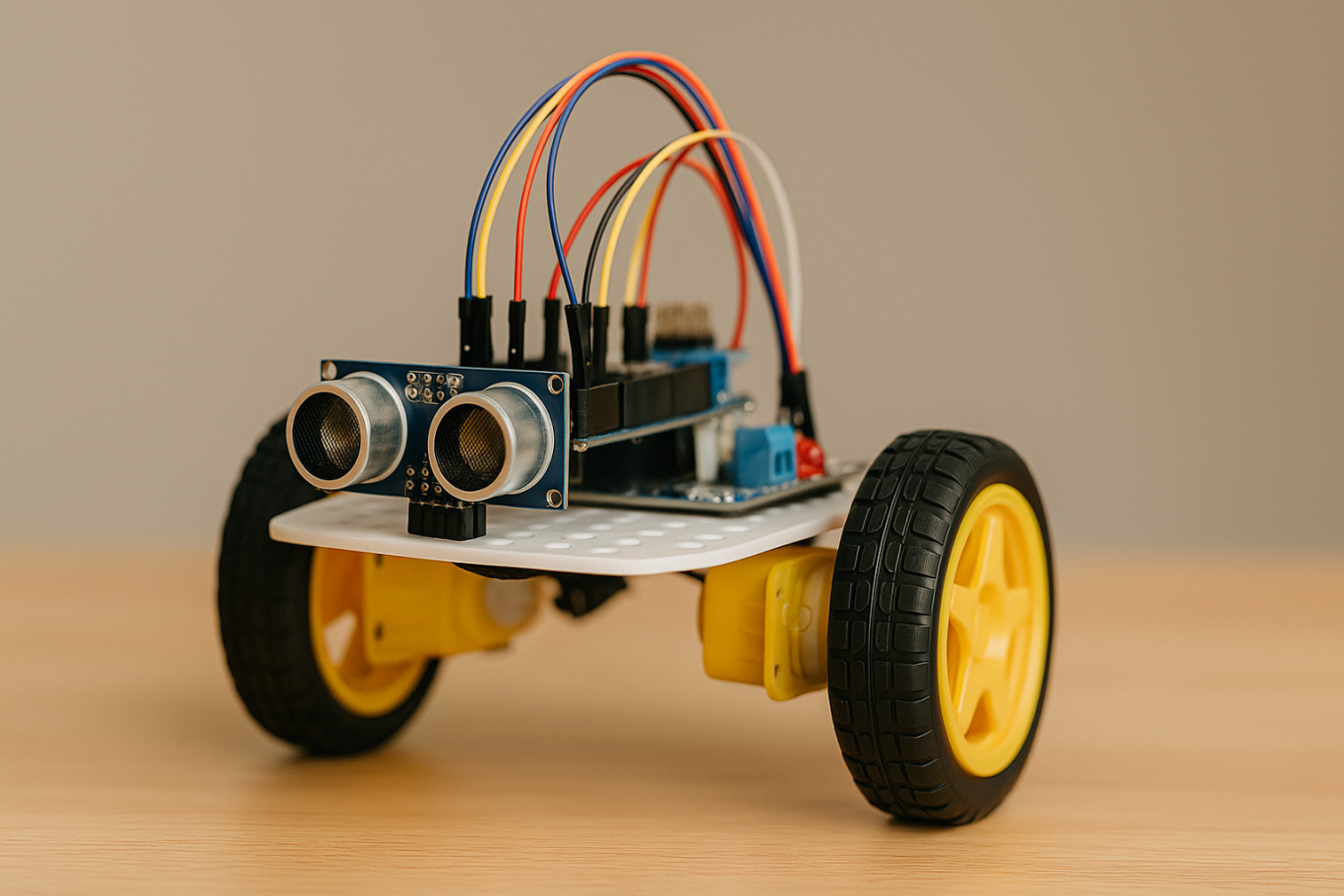
Robotics is the field of study focused on designing, building, and controlling robots. For children, a robot doesn’t have to be a complex machine. It can be a simple educational toy that can move or perform tasks based on programmed instructions.

Through an introduction to basic robotics for kids, children begin to understand core concepts like sensors, motors, and logic commands, while also learning that every action has a cause and an effect.

Why Should Kids Learn Robotics Early?
  1. Builds Logical and Systematic Thinking
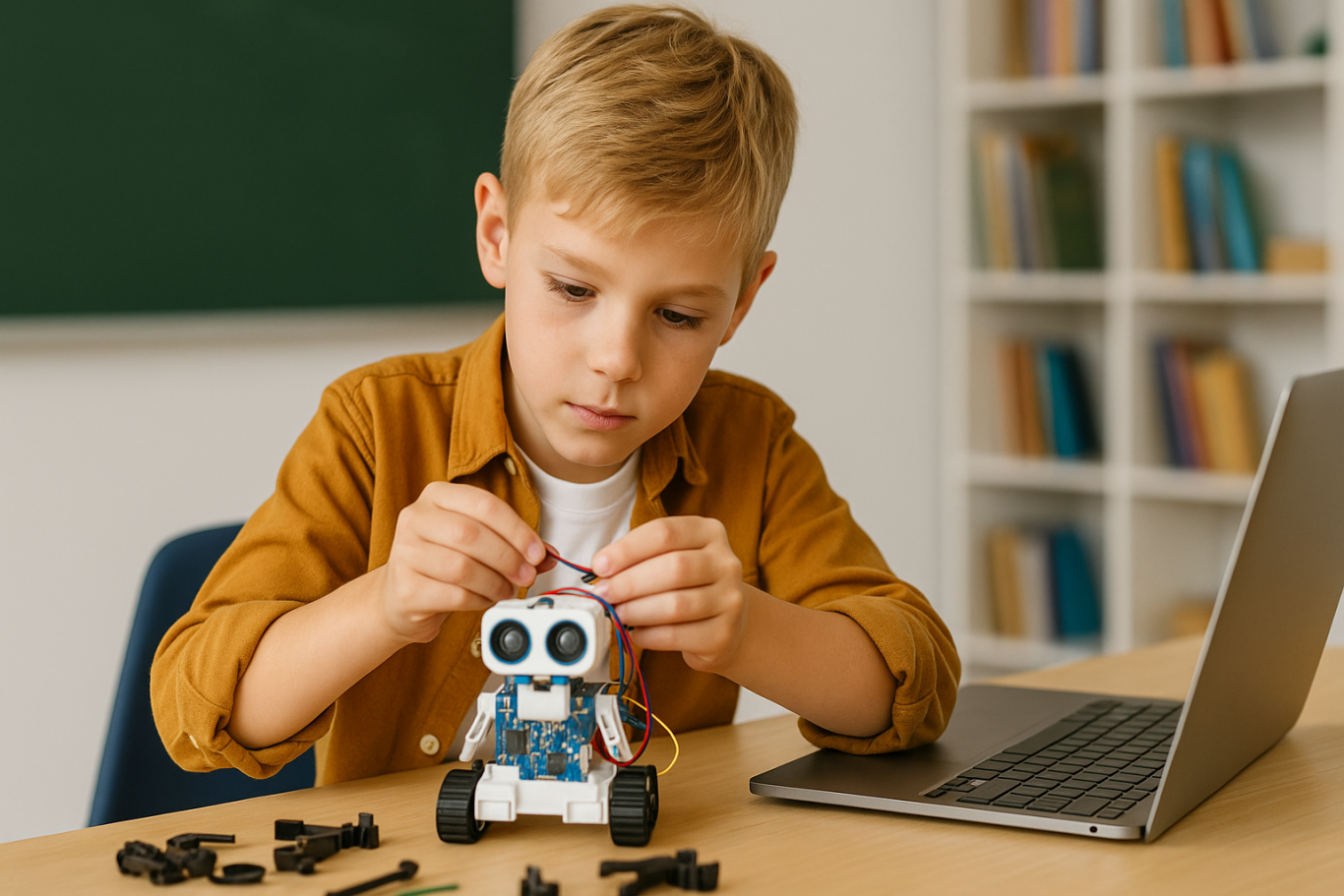
    Robotics helps children learn how to think in sequences and steps. They learn to structure instructions so a robot can perform specific tasks, reinforcing their problem-solving skills.
  2. Encourages Creativity and Innovation
    Children are given the opportunity to create something from their own ideas. Whether they are designing how a robot looks or deciding what it should do, they are learning to turn imagination into real outcomes.
  3. Introduces Technology in a Positive Way
    When children learn about technology through robotics, they see it as a helpful tool rather than just entertainment. This shapes how they interact with technology as they grow.
  4. Boosts Independence and Confidence
    Completing a working robot on their own gives children a sense of accomplishment. This achievement builds self-confidence and motivates them to keep learning and trying new things.

How to Get Started with Robotics for Kids

An introduction to basic robotics for kids should be fun, simple, and age-appropriate. There are many robotics kits designed specifically for children, often equipped with easy-to-follow instructions and safe-to-use components.

Parents can also begin with unplugged activities to build early logical thinking. Games like direction cards or movement simulations that mimic robot commands can serve as great stepping stones before introducing digital coding.

Fun Robotics Activities to Try at Home
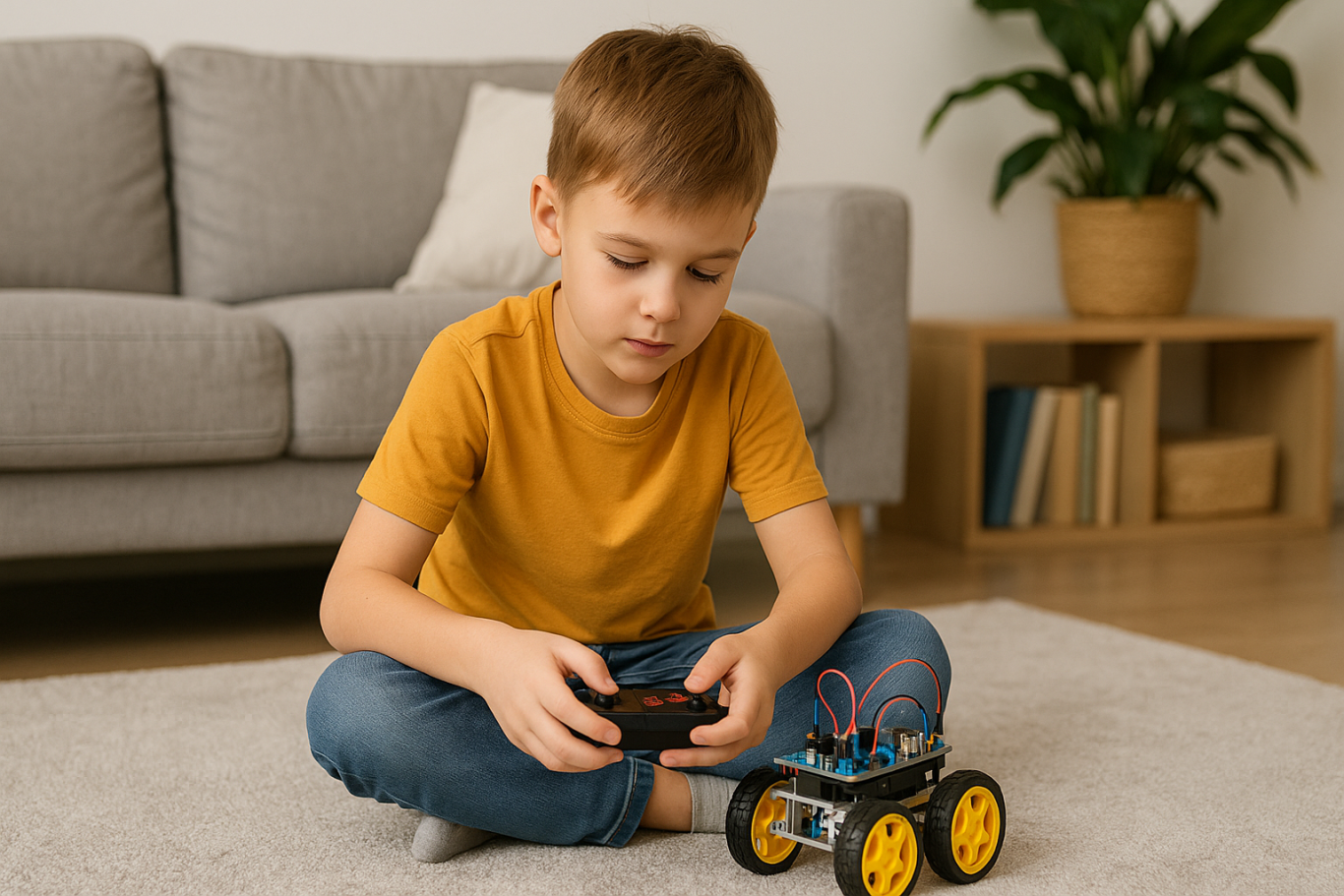
Simple activities like building robots out of cardboard or using beginner-friendly kits like Bee-Bot can make robotics feel like play. Apps like Scratch Junior also help kids understand coding logic in a visual, hands-on way.

The key to a successful introduction to basic robotics for kids is to keep it playful. When children enjoy the process, they naturally become more engaged and absorb more from each activity.

Common Challenges and How to Overcome Them

Introducing robotics to children can come with challenges. Not every parent has a technical background, and not every child is excited right from the start.

These obstacles can be managed with patience and flexibility. Start small, go at the child’s pace, and remove the pressure to get everything right the first time. A consistent and supportive learning environment can make a big difference.

Robotics as a Foundation for the Future

An introduction to basic robotics for kids is not just about teaching them to use technology, but also about shaping how they think. It nurtures critical thinking, creative problem-solving, and the courage to experiment.

Children learn to see failure as part of the process, to try again, and to evaluate what can be improved. These life skills will benefit them in any field they choose to pursue in the future.

Learn Coding and Robotics Easily with Timedoor Academy

If you’re looking for a fun and structured way for your child to learn coding and robotics, Timedoor Academy offers interactive online classes designed for kids. Using creative methods and kid-friendly tools, children can build logical thinking, create commands, and develop real projects with confidence.

Ingin tahu detail program? Image

Ingin tahu detail program?

Try a free coding and robotics class today with Timedoor Academy and help your child take their first steps into the world of future-ready technology through a guided and joyful introduction to basic robotics for kids.


Keep Reading

<strong>Ascension Day 2025: Dates, Official Holiday Schedule, and Positive Activity Ideas for Children</strong>
Ascension Day 2025: Dates, Official Holiday Schedule, and Positive Activity Ideas for Children
Ascension Day 2025 is one of the most anticipated national holidays in Indonesia, especially for the Christian community. This year, Ascension Day 2025 falls on Thursday, May 29, 2025, and is a significant occasion not only for spiritual reflection but also as valuable family time. With an additional collective leave on Friday, May 30, 2025, the Ascension Day 2025 holiday brings a long weekend that families can use for a variety of positive activities with their children. In this article, we’ll discuss the official dates, the meaning behind the celebration, the holiday schedule, and inspiring activity ideas—including introducing children to coding. Dates and Official Holiday Schedule for Ascension Day 2025 The Indonesian government has declared that Ascension Day 2025 will be observed on Thursday, May 29, 2025, as stated in the Joint Ministerial Decree. The following day, Friday, May 30, 2025, has also been designated as a collective leave day, allowing Indonesians to enjoy a four-day holiday from Thursday through Sunday, June 1, 2025. This long weekend gives families plenty of opportunity to plan meaningful activities, especially for children enjoying their school break. The Meaning and Traditions of Ascension Day Ascension Day itself commemorates the ascension of Jesus Christ into heaven, which is celebrated 40 days after Easter. For Christians, this is a sacred event, typically marked by special church services. Many families also use this holiday to gather, share stories, and strengthen family bonds. Ascension Day 2025 is a perfect opportunity to instill spiritual values, love, and togetherness in children from an early age. The Benefits of a Long Holiday for Children A long holiday like Ascension Day 2025 brings unique benefits for children. They have the chance to take a break from their school routines, explore hobbies, and gain new experiences outside the classroom. However, instead of spending the entire holiday on passive activities like watching TV or playing with gadgets, parents can make the most of this time by involving their children in educational activities, such as learning coding. Learning Coding: Educational and Enjoyable Introducing your child to the world of coding during Ascension Day 2025 can be extremely beneficial. Coding not only helps children understand technology, but also builds critical thinking, logical reasoning, creativity, and problem-solving skills. Children who learn coding early are often better prepared for the challenges of the digital age. Timedoor Academy offers a fun and interactive way for children to learn coding. With a curriculum tailored to various age groups, kids can join online coding classes during the Ascension Day 2025 holiday. Timedoor Academy also provides a free trial class so children can experience coding before enrolling in regular classes. Positive Activity Ideas for Ascension Day 2025 To make the long weekend truly meaningful, here are some activity ideas you can try with your children during Ascension Day 2025: Create a flexible coding scheduleSet up a light and fun coding routine, such as 30 minutes each day during the holiday. Choose age-appropriate coding materials to keep children motivated. Combine worship and technologyThis holiday can be filled with both spiritual and educational activities. After attending morning church, encourage your child to participate in a coding session with you. This way, they strengthen both their spiritual values and practical skills. Family coding projectGet your child involved in a simple coding project, such as making a basic game or animation. This boosts creativity and family closeness. Join free coding classes at Timedoor AcademyTake advantage of the free trial class at Timedoor Academy during Ascension Day 2025. It’s a great opportunity for children to experience coding and technology in a fun, supportive environment. Casual discussions about technologySpend some holiday time having relaxed conversations about new technology trends, online safety, or how children can become creators—not just consumers—of technology. Tips to Maximize the Ascension Day 2025 Holiday To ensure children get the most out of the Ascension Day 2025 break, parents can: Involve children in planning the holiday activities Balance learning, playtime, and rest Choose activities that build character and practical skills, like coding Offer support and encouragement when children face learning challenges Preparing Children with Digital Skills During Ascension Day 2025 Ascension Day 2025 is more than just a long holiday—it’s a special opportunity to strengthen family ties and equip children with essential digital skills. By taking part in educational activities, especially coding with Timedoor Academy, your child will be better prepared for a future full of challenges and opportunities. Don’t miss this chance—sign up your child for a free trial class at Timedoor Academy and use the Ascension Day 2025 holiday for positive, memorable experiences!
bahasa pemrograman terbaik untuk anak
7 Top Programming Languages for Kids: A Comprehensive Guide for Young Learners
In today’s tech-driven world, learning how to code is an essential skill, especially for young learners. The best programming languages for kids help introduce coding concepts in an engaging and accessible way. When choosing the best programming languages for kids, it’s important to focus on languages that are easy to understand, fun to learn, and open up opportunities for creative projects. In this guide, we will explore some of the best programming languages for kids and why they are excellent choices for young learners eager to start coding. Why Should Kids Learn Programming? Programming isn’t just about learning to code; it’s about developing problem-solving skills, creativity, and logical thinking. The best programming languages for kids teach children how to think critically and break down problems into smaller, manageable tasks. Additionally, coding offers children the opportunity to build their own games, websites, and apps, providing a sense of accomplishment as they bring their ideas to life. Let’s look at some of the best programming languages for kids that can help them begin their coding journey. 1. Scratch Scratch is often considered one of the best programming languages for kids due to its visual interface and simple drag-and-drop functionality. It allows children to create animations, games, and interactive stories without needing to write any complex code. Scratch introduces children to programming logic, such as loops, conditionals, and variables, while keeping things fun and creative. The best programming languages for kids should focus on visual learning, and Scratch is a perfect example. It’s an excellent stepping stone for kids who are new to coding and want to explore the basics of programming in an interactive and playful way. 2. Python Python is one of the best programming languages for kids because it has simple syntax and is very readable, making it easier for young learners to pick up. Python is used in many real-world applications, including web development, data analysis, and game design, which makes it a versatile language to learn. With its broad use in the tech industry, learning Python at a young age gives kids a valuable skill that they can build upon as they grow older. Among the best programming languages for kids, Python stands out for its flexibility and ease of use, allowing children to start building more complex projects as they advance in their coding journey. 3. JavaScript For kids interested in creating websites and online games, JavaScript is one of the best programming languages for kids. It’s the primary language used for adding interactivity to websites, and learning it will allow kids to create dynamic and engaging online experiences. JavaScript is a bit more advanced than Scratch or Python, but it’s still one of the best programming languages for kids because it’s in high demand and offers a hands-on way to build real-world applications. By learning JavaScript, kids gain the foundational knowledge needed to work in web development and understand how websites function, making it a great choice among the best programming languages for kids. 4. Swift Playgrounds Swift Playgrounds is a unique app that teaches children how to code in Swift, which is Apple’s programming language used to build iOS and macOS apps. As one of the best programming languages for kids, Swift is powerful yet accessible, allowing kids to learn coding while solving fun, interactive puzzles. Swift Playgrounds offers an exciting, game-like experience that keeps kids engaged while learning how to code. For kids interested in app development, Swift Playgrounds is one of the best programming languages for kids to learn, as it provides a hands-on way to create mobile apps for iPhones and iPads. 5. HTML/CSS HTML (HyperText Markup Language) and CSS (Cascading Style Sheets) are fundamental languages for web development, and they’re also some of the best programming languages for kids to learn. HTML is used to structure content on the web, while CSS is used to style that content and make it look visually appealing. By learning HTML and CSS, kids can start building their own websites from scratch, gaining a deeper understanding of how the internet works. As two of the best programming languages for kids, HTML and CSS provide kids with a solid foundation in web development that will be useful if they want to learn more advanced languages in the future. 6. Blockly Blockly is a visual programming language developed by Google that teaches programming concepts through a drag-and-drop interface. Blockly is an excellent choice among the best programming languages for kids because it allows kids to focus on logic and problem-solving without worrying about complex syntax. It’s perfect for young learners who want to understand the fundamentals of coding before transitioning to text-based programming languages. For a fun introduction to coding, Blockly is one of the best programming languages for kids, helping kids develop the skills needed to progress to more advanced languages like Python or JavaScript. 7. Roblox Studio Roblox Studio is one of the best programming languages for kids who are passionate about gaming. It uses Lua, a scripting language that’s easy to learn and widely used in game development. With Roblox Studio, kids can create their own games, design interactive environments, and even monetize their creations. It’s an ideal platform for young learners interested in both coding and game design, making it one of the best programming languages for kids. Roblox Studio provides an engaging way for kids to learn programming while also fostering creativity, teamwork, and critical thinking. Kickstart Your Coding Journey with the Best Programming Languages for Kids Choosing the best programming languages for kids is an important step in setting them on the path to learning how to code. Whether they start with Scratch for simple game creation, move on to Python for general programming, or dive into JavaScript for web development, there are plenty of options to explore. Each of the best programming languages for kids offers unique learning opportunities and allows kids to create exciting projects while developing essential problem-solving skills. At Timedoor Academy, we offer coding courses designed specifically for kids, teaching them the best programming languages for kids in a fun and interactive way. Help your child discover the exciting world of coding by signing up for a free trial class at Timedoor Academy!
<strong>5 Best Ways Understanding Introvert vs Antisocial Kids Difference</strong>
5 Best Ways Understanding Introvert vs Antisocial Kids Difference
Many parents still struggle to tell the difference between introverted and antisocial behavior in children. Both can seem quiet or withdrawn, but they have very different meanings. Understanding introvert vs antisocial kids is essential so parents can respond with the right support and approach. Discovering Difference of Introvert vs Antisocial Kids An introverted child is someone who feels more comfortable doing quiet activities alone or with one or two close friends. They are not afraid of people, but social settings can be draining for them. Meanwhile, antisocial kids may break rules, ignore others’ feelings, and show disruptive behavior that goes beyond shyness or quietness.In this article, we will look at how to recognize introvert vs antisocial kids by identifying key behaviors and needs. 1. Different Roots Behind the Behavior Introverted kids prefer calm and independent play because it makes them feel secure and happy. It is a personal preference, not a sign of trouble. On the other hand, kids with antisocial tendencies often act out because of emotional or behavioral challenges. They may show no guilt when they hurt others or ignore rules at home and school. In this case, parents need to understand that introvert vs antisocial kids is not just about social interest, but about deeper behavioral differences. 2. Social Comfort and Adaptation Introverted children can build healthy friendships, even if it takes time. They open up when they feel safe and are not pressured to socialize too much. In contrast, antisocial children often resist or act aggressively in social situations. They may have little interest in forming relationships or even behave in harmful ways. Recognizing this helps in understanding the core difference between introvert vs antisocial kids. 3. Empathy and Emotional Response Introverts are often very empathetic. They notice how others feel and avoid conflict when possible. Antisocial kids, however, may lack empathy. They might say or do things that hurt others and show no signs of remorse. This lack of emotional connection is one of the clearest signs when comparing introvert vs antisocial kids. 4. Relationships and Communication While introverted children may have fewer friends, their relationships are often deep and meaningful. They connect on a personal level and value trust. Antisocial kids, on the other hand, tend to have troubled relationships. They may lie, break trust, or reject others altogether. This makes it hard for them to build or maintain any lasting bond. Parents should observe these patterns carefully when thinking about introvert vs antisocial kids. 5. What Parents Can Do For introverted children, it's important to respect their need for personal space. Support them by encouraging quiet hobbies, reading, or art. They still need social interaction, but in smaller, more manageable doses. If your child shows signs of being antisocial, such as constant rule-breaking or hurting others without guilt, it is best to seek help from a child psychologist. Early intervention can prevent more serious problems in the future. Learning the true nature of introvert vs antisocial kids helps guide that support. Early Awareness Brings Better Support Understanding introvert vs antisocial kids is not about labeling, but about offering the right care. Each child is unique, and when we listen without judgment, we open the door for them to grow confidently. A calm, patient environment and strong communication will make it easier for children to express their thoughts and feelings, regardless of their personality type. Want to Boost Logic and Confidence Too? Besides supporting your child's emotional growth, you can also help them develop skills like problem-solving and focus. Coding is a fun way to improve these abilities. It teaches kids structure, creativity, and critical thinking. Timedoor Academy offers fun and age-appropriate coding classes for kids. Let your child try a free coding trial class today and explore a new world of learning.
float button