Apr 24, 2025

10 Best JavaScript Apps for Kids to Learn Coding in 2025
10 Best JavaScript Apps for Kids to Learn Coding in 2025 image

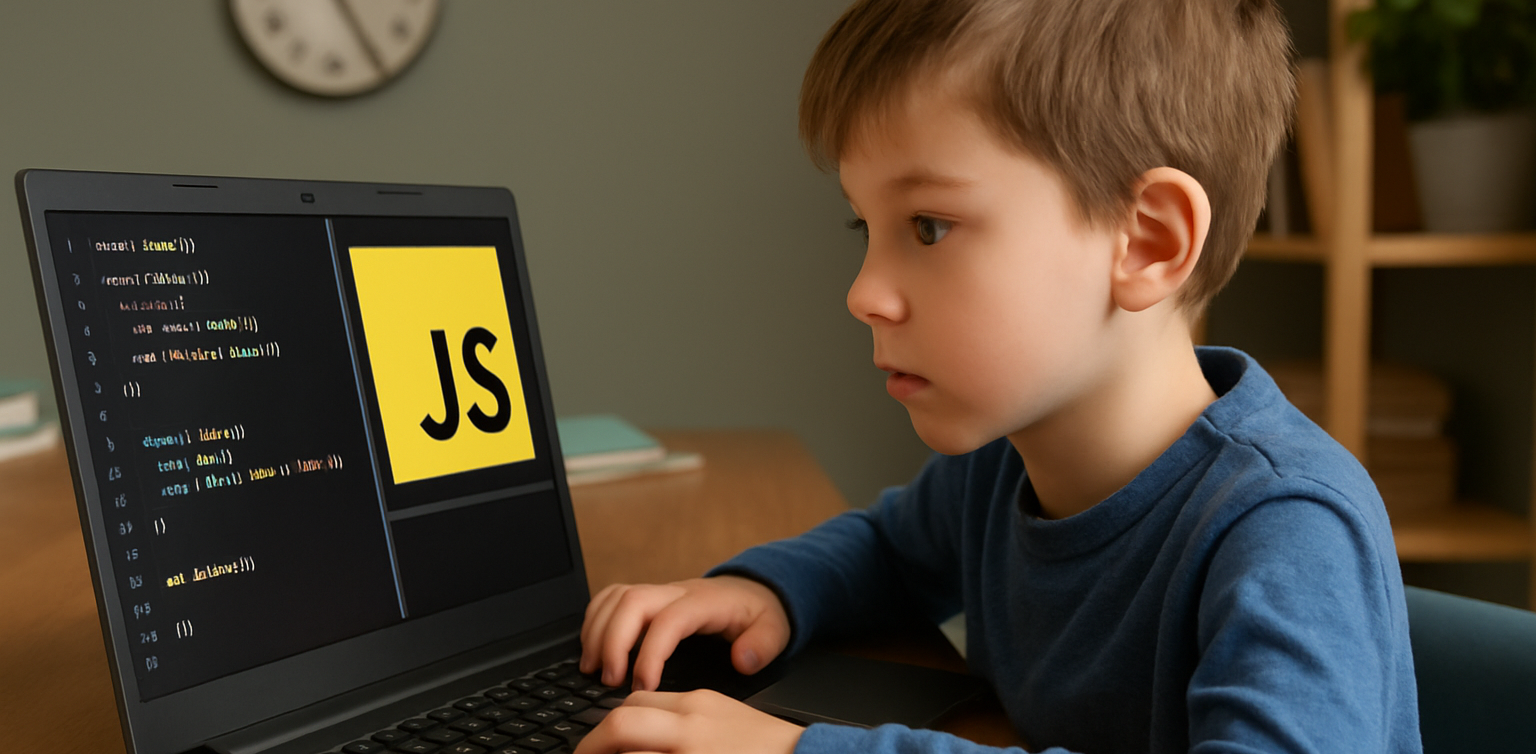
As we step into 2025, coding is no longer just for adults. Children are now learning programming through engaging tools that match their interests and age. One of the most effective ways to start is by using JavaScript apps for kids. These apps provide a fun and structured way for children to learn how to code while developing essential problem-solving and logical thinking skills.

Whether your child is just starting out or already interested in tech, this list of JavaScript apps for kids in 2025 offers the perfect tools to support their coding journey.

10 Best JavaScript Apps for Kids to Learn Coding in 2025

1. CodeCombat

JavaScript Apps for Kids

Best for: Ages 10 to 15
CodeCombat teaches real JavaScript through game-based adventures. Kids write actual code to control characters, solve puzzles, and progress through game levels. It is ideal for children who enjoy gaming and want to learn through action.

What stands out: Real coding is combined with exciting missions that keep them motivated.

2. Tynker
python apps for kids

Best for: Ages 7 to 14
Tynker offers lessons that grow with your child, starting with visual block coding and gradually introducing JavaScript and Python. It includes creative projects like Minecraft modding, storytelling, and space-themed challenges.

What stands out: Smooth transition from beginner to real coding for long-term growth.

3. Grasshopper

Best for: Ages 10 to 16
Created by Google, Grasshopper is a mobile-friendly app that uses short, interactive lessons to teach JavaScript. It’s excellent for older kids who are ready for more advanced program

What stands out: Clean design, daily goals, and real code that builds confidence.

4. Kodable
Best for: Ages 5 to 10
Kodable begins with simple block coding concepts and introduces JavaScript later on. It focuses on early logic and computational thinking skills through colorful, engaging games.

What stands out: Family dashboard for parents to support and track their child’s progress.

5. Code.org’s App Lab

Best for: Ages 11 to 16
App Lab gives kids the freedom to build their own apps using JavaScript. It is perfect for students who are ready to apply their skills through hands-on projects.

What stands out: Combines design tools and coding to promote both creativity and technical ability.

6. Bitsbox

Best for: Ages 8 to 14
Bitsbox is a unique service that sends coding projects to your home, teaching kids how to build apps using real JavaScript. It is ideal for learners who benefit from physical materials alongside digital practice.

What stands out: Kids can test their creations on phones or tablets instantly.

7. Hopscotch (with JavaScript transition)

Best for: Ages 9 to 13
Hopscotch is a visual coding app that also encourages older users to explore JavaScript through community-driven projects and tutorials. It appeals to children who are artistic and love customizing their work.

What stands out: Blend of art and code helps kids express creativity.

8. CodeMonkey’s Game Builder

Best for: Ages 8 to 12
CodeMonkey introduces kids to programming concepts with a JavaScript-style language and game-based learning. Later stages include real JavaScript coding as kids grow more confident.

What stands out: Helpful support resources for both kids and educators.

9. LightBot: Code Hour + JavaScript Add-ons

Best for: Ages 6 to 11
LightBot uses puzzles to teach basic programming logic. It pairs well with JavaScript extensions that introduce actual syntax when the child is ready to move beyond the basics.

What stands out: Offline play combined with logic-based challenges.

10. ScriptKit Junior

JavaScript Apps for Kids

Best for: Ages 10 to 14
ScriptKit Junior is a lightweight coding app for iPads where kids can build basic apps using simplified JavaScript. It is ideal for those interested in app development without the complexity of a full IDE.

What stands out: Combines touch interaction and coding for intuitive learning.

Why Use JavaScript Apps for Kids?

These JavaScript apps for kids help young learners grasp real programming skills in a way that is accessible and exciting. They build a foundation for future learning in tech, engineering, and creative fields.

Key benefits include:

  • Developing logical thinking and focus
  • Enhancing creativity through project-based tasks
  • Preparing for future tech careers
  • Boosting self-confidence in problem solving

Choosing the Right JavaScript Apps For Kids

To get the most out of JavaScript apps for kids match the app to your child’s age, interests, and goals. Here are a few tips:

  • Test the app yourself to ensure it is ad-free and safe
  • Choose apps with structured learning paths
  • Encourage regular use without overdoing screen time
  • Combine coding with offline creative play or group activities

Support Their JavaScript Learning at Timedoor Academy

At Timedoor Academy, we offer both online and offline classes that introduce kids to the world of coding through engaging lessons in JavaScript, Python, robotics, and more. Our structured programs help children build strong technical and critical thinking skills in a fun, supportive environment.

 Image

Try a free class at Timedoor Academy and discover how we make coding accessible and meaningful for kids of all ages. Visit our website to learn more and start your child’s smart tech journey today.


Keep Reading

<strong>7 Early Signs of Autism in Children That Parents Often Miss</strong>
7 Early Signs of Autism in Children That Parents Often Miss
Every child grows and develops at their own pace. However, some parents begin to worry when their child shows behaviors that seem different from others their age. One of the most important things to recognize early is the signs of autism in children, because early detection increases the chances of receiving the right support. Autism, or Autism Spectrum Disorder (ASD), is a neurodevelopmental condition that affects how children interact, communicate, and behave. The symptoms can range from mild to more complex. Because it is a spectrum, many parents may not immediately realize their child is showing signs of autism. Here are some common signs of autism in children that parents should not ignore: 1. Limited Eye Contact One of the earliest signs is that a child rarely makes eye contact. For example, when being spoken to or played with, the child avoids looking at the other person's face. This can be an early sign of autism in children and is often mistaken for shyness or lack of focus. 2. Not Responding When Called by Name By around one year old, most children will respond when their name is called. However, children with autism often do not react at all. They may seem lost in their own world, not because of hearing issues, but due to differences in how their brains process social information. 3. Lack of Social Expressions and Gestures Children usually express emotions through smiles, waving, or pointing at things that catch their interest. If your child rarely shows these behaviors, it could be one of the signs of autism in children. Autistic children often have flat facial expressions and show limited interest in social interactions. 4. Delayed Speech or Lack of Functional Language Many children with autism experience speech delays. Some may say words but not use them for communication. Others prefer to use gestures rather than words to express their needs. This is one of the most common signs of autism in children, especially noticeable by the preschool years. 5. Unusual Play Patterns Most children enjoy role-playing or interacting with peers. But children with autism may fixate on certain parts of toys, like spinning wheels or lining up objects in repetitive ways. This kind of rigid play pattern is a typical sign of autism in children. 6. Over or Under Sensitivity to Senses Autistic children may show extreme reactions to loud noises, light touches, or bright lights. On the other hand, some may not respond at all to such stimuli. These unusual sensory responses are one of the signs of autism in children that can confuse many parents. 7. Repetitive Movements or Speech Children with autism often repeat specific movements or words, such as hand-flapping, jumping, or echoing phrases over and over. These behaviors provide comfort or stimulation and are a recognizable sign of autism in children. Should Parents Be Worried? Noticing several signs of autism in children does not mean you should panic. What matters most is observing consistently and consulting with professionals such as child psychologists or developmental pediatricians. A proper diagnosis requires thorough evaluation, and not every child with delays or unique behaviors is on the autism spectrum. Early identification helps children receive targeted interventions and therapies. Whether it is speech therapy, occupational therapy, or social skills support, these can help children reach their full potential. Bonus: How Technology Can Help Children Learn In addition to nurturing emotional and social development, parents can also introduce their children to structured and engaging activities that build focus and logic, such as coding. Coding teaches kids how to think logically, solve problems, and follow sequences. Timedoor Academy offers child-friendly coding courses tailored to different learning styles, including children who thrive in visual or structured environments. Try a free coding class today and discover how technology can support your child’s learning in a fun and meaningful way.
cara membangun rasa percaya diri anak
How to Build Confidence for Kids: Fun Activities Using Technology and Coding
Learning how to build confidence for kids is one of the most important things parents and educators can do today. Confidence helps children try new activities, solve problems, and handle challenges with resilience. When we focus on how to build confidence for kids early, we prepare them to succeed in a rapidly changing, technology-driven world. In this article, we explore practical ways on how to build confidence for kids, especially by introducing technology and coding as fun, valuable tools. 1. Encourage Participation in Sports and Tech Competitions One of the proven ways on how to build confidence for kids is through healthy competition. Sports teach teamwork and leadership, while technology competitions like coding contests, robotics challenges, and game design tournaments also foster self-belief and perseverance. Participating in both physical sports and tech-based activities strengthens how to build confidence for kids by showing them their hard work can lead to real achievements, whether on the field or in the digital world. 2. Introduce Creative Arts and Digital Creation Creative expression plays a major role in how to build confidence for kids. Traditional arts like painting and music are important, but digital creativity is just as powerful. Kids can design digital art, create animations, or develop their own simple apps. Coding empowers them to build real projects they can proudly share. By blending creative arts with technology, we make how to build confidence for kids even more exciting and relevant to today's world. 3. Promote Public Speaking and Tech Presentations Another essential strategy for how to build confidence for kids is encouraging them to present ideas, especially tech-related projects. Whether it's demonstrating a coding project, showcasing a simple game they built, or explaining a robotics experiment, these presentations strengthen communication skills. When kids explain technology in their own words, they not only become more confident but also realize the value of their knowledge — an important part of how to build confidence for kids. 4. Teach Coding to Build Problem-Solving Skills Teaching coding is a highly effective method on how to build confidence for kids. Through coding, kids learn to break down complex problems, experiment with solutions, and celebrate successes when they see their projects come to life. Every error they fix and every program they build adds to their sense of achievement. Platforms like Scratch, Minecraft Education, and beginner coding classes allow children to experience firsthand how to build confidence for kids in a way that’s fun, interactive, and empowering. 5. Celebrate Tech-Driven Small Achievements Celebrating small wins is key to how to build confidence for kids. This could mean finishing their first coding project, debugging a tricky error, or creating their first animation. Recognizing achievements in the tech space shows kids that every step counts. Praising their effort in technology projects builds a habit of perseverance and reinforces how to build confidence for kids even when challenges arise. 6. Provide Leadership Opportunities in Technology Leadership experiences are essential when thinking about how to build confidence for kids. Letting kids mentor others in coding clubs, lead a small tech workshop, or present a group project boosts their self-esteem and teaches valuable collaboration skills. Being seen as a “tech leader” among their peers strengthens how to build confidence for kids and encourages them to take pride in their abilities. 7. Encourage Independent Tech Projects Encouraging kids to explore independent technology projects is another way on how to build confidence for kids. Whether it's coding their own mini-game, building a basic website, or programming a simple robot, independent projects help children develop critical thinking and ownership. Solving problems without heavy adult assistance shows them they are capable and resourceful — a huge part of how to build confidence for kids. Building Lifelong Confidence Through Technology and Experiences Understanding how to build confidence for kids means offering opportunities across many areas, especially in the digital world. Technology and coding empower kids to think creatively, solve problems, and take pride in their achievements. Whether it’s through sports, public speaking, creative arts, or tech projects, helping kids see their own potential is crucial. By focusing on how to build confidence for kids early, we prepare them to face the future with strength, curiosity, and joy. At Timedoor Academy, we specialize in helping children build confidence through fun coding and technology programs. If you want your child to experience firsthand how to build confidence for kids with exciting tech activities, sign up for a free trial class today!
<strong>7 Top Facts About the Danger of YouTube Shorts for Kids in 2025</strong>
7 Top Facts About the Danger of YouTube Shorts for Kids in 2025
In today’s digital age, YouTube is no longer just an entertainment platform for adults. It has become part of many children’s daily routines. One of the most popular features among kids today is YouTube Shorts — short-form videos lasting between 15 to 60 seconds that auto-play in endless succession. While this feature may seem fun and harmless, parents should be aware of the growing danger of YouTube Shorts for kids. YouTube Shorts are designed to keep users engaged for as long as possible. They are particularly captivating to children, who are naturally drawn to fast, colorful, and funny content. However, beneath the surface of quick entertainment lies a range of hidden risks that could seriously affect a child’s mental, emotional, and social development. Here are seven critical facts that explain the danger of YouTube Shorts for kids, and why it’s important for parents to take action early. 1. Instant Content Builds Impatience in Children One major danger of YouTube Shorts for kids is the way it encourages instant gratification. Since the content is so short and constantly changing, kids become less capable of sustaining attention or focus. They are trained to expect quick entertainment without needing to think deeply. Over time, this can harm their concentration and patience when learning or completing tasks. 2. Algorithm Traps Kids in an Endless Loop YouTube Shorts uses an algorithm that adjusts content based on user preferences. If a child watches a funny or exciting video, the system will keep serving similar clips. This creates a cycle that’s hard to break. Without realizing it, the danger of YouTube Shorts for kids increases as they spend hours watching, neglecting social interaction or physical activities that are crucial for healthy growth. 3. Age-Inappropriate Content Slips Through While YouTube offers parental controls, they are far from foolproof. Many kids are still exposed to content that isn’t age-appropriate — from foul language and violence to questionable values. This is a serious danger of YouTube Shorts for kids that many parents overlook. Kids may start mimicking language or behaviors they don’t fully understand or know how to handle. 4. Decline in Imagination and Creativity Excessive exposure to passive visual content can weaken a child’s imagination. Instead of creating their own stories or games, they become consumers rather than creators. One long-term danger of YouTube Shorts for kids is the potential drop in creativity and problem-solving skills, both of which are essential in today’s evolving world. 5. Disruption of Daily Routines Children who frequently watch YouTube Shorts often lose track of time. What starts as watching “just one video” turns into hours of screen time, disrupting sleep, meals, and study schedules. This danger of YouTube Shorts for kids can interfere with healthy routines and habits that should be formed at a young age. 6. Increased Anxiety and FOMO Even kids are now experiencing fear of missing out (FOMO). They feel pressured to keep up with trends so they can relate to their peers. This constant need to stay updated leads to anxiety and social stress. If left unchecked, the danger of YouTube Shorts for kids can turn into issues with self-esteem and dependency on social media for validation. 7. Reduced Interest in Learning and Physical Play When children prefer watching short videos over reading books, playing outdoors, or spending time with family, it’s a red flag. They may lose interest in vital developmental activities. The danger of YouTube Shorts for kids here lies in reduced motivation to learn and a lack of physical exercise, both of which are essential for their overall health and development. What Can Parents Do About It? The first step is recognizing that banning technology altogether is not a realistic solution. Instead, children should be taught how to use it responsibly. Open communication, empathetic guidance, and clear boundaries are key to managing their digital habits. One effective approach is to redirect their attention to more productive digital activities, like learning to code. Coding helps children shift from passive consumption to active creation. It boosts their confidence, strengthens their focus, and opens doors to a bright future. Try a Free Coding Class at Timedoor Academy To counter the danger of YouTube Shorts for kids, Timedoor Academy offers specially designed coding classes that are fun, visual, and age-appropriate. Children are guided to create games, animations, and digital projects that build both creativity and logic. You can sign up for a free coding class at Timedoor Academy as a great first step. With an engaging, project-based curriculum and the support of professional mentors, your child can transition from passive viewer to empowered creator. Help your child grow into a tech-savvy learner with healthy digital habits today.
float button