May 05, 2025

How to Use Figma for Kids: A Fun and Simple Digital Design Guide

How to Use Figma for Kids: A Fun and Simple Digital Design Guide image

In today’s digital era, graphic design has become an increasingly essential skill, even for kids. Design is not just about drawing or creating illustrations. It also helps children develop creativity, visual logic, and systematic thinking. One of the most popular and beginner-friendly design tools to introduce early on is Figma. This article will guide you on how to use Figma for kids in a fun and easy-to-follow way.

Figma is a web-based design platform widely used by UI/UX professionals and graphic designers. But because of its intuitive interface and real-time collaboration features, Figma can also be a great learning tool for children, especially those curious about digital design, posters, invitations, app layouts, or even simple games.

Why Kids Should Learn Digital Design

Digital design is not only about aesthetics, but also about communication. Kids who learn design early tend to express ideas visually, organize information clearly, and feel more confident experimenting with their creativity. Design skills also open doors to other fields like illustration, app development, animation, and branding.

By learning how to use Figma for kids, the design process becomes more engaging. They can instantly try, rearrange, and explore design elements without needing to install any additional software.

What to Prepare Before Using Figma

Before your child starts designing, here are some things to set up:

  • Figma account: Create a free account at figma.com. Use a parent’s email and assist during setup.
  • Device: A laptop or desktop with a stable internet connection works best.
  • Simple design theme: Start with fun, easy projects like a birthday card or character illustration.

Benefits of Using Figma for Kids

Here are some of the main benefits of using Figma as a learning tool for kids:

  • Enhances creativity and visual aesthetics
  • Builds logical thinking through layout structure
  • Boosts confidence through hands-on creation
  • Encourages teamwork and collaboration in online settings

Step-by-Step Guide: How to Use Figma for Kids

Below are specific steps on how to use Figma for kids, including core features and how to guide them:

1. Introduce the Interface and Basic Tools
how to use figma for kids

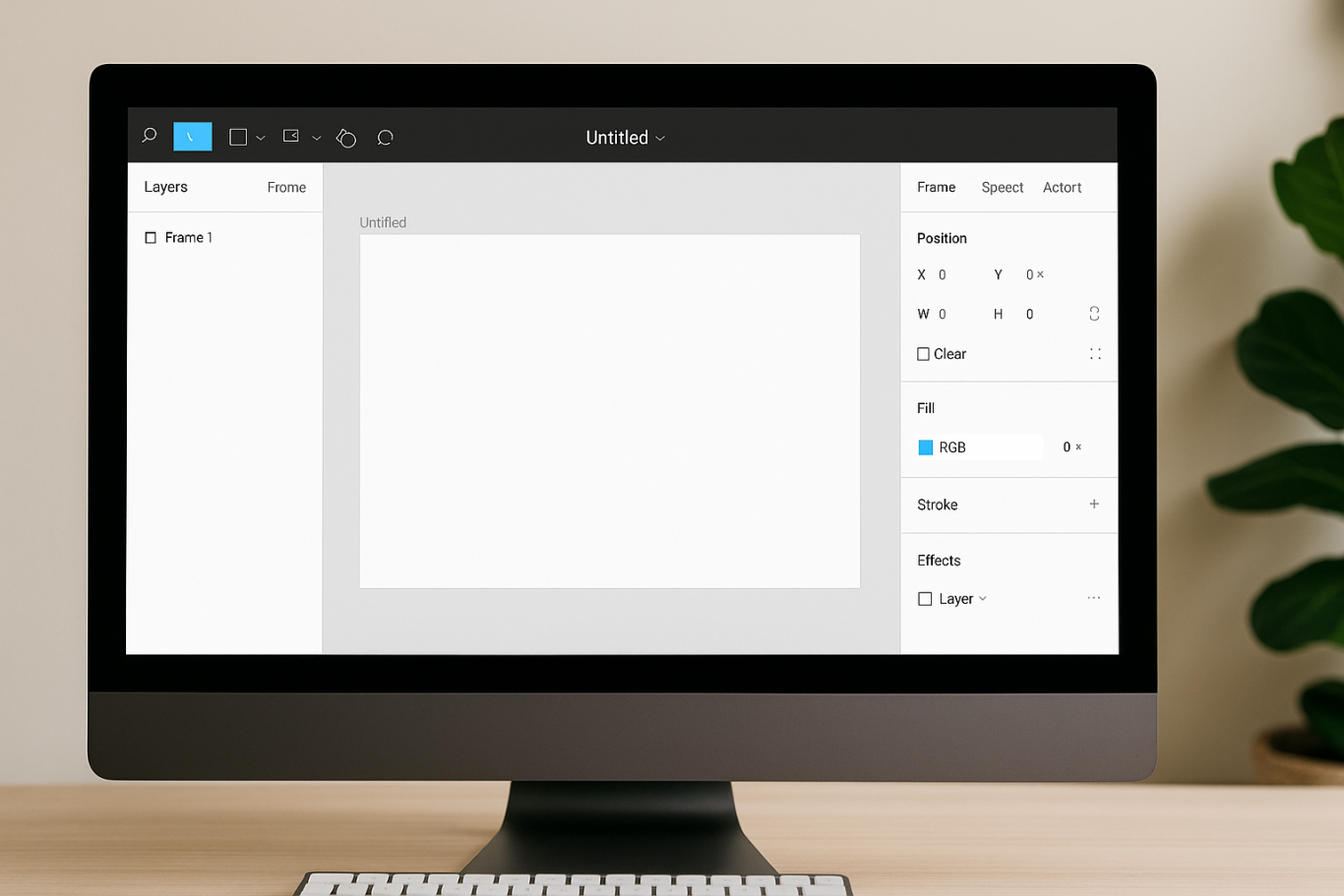
After logging in to a Figma account, walk your child through the main elements of the workspace:

  • Canvas: the blank area where they’ll build designs
  • Top toolbar: includes tools like Move, Frame, Shape, and Text
  • Left panel: shows the object structure (layers)
  • Right panel: used to adjust color, size, position, and effects

Let them freely draw circles, squares, or stars and experiment with colors. This unstructured play helps them get familiar with Figma naturally. This is also a great starting point in how to use Figma for kids in a stress-free way.

2. Start a New Project
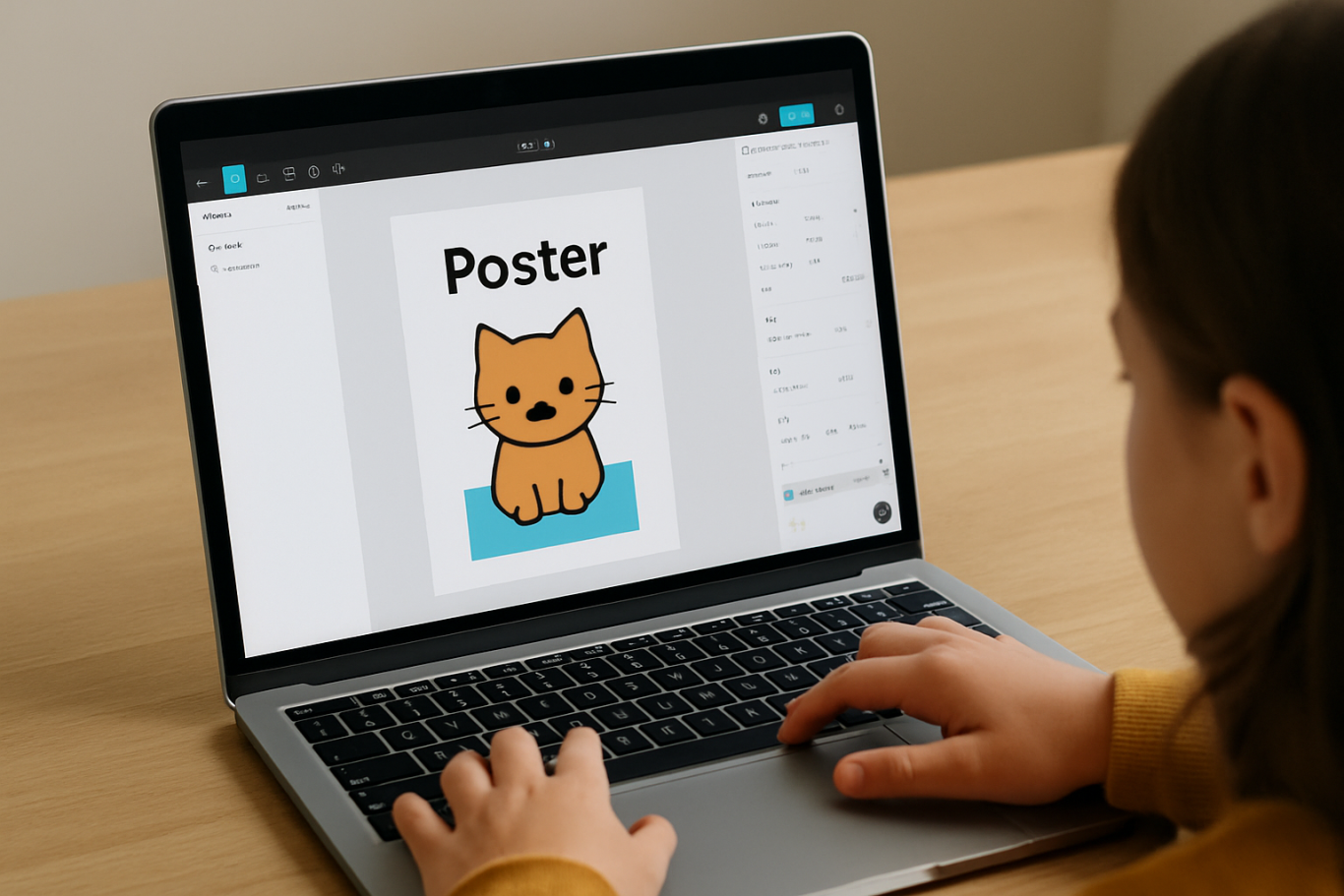
Click New Design File and let your child name it something fun like “My Poster” or “Cute Cat Project.” Then:

  • Create a Frame using A4 size or mobile screen dimensions
  • Add shapes via the Shape tool, then change colors on the right panel
  • Add text with the Text Tool, and adjust font size, color, and position

This step of how to use Figma for kids feels like drawing on a digital piece of paper—fun and intuitive.

3. Add Images and Illustrations
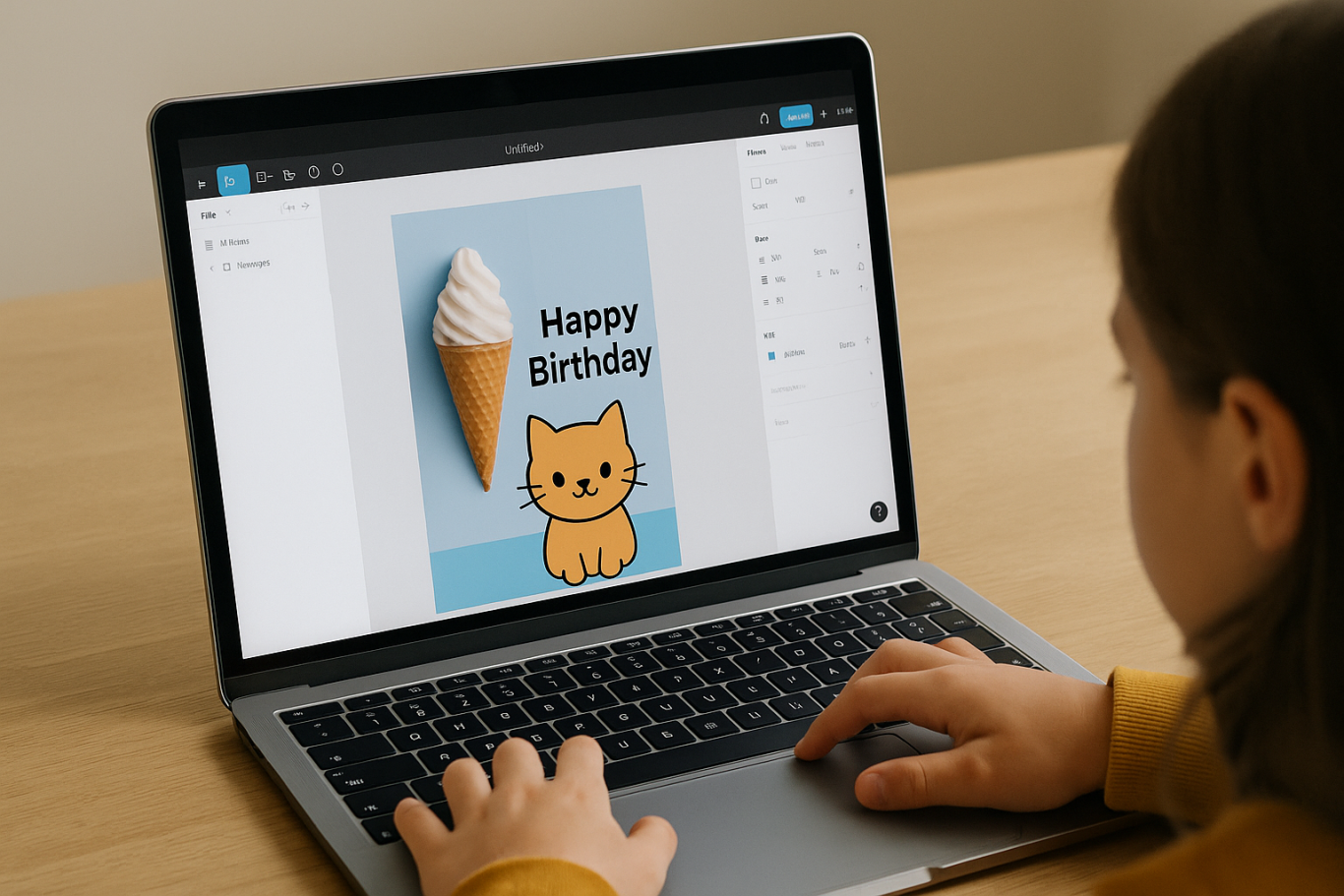
To make their design more dynamic, help them insert images:

  • Click File > Place Image and choose from your computer
  • Or simply drag and drop into the canvas
  • Use the Unsplash plugin to find royalty-free images directly inside Figma

This makes it easier for kids to create digital greeting cards, collages, or mood boards. These small projects are practical examples of how to use Figma for kids in real-life situations.

4. Create Simple App or Game Layouts
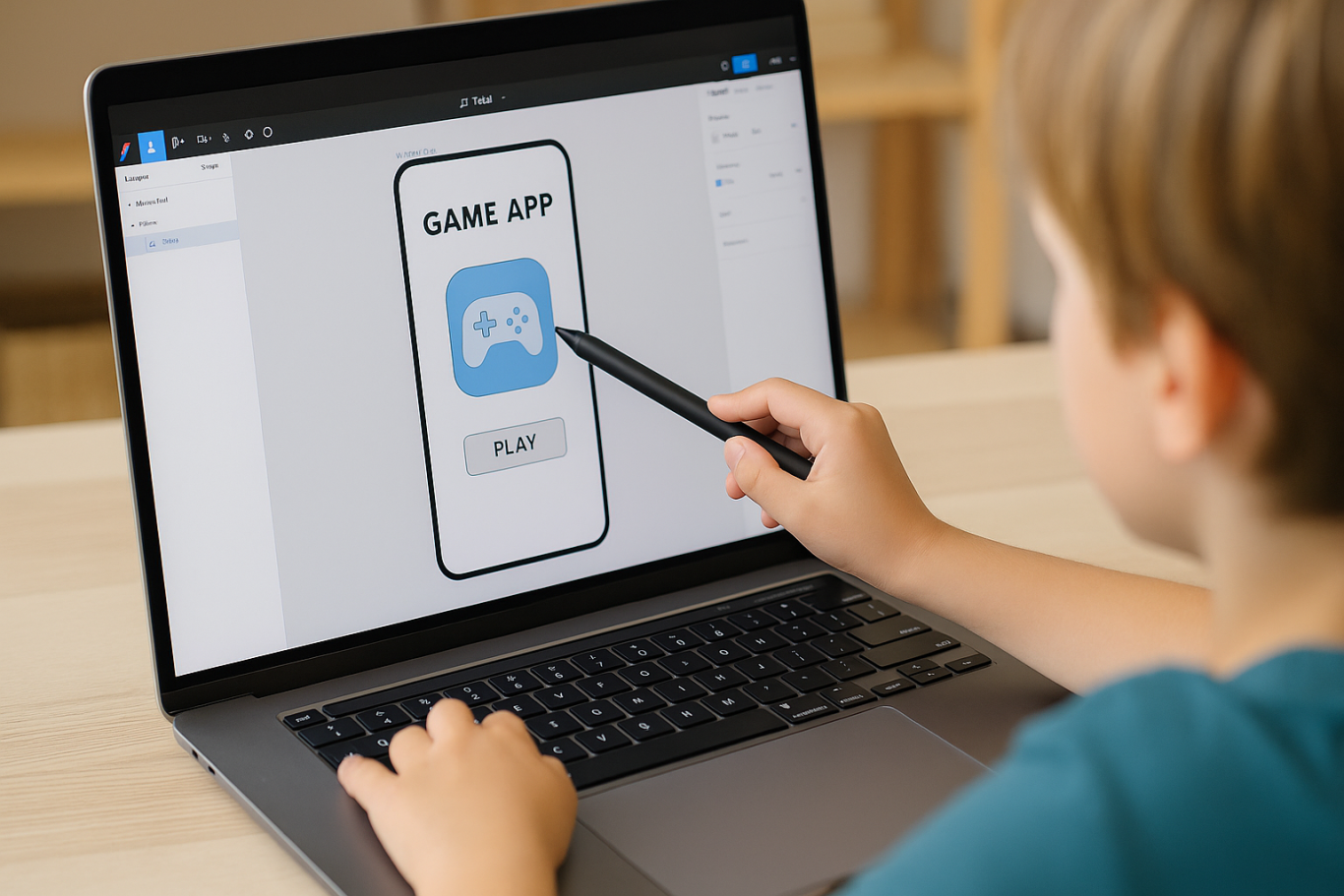
For older kids, try introducing them to basic app layout design:

  • Use Frames sized for iPhone or Android
  • Add titles, icons, and buttons
  • Turn elements into Components for duplication
  • Use Prototype mode to simulate screen transitions

This is a creative and exciting way to teach design logic and basic UX thinking. It’s also a more advanced stage in how to use Figma for kids who want to go deeper.

5. Collaborate and Present
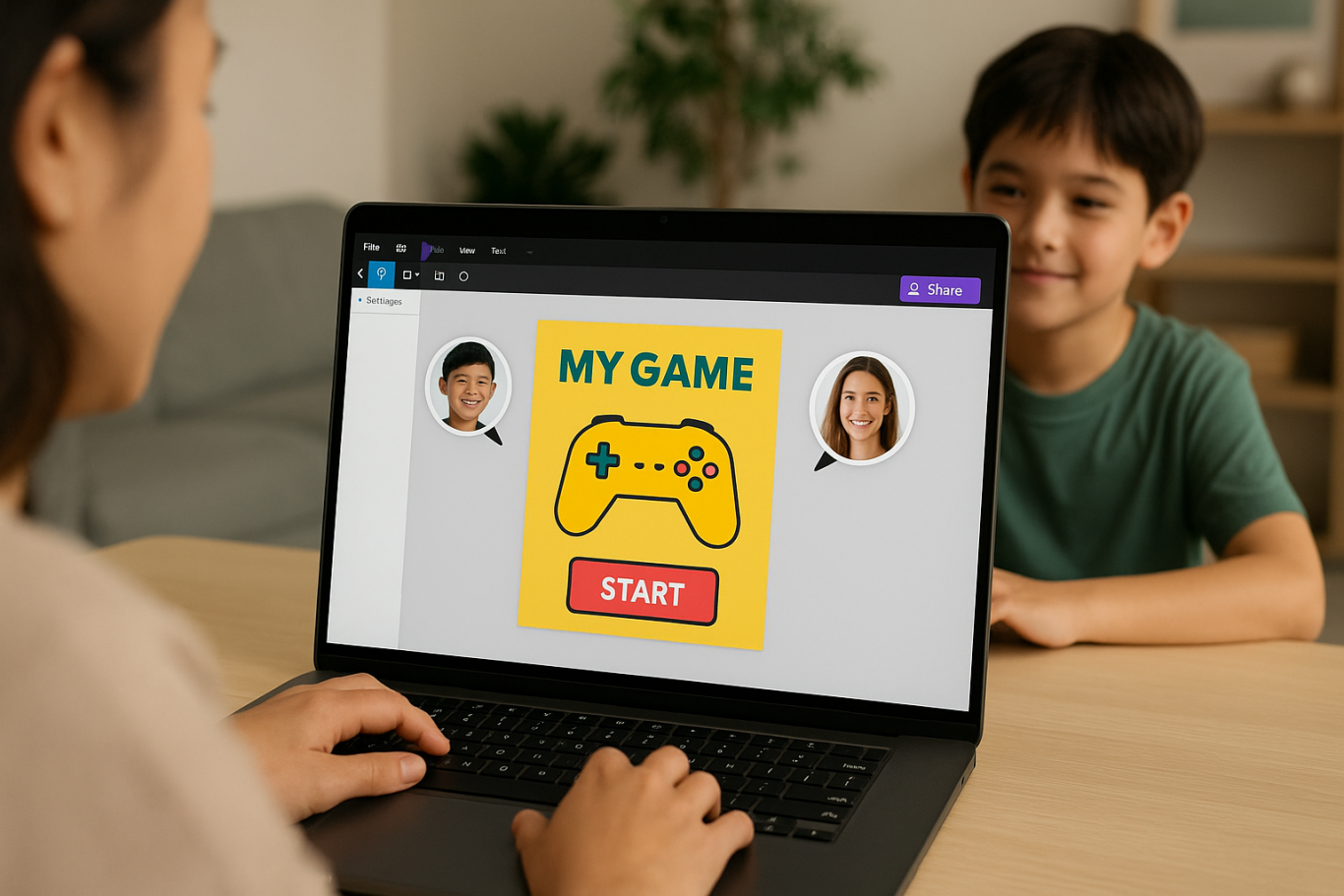
Figma is perfect for collaborative learning. Kids can:

  • Click Share to invite parents, teachers, or friends
  • Use Presentation Mode to view their design full-screen
  • Receive comments directly on the canvas and learn from feedback

These interactions help kids learn how to present and improve their ideas. How to use Figma for kids can extend into valuable lessons on teamwork and communication.

Combine with Online Design Classes

To support their learning journey, consider enrolling your child in an online design course. Timedoor Academy offers kid-friendly design programs based on fun projects and personalized learning. Learning how to use Figma for kids is much easier when supported by friendly mentors and structured activities.

Tips for Parents to Support Learning

To make the learning process smoother, parents can:

  • Be present during the early stages, then give room to explore
  • Ask about their designs and encourage storytelling
  • Avoid focusing on perfection—celebrate creativity instead
  • Try designing together as a bonding activity

Ready to Introduce the World of Design?

Introducing your child to digital creativity can begin with simple tools like Figma. With the right guidance and playful approach, how to use Figma for kids becomes a fun activity that sharpens logic, builds visual confidence, and sparks interest in technology.

Ingin tahu detail program? Image

Ingin tahu detail program?

Timedoor Academy is here to support your journey. With interactive online classes and friendly instructors, your child can learn to design with confidence. Try a free class today and help your child discover their design potential from an early age.

Keep Reading

Who Knew? Coding Helps Kids Excel at Math in 2025
When parents hear the word “coding,” they often picture kids staring at a screen, typing complicated commands. But did you know that this activity can actually boost a child’s math skills? Yes, coding helps kids excel at math, and this benefit has been proven through studies and real-world learning experiences from children around the globe. Coding is no longer just a skill for future programmers. It is becoming a fundamental part of modern education, and its impact reaches far beyond computer science. For many children, coding serves as a gateway to understanding mathematical logic, improving attention to detail, and enjoying learning more than ever before.   Why Are Coding and Math So Closely Connected? Coding teaches kids how to think logically and systematically. When learning to code, children practice problem-solving, recognizing patterns, and building algorithms. These are also core elements of math. As kids learn to write step-by-step instructions in coding, they are also training themselves to solve math problems in a structured way. For example, when creating a program that calculates average scores, a child is not just coding. They are applying addition and division. This is a clear, practical example of how coding helps kids excel at math in a fun and hands-on way. Moreover, understanding sequences, loops, and conditions in programming encourages children to think mathematically. These are the same skills used in operations, geometry, and even data analysis. These areas of math can feel abstract in a textbook but come to life through coding.   Learning Logic Instead of Memorizing Formulas Math often feels intimidating because it is full of formulas to memorize. Coding, on the other hand, emphasizes understanding the logic behind each concept. When kids write basic programs using loops or if-else statements, they are also learning repetition and decision-making. Both of these are critical in arithmetic and algebra. Through coding, kids build a solid understanding of math without relying on rote memorization. That is how coding helps kids excel at math while also boosting their confidence and reducing anxiety around the subject. Coding allows them to approach math from a new angle. It is not just something to study but something to apply and explore creatively. This kind of active learning can spark curiosity and make math less intimidating.   Coding Makes Math More Relevant Many students struggle with math because they do not see how it applies to the real world. Coding changes that. When children create simple games, calculators, or interactive animations, they realize that math is essential to making those programs work. This realization increases motivation. Kids get excited when they see how math helps bring their ideas to life. No wonder coding helps kids excel at math. It brings learning into context and makes it meaningful. With coding, abstract math concepts become tools that help kids build something real. Instead of solving equations on paper, they are using those equations to animate a character, solve a puzzle, or calculate a score. This deepens their understanding and interest.   It Builds Focus and Perseverance Coding requires attention to detail. One wrong character can break the whole program. This teaches kids how to stay focused, troubleshoot problems, and persevere through frustration. These are the same skills they will need when tackling long or complex math problems. So coding is not just about tech. It is about shaping a productive learning mindset. That is another reason why coding helps kids excel at math and also builds character along the way. As they debug code, children learn that making mistakes is part of the process. This resilience is essential in mathematics, where trial and error often leads to breakthroughs and better understanding.   Fits Every Learning Style Each child learns differently. Some are visual learners, while others prefer hands-on activities. Coding supports all learning styles. Kids can explore concepts through animations, games, and simulations. Many of these activities involve math. Thanks to this flexibility, coding helps kids excel at math in a way that feels natural and tailored to their strengths. It empowers children to take ownership of their learning and progress at their own pace.   Conclusion: A Powerful Duo for the Future In today’s digital world, parents need to equip their children with relevant skills. Coding is more than a tech trend. It enhances academic performance, especially in math. Start early and see how coding helps kids excel at math while preparing them for the future.   Want Your Child to Excel in Both Coding and Math? Join Timedoor Academy, where kids learn coding in a fun, interactive environment that also boosts their math and logical thinking skills. Our programs are designed to support every child’s growth in both technology and academics. Sign up for a free trial today and discover how coding helps kids excel at math from the very beginning.
Bagaimana Teknologi Meningkatkan Kreativitas Anak
How Technology Boosts Creativity for Kids
In today's digital age, technology plays a significant role in shaping children's lives, offering them not only entertainment but also endless opportunities to enhance their creativity. How technology boosts creativity for kids is not just about playing games or watching videos; it's about engaging with tools that encourage children to explore new ideas, express themselves through various forms of art, and solve complex problems in innovative ways. In this article, we’ll dive into the many ways how technology boosts creativity for kids, helping parents and educators harness the power of technology for creative development.   1. Digital Tools That Boost Creativity for Kids Technology offers a vast array of digital tools designed to stimulate creativity in children. Drawing apps like Procreate or Tayasui Sketches, for example, allow kids to create beautiful artworks on tablets, pushing their imagination and skills. Music production software, such as GarageBand, is another fantastic tool to help children explore their musical creativity by composing songs and learning about sound design. These tools don’t just teach technical skills; they encourage kids to think creatively. The immediate feedback and flexibility offered by these apps allow children to experiment with different styles and techniques, making it a fun and educational way how technology boosts creativity for kids.   2. Problem-Solving and Critical Thinking One of the most impactful ways how technology boosts creativity for kids is by enhancing their problem-solving and critical thinking abilities. Educational games and apps that challenge children to solve puzzles, plan strategies, and make decisions help develop their cognitive skills. Apps like Scratch or Tynker, which teach coding and logic, are excellent examples of how technology boosts creativity for kids. By engaging with these platforms, children not only learn to code but also learn to think critically, test solutions, and refine their ideas. This helps them become creative problem-solvers who are capable of thinking outside the box, which is an essential skill for both academic success and life in general.   3. Access to a Wealth of Creative Learning Resources The internet is a treasure trove of creative learning resources that can help how technology boosts creativity for kids. Platforms like YouTube, TED-Ed, and Khan Academy provide a wide variety of content that can spark children’s imaginations. From DIY craft tutorials to science experiments, there is no shortage of material to engage kids and fuel their creativity. Moreover, eBooks and audiobooks offer children new ways to experience stories that stimulate their imagination. These resources allow kids to engage with the arts, explore new concepts, and learn new skills in creative and interactive ways.   4. Collaborative Creativity and Social Interaction Technology also offers unique opportunities for kids to collaborate on creative projects with others. Online platforms and apps designed for group work allow children to share ideas, co-create, and provide feedback to one another, fostering both creativity and social skills. By working together, kids not only boost creativity but also learn how to communicate effectively, manage team dynamics, and develop empathy. For instance, children can participate in group art projects, write collaborative stories, or join virtual hackathons. These shared creative experiences are a great way to help children enhance their creativity while also developing valuable interpersonal skills.   5. Digital Storytelling for Creative Expression Digital storytelling is another powerful way how technology boosts creativity for kids. With easy-to-use platforms like Storybird, Adobe Spark, and even Instagram, children can write, illustrate, and share their stories in engaging ways. These platforms allow kids to take control of their narratives, helping them express their thoughts, ideas, and emotions creatively. Storytelling is not only a fun way to engage with creativity but also a valuable skill that supports literacy, critical thinking, and emotional development. By using digital tools to tell their stories, children can learn how to organize their ideas, use technology to enhance their creations, and communicate their thoughts in new and innovative ways.   6. Immersive Technologies: Virtual and Augmented Reality Virtual Reality (VR) and Augmented Reality (AR) technologies are increasingly being used to enhance creativity for kids. These immersive technologies provide children with the opportunity to engage with creative environments in ways that are not possible in the real world. With VR and AR, children can design virtual spaces, explore interactive 3D models, and engage in hands-on creative activities. For example, using VR headsets, children can participate in virtual learning experiences that incorporate art, design, and creativity. They can create 3D models, design virtual sculptures, or explore complex architectural structures. AR apps like Quiver bring children’s drawings to life, allowing them to see their artwork come to life in augmented spaces. These tools give kids a whole new world to explore, further showing how technology boosts creativity for kids.   7. Technology as a Gateway to STEM Creativity Another way how technology boosts creativity for kids is by inspiring them to pursue STEM (Science, Technology, Engineering, and Mathematics) fields, where creativity is a crucial component. Coding platforms, robotics kits, and 3D printing tools all encourage kids to create, innovate, and design in the realms of engineering and technology. Tools like LEGO Mindstorms or robotics kits allow kids to build and program their own creations, providing them with hands-on experience in both technology and design. These activities encourage kids to think creatively about how to solve problems, design solutions, and bring their ideas to life.   How Technology Boosts Creativity for Kids in Countless Ways Incorporating technology into your child’s life can have a profound impact on their creative development. From digital art and music tools to coding apps and immersive experiences, technology offers a vast range of opportunities for kids to explore, create, and learn. By using these tools, parents and educators can help nurture creativity, problem-solving skills, and innovation in children, setting them up for future success. At Timedoor Academy, we provide various online resources and learning tools designed to help your child develop their creativity through technology. Whether it’s interactive coding classes, virtual workshops, or personalized learning materials, we’re here to support your child’s creative journey. Start a free trial today and explore how technology can boost creativity for kids in exciting and engaging ways!
What Is Vibe Coding? Understanding the Concept and Its Benefits for Kids
In today’s digital era, children are not only expected to excel academically but also to be creative, collaborative, and adaptable to technology. One learning method that is gaining attention in tech education is vibe coding. More parents and educators are beginning to ask: what is vibe coding, and how can it be used in a meaningful way to help children learn? This article will explain what is vibe coding, its core principles, and why this method is a fun and effective approach to introducing programming to young learners. If you’re considering a coding class that feels less rigid and more intuitive, vibe coding for kids might be the perfect fit. What Is Vibe Coding? To answer the question what is vibe coding, we need to understand the basic idea behind this learning method. Vibe coding refers to a teaching approach that emphasizes a fun, creative, and child-friendly atmosphere while learning programming. The word “vibe” represents the overall feeling or energy created during the learning experience. Unlike traditional programming lessons that can feel formal or rigid, vibe coding for kids focuses on letting children learn through play, imagination, and building meaningful projects. The emphasis is not just on the final product but also on enjoying the process of creating something. Why Is Vibe Coding a Great Fit for Kids? Once you understand what is vibe coding, it becomes clear why this method works especially well for children. Kids often get bored or overwhelmed by dry, technical lessons. Vibe coding for kids creates a fun, engaging environment that sparks curiosity and creativity. This approach incorporates storytelling, animations, music, and visuals to help children feel immersed in their projects. For example, kids can learn to code by creating their own video games, designing cartoon characters, or programming a virtual robot that follows commands. With this setup, children naturally learn the basics of coding such as logic, sequences, conditions, and loops. They’re not pressured to get everything right immediately. Instead, they’re encouraged to explore, try new things, and learn from mistakes. That’s the heart of vibe coding for kids: building a positive and flexible learning experience. Benefits of Vibe Coding for Kids For parents who are still unsure about this method, here are some key benefits that vibe coding for kids offers. It doesn’t just improve tech skills. It also supports broader developmental growth in young learners. Boosts creativityKids are encouraged to build things from their own ideas—games, animations, or simple apps. Develops logic and problem-solvingEven though the environment is playful, the foundation of vibe coding for kids is rooted in core programming logic. Promotes collaboration and communicationMany activities are group-based, teaching kids to discuss, share roles, and work as a team. Builds confidenceChildren gain pride and belief in their abilities when they successfully create something. Prepares them for the futureBy learning coding early, kids are better equipped for a digital-driven world. Vibe Coding at Timedoor Academy Now that you understand what is vibe coding, you might be wondering where your child can learn this method in a structured yet fun way. Timedoor Academy offers one of the best implementations of vibe coding for kids, combining creative programming with a child-centered teaching style. Timedoor’s platform is designed specifically for young learners, featuring project-based activities like game development, animations, and beginner-friendly applications. Every class is filled with engaging content and guided by experienced mentors who understand how kids learn best. The goal at Timedoor Academy is to make every student feel confident, curious, and excited about learning. Grades and tests are not the focus. Instead, it’s about exploring, creating, and enjoying the journey. This is exactly what vibe coding for kids is all about, and Timedoor applies it consistently across their programs. Conclusion: Let Your Kids Experience Vibe Coding Now you know what is vibe coding and how this approach makes learning programming enjoyable and effective for children. As our world becomes more digital, introducing kids to coding at an early age is no longer optional—it’s a smart and timely decision. If you’re looking for a coding class that sparks creativity, feels natural, and actually speaks your child’s language, vibe coding for kids at Timedoor Academy is a perfect choice. Sign your child up today and see how much fun they can have learning with vibe coding. Try a free trial class now at Timedoor Academy!
float button