Jun 11, 2025

5 Best! Free Coding Apps for Kids You Should Try

<strong>5 Best! Free Coding Apps for Kids You Should Try</strong> image

Introducing free coding apps for kids is a powerful way to build their logical thinking, creativity, and problem-solving skills from an early age. With user-friendly and kid-safe platforms, children can explore how to code, design games, animate characters, and develop mini programs without paying for expensive software.

Why Should Parents Discover the 5 Best Free Coding Apps for Kids?
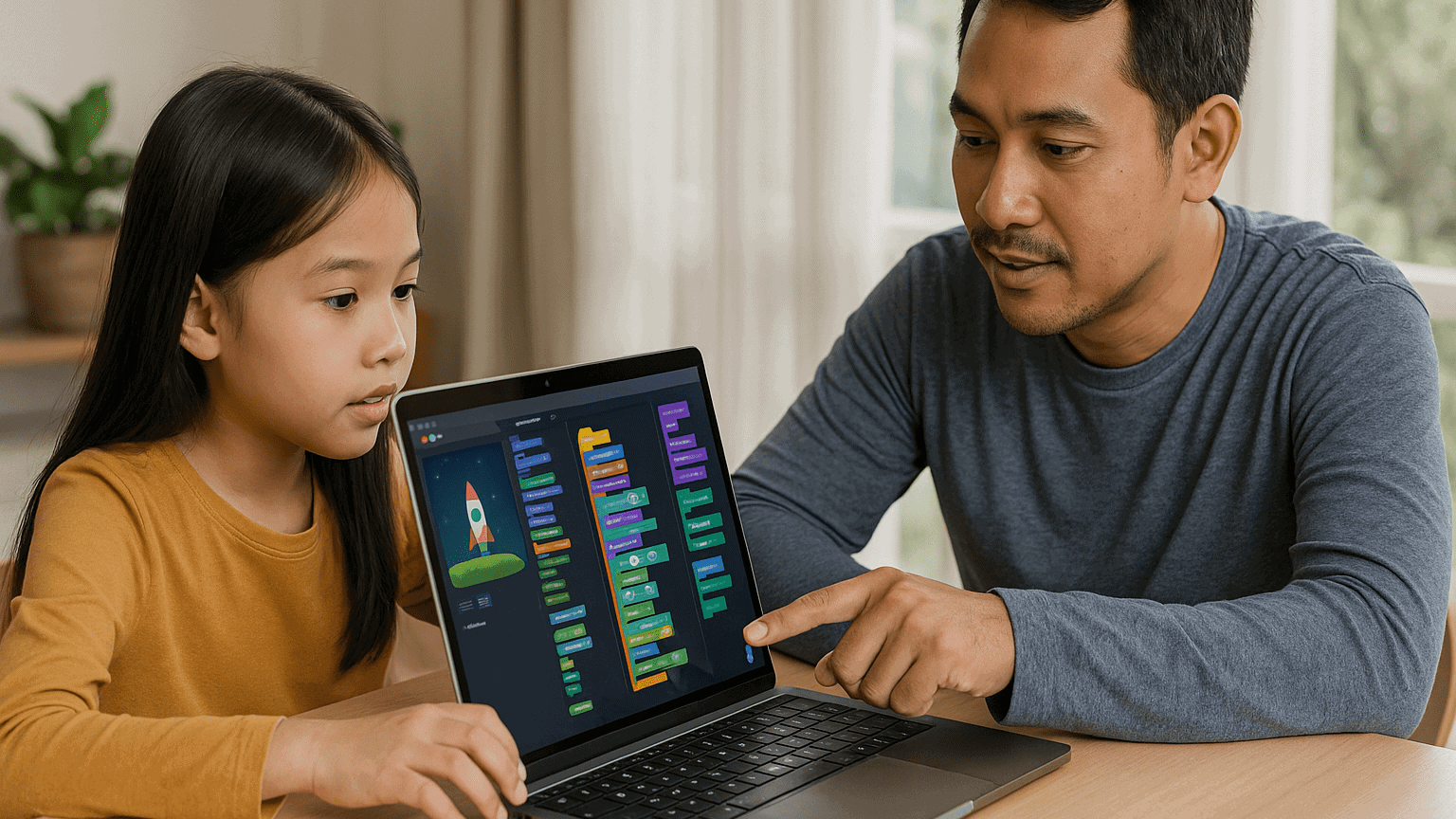
free coding apps for kids

Coding is no longer just for tech-savvy teens or college students. Even elementary school kids can begin their digital journey through colorful and interactive interfaces. Below are five top recommendations of free coding apps for kids, each offering unique features and a fun learning experience.

1. Scratch

Recommended Age: 8 to 16 years
Why It’s Great:

  • Uses visual blocks instead of complicated text code, which is perfect for beginners
  • Includes a safe online community where kids can share projects
  • Offers guided tutorials that teach them how to create animations and games

Parent Tip: Help your child start with a basic animation, then let them customize characters or add sound effects to boost engagement.

2. Code.org

Recommended Age: 6 to 18 years
Why It’s Great:

  • Offers a complete learning path from drag-and-drop to real coding with JavaScript
  • Features Hour of Code activities with themes like Minecraft and Frozen
  • Has tools for parents and teachers to track learning progress

Parent Tip: Encourage your child to join Hour of Code events around the world to make the experience feel exciting and social.

3. Tynker

Recommended Age: 7 to 14 years
Why It’s Great:

  • Game-based learning with space, robot, and arcade themes
  • Lets kids transition from visual blocks to text-based coding with Python or JavaScript
  • Comes with ready-made project templates to jump-start creativity

Parent Tip: Use the free Learning Path before exploring premium features. Make sure your child completes one level at a time to stay focused.

4. Grasshopper

Recommended Age: 10 years and up
Why It’s Great:

  • Developed by Google to teach JavaScript in bite-sized, mobile-friendly lessons
  • Gives instant feedback with visual explanations
  • Tracks daily learning streaks to encourage consistent practice

Parent Tip: Set a goal for 15 minutes of coding each day. Short, regular practice is more effective than longer sessions once a week.

5. Kodable

Recommended Age: 5 to 10 years
Why It’s Great:

  • Uses fun maze games to teach programming logic like sequencing and loops
  • Works offline, making it a great option for travel or areas with limited internet access
  • Offers free lesson plans for teachers that parents can also use at home

Parent Tip: Ask your child to explain what they did after each game level. Talking about the process helps reinforce their understanding.

How to Maximize Learning from Free Coding Apps For Kids

  1. Create a Weekly Routine
    Keep learning sessions short and fun. Younger children stay more focused with shorter screen time.
  2. Celebrate Their Projects
    Print out screenshots or let them show their work to family. This helps build pride and motivation.
  3. Support Group Learning
    Invite a sibling or friend to try the same app. Coding becomes more fun when kids learn together.
  4. Connect to School Lessons
    Use these apps to explain math or science concepts. Coding is a powerful tool that makes abstract ideas more concrete.

Why Free Coding Apps For Kids Matter

aplikasi coding gratis untuk anak

Learning with free coding apps for kids provides valuable skills without financial barriers. These apps allow children to:

  • Develop logical thinking and creativity
  • Explore digital storytelling and simple game design
  • Learn basic programming terms and structure
  • Build confidence with hands-on digital tools

What’s Next? Upgrade to Structured Learning at Timedoor Academy

Ingin tahu detail program? Image

Ingin tahu detail program?

After exploring free coding apps for kids, you can take your child’s skills to the next level. Timedoor Academy offers online coding courses with expert instructors, real-world projects, and a fun, guided experience that grows with your child. Sign up now for a free trial coding class at Timedoor Academy and give your child a head start in the digital age.


Keep Reading

5 Powerful Secrets of the Project Based Learning Method in Coding Education
In today’s modern education system, learning methods have evolved to become more dynamic and interactive. One of the most effective approaches in improving students’ engagement and understanding is the project based learning method. This approach focuses on learning through direct experience and the practical application of knowledge in real-world projects. In the digital age, coding skills have become one of the most essential abilities for children to master early. However, learning coding is not just about memorizing syntax or following instructions. It’s about developing logical thinking, creativity, and problem-solving skills. That’s where the project based learning method plays a key role in helping children learn meaningfully and effectively. Why the Project Based Learning Method Works for Coding Children are naturally more interested when they can see the real results of their work. In the project based learning method, they don’t just listen to theory but are actively involved in creating projects such as simple games, interactive apps, or digital animations. Through this approach, students learn by exploring, collaborating, and experimenting. They discover how to organize ideas, design solutions, and solve real problems using coding logic. This process makes learning more engaging, fun, and memorable. Key Advantages of the Project Based Learning Method in Coding Boosts Learning Motivation When children see the outcomes of their own work, they gain a sense of pride and accomplishment. The project based learning method helps them feel that every lesson has a purpose. This builds intrinsic motivation to keep learning and exploring new things. Enhances Problem-Solving Skills Every project presents challenges that children must overcome. This trains them to think critically and find creative solutions. The project based learning method encourages perseverance and helps children build confidence in solving complex problems. Encourages Collaboration and Communication One of the most valuable elements of the project based learning method is teamwork. Students learn to share ideas, listen to others’ opinions, and combine their skills to achieve the best results. These social and communication skills are essential for their future success. Deepens Understanding of Technology Concepts By directly applying what they learn, children gain a deeper understanding of how technology works. They don’t just know how to write code; they understand the logic behind it and how it can be used to create meaningful solutions. Implementation at Timedoor Academy Timedoor Academy understands the importance of interactive and practical learning. That’s why our coding classes use the project based learning method to ensure every student learns actively and joyfully. Each module is carefully designed so that students can work on real projects based on their skill levels. For example, beginners might create interactive animations, while advanced learners can develop simple games or websites. Moreover, the instructors at Timedoor Academy act as mentors who guide children to think creatively behind every project. The learning experience not only produces digital products but also builds a problem-solving mindset that lasts a lifetime. Positive Impacts on Child Development Children who learn through the project based learning method show significant growth in various aspects. They become more confident as they complete real projects. Their critical thinking and time management skills also improve noticeably. Additionally, this approach teaches children that making mistakes is part of the learning process. When their projects don’t work as expected, they learn to fix and try again. This growth mindset is crucial in today’s ever-evolving technological world. Connecting Theory with Real Life One of the biggest challenges in teaching coding is helping students understand the connection between theory and real-world application. With the project based learning method, children learn that every line of code has a real function and purpose. For instance, they might create a simple app to organize their study schedule or design an educational game for their friends. Once they realize that coding skills can be used to build something useful, their enthusiasm for learning grows naturally. Parents’ Role in Supporting Learning Parents play a vital role in supporting their children’s journey using the project based learning method. Offering encouragement and appreciation for their work builds their confidence. Giving children the space to experiment and explore also helps nurture independent thinking. Parents can support by asking about their learning process, not just the final outcome. This strengthens the bond between parents and children while encouraging continuous growth. Conclusion: Active, Creative, and Meaningful Learning Coding education through the project based learning method is more than just teaching children to write code. It’s about shaping analytical thinkers who are creative, resilient, and solution-oriented. This approach empowers them to face challenges positively while building essential skills for the future.If you want your child to learn coding in an engaging and meaningful way, sign them up for a Free Trial Class at Timedoor Academy. Let them experience the joy of learning through real projects that spark creativity and build confidence for a bright digital future.
5 Top Public Speaking Course for Kids Recommendations with Pricing 2025
In today’s modern era, many parents are looking for public speaking course for kids since public speaking skills are incredibly important for developing children’s confidence and social abilities. No wonder more and more parents are seeking a trusted online public speaking course for kids to help their children communicate ideas clearly, whether at school or in their daily lives. By enrolling in a high-quality online public speaking course, children can practice structured speaking, overcome stage fright, and build real confidence. Below are 5 top recommendations for online public speaking courses for kids in 2025, complete with pricing, programs, and standout features. 1. Outschool: Public Speaking for Kids Price: Starting at $18 per classOutschool offers a wide range of online public speaking course options for kids ages 5–14. Classes include small group sessions focused on storytelling, presentations, and confidence building. Key Features: Flexible class schedules and certified instructors Engaging, project-based lessons Classes available for various age groups and skill levels Reviews and ratings from parents and students Access: 100% Online, Global 2. Udemy: Public Speaking for Kids and Teens Price: Starting at $20 per course (one-time payment)Udemy’s online public speaking course for kids and teens covers everything from basic speech techniques to delivering presentations with confidence. The curriculum is video-based and can be accessed at any time. Key Features: Lifetime access to lessons and resources Self-paced learning for maximum flexibility Activities and practice prompts for real-life speaking Completion certificate Access: Online, Worldwide 3. PlanetSpark Price: Starting at $30 per sessionPlanetSpark offers live, interactive online public speaking coursefor kids aged 6–16. Their curriculum covers debating, storytelling, stage presence, and leadership. Key Features: Personalized learning plans Regular feedback and progress tracking International student community Events, competitions, and showcases Access: Online, International 4. Speech & Debate Academy by Learn with Leaders Price: Starting at $50 per monthThis online public speaking course is led by instructors from top global universities and focuses on helping children master public speaking, debating, and critical thinking. Courses are available in group or one-on-one formats. Key Features: Small class sizes with personalized feedback Emphasis on confidence, persuasion, and communication skills Interactive debates and speech simulations Global exposure Access: Online, Open Worldwide 5. Kid Power Academy Price: Starting at $25 per group classKid Power Academy provides a highly interactive online public speaking course for kids, helping them practice speeches, interviews, and presentations in a supportive environment. Key Features: Certified, experienced instructors Fun activities including storytelling, games, and roleplay Progress reports for parents Focus on building positive self-image and confidence Access: Online, Available Globally Why Is an Online Public Speaking Course Important for Kids? Enrolling your child in an online public speaking course for kids will give them an essential foundation for the future. Children will learn how to organize their ideas, speak confidently in public, and present themselves well in a variety of situations. These skills are not only useful for competitions or school presentations, but also for developing leadership, teamwork, and self-expression. Alongside communication skills, it’s just as important to help your child develop technology skills such as coding. In today’s digital era, combining public speaking skills with digital literacy will prepare kids to face the challenges of the future with confidence. If you want your child to develop both strong public speaking skills and digital abilities, consider introducing them to creative coding classes at Timedoor Academy. Try a free trial coding class at Timedoor Academy so your child can grow in confidence, creativity, and readiness to compete in the modern world!
Why Scratch Games for Kids Are the Best Educational Tool
In today’s world, where digital technologies play a massive role, it’s important for children to develop the skills needed to thrive in an ever-evolving environment. One of the best ways to do this is through engaging, educational tools like Scratch games for kids. Scratch, a visual programming language, has become a go-to platform for introducing kids to the world of coding and game development. It offers a hands-on approach that encourages creativity, logical thinking, and problem-solving. Here’s why Scratch games for kids should be an essential part of your child’s learning journey.   1. Scratch Games for Kids Foster Creativity and Imagination One of the standout benefits of Scratch games for kids is their ability to spark creativity and imagination. Scratch allows children to design their own interactive stories, animations, and games. This creative freedom encourages kids to think beyond the box and develop their original ideas. With Scratch games for kids, your child can experiment with character designs, develop storylines, and even create custom sounds for their games. This is not only fun but also promotes a creative mindset that benefits them in other aspects of learning and life. By using Scratch games for kids, children can learn how to blend technology with creativity. Instead of simply consuming content, they actively engage with it, learning the process of making something unique. This helps them build a strong foundation for their future creative endeavors in digital media, game design, and beyond.   2. Scratch Games for Kids Boost Problem-Solving Skills Problem-solving is one of the key skills children can develop through Scratch games for kids. As children create their own games, they are often faced with challenges that require logical thinking. For instance, when designing a game, kids need to figure out how to make a character move, respond to certain actions, or interact with other game elements. These tasks require them to apply problem-solving strategies, breaking down complex tasks into smaller, manageable steps. The beauty of Scratch games for kids is that they provide a safe environment for children to experiment with different solutions, test their ideas, and make mistakes. This trial-and-error process not only improves problem-solving skills but also teaches kids how to approach challenges from various angles. By engaging with Scratch games for kids, children learn that failure is part of the learning process and develop resilience to overcome obstacles.   3. Scratch Games for Kids Teach Coding Fundamentals One of the most important reasons to incorporate Scratch games for kids into their learning routine is that they provide an accessible introduction to coding. Unlike traditional programming languages that might be too complex for beginners, Scratch uses a block-based visual interface, making it easy for kids to grasp coding concepts. By dragging and dropping blocks to create actions, children are learning the fundamentals of programming, such as loops, conditionals, events, and variables. With Scratch games for kids, children get to explore the basics of coding in a hands-on, interactive manner. These foundational skills will prepare them for more advanced programming languages as they grow older. Whether they choose to pursue Python, Java, or C++ in the future, the logical thinking and problem-solving skills learned from Scratch games for kids will provide a solid foundation for their programming journey.   4. Scratch Games for Kids Develop Logical Thinking At the heart of Scratch games for kids lies logical thinking. When creating a game, children need to structure their actions and events logically. For example, if a child wants their character to jump when a certain key is pressed, they must figure out how to implement that action through the right sequence of events. By working through this logical process, kids develop stronger critical thinking and reasoning skills. Engaging with Scratch games for kids encourages children to think step by step and organize their thoughts in a systematic way. These skills translate into better performance in subjects such as math, science, and even everyday problem-solving. By practicing logical thinking through Scratch games for kids, children will be more adept at making decisions and solving problems efficiently in the future.   5. Scratch Games for Kids Teach Persistence and Patience Creating Scratch games for kids can be challenging at times. Children might encounter bugs or unexpected behavior in their game, requiring them to troubleshoot and make adjustments. This process of debugging teaches kids the value of persistence and patience. Instead of getting frustrated or giving up when things don’t go as planned, children learn to approach the problem from different angles and keep trying until they find a solution. By working through these challenges, children develop a growth mindset, understanding that success often comes through perseverance. The ability to stick with a problem and find solutions is an invaluable skill that will serve kids well in all areas of life, from school projects to personal goals.   6. Scratch Games for Kids Foster Teamwork and Collaboration While Scratch games for kids can certainly be enjoyed individually, they also provide excellent opportunities for collaboration. In many cases, kids work together to share ideas, divide tasks, and support each other in game development. This teamwork aspect teaches kids how to communicate effectively, cooperate with others, and work towards a shared goal. When children collaborate on Scratch games for kids, they learn the importance of listening to others, respecting different viewpoints, and combining their strengths. These skills are vital for success in both academic and social settings, making Scratch games for kids a great way to promote collaboration and social learning.   7. Scratch Games for Kids Provide Real-World Skills One of the most significant benefits of Scratch games for kids is that they offer real-world skills that can translate into future careers. The coding concepts learned through Scratch are the same building blocks used in professional software development, game design, and digital content creation. By learning to create games and interactive projects, children gain practical skills that can open doors to future opportunities in the tech world. The skills developed through Scratch games for kids, such as coding, problem-solving, and logical thinking, are highly transferable and can be applied in various fields, including web development, app creation, and robotics. Early exposure to these skills will give children a head start in an increasingly digital world.   8. Scratch Games for Kids Make Learning Fun Above all, Scratch games for kids make learning enjoyable. Kids are naturally drawn to games, and by combining fun with education, Scratch turns learning into an engaging experience. As children create and play their own games, they get immediate feedback on their progress, which motivates them to continue exploring and learning. By integrating play with learning, Scratch games for kids foster a love for technology and education. This positive experience with coding can inspire children to explore other areas of technology, helping them become lifelong learners.   Start Your Child's Coding Journey with Timedoor Academy! If you're ready to introduce your child to the exciting world of Scratch games for kids, Timedoor Academy is here to help. Our interactive, beginner-friendly courses are designed to make coding fun and engaging. With a focus on creativity, problem-solving, and logical thinking, our classes ensure your child develops a strong foundation in programming. Join our free trial class today and see how much fun learning to code can be! Visit our website now to enroll!
float button