Aug 22, 2025

5 Tips Developing Children Creativity with Technology: A Key to a Bright Future
5 Tips Developing Children Creativity with Technology: A Key to a Bright Future image

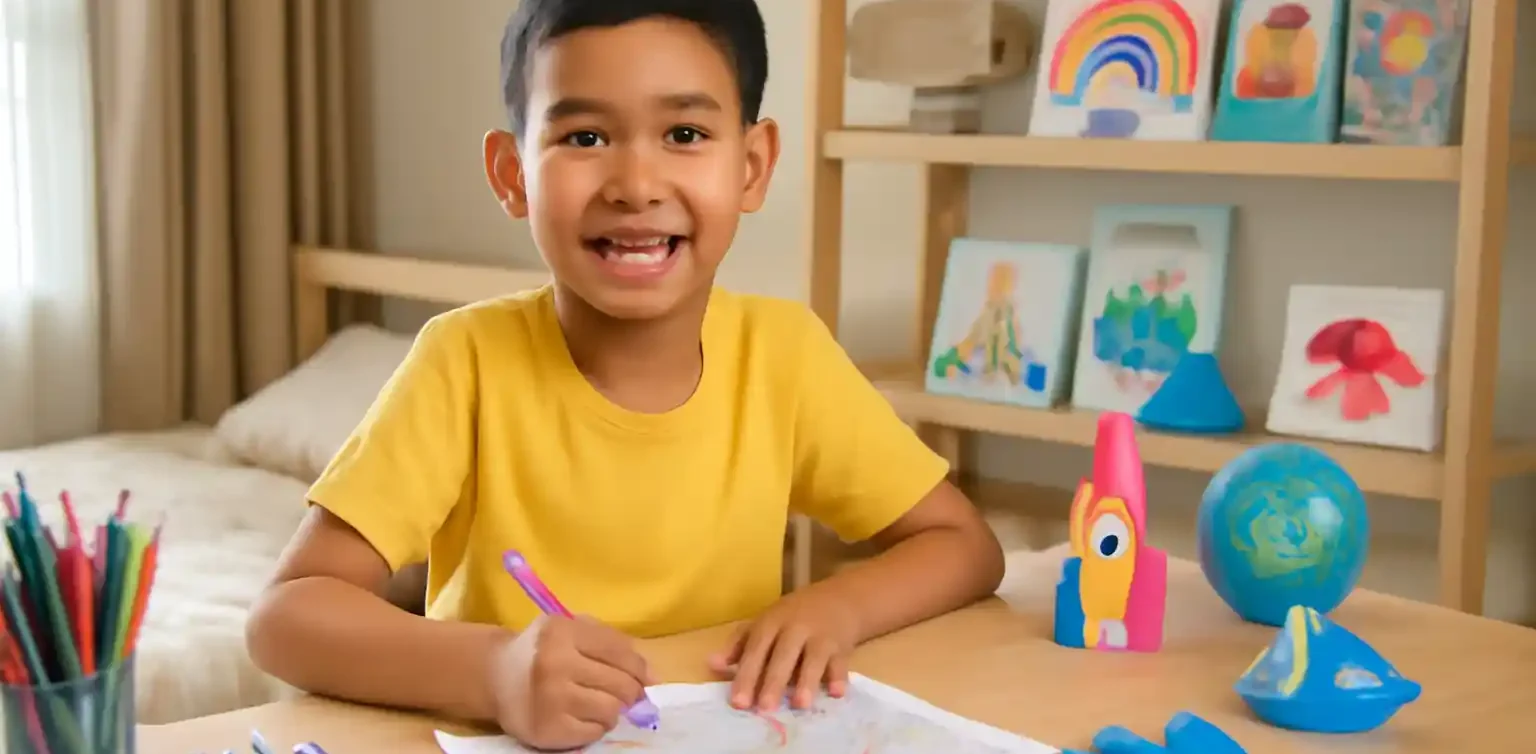
Children are the future, and their creativity plays a significant role in shaping the world. In today’s rapidly changing digital age, technology has become a part of daily life. However, many parents worry about how to integrate technology into their children’s lives in a meaningful and productive way. One of the most impactful ways to do so is by developing children creativity with technology.

When used correctly, technology can be a powerful tool for stimulating children’s imagination, fostering problem-solving skills, and enhancing their learning experience. This article will explore the importance of creativity in child development and how parents can harness technology to encourage creativity in their children.

The Importance of Creativity in Child Development
developing children creativity with technology

Creativity is not just about art or music; it is about the ability to think outside the box, solve problems, and adapt to new situations. In today’s world, where change happens rapidly, creativity has become one of the most valuable skills for success. Teaching children to be creative helps them approach challenges with confidence and resourcefulness, making them more resilient in the future.

However, creativity does not develop on its own. It needs to be nurtured through experiences, guidance, and exposure to different ideas. One of the most effective ways to develop children creativity with technology is by using digital tools and resources to inspire imagination and innovation.

How Technology Can Foster Creativity in Children

developing children creativity with technology

There are many ways in which technology can be used to develop children creativity with technology. Here are some examples:

1. Digital Art and Design Apps

Apps like Canva, Adobe Spark, and Tinkercad provide children with the opportunity to create their own designs, graphics, and 3D models. These apps not only teach children how to use technology but also allow them to express their creativity visually. This hands-on approach helps develop children creativity with technology, enhancing their skills in design and problem-solving.

2. Learning Coding and Building Projects

Coding is one of the most valuable skills in the 21st century, and it is also a fantastic way to develop children creativity with technology. Through coding, children learn how to create games, apps, and websites, all while honing their problem-solving abilities. Platforms like Scratch, Code.org, and Blockly make learning coding fun and interactive, giving children the tools they need to build their own digital creations.

3. Making Animations and Videos

Creating animations and videos is another excellent way to develop children creativity with technology. By using apps like Scratch or Kinemaster, children can craft their own stories, characters, and animations, which helps them develop storytelling and visual communication skills. These projects encourage creative thinking and give children the confidence to bring their ideas to life.

4. Music Creation with Technology

Technology can also foster creativity in children through music. Apps like GarageBand allow children to create their own songs, learn how to play digital instruments, and experiment with different sounds. Developing children creativity with technology in this way helps them explore the world of music and understand rhythm, melody, and harmony, all while using digital tools.

5. Building Digital Content and Blogging

Blogging and digital content creation also offer children a platform to express their creativity. They can write, make videos, and share their thoughts with the world. This process not only improves their writing and communication skills but also teaches them about digital literacy and the importance of creating positive, engaging content online.

The Role of Parents in Guiding Technology Use

developing children creativity with technology

While technology can be a powerful tool for developing children creativity with technology, it’s essential that parents play an active role in guiding their children’s use of it. Without proper guidance, children can easily get distracted or fall into the trap of mindless screen time.

Parents should ensure that children use technology for productive purposes, such as learning new skills, engaging in creative activities, or collaborating on projects. Setting time limits, providing quality content, and engaging with children during their digital activities are important steps in ensuring that technology serves as a positive influence in their lives.

Developing Children’s Creativity with Technology at Timedoor Academy

At Timedoor Academy, we believe in the power of technology to enhance children’s learning experience. Our coding and technology programs are designed not just to teach technical skills but also to inspire creativity and innovation in children. Through fun, interactive lessons, we help children develop essential skills like problem-solving, teamwork, and digital literacy.

By developing children creativity with technology, we prepare them for a future where technology plays a central role in almost every field. Our courses focus on providing hands-on learning experiences, ensuring that children are not just passive consumers of technology but active creators and innovators.

The Power of Technology to Enhance Creativity

 Image

In today’s world, developing children creativity with technology is not just an option but a necessity. Technology offers endless possibilities for children to explore, create, and innovate. As parents, it is our responsibility to guide children in using technology in a positive and productive way, so they can develop the skills they need to succeed in the future.At Timedoor Academy, we are committed to helping children harness the power of technology to enhance their creativity, develop essential skills, and prepare for the future. If you want your child to start learning and exploring the world of technology, we invite you to sign up for a free trial at Timedoor Academy and watch them grow into creative and confident digital creators.

Keep Reading

Here are 5 Reasons Why Do Children Like Playing Games
Why do Children Like Playing Games? Playing games has become a very popular activity among children today. From mobile devices and tablets to consoles, games come in many forms that easily capture their attention. Parents often worry about the amount of time spent gaming, especially when it leads to concerns about children addicted to games. However, before judging too quickly, it is important for parents to understand why children are so attracted to the world of digital games. Games Provide Challenges and a Sense of Achievement One of the main reasons children love games is the clear challenges they offer. Games often feature levels or missions that must be completed. When children succeed, they feel proud and accomplished. This feeling can be very motivating, encouraging them to keep playing. Without proper guidance, though, this motivation may grow into children addicted to games as they constantly seek satisfaction from virtual victories. Games as a Source of Entertainment Games provide easily accessible entertainment anytime. With engaging graphics, exciting music, and compelling storylines, children can enjoy spending hours in front of a screen. For many, this is a way to relax after school. Yet, without boundaries, this entertainment can turn into overindulgence, leading to children addicted to games. Social Factors and Interaction with Friends Many modern games are designed with multiplayer features, allowing children to communicate and play with their peers. This social aspect makes gaming more exciting, as children can cooperate or compete with others. However, this interaction can also lead to children addicted to games if they become too comfortable in virtual socializing instead of real-life interactions. Games as Exploration and Imagination Some games are built with vast fantasy worlds ready to be explored. This stimulates children’s imagination, making them feel as if they are adventuring into new worlds. For children with high curiosity, games offer a safe space to experiment. Even so, parents must remain cautious, as such exploration can be the entry point toward children addicted to games. Lack of Alternative Engaging Activities Often, children spend long hours playing games simply because they lack other engaging activities. Without opportunities to explore creativity, talents, or new skills, gaming becomes their main escape. This makes them more vulnerable to becoming children addicted to games. How Parents Can Respond Blaming games entirely is not the best solution. Parents should recognize that games are simply a modern form of entertainment. The key lies in supervision and guidance. Some practical steps include: Limiting gaming time with consistent rules. Introducing alternative activities such as sports, arts, or enrichment programs. Having open communication about the content of the games children play. Encouraging educational games that combine fun with learning. With the right approach, children can still enjoy games without becoming addicted to games. The Role of Digital Education in Overcoming Challenges An effective way to redirect children’s interest in technology is through digital education. By joining the right courses, children can channel their interests into something productive. For example, learning coding, digital design, or animation not only provides enjoyment but also equips them with valuable future skills. This way, children are not only spending time on games but also building their potential, reducing the risks of children addicted to games. Building a Future-Ready Generation Playing games is a natural part of children’s lives in today’s digital age. There are many reasons behind their interest, ranging from entertainment and challenges to social interaction. Still, parents must remain vigilant to ensure that this fun activity does not turn into a serious issue like children addicted to games. Guidance, communication, and providing positive alternatives are the keys to maintaining balance.If you want to help your child channel their interests into something more meaningful, consider enrolling them at Timedoor Academy. Through fun and educational courses, children can learn digital skills that prepare them for the future. Sign up now for a free trial at Timedoor Academy and give your child the chance to grow in a positive and enjoyable way.
How to Use Figma for Kids: A Fun and Simple Digital Design Guide
In today’s digital era, graphic design has become an increasingly essential skill, even for kids. Design is not just about drawing or creating illustrations. It also helps children develop creativity, visual logic, and systematic thinking. One of the most popular and beginner-friendly design tools to introduce early on is Figma. This article will guide you on how to use Figma for kids in a fun and easy-to-follow way. Figma is a web-based design platform widely used by UI/UX professionals and graphic designers. But because of its intuitive interface and real-time collaboration features, Figma can also be a great learning tool for children, especially those curious about digital design, posters, invitations, app layouts, or even simple games. Why Kids Should Learn Digital Design Digital design is not only about aesthetics, but also about communication. Kids who learn design early tend to express ideas visually, organize information clearly, and feel more confident experimenting with their creativity. Design skills also open doors to other fields like illustration, app development, animation, and branding. By learning how to use Figma for kids, the design process becomes more engaging. They can instantly try, rearrange, and explore design elements without needing to install any additional software. What to Prepare Before Using Figma Before your child starts designing, here are some things to set up: Figma account: Create a free account at figma.com. Use a parent’s email and assist during setup. Device: A laptop or desktop with a stable internet connection works best. Simple design theme: Start with fun, easy projects like a birthday card or character illustration. Benefits of Using Figma for Kids Here are some of the main benefits of using Figma as a learning tool for kids: Enhances creativity and visual aesthetics Builds logical thinking through layout structure Boosts confidence through hands-on creation Encourages teamwork and collaboration in online settings Step-by-Step Guide: How to Use Figma for Kids Below are specific steps on how to use Figma for kids, including core features and how to guide them: 1. Introduce the Interface and Basic Tools After logging in to a Figma account, walk your child through the main elements of the workspace: Canvas: the blank area where they’ll build designs Top toolbar: includes tools like Move, Frame, Shape, and Text Left panel: shows the object structure (layers) Right panel: used to adjust color, size, position, and effects Let them freely draw circles, squares, or stars and experiment with colors. This unstructured play helps them get familiar with Figma naturally. This is also a great starting point in how to use Figma for kids in a stress-free way. 2. Start a New Project Click New Design File and let your child name it something fun like “My Poster” or “Cute Cat Project.” Then: Create a Frame using A4 size or mobile screen dimensions Add shapes via the Shape tool, then change colors on the right panel Add text with the Text Tool, and adjust font size, color, and position This step of how to use Figma for kids feels like drawing on a digital piece of paper—fun and intuitive. 3. Add Images and Illustrations To make their design more dynamic, help them insert images: Click File > Place Image and choose from your computer Or simply drag and drop into the canvas Use the Unsplash plugin to find royalty-free images directly inside Figma This makes it easier for kids to create digital greeting cards, collages, or mood boards. These small projects are practical examples of how to use Figma for kids in real-life situations. 4. Create Simple App or Game Layouts For older kids, try introducing them to basic app layout design: Use Frames sized for iPhone or Android Add titles, icons, and buttons Turn elements into Components for duplication Use Prototype mode to simulate screen transitions This is a creative and exciting way to teach design logic and basic UX thinking. It’s also a more advanced stage in how to use Figma for kids who want to go deeper. 5. Collaborate and Present Figma is perfect for collaborative learning. Kids can: Click Share to invite parents, teachers, or friends Use Presentation Mode to view their design full-screen Receive comments directly on the canvas and learn from feedback These interactions help kids learn how to present and improve their ideas. How to use Figma for kids can extend into valuable lessons on teamwork and communication. Combine with Online Design Classes To support their learning journey, consider enrolling your child in an online design course. Timedoor Academy offers kid-friendly design programs based on fun projects and personalized learning. Learning how to use Figma for kids is much easier when supported by friendly mentors and structured activities. Tips for Parents to Support Learning To make the learning process smoother, parents can: Be present during the early stages, then give room to explore Ask about their designs and encourage storytelling Avoid focusing on perfection—celebrate creativity instead Try designing together as a bonding activity Ready to Introduce the World of Design? Introducing your child to digital creativity can begin with simple tools like Figma. With the right guidance and playful approach, how to use Figma for kids becomes a fun activity that sharpens logic, builds visual confidence, and sparks interest in technology. Timedoor Academy is here to support your journey. With interactive online classes and friendly instructors, your child can learn to design with confidence. Try a free class today and help your child discover their design potential from an early age.
Why Scratch Games for Kids Are the Best Educational Tool
In today’s world, where digital technologies play a massive role, it’s important for children to develop the skills needed to thrive in an ever-evolving environment. One of the best ways to do this is through engaging, educational tools like Scratch games for kids. Scratch, a visual programming language, has become a go-to platform for introducing kids to the world of coding and game development. It offers a hands-on approach that encourages creativity, logical thinking, and problem-solving. Here’s why Scratch games for kids should be an essential part of your child’s learning journey.   1. Scratch Games for Kids Foster Creativity and Imagination One of the standout benefits of Scratch games for kids is their ability to spark creativity and imagination. Scratch allows children to design their own interactive stories, animations, and games. This creative freedom encourages kids to think beyond the box and develop their original ideas. With Scratch games for kids, your child can experiment with character designs, develop storylines, and even create custom sounds for their games. This is not only fun but also promotes a creative mindset that benefits them in other aspects of learning and life. By using Scratch games for kids, children can learn how to blend technology with creativity. Instead of simply consuming content, they actively engage with it, learning the process of making something unique. This helps them build a strong foundation for their future creative endeavors in digital media, game design, and beyond.   2. Scratch Games for Kids Boost Problem-Solving Skills Problem-solving is one of the key skills children can develop through Scratch games for kids. As children create their own games, they are often faced with challenges that require logical thinking. For instance, when designing a game, kids need to figure out how to make a character move, respond to certain actions, or interact with other game elements. These tasks require them to apply problem-solving strategies, breaking down complex tasks into smaller, manageable steps. The beauty of Scratch games for kids is that they provide a safe environment for children to experiment with different solutions, test their ideas, and make mistakes. This trial-and-error process not only improves problem-solving skills but also teaches kids how to approach challenges from various angles. By engaging with Scratch games for kids, children learn that failure is part of the learning process and develop resilience to overcome obstacles.   3. Scratch Games for Kids Teach Coding Fundamentals One of the most important reasons to incorporate Scratch games for kids into their learning routine is that they provide an accessible introduction to coding. Unlike traditional programming languages that might be too complex for beginners, Scratch uses a block-based visual interface, making it easy for kids to grasp coding concepts. By dragging and dropping blocks to create actions, children are learning the fundamentals of programming, such as loops, conditionals, events, and variables. With Scratch games for kids, children get to explore the basics of coding in a hands-on, interactive manner. These foundational skills will prepare them for more advanced programming languages as they grow older. Whether they choose to pursue Python, Java, or C++ in the future, the logical thinking and problem-solving skills learned from Scratch games for kids will provide a solid foundation for their programming journey.   4. Scratch Games for Kids Develop Logical Thinking At the heart of Scratch games for kids lies logical thinking. When creating a game, children need to structure their actions and events logically. For example, if a child wants their character to jump when a certain key is pressed, they must figure out how to implement that action through the right sequence of events. By working through this logical process, kids develop stronger critical thinking and reasoning skills. Engaging with Scratch games for kids encourages children to think step by step and organize their thoughts in a systematic way. These skills translate into better performance in subjects such as math, science, and even everyday problem-solving. By practicing logical thinking through Scratch games for kids, children will be more adept at making decisions and solving problems efficiently in the future.   5. Scratch Games for Kids Teach Persistence and Patience Creating Scratch games for kids can be challenging at times. Children might encounter bugs or unexpected behavior in their game, requiring them to troubleshoot and make adjustments. This process of debugging teaches kids the value of persistence and patience. Instead of getting frustrated or giving up when things don’t go as planned, children learn to approach the problem from different angles and keep trying until they find a solution. By working through these challenges, children develop a growth mindset, understanding that success often comes through perseverance. The ability to stick with a problem and find solutions is an invaluable skill that will serve kids well in all areas of life, from school projects to personal goals.   6. Scratch Games for Kids Foster Teamwork and Collaboration While Scratch games for kids can certainly be enjoyed individually, they also provide excellent opportunities for collaboration. In many cases, kids work together to share ideas, divide tasks, and support each other in game development. This teamwork aspect teaches kids how to communicate effectively, cooperate with others, and work towards a shared goal. When children collaborate on Scratch games for kids, they learn the importance of listening to others, respecting different viewpoints, and combining their strengths. These skills are vital for success in both academic and social settings, making Scratch games for kids a great way to promote collaboration and social learning.   7. Scratch Games for Kids Provide Real-World Skills One of the most significant benefits of Scratch games for kids is that they offer real-world skills that can translate into future careers. The coding concepts learned through Scratch are the same building blocks used in professional software development, game design, and digital content creation. By learning to create games and interactive projects, children gain practical skills that can open doors to future opportunities in the tech world. The skills developed through Scratch games for kids, such as coding, problem-solving, and logical thinking, are highly transferable and can be applied in various fields, including web development, app creation, and robotics. Early exposure to these skills will give children a head start in an increasingly digital world.   8. Scratch Games for Kids Make Learning Fun Above all, Scratch games for kids make learning enjoyable. Kids are naturally drawn to games, and by combining fun with education, Scratch turns learning into an engaging experience. As children create and play their own games, they get immediate feedback on their progress, which motivates them to continue exploring and learning. By integrating play with learning, Scratch games for kids foster a love for technology and education. This positive experience with coding can inspire children to explore other areas of technology, helping them become lifelong learners.   Start Your Child's Coding Journey with Timedoor Academy! If you're ready to introduce your child to the exciting world of Scratch games for kids, Timedoor Academy is here to help. Our interactive, beginner-friendly courses are designed to make coding fun and engaging. With a focus on creativity, problem-solving, and logical thinking, our classes ensure your child develops a strong foundation in programming. Join our free trial class today and see how much fun learning to code can be! Visit our website now to enroll!
float button