Apr 25, 2025

Healthy Food Recipes for Kids: Delicious and Nutritious Ideas for 2025
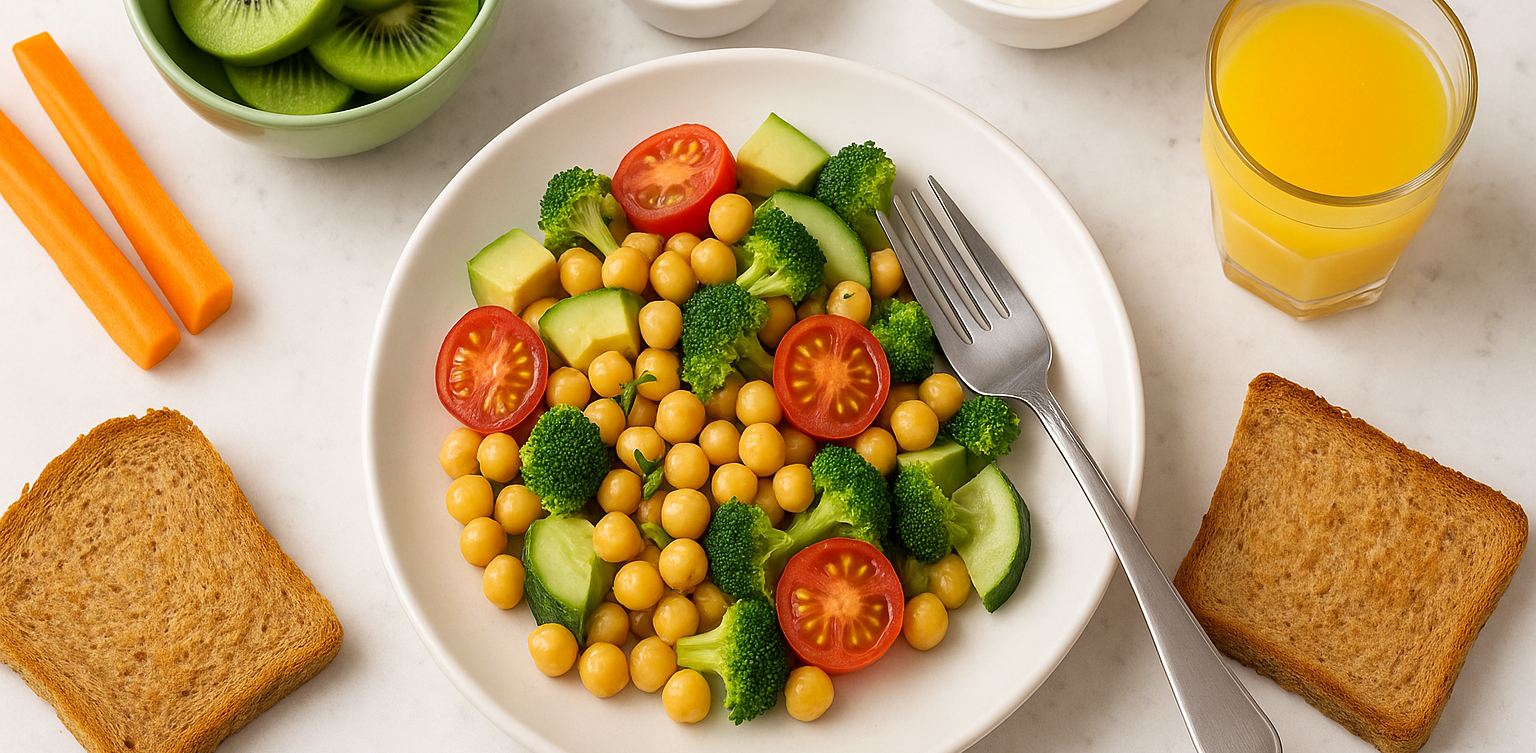
Healthy Food Recipes for Kids: Delicious and Nutritious Ideas for 2025 image

Finding healthy food recipes for kids that are both nutritious and loved by little ones can feel like a daily challenge. Many parents worry about picky eaters, sugar-filled snacks, and time-consuming meal prep. If you are searching for healthy food recipes for kids, you are in the right place.

This article features easy, tasty, and nutritious meals that support your child’s growth and make healthy eating more exciting. Whether for breakfast, lunch, or snacks, these healthy food recipes for kids are designed to be simple and kid-approved.

Why Healthy Eating Matters for Kids

Children need a balanced diet to grow strong and stay focused throughout the day. Healthy food recipes for kids help introduce essential nutrients like protein, fiber, vitamins, and minerals in fun and appealing ways. A variety of colorful, whole foods can encourage better eating habits and even reduce cravings for processed snacks.

1. Rainbow Veggie Quesadillas
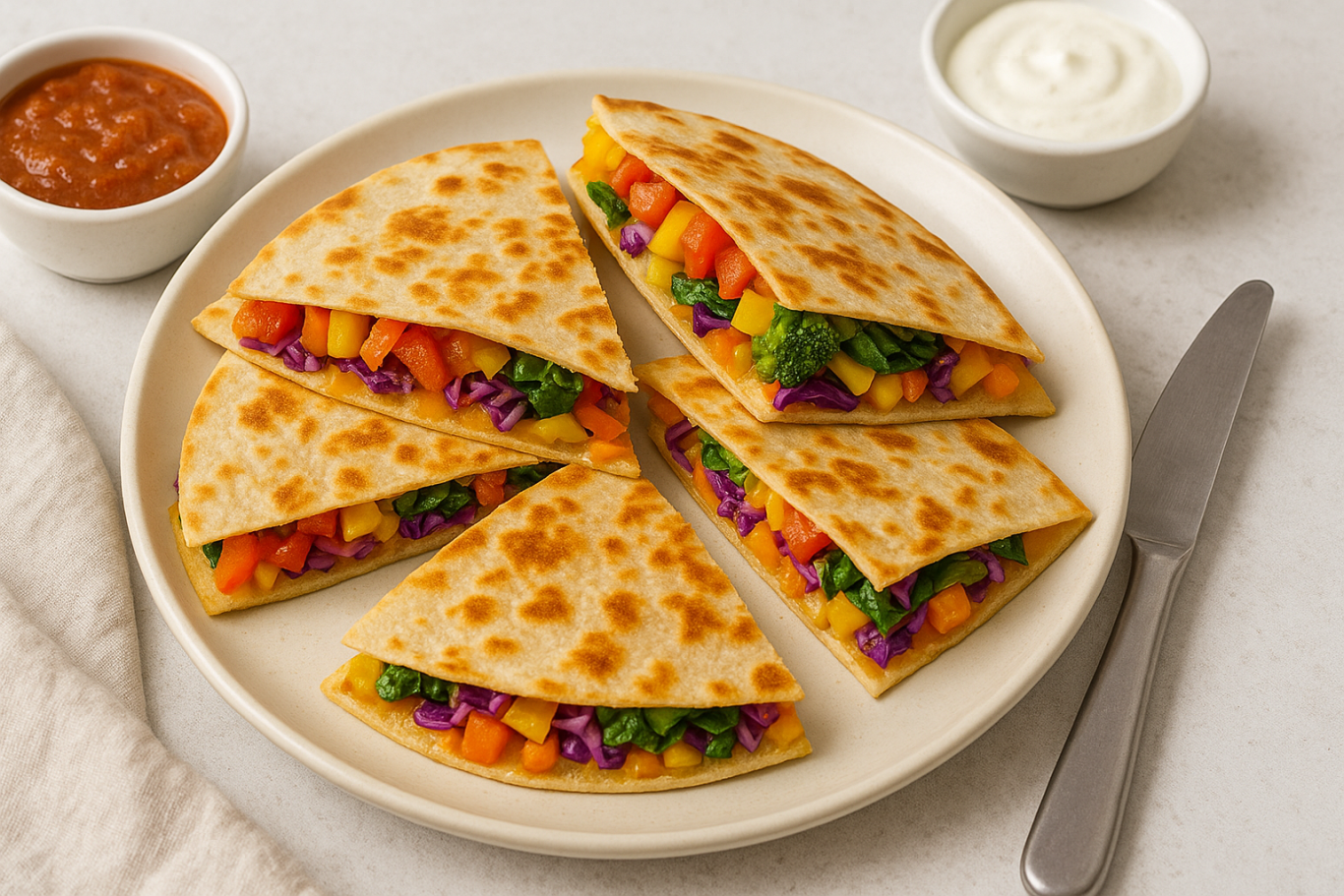
healthy food recipes for kids

Why kids love it: They are colorful, cheesy, and easy to eat with fingers.

Ingredients:

  • 1 whole wheat tortilla
  • ½ cup shredded cheddar or mozzarella cheese
  • ¼ cup chopped bell peppers (red, yellow, green)
  • ¼ cup corn
  • 2 tablespoons chopped spinach
  • Olive oil for cooking

Instructions:

  1. Heat a pan and add a bit of oil.
  2. Place the tortilla on the pan and sprinkle cheese and vegetables on one half.
  3. Fold the tortilla and cook both sides until golden brown.
  4. Cut into triangles and serve warm.

Tip: Using whole grain tortillas adds extra fiber to the meal.

2. Fruity Yogurt Parfaits
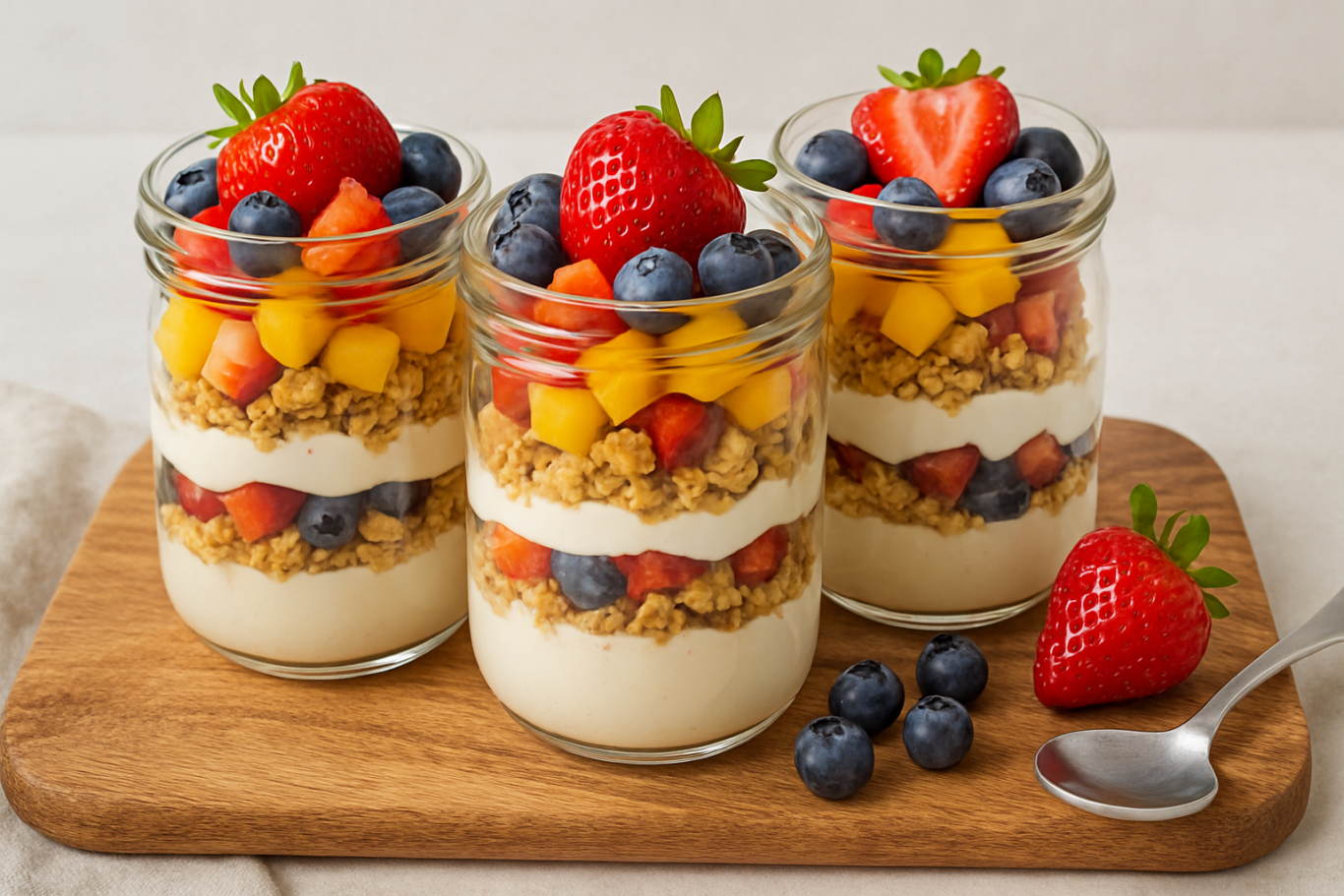
healthy food recipes for kids

Why kids love it: It looks like dessert, but it is a nutritious snack or breakfast.

Ingredients:

  • 1 cup plain Greek yogurt
  • ½ banana, sliced
  • ½ cup mixed berries (fresh or frozen)
  • ¼ cup granola
  • 1 teaspoon honey (optional)

Instructions:

  1. Layer yogurt, fruit, and granola in a cup.
  2. Repeat the layers and drizzle with honey if desired.

Tip: Greek yogurt is rich in protein and calcium for strong bones and muscles.

3. Mini Veggie Muffins

Why kids love it: They are soft, tasty, and fun to eat.

Ingredients:

  • 1 cup grated zucchini or carrot
  • 1 egg
  • 1 cup whole wheat flour
  • ½ teaspoon baking soda
  • ½ teaspoon salt
  • ½ cup milk
  • ¼ cup olive oil
  • ¼ cup shredded cheese

Instructions:

  1. Preheat oven to 180°C (350°F).
  2. Mix all ingredients in a bowl.
  3. Pour into greased mini muffin trays.
  4. Bake for 15 to 20 minutes.

Tip: These muffins are perfect for lunchboxes or after-school snacks.

4. Chicken and Veggie Rice Bowls

Why kids love it: They get to build their own bowl with their favorite ingredients.

Ingredients:

  • 1 cup cooked brown rice
  • ½ cup cooked chicken pieces
  • ¼ cup steamed broccoli
  • ¼ cup chopped carrots
  • 2 tablespoons sweet corn
  • 1 tablespoon soy sauce or sesame dressing

Instructions:

  1. Add rice to a bowl and arrange chicken and vegetables on top.
  2. Let kids mix the ingredients themselves.
  3. Drizzle lightly with sauce.

Tip: Use lean chicken and brown rice for more protein and fiber.

5. Baked Sweet Potato Fries

Why kids love it: They are crispy on the outside and soft inside.

Ingredients:

  • 2 sweet potatoes
  • 1 tablespoon olive oil
  • ½ teaspoon paprika
  • ¼ teaspoon salt

Instructions:

  1. Preheat oven to 200°C (400°F).
  2. Peel and cut the sweet potatoes into strips.
  3. Toss with olive oil, paprika, and salt.
  4. Bake for 25 to 30 minutes, flipping halfway.

Tip: Sweet potatoes are rich in vitamin A and antioxidants.

Making Healthy Eating Fun for Kids

Here are a few ways to make healthy food recipes for kids even more enjoyable:

  • Use cookie cutters to shape fruits, sandwiches, and pancakes
  • Let kids help with washing, mixing, and serving
  • Add a variety of colors to every meal
  • Keep meals simple and avoid pressure during mealtime

Healthy Meals, Smarter Minds

With the right approach, healthy food recipes for kids can be simple, delicious, and part of a fun daily routine. The meals shared above are designed to keep your child nourished and satisfied throughout the day. From rainbow quesadillas to sweet potato fries, each dish is packed with essential nutrients that growing kids need.

And while you’re helping your child eat better, consider supporting their brain development too. At Timedoor Academy, we offer online coding classes for kids that are just as exciting and educational as a well-balanced meal. Learning to code improves logical thinking, creativity, and confidence.

Ingin tahu detail program? Image

Ingin tahu detail program?

Sign up for a free trial class at Timedoor Academy today and give your child the tools to succeed both in the kitchen and in the digital world.

Keep Reading

7 Types of Robot Coding Suitable for Beginners
In today’s digital era, introducing children to technology is becoming increasingly important. One of the most engaging and educational ways to do this is through robot coding. This activity not only develops logical thinking but also fosters creativity, problem-solving skills, and teamwork. For parents, choosing the right robot coding tool for beginners is crucial. There are many options available, from simple to more advanced robots. To make the decision easier, let’s explore the benefits of robot coding, the types of beginner-friendly robots, and tips for choosing the most suitable option for your child. Why Choose Robot Coding for Beginners Robot coding is designed to help children learn programming interactively. Instead of only typing code on a screen, they can see how their commands make a robot move or perform specific actions. This makes the learning process more tangible and fun. Children become motivated to experiment because they immediately see the results of their code. For example, when they program a robot to move forward or avoid an obstacle, they witness how logic and commands shape real outcomes. This builds confidence and curiosity in young learners. Types of Robot Coding for Beginners Here are some beginner-friendly robots that children can easily explore: Line Following Robot This robot uses light sensors to follow a line on the floor. It is simple but effective for teaching decision-making based on conditions.   Obstacle Avoidance Robot Equipped with ultrasonic or infrared sensors, this robot avoids obstacles in its path. Children learn about basic if-else logic, which is fundamental in coding. Drawing Robot This robot can create patterns or drawings on paper. It is perfect for children who enjoy art, as they can combine coding logic with creativity.   Voice Controlled Robot A robot that responds to simple voice commands like “move” or “stop.” This helps children understand how machines interact with human input.   Dancing Robot Small robots that can be programmed to dance to patterns or music. It shows children that robot coding can be fun and expressive.   Sensor-Based Robot Robots equipped with light, temperature, or motion sensors that react to environmental conditions. For example, moving when motion is detected or turning on lights when it is dark.   Modular Robot Robots that can be reassembled and programmed with new functions. These encourage creativity and problem-solving by letting children design and rebuild their robots. With this wide selection, parents can choose robots based on their child’s interests. If the child enjoys art, a Drawing Robot is ideal. For those who love challenges, an Obstacle Avoidance Robot may be more suitable. Tips for Choosing Robot Coding Tools for Kids Match with Age Select robots appropriate for the child’s development stage. Younger children may benefit from block-based coding systems, while older ones can explore text-based coding.   Consider Child’s Interests Children who like creativity may prefer drawing robots, while those interested in problem-solving might enjoy sensor-based or obstacle avoidance robots.   Ease of Use A beginner robot coding kit should come with clear instructions, a user-friendly app, and ideally an active support community.   Prioritize Safety Ensure the materials are safe, durable, and suitable for repeated use by children. Long-Term Benefits of Learning Robot Coding Robot coding is not just a hobby. It builds a strong foundation for future skills. Children develop logical thinking, creativity, and perseverance, all of which are critical for success in the digital age. By experimenting with robots, kids also build resilience. If a program doesn’t work as expected, they learn to troubleshoot and try again, developing patience and determination. Parents can also participate in the process, making it a shared family activity that strengthens bonds while learning new skills. Learning Robots Coding Easier with Timedoor Academy Introducing children to robot coding at an early stage is a wise investment in their future. With the many beginner-friendly options available, each child can find a robot that suits their interests and learning style. If you are looking for a program that blends technology with creativity, Timedoor Academy offers interactive courses that can guide children step by step. Register your child now for a free trial at Timedoor Academy and discover how robot coding can be both an enjoyable and meaningful learning experience for their future.
Complete Guide How to Make a Roblox Skin for Your Child
For many children, gaming has evolved beyond entertainment. It has become a creative outlet and a way to express themselves. One of the most popular platforms among kids and teens today is Roblox. This game allows users to create virtual worlds and customize their avatars to reflect their unique personalities. That’s why learning how to make a Roblox skin can be both fun and educational for your child. What Is a Roblox Skin? In Roblox, a skin refers to the appearance of a player’s avatar. Children can personalize their avatars by changing clothing, skin tones, hairstyles, accessories, and more. These skins aren’t just for looks. They’re tools for creativity and learning, especially when kids use Roblox Studio to explore deeper customization options. Why Should Kids Learn to Make Their Own Skins? Introducing children to how to make a Roblox skin has numerous benefits. First, it encourages creativity. Kids get to explore color combinations, design themes, and styles. Second, they gain exposure to basic digital tools and visual design principles. This process also supports problem-solving skills. Children often need to experiment and refine their designs to achieve the result they envision. Best of all, it transforms screen time into something more productive and purposeful. What Tools Are Needed? To help your child get started with how to make a Roblox skin, you’ll need just a few basic items: An active Roblox account A computer or laptop Access to Roblox Studio (available free on Roblox’s official site) A downloadable Roblox skin template Roblox provides flat skin templates that show the layout of each part of the avatar, including the head, torso, arms, and legs. These templates serve as the base for customization. Step-by-Step Instructions on How to Make a Roblox Skin Here’s a simple guide that parents and children can follow together: Download the official template from the Roblox Developer site. This template helps with precise customization. Use a graphic editing tool such as Paint.NET, GIMP, or even Pixlr. Choose software that’s beginner-friendly and age-appropriate. Design the skin by adding colors, patterns, logos, or any details your child enjoys. Let them express their personality. Save the file in PNG format without altering the original dimensions. Upload the skin to Roblox Studio and preview how it looks in the game. These steps are not just technical but also developmental. Kids will become familiar with software tools, layout concepts, and creative thinking. Tips to Make the Experience More Enjoyable To ensure your child has fun while learning how to make a Roblox skin, here are a few practical tips: Encourage creative freedom. Allow children to explore their ideas without strict limitations. Turn it into a shared project. Parents can join the process to build stronger connections with their kids. Celebrate their creations. Offering praise builds self-confidence and motivates kids to keep learning. Making a Roblox skin is not just a hobby. It’s a gateway into the world of design and digital literacy. Connecting Hobbies with Digital Learning Exploring how to make a Roblox skin can be an entry point into broader tech skills. Roblox Studio even allows users to add scripts using Lua, a programming language. If your child shows an interest in going further, this could be an ideal time to introduce them to structured learning in technology. Through this hobby, children get a hands-on introduction to digital tools, design logic, and maybe even a little coding. It’s an excellent way to turn a pastime into a valuable learning experience. Try a Free Coding Class at Timedoor Academy Helping your child discover how to make a Roblox skin is more than just a gaming activity. It nurtures creativity, boosts digital confidence, and introduces the basics of design and technology. With the right guidance, what begins as a simple customization project can lead to a deeper interest in tech-based learning. If you’re looking for a fun and structured way for your child to explore coding, creativity, and digital tools, Timedoor Academy offers coding classes specially designed for kids. These programs are interactive, age-appropriate, and focus on building skills for the future.Sign up today for a free trial at Timedoor Academy and support your child’s journey into the world of technology in a fun and meaningful way.
5 Top Tips How to Teach Discipline to Children
Teaching discipline is not an easy task, especially when it involves children. However, discipline is a crucial life skill that shapes a child's future in terms of responsibility, self-control, and decision-making. That is why understanding how to teach discipline to children from an early age is an essential step for every parent. Discipline does not mean punishment. On the contrary, it is a process of guiding children to understand right from wrong and helping them take responsibility for their actions. Children who grow up with healthy discipline tend to be better at managing their emotions, completing tasks, and building strong social relationships. Why Discipline Matters for Children Discipline plays a major role in character development. Children who are raised with consistent discipline are more likely to follow rules, respect time, and understand the difference between desires and responsibilities. These are the building blocks of independence and accountability. Moreover, by understanding how to teach discipline to children, parents can avoid parenting styles that are either too strict or too permissive. A balanced approach, combining warmth and clear boundaries, is key to shaping positive behavior. Effective Strategies to Build Discipline Here are some effective ways parents can apply discipline at home: Set Clear Rules from the StartChildren need to know what the house rules are. For example, bedtime routines, screen time limits, or daily chores. Use simple and age-appropriate language. Be ConsistentOne of the most common mistakes in how to teach discipline to children is inconsistency. If rules are only enforced occasionally, children will be confused and may start testing boundaries. Consistency helps them understand that rules apply all the time. Use Logical ConsequencesDiscipline should be constructive, not harsh. For example, if your child leaves toys scattered, the consequence could be not playing until they are cleaned up. This teaches cause and effect. Use Positive LanguageAvoid saying “Don’t be naughty” or “You always misbehave.” Replace these with “Let’s try again the right way” or “Can you show me how you listen?” Encouraging language boosts confidence and cooperation. Lead by ExampleChildren learn by watching. If parents are disciplined with time, responsibilities, and emotions, children will likely follow. That is why being a role model is an important part of how to teach discipline to children. Challenges in Disciplining Children Of course, the process will not always be smooth. There will be times when children test limits or throw tantrums. In such moments, it is important for parents to remain calm and avoid reacting in anger. Discipline is a long-term process, not a quick fix. Another challenge is that every child is different. Some are naturally easygoing, while others may be more strong-willed. This means that how to teach discipline to children should be tailored to each child’s personality. A personal approach is often more effective than using the same method for every child. Extra Tips for Building Discipline Create a daily routine and involve your child in planning it Use visual tools like chore charts to keep track of progress Celebrate small successes with encouragement or praise Involve your child in conversations about mistakes to help them reflect and grow With consistency and patience, parents can succeed in teaching discipline. Children who learn to manage themselves early are better prepared for school, friendships, and life challenges ahead. Final Thoughts: Discipline Builds the Future Discipline is not about control, but about guidance. Children raised with healthy discipline are more likely to succeed academically, socially, and emotionally. Though the journey takes time, the results are worth it. As a complement to character development, many parents today are introducing children to logical thinking through coding. At Timedoor Academy, kids can learn coding in a fun and age-appropriate way. It is not just about tech skills, but also about building focus, patience, and persistence — values that go hand in hand with discipline. Try a free coding class at Timedoor Academy and watch your child grow through learning!
float button