Jun 11, 2025

5 Best Ways Understanding Introvert vs Antisocial Kids Difference

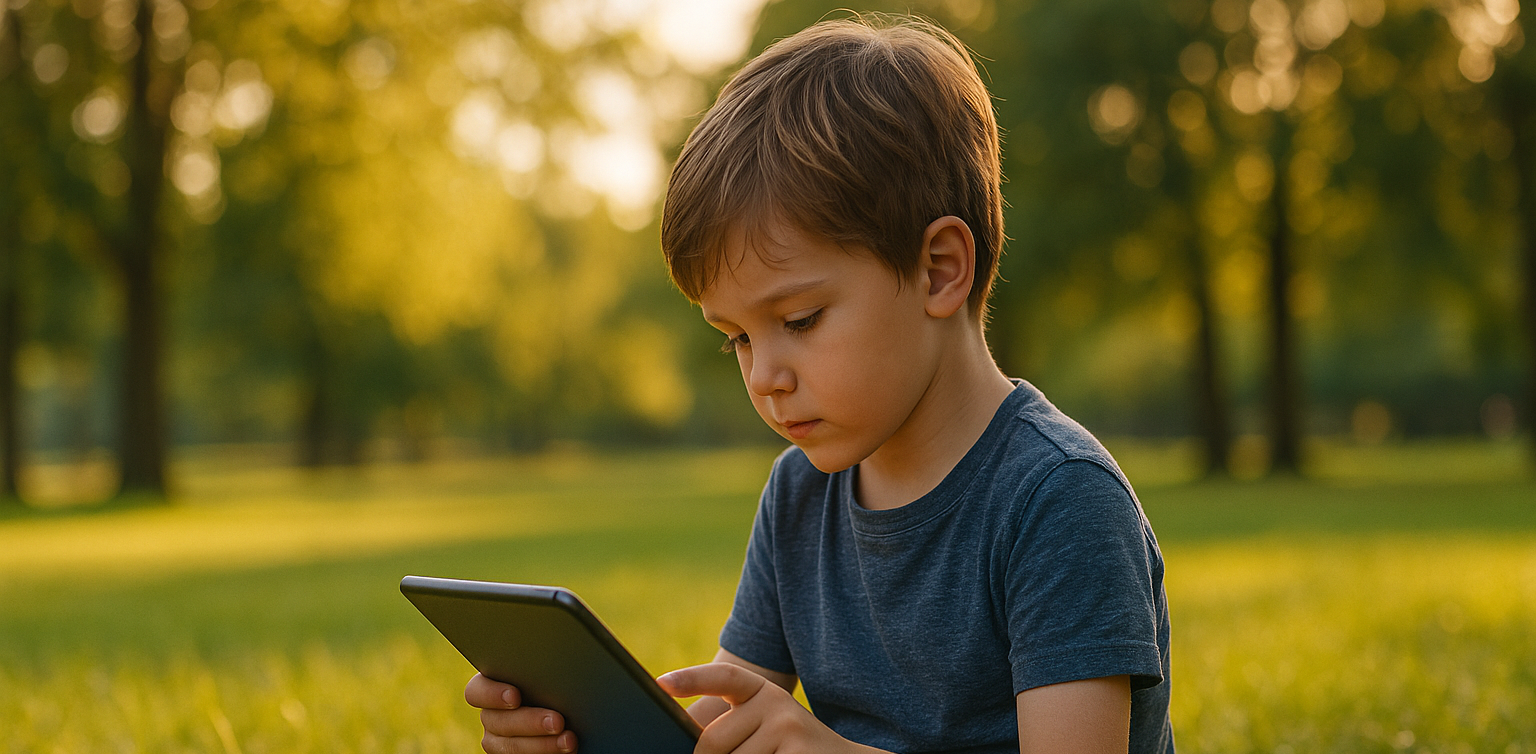
<strong>5 Best Ways Understanding Introvert vs Antisocial Kids Difference</strong> image

Many parents still struggle to tell the difference between introverted and antisocial behavior in children. Both can seem quiet or withdrawn, but they have very different meanings. Understanding introvert vs antisocial kids is essential so parents can respond with the right support and approach.

Discovering Difference of Introvert vs Antisocial Kids

introvert vs antisocial kids

An introverted child is someone who feels more comfortable doing quiet activities alone or with one or two close friends. They are not afraid of people, but social settings can be draining for them. Meanwhile, antisocial kids may break rules, ignore others’ feelings, and show disruptive behavior that goes beyond shyness or quietness.In this article, we will look at how to recognize introvert vs antisocial kids by identifying key behaviors and needs.

1. Different Roots Behind the Behavior

Introverted kids prefer calm and independent play because it makes them feel secure and happy. It is a personal preference, not a sign of trouble.

On the other hand, kids with antisocial tendencies often act out because of emotional or behavioral challenges. They may show no guilt when they hurt others or ignore rules at home and school. In this case, parents need to understand that introvert vs antisocial kids is not just about social interest, but about deeper behavioral differences.

2. Social Comfort and Adaptation

Introverted children can build healthy friendships, even if it takes time. They open up when they feel safe and are not pressured to socialize too much.

In contrast, antisocial children often resist or act aggressively in social situations. They may have little interest in forming relationships or even behave in harmful ways. Recognizing this helps in understanding the core difference between introvert vs antisocial kids.

3. Empathy and Emotional Response

Introverts are often very empathetic. They notice how others feel and avoid conflict when possible.

Antisocial kids, however, may lack empathy. They might say or do things that hurt others and show no signs of remorse. This lack of emotional connection is one of the clearest signs when comparing introvert vs antisocial kids.

4. Relationships and Communication

While introverted children may have fewer friends, their relationships are often deep and meaningful. They connect on a personal level and value trust.

Antisocial kids, on the other hand, tend to have troubled relationships. They may lie, break trust, or reject others altogether. This makes it hard for them to build or maintain any lasting bond. Parents should observe these patterns carefully when thinking about introvert vs antisocial kids.

5. What Parents Can Do

For introverted children, it’s important to respect their need for personal space. Support them by encouraging quiet hobbies, reading, or art. They still need social interaction, but in smaller, more manageable doses.

If your child shows signs of being antisocial, such as constant rule-breaking or hurting others without guilt, it is best to seek help from a child psychologist. Early intervention can prevent more serious problems in the future. Learning the true nature of introvert vs antisocial kids helps guide that support.

Early Awareness Brings Better Support

Understanding introvert vs antisocial kids is not about labeling, but about offering the right care. Each child is unique, and when we listen without judgment, we open the door for them to grow confidently.

A calm, patient environment and strong communication will make it easier for children to express their thoughts and feelings, regardless of their personality type.

Want to Boost Logic and Confidence Too?

 Image

Besides supporting your child’s emotional growth, you can also help them develop skills like problem-solving and focus. Coding is a fun way to improve these abilities. It teaches kids structure, creativity, and critical thinking.

Timedoor Academy offers fun and age-appropriate coding classes for kids. Let your child try a free coding trial class today and explore a new world of learning.
Keep Reading

Cara Membuat Game di Roblox untuk Anak-Anak
How to Create a Roblox Game for Kids: Easy Guide
Roblox is a fantastic platform that allows kids to create, play, and share their own games. Learning how to create a game in Roblox can be a rewarding and fun experience for children, helping them develop creativity and basic coding skills. In this easy guide, we’ll walk you through step-by-step how your child can start creating their very own Roblox game. Creating Roblox Game For Kids Step 1: Setting Up Roblox Game Studio For Your Kids To create games, kids first need Roblox Game Studio. Here’s how to set it up: Log in to your Roblox account. Go to the Roblox Studio website and click on "Start Creating." Follow the simple instructions to install Roblox Studio on your computer. Step 2: Choose a Roblox Game Template For Your Kids Roblox Game offers several easy-to-use templates to help beginners: Open Roblox Studio. Select "New," and then choose a template like "Obby" (Obstacle Course) or "Baseplate." Step 3: Customize Your Roblox Game For Your Kids Encourage your child to personalize their roblox game: Drag and drop different objects from the Toolbox. Click objects to move, rotate, or resize them. Customize colors and textures to make the game visually appealing. Step 4: Add Simple Roblox Gameplay Elements For Your Kids Make the roblox game interactive: Add checkpoints or obstacles in an Obby game. Use scripts from the Toolbox to easily add functionality. Test the game frequently by clicking the "Play" button at the top. Step 5: Publish and Share Your Kids Roblox Game Once your roblox game is ready, follow these simple steps: Click "File" then select "Publish to Roblox." Enter a fun and descriptive name for the game. Choose settings like visibility (Public or Private). Click "Create" to publish your game. Tips for Kids Creating Roblox Game Start simple: Create a basic game and gradually add more features. Explore tutorials: Roblox provides great beginner tutorials. Experiment: Don’t be afraid to try new things Start Your Kids Roblox Game Journey Today! Creating Roblox games is an excellent way for kids to express creativity while learning valuable skills. Follow our simple steps and your child can easily build their first Roblox game today. Want more learning experiences? Timedoor Academy offers free classes to help your kids dive deeper into coding and game design. Join the Free Trial Class now and keep the fun going!
bahasa pemrograman terbaik untuk anak
7 Top Programming Languages for Kids: A Comprehensive Guide for Young Learners
In today’s tech-driven world, learning how to code is an essential skill, especially for young learners. The best programming languages for kids help introduce coding concepts in an engaging and accessible way. When choosing the best programming languages for kids, it’s important to focus on languages that are easy to understand, fun to learn, and open up opportunities for creative projects. In this guide, we will explore some of the best programming languages for kids and why they are excellent choices for young learners eager to start coding. Why Should Kids Learn Programming? Programming isn’t just about learning to code; it’s about developing problem-solving skills, creativity, and logical thinking. The best programming languages for kids teach children how to think critically and break down problems into smaller, manageable tasks. Additionally, coding offers children the opportunity to build their own games, websites, and apps, providing a sense of accomplishment as they bring their ideas to life. Let’s look at some of the best programming languages for kids that can help them begin their coding journey. 1. Scratch Scratch is often considered one of the best programming languages for kids due to its visual interface and simple drag-and-drop functionality. It allows children to create animations, games, and interactive stories without needing to write any complex code. Scratch introduces children to programming logic, such as loops, conditionals, and variables, while keeping things fun and creative. The best programming languages for kids should focus on visual learning, and Scratch is a perfect example. It’s an excellent stepping stone for kids who are new to coding and want to explore the basics of programming in an interactive and playful way. 2. Python Python is one of the best programming languages for kids because it has simple syntax and is very readable, making it easier for young learners to pick up. Python is used in many real-world applications, including web development, data analysis, and game design, which makes it a versatile language to learn. With its broad use in the tech industry, learning Python at a young age gives kids a valuable skill that they can build upon as they grow older. Among the best programming languages for kids, Python stands out for its flexibility and ease of use, allowing children to start building more complex projects as they advance in their coding journey. 3. JavaScript For kids interested in creating websites and online games, JavaScript is one of the best programming languages for kids. It’s the primary language used for adding interactivity to websites, and learning it will allow kids to create dynamic and engaging online experiences. JavaScript is a bit more advanced than Scratch or Python, but it’s still one of the best programming languages for kids because it’s in high demand and offers a hands-on way to build real-world applications. By learning JavaScript, kids gain the foundational knowledge needed to work in web development and understand how websites function, making it a great choice among the best programming languages for kids. 4. Swift Playgrounds Swift Playgrounds is a unique app that teaches children how to code in Swift, which is Apple’s programming language used to build iOS and macOS apps. As one of the best programming languages for kids, Swift is powerful yet accessible, allowing kids to learn coding while solving fun, interactive puzzles. Swift Playgrounds offers an exciting, game-like experience that keeps kids engaged while learning how to code. For kids interested in app development, Swift Playgrounds is one of the best programming languages for kids to learn, as it provides a hands-on way to create mobile apps for iPhones and iPads. 5. HTML/CSS HTML (HyperText Markup Language) and CSS (Cascading Style Sheets) are fundamental languages for web development, and they’re also some of the best programming languages for kids to learn. HTML is used to structure content on the web, while CSS is used to style that content and make it look visually appealing. By learning HTML and CSS, kids can start building their own websites from scratch, gaining a deeper understanding of how the internet works. As two of the best programming languages for kids, HTML and CSS provide kids with a solid foundation in web development that will be useful if they want to learn more advanced languages in the future. 6. Blockly Blockly is a visual programming language developed by Google that teaches programming concepts through a drag-and-drop interface. Blockly is an excellent choice among the best programming languages for kids because it allows kids to focus on logic and problem-solving without worrying about complex syntax. It’s perfect for young learners who want to understand the fundamentals of coding before transitioning to text-based programming languages. For a fun introduction to coding, Blockly is one of the best programming languages for kids, helping kids develop the skills needed to progress to more advanced languages like Python or JavaScript. 7. Roblox Studio Roblox Studio is one of the best programming languages for kids who are passionate about gaming. It uses Lua, a scripting language that’s easy to learn and widely used in game development. With Roblox Studio, kids can create their own games, design interactive environments, and even monetize their creations. It’s an ideal platform for young learners interested in both coding and game design, making it one of the best programming languages for kids. Roblox Studio provides an engaging way for kids to learn programming while also fostering creativity, teamwork, and critical thinking. Kickstart Your Coding Journey with the Best Programming Languages for Kids Choosing the best programming languages for kids is an important step in setting them on the path to learning how to code. Whether they start with Scratch for simple game creation, move on to Python for general programming, or dive into JavaScript for web development, there are plenty of options to explore. Each of the best programming languages for kids offers unique learning opportunities and allows kids to create exciting projects while developing essential problem-solving skills. At Timedoor Academy, we offer coding courses designed specifically for kids, teaching them the best programming languages for kids in a fun and interactive way. Help your child discover the exciting world of coding by signing up for a free trial class at Timedoor Academy!
How to Use Google Family Link: Step by step Guide in 2025
In this digital era, parents play an increasingly important role in guiding and monitoring their children’s online activities. One of the most popular apps used by families to help keep children safe and maintain a healthy balance with technology is Google Family Link. Through this app, parents can set, limit, and monitor their child’s device usage directly from their own smartphones. However, many parents are still not fully familiar with how to use Google Family Link effectively, so that its benefits can be maximized. This article will provide a detailed explanation on how to use Google Family Link, along with practical tips and benefits for both parents and children. Google Family Link is a free app from Google specifically designed to help parents manage Android or Chromebook devices used by their children. With this app, parents can set time limits, monitor which apps are downloaded, and even decide which websites their children can access. All these features make how to use Google Family Link especially relevant for parents who want to stay involved in their children’s digital world without being overly controlling. How to Use Google Family Link: A Step-by-Step Guide Here are the steps on how to use Google Family Link effectively for your family: Download and Install the AppThe first step in how to use Google Family Link is to download the app on both the parent’s and the child’s devices. The app is free and available on both the Google Play Store and the App Store. Make sure the app is installed on both devices to begin setting things up. Create and Link Your Child’s Google AccountOnce the app is installed, parents need to create a dedicated Google account for their child or use an existing one. Follow the instructions provided by the app to link the child’s account with the parent’s account. This process ensures that every digital activity of the child can be monitored directly. Set Limits and ControlsThe next step in how to use Google Family Link is to set device usage time limits, restrict which apps can be downloaded, and manage which content can be accessed by your child. Parents can also block certain apps, set a bedtime schedule, and even track the location of the child’s device in real time. Regularly Monitor Your Child’s ActivitiesOne of the main benefits of how to use Google Family Link is the ability to monitor your child’s daily activities, such as which apps are used the most, total screen time, and other online activities. Parents will also receive notifications if the child tries to download a new app or access restricted websites. Discuss Rules with Your ChildAlthough how to use Google Family Link gives parents full control, it is still important to involve your child in a discussion about device use rules. Explain the purpose of monitoring, listen to your child’s opinions, and make agreements together so the child feels respected and trusted. Benefits of Using Google Family Link for Families By learning how to use Google Family Link, parents can enjoy several benefits, including: Reducing the risk of children being exposed to negative content online. Helping children form healthy and balanced digital habits. Making it easier for parents to monitor device usage without constant supervision. Providing a means for education and communication about digital ethics. Challenges and Tips for Using Google Family Link Successfully Even though the features in how to use Google Family Link are quite complete, there are still challenges that parents might face. Some children may feel their privacy is invaded or may try to bypass the controls. It is important for parents to explain the reason for using the app as a form of protection, not just control. Involve your child in creating the rules and give them space to learn responsibility for their choices. Also, parents should stay updated with technological developments and new features from Google Family Link to get the most out of all its benefits. Connecting Digital Literacy and Coding for Kids Beyond setting boundaries for device use, it is also important to equip children with digital literacy and 21st-century skills such as coding. Through coding, children learn to think critically, logically, and adapt to technological advances. Parents can make use of their children’s screen time for educational activities, such as joining interactive online coding classes. Try a Free Trial Coding Class at Timedoor Academy If you want your child to be smarter with technology, sign them up for a free trial coding class at Timedoor Academy. In these classes, children can learn coding in a fun and interactive way that relates to their daily life. In addition to building digital literacy, children will be guided by professional mentors, making the learning process more structured and positive. Visit our Timedoor Academy website or social media to schedule your child’s free trial coding class today. By understanding how to use Google Family Link, parents can feel more at ease letting their children explore the digital world. Do not forget to maintain open communication, provide digital ethics education, and introduce coding as an important skill for a bright future.
float button