May 19, 2025

Tips for Managing Your Child’s Screen Time: How to Wisely Handle Kids’ Screen Time in 2025

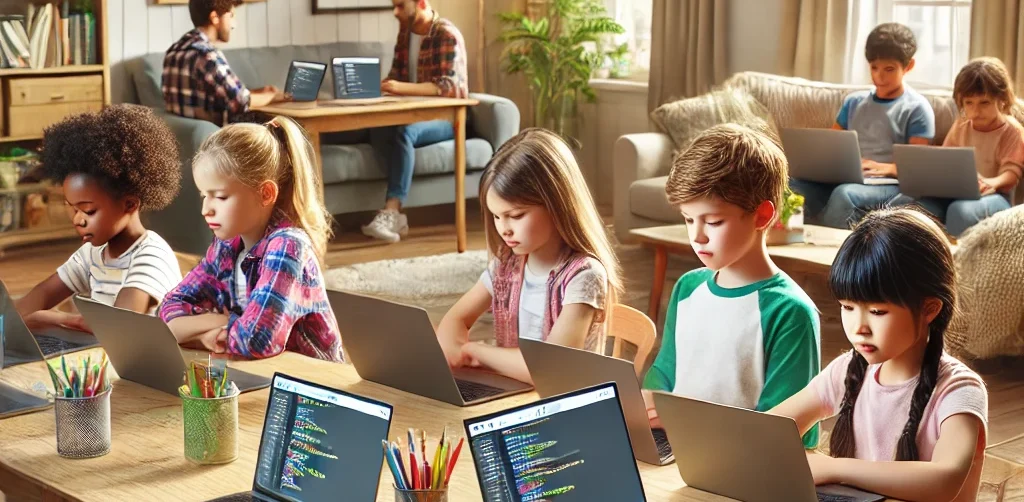
Tips for Managing Your Child’s Screen Time: How to Wisely Handle Kids’ Screen Time in 2025 image

In today’s digital era, screen time for kids has become a regular part of their daily lives. Devices like smartphones, tablets, and laptops are often used for playing, watching, and learning. However, many parents find it challenging to manage screen time so that their children stay healthy while maximizing its benefits. This article shares practical tips on managing your child’s screen time so it can be used wisely and productively.

Why Is Managing Screen Time for Kids Important?

screen time for kids

Excessive screen time without proper supervision can lead to problems such as eye strain, reduced physical activity, and sleep issues. By properly managing screen time for kids, parents help safeguard their children’s physical and mental health while supporting effective learning.

Effective Tips to Manage Screen Time for Kids

1. Set Clear Time Limits

Create rules about when and how long your child can use gadgets daily. For example, limit usage to 1-2 hours a day, adjusted based on age and needs. Consistency is key so kids understand and follow the rules.

2. Choose Educational and Age-Appropriate Content

Ensure your child accesses apps, videos, or games that support learning and fit their age group. Educational content turns screen time into enjoyable learning moments.

3. Accompany Your Child During Screen Time

Parents should stay with their children while they use gadgets, especially for younger kids. This helps monitor content and provide explanations to maximize benefits.

4. Create a Balanced Screen Time Schedule

Balance screen time with other activities, such as after completing homework or physical play. Avoid letting screen time replace outdoor play or social interaction.

5. Use Parental Control Features

Take advantage of device settings to restrict access to inappropriate content and manage usage duration.

6. Set a Good Example

Children tend to imitate their parents’ behavior. Use gadgets responsibly yourself to teach by example.

Benefits of Properly Managing Screen Time for Kids

With proper management, screen time for kids not only avoids negative effects but also:

  • Improves focus and concentration in learning
  • Encourages independent learning through technology
  • Strengthens parent-child relationships through shared screen time
  • Develops digital skills from an early age

Challenges in Managing Kids’ Screen Time

Managing screen time is not always easy. Common challenges include:

  • Children resisting or struggling to follow screen time limits
  • Parents lacking time to supervise gadget use consistently
  • Difficulty finding engaging and educational content
  • Devices often being used more for entertainment than education

To overcome these, parents need patience and creativity in setting and enforcing rules. Open communication and involving children in rule-making can improve compliance.

Supporting Your Child’s Digital Growth Through Coding

Beyond managing screen time, introducing children to coding is a positive step. Timedoor Academy offers fun and easy-to-understand coding programs designed specifically for kids.

 Image

With this program, your child’s screen time becomes more meaningful—not just entertainment but also time spent learning creativity and critical thinking. Timedoor Academy also offers free trial classes, allowing parents and kids to explore coding stress-free before committing.

How to Effectively Manage Screen Time for a More Meaningful Experience

Managing your child’s screen time is key to ensuring healthy and productive gadget use. By setting limits, choosing educational content, supervising usage, and balancing with other activities, screen time can become an effective learning tool.

Equally important is supporting your child’s digital development through coding education, which is a valuable investment for their future. Timedoor Academy’s child-friendly methods and free trial classes provide an excellent opportunity for kids to explore the tech world in a fun, pressure-free way.

Keep Reading

Top 10 Educational Apps For Kids
Top 10 Educational Apps for Kids in 2025 – Learning Meets Fun!
How often do your kids ask, 'Mom, can I play with your phone?' It’s a question many parents hear daily. But what if that screen time could be transformed into a chance for kids to learn, grow, and explore through educational apps? At Timedoor Academy, we believe fun learning shouldn’t end when the school day does. With the right fun learning apps, your child can develop new skills, spark curiosity, and fall in love with education—all while having fun. To help you make the most of screen time, we’ve curated a list of the Top 10 Educational Apps for Kids in 2025—designed for children ages 4 to 12! Top 10 Educational Fun Learning Apps for Kids in 2025 1. Khan Academy Kids: Best Educational App for Kids’ Fun Learning • Age: 2–8 | Free - This all-time favorite keeps growing smarter. In 2025, Khan Academy Kids features more personalized learning paths and emotional learning tools, helping kids improve not just academically—but socially too. The app offers a broad range of subjects, from math and reading to social-emotional skills, making it ideal for holistic development. • Timedoor Tip: Great for early learners who enjoy story-based learning! 2. Duolingo ABC: Best Educational App for Kids’ Fun Learning • Age: 3–7 | Free - A charming spin-off from Duolingo, this app is now powered by AI-driven reading tutors. It helps young kids master the alphabet, phonics, and basic reading skills through interactive play. The app’s bright and engaging visuals keep children interested as they learn essential language skills step by step. • Encourages early literacy in both native and foreign languages. 3. Toca Life World: Best Educational App for Kids’ Fun Learning • Age: 6–12 | Freemium - More than just a game, Toca Life is a creative sandbox for storytelling, roleplaying, and problem-solving. In 2025, it includes educational missions designed by child psychologists and educators to foster creativity and teach key skills like emotional intelligence, cooperation, and critical thinking. • Great for building creativity and emotional intelligence. 4. Prodigy Math Game: Best Educational App for Kids’ Fun Learning • Age: 6–12 | Free with premium option - Prodigy gamifies math using an RPG-style format. The 2025 version introduces adaptive difficulty, so kids are constantly challenged at the right level. With multiplayer features, kids can “battle” with friends while solving math problems, turning learning into an interactive adventure. • Fun, fantasy, and fractions—all rolled into one! 5. CodeSpark Academy: Best Educational App for Kids’ Fun Learning • Age: 5–9 | Subscription - A coding app with no words! Kids learn the logic behind coding through puzzles, games, and story creation. In 2025, CodeSpark Academy introduces collaborative coding projects, allowing kids to work together and solve problems, making it even more engaging for young digital creators. • Perfect for young digital creators and future programmers! Read our another articles:https://timedooracademy.com/blog/winners-announcement-of-bootcamp-december-2024https://timedooracademy.com/blog/timedoor-academy-sea-coding-competition 6. Sago Mini World: Best Educational App for Kids’ Fun Learning • Age: 2–5 | Subscription - This charming app bundle includes over 40 educational games designed for toddlers, each focused on foundational concepts such as shapes, colors, and problem-solving. In 2025, the app adds new science and nature-themed adventures to spark curiosity and introduce environmental awareness. • Ideal for learning through play—especially in early childhood. 7. Elmo Loves ABCs: Best Educational App for Kids’ Fun Learning • Age: 2–5 | Paid - Beloved Elmo helps kids learn alphabets and counting through songs, games, and drawing. A timeless favorite, Elmo’s cheerful presence makes learning numbers fun and accessible for even the youngest learners. The app offers age-appropriate challenges that promote early math skills. • A great bonding activity for parents and toddlers. 8. Endless Alphabet: Best Educational App for Kids’ Fun Learning • Age: 3–7 | Paid - This delightful app uses playful animations and adorable characters to teach kids the alphabet and vocabulary. Each word is brought to life through fun puzzles, with vibrant visuals and friendly creatures that help reinforce each letter and its sound. It’s an excellent way to build literacy skills in young children. • Great for early literacy and word recognition skills. 9. Monkey Preschool Lunchbox: Best Educational App for Kids’ Fun Learning • Age: 2–5 | Paid - This app introduces young children to a variety of foundational concepts such as colors, shapes, numbers, and letters, all through engaging mini-games. The app’s friendly characters make the learning process playful and entertaining, providing a fun, hands-on way to practice essential skills. • Perfect for toddlers to build early math and reading skills in a fun way. 10. Epic!: Best Educational App for Kids’ Fun Learning • Age: 3–12 | Subscription - Epic! offers an extensive digital library of books, audiobooks, and educational videos, making reading more exciting for kids. The app adapts to your child’s interests and reading level, providing them with personalized recommendations and a wide variety of reading material that encourages independent learning. • Ideal for developing reading habits and expanding vocabulary. Turn Kids Curiosity Into Capable Fun Learning In 2025, the world of educational apps is more exciting than ever. Whether your child wants to build stories, solve puzzles, explore new languages, or code their first game—there’s an app waiting to spark that passion. As parents, we don’t just want our kids to be tech-savvy—we want them to be thoughtful, creative learners. The right apps, used with guidance, can be powerful tools for just that. Want to take your kids learning to the next level? Join one of Timedoor Academy's online coding classes and support their development in a structured, fun, and nurturing Llearning environment. Visit our website or contact our team to find the best course for your child.
Aplikasi Belajar Anak SD
Top 10 Technology Tools for Elementary Students in 2025
As we step into 2025, technology tools for elementary students are more important than ever. These tools enhance creativity, improve learning outcomes, and foster engagement both inside and outside the classroom. With the help of these technology tools for elementary students, children can develop essential skills that will serve them throughout their academic careers and beyond. Here’s a list of 10 essential technology tools for elementary students to boost their educational experience in 2025. Top 10 Technology Tools for Elementary Students in 2025 1. Kahoot! Focus: Interactive learning and quizzes Kahoot! remains one of the most popular technology tools for elementary students because it turns learning into a fun and competitive experience. Teachers and students can create customized quizzes on subjects like math, science, and language arts, fostering active participation. How to Use It: By incorporating Kahoot! in lessons, educators can make learning feel like a game. Students can play individually or in teams, which makes learning not only engaging but also interactive. With real-time feedback, teachers can adjust their lessons based on students' performance, ensuring that every child stays on track. 2. Seesaw Focus: Digital portfolio and communication Seesaw is another fantastic example of technology tools for elementary students that focuses on student documentation and communication. It allows students to create digital portfolios where they can showcase their work through photos, videos, and drawings. This tool strengthens the bond between teachers and parents, as they can track the progress of the students in real-time. How to Use It: With Seesaw, students can upload images of their assignments or record their thoughts on projects. Teachers can provide feedback and conduct virtual lessons or activities, keeping students and parents connected in an efficient, digital space. 3. Google Classroom Focus: Classroom management and assignment tracking Google Classroom is essential for managing assignments, tracking progress, and organizing classroom materials. As one of the top technology tools for elementary students, it helps both teachers and students streamline their work. Teachers can assign tasks, grade assignments, and provide real-time feedback, while students can easily access learning materials and submit work in one centralized platform. How to Use It: Teachers can post assignments and resources to Google Classroom, making it easy for students to stay organized. Additionally, it integrates with Google Drive, enabling students to collaborate on documents and presentations. This makes it easier to stay on top of deadlines and receive instant feedback. 4. Scratch Focus: Coding and creativity Scratch is one of the most popular technology tools for elementary students when it comes to learning programming. Through visual coding, students can create interactive stories, games, and animations, sparking creativity while teaching them important skills in computational thinking. How to Use It: Scratch is beginner-friendly and offers a drag-and-drop interface for students to build their own projects. Teachers can incorporate Scratch into STEM lessons, teaching logic, sequencing, and problem-solving through interactive coding challenges. This tool is a great starting point for young learners to get familiar with coding and digital creation. 5. Epic! Focus: Digital library for young readers For young readers, Epic! is an invaluable tool in the world of technology tools for elementary students. Epic! offers access to thousands of books, audiobooks, and educational videos. Its interactive features like read-aloud and quizzes make reading more engaging for children. How to Use It: Teachers can assign reading materials directly from Epic! to keep students engaged with books that suit their level. Students can explore a vast library of e-books or listen to audiobooks that cater to their individual reading preferences. Epic! fosters a love for reading by offering a fun and interactive approach to literature. 6. ClassDojo Focus: Classroom behavior and communication ClassDojo is one of the best technology tools for elementary students when it comes to fostering positive behavior and classroom culture. It allows teachers to reward students for good behavior, accomplishments, and teamwork. How to Use It: Teachers can assign points to students based on specific behaviors, such as being on task, helping others, or staying focused. These points can be exchanged for rewards like extra break time or special privileges. ClassDojo is an excellent tool for teaching students about responsibility and positive reinforcement. 7. TinkerCAD Focus: 3D design and engineeringFor students interested in design and engineering, TinkerCAD is one of the leading technology tools for elementary students. This user-friendly 3D design platform allows children to create their own digital models. How to Use It: Students can start by designing simple objects like keychains or toys and gradually work their way up to more complex 3D projects. Teachers can use TinkerCAD to introduce students to engineering and design concepts, making it easier for them to visualize their ideas and understand the basics of 3D modeling and printing. 8. Google Earth Focus: Geography and exploration Google Earth opens up the world to elementary students by allowing them to explore every corner of the globe. Whether for geography lessons or environmental studies, this tool is an essential part of technology tools for elementary students. How to Use It: Teachers can use Google Earth to give virtual tours of countries, cities, landmarks, and natural wonders. Students can explore geographical features and learn about different cultures and ecosystems. This immersive tool makes learning about the world fun and interactive. 9. Duolingo Focus: Language learning As one of the leading technology tools for elementary students, Duolingo helps young learners acquire new languages in a fun, gamified format. This app is perfect for introducing kids to a new language, including popular languages like Spanish, French, and German. How to Use It: Duolingo presents lessons in bite-sized segments that are both fun and educational. Students can practice daily and track their progress. This tool offers rewards and challenges, motivating students to keep learning new words and phrases while building language proficiency. 10. BrainPOP Focus: Educational videos and quizzes BrainPOP is a popular educational platform that offers animated videos and interactive quizzes. It covers a wide range of subjects, including science, math, and social studies, making it one of the best technology tools for elementary students to enhance their learning. How to Use It: Teachers can use BrainPOP to introduce new concepts in a fun and visual way. After watching the videos, students can complete quizzes and discuss the material in class. This helps reinforce key ideas and assess student understanding in an engaging, interactive manner. Why Technology Tools Matter for Elementary Students In 2025, technology tools for elementary students are not just an enhancement to traditional learning; they are essential to developing digital literacy and critical thinking skills. These tools help provide personalized learning experiences that adapt to the needs of each student, whether they need extra support or more challenging material. By incorporating technology tools for elementary students into the classroom, teachers can create an environment that promotes engagement, creativity, and collaboration, preparing students for future success in an increasingly digital world. Start Your Digital Learning Journey Today! Want to make learning even more engaging for your child? Explore Timedoor Academy and try free trial class today and discover how our digital learning platform can support your child’s educational growth with interactive lessons and expert-curated content.
<strong>Why Learning Coding While Playing Games for Kids is a Brilliant Choice</strong>
Why Learning Coding While Playing Games for Kids is a Brilliant Choice
In today’s digital age, technological skills are no longer optional but essential. Children who grow up surrounded by digital tools will be much better prepared for the future if they gain a basic understanding of technology. One of the most enjoyable and effective ways to introduce technology to children is through learning coding while playing games for kids. This approach combines entertainment with education, allowing children to have fun while gaining valuable knowledge. Is Coding Suitable for Children? Many parents may still wonder if coding is appropriate for elementary school children. Questions like, “Can my child really understand programming concepts?” often arises. The answer is yes, because with learning coding while playing games for kids, complex material can be delivered in simple and interactive ways. Children do not need to grasp complicated math formulas right away. Instead, they are introduced to logical thinking and problem-solving through something they already love: playing games. Developing Critical and Creative Thinking One of the greatest benefits of learning coding while playing games for kids is how this method encourages critical thinking. While playing, children encounter specific challenges that require them to find solutions. For example, coding-based games often feature characters that move only when the player arranges the correct instructions. This trains children to think systematically and creatively at the same time. Building Collaboration Skills In addition to critical thinking, this approach also fosters collaboration. Many coding platforms for children provide multiplayer features or sharing forums. Kids can exchange ideas, learn from peers, and enjoy the social benefits of learning coding while playing games for kids. They are not only learning about technology but also practicing communication and teamwork, which are equally important for their future. Increasing Motivation to Learn Early On Equally important, this method boosts intrinsic motivation. Children often get bored when learning is presented in conventional forms. However, when the experience feels like play, their curiosity grows. Every challenge in the game provides a sense of achievement that motivates them to continue. In other words, learning coding while playing games for kids is not only fun but also builds positive learning habits. Insights from Education Experts Education experts also support this method. They emphasize that 21st-century skills such as digital literacy, creativity, and problem-solving can be developed effectively through interactive learning. If parents want their children to be future-ready in a world full of technology, then choosing learning coding while playing games for kids is a wise decision. The Role of Parents in Supporting Children Of course, parents play a crucial role in supporting this journey. Accompanying children while they learn, offering encouragement when they face difficulties, and appreciating every small achievement will make the process more meaningful. With active parental involvement, the benefits of learning coding while playing games for kids can be fully maximized. Timedoor Academy and Creative Curriculum Timedoor Academy understands the importance of fun and relevant learning methods for the younger generation. The coding programs offered are designed specifically for children, combining the excitement of games with programming principles. Kids not only learn to create simple commands but also get the chance to design their own games. This makes every step of learning feel like a new adventure. Enroll Your Child at Timedoor Academy! If you want your child to grow with strong future-ready skills, now is the perfect time to start. Enroll your child in the Free Trial program at Timedoor Academy and experience how coding can be both fun and meaningful. Click the registration button today and give your child the best opportunity to thrive.
float button