May 30, 2025

The Best Sports for Children Ages 3–17
<strong>The Best Sports for Children Ages 3–17</strong> image

In today’s modern era, one of the biggest challenges for parents is making sure their children stay physically active amid the dominance of gadgets and digital activities. Many children prefer playing games at home rather than running or playing outdoors. In reality, choosing the best sports for children is very important to support their growth, health, and happiness. Through the right physical activities, children can develop healthy habits that last into adulthood.

Every child has different interests and abilities. That’s why it is important for parents to understand what types of sports are best for their child, based on age, interest, and health conditions. By introducing physical activity from an early age, children will get to know their bodies, learn teamwork, and build self-confidence.

Recommended Sports for Children by Age

To maximize the benefits, here are some recommendations for the best sports for children, grouped by age:

Ages 3–6:
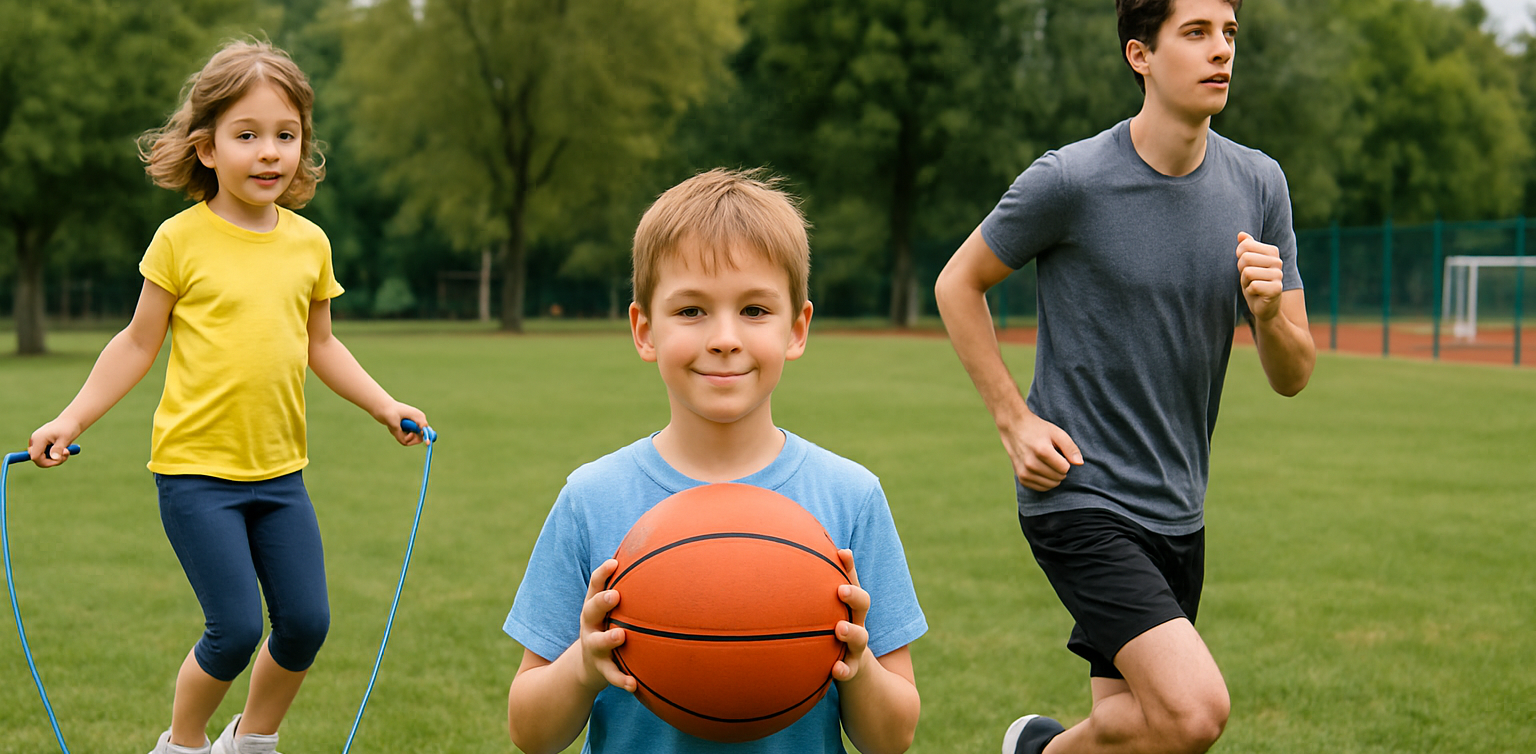
At this stage, children need simple and fun physical activities. Some of the best sports for young children include playing ball, riding a tricycle, swimming, gymnastics, and dancing. Games like hide and seek or jumping rope are also great for developing gross motor skills.

Ages 7–12:
Children can start joining more structured and competitive sports. Recommended sports for this age group include soccer, basketball, badminton, athletics, martial arts, and swimming. At this age, children also begin to learn teamwork and sportsmanship.

Teenagers:
As they enter their teenage years, children can choose sports that match their interests and talents, whether in teams or individually. They can also try more specific sports such as volleyball, table tennis, pencak silat, or archery. Teenagers are usually more motivated if sports are done together with friends.

Tips to Keep Children Excited About Sports

the best sports for children

To help children stay enthusiastic and consistent about sports, parents can try these tips:

  • Make sports a family routine, such as exercising together every weekend.
  • Give children the opportunity to try various types of sports until they find what they enjoy most.
  • Avoid comparing your child’s abilities with others; focus on their progress and efforts.
  • Offer praise and support for every effort and achievement.
  • Keep the sports environment fun, so that sports never feel like a burden or punishment.

Balancing Sports and Digital Activities

Besides introducing the best sports for children, it is also important to teach children how to manage their time between physical and digital activities. In the technology era, it’s true that children need to become familiar with the digital world, but physical health should always be a priority. Parents can create a daily schedule that balances study time, screen time, and physical exercise. This will help build healthy habits and prevent children from becoming too attached to their devices.

Developing Children’s Potential Through Sports and Coding

Nurturing a child’s potential goes beyond just finding the best sports for children. It also involves introducing them to 21st-century skills such as coding. Balancing a healthy body with an active mind is essential in this digital age. Coding trains children to think logically, creatively, and to solve problems, while sports help them develop discipline and self-confidence. Parents can blend physical and digital activities so that children can grow optimally, both physically and mentally.

Try a Free Trial Coding Class at Timedoor Academy

 Image

To help your child be even more prepared for future challenges, encourage them to join a free trial coding class at Timedoor Academy. In this class, children learn coding in an interactive and creative way, guided by professional mentors. Make your child’s screen time more meaningful with educational digital activities, without neglecting the importance of finding the best sports for children. Visit our website or social media pages, Timedoor Academy, to register for a free trial coding class that can be attended online from home.

Finding the best sports for children does take time, but the benefits are enormous for their future. Active support and involvement from parents is essential so children can grow up healthy, happy, and confident to face the modern world.
Keep Reading

Top 5! How to Limit YouTube for Kids Effectively
In today’s digital world, YouTube has become one of the most popular entertainment platforms for children. While it offers a wide variety of educational content, it also exposes kids to videos that may not be suitable for their age. That’s why many parents are searching for a clear and practical solution: how to limit YouTube for kids. Ensuring your child’s safety while exploring the internet is no easy task. YouTube’s algorithm often suggests videos based on watch history, not necessarily on age-appropriateness. This makes it even more critical for parents to learn how to limit YouTube for kids as part of responsible digital parenting. Why It’s Important to Monitor Kids on YouTube While YouTube can be a great source of learning—offering science experiments, storytime videos, and creative tutorials—it can also lead kids down a rabbit hole of violent, inappropriate, or misleading content. Without proper supervision, your child may unintentionally view content that contradicts the values you are trying to instill. That’s why understanding how to limit YouTube for kids is not just a parenting option, but an essential digital safety measure. How to Limit YouTube for Kids: Practical Steps Here are some concrete steps you can take as a parent: 1. Use YouTube Kids App YouTube offers a child-friendly version of its platform called YouTube Kids. This app is designed with automatic filters to block inappropriate content and provide age-appropriate viewing. It’s a strong first step in your approach to how to limit YouTube for kids. 2. Enable Restricted Mode If your child uses the standard YouTube app, you can enable “Restricted Mode” in the settings. This feature helps filter out videos flagged as unsuitable. It adds an extra layer of protection in your efforts to control what your child watches. 3. Set Parental Controls Both YouTube Kids and the regular app allow you to set screen time limits and control the types of content your child can access. These built-in parental controls are crucial in enforcing how to limit YouTube for kids without needing constant supervision. 4. Establish Viewing Schedules Create specific times for when your child is allowed to watch YouTube, such as after completing homework or during weekends. Clear time restrictions encourage discipline and help children value their screen time. 5. Watch Together Spend time watching YouTube with your child. It’s not just about monitoring—it’s an opportunity to bond, understand their interests, and gently guide them toward more enriching content. 6. Educate Your Child on Good Content Choices Teach your child how to recognize content that is inappropriate or makes them uncomfortable. Encourage them to speak up if they come across something they don’t understand or that feels wrong. This empowers them to be responsible digital citizens. 7. Use Third-Party Monitoring Apps Tools like Google Family Link can provide more detailed control over your child’s online behavior. You can view their activity, set time limits, and even approve or block apps. These tools are highly effective in supporting your journey in how to limit YouTube for kids. Common Challenges Parents May Face Setting limits is not always easy. Children may resist new rules or attempt to find workarounds to access restricted content. That’s why consistency, patience, and open communication are key. Involve your child in creating these rules so they feel included and understand the reasons behind them. It’s also important to strike a balance. Remember, the goal of learning how to limit YouTube for kids is not to ban access entirely but to guide children toward safe and meaningful digital experiences. Limiting is Not Banning, It’s Redirecting When done right, how to limit YouTube for kids becomes a way of redirecting your child’s screen time toward educational and creative growth. There are countless videos that can inspire innovation, critical thinking, and even spark a passion for science, art, or coding—when chosen wisely. As parents, we have the power to shape how children interact with technology. By combining digital tools with parental guidance and open conversations, we prepare them for a safer and smarter future online. Try a Free Coding Class at Timedoor Academy Parenting in the digital era requires new tools and strategies. With the right knowledge and support, you can protect your child from harmful content while encouraging their curiosity and creativity. If you're looking for a positive and productive way to introduce your child to the digital world, consider enrolling them in a fun and educational tech program. Timedoor Academy offers free trial courses in coding, tailored for children aged 5 to 19.
<strong>Age Limit for Children Using Gadgets: When Is the Right Time?</strong>
Age Limit for Children Using Gadgets: When Is the Right Time?
In today's digital age, gadgets have become an inseparable part of daily life. Children are increasingly exposed to smartphones, tablets, and laptops from a very young age. This growing trend raises a crucial question for parents: what is the ideal age limit for children using gadgets? This question does not have a one-size-fits-all answer, as every child develops at their own pace. However, understanding the basic principles of when and how children should be introduced to gadgets is essential for developing healthy digital habits. Why Setting an Age Limit Matters Research shows that excessive gadget use at an early age, especially without supervision, can negatively affect a child’s cognitive, emotional, and social development. Therefore, setting an age limit for children using gadgets is not about banning technology entirely. Rather, it’s about protecting children and guiding them during their growth years. Children who spend too much time on gadgets may experience sleep disturbances, delayed speech development, or even early signs of screen addiction. That’s why it’s important for parents to know the right time to introduce gadgets and how to direct their usage in a positive way. Expert Recommendations Child development organizations such as the American Academy of Pediatrics (AAP) offer clear guidelines on the age limit for children using gadgets: 0–18 months: Avoid screen exposure except for video calls with family members. 18–24 months: If introducing gadgets, ensure the content is high-quality and that parents are present to assist and explain. 2–5 years: Limit screen time to one hour per day, focused on educational content. 6 years and older: Begin to teach children about screen time boundaries, digital responsibility, and the importance of physical activity. These recommendations can serve as a helpful starting point for parents to develop digital guidelines at home. When Is a Child Ready for Their Own Gadget? Beyond the question of screen time, many parents also wonder when it’s appropriate for children to have their own gadget. This goes beyond just age. The age limit for children using gadgets should take into account emotional maturity and responsibility. Here are a few things to consider before handing over a personal device: Has your child demonstrated a clear understanding of rules and limits? Can your child take care of their belongings responsibly? Does your child use digital tools for learning or productive activities? If your answers are mostly yes, it may be time to consider allowing a child to own a device, provided you set clear boundaries and maintain active supervision. The Role of Parents in Digital Guidance Establishing the age limit for children using gadgets is only effective if parents are actively involved in the process. It’s not just about creating rules. Parents should model good behavior by managing their own screen time and encouraging healthy tech habits. Use this opportunity to teach your children about digital literacy, including internet safety, online etiquette, and the importance of taking regular screen breaks. Additionally, promote offline activities like reading, outdoor play, and creative hobbies to create a more balanced lifestyle. Using Gadgets for Positive Purposes Gadgets are not inherently bad. When used properly, they can be powerful tools for learning and creativity. There are numerous educational platforms and apps designed specifically to enhance children’s knowledge and skills. That’s why the age limit for children using gadgets should be complemented by introducing them to productive tech-based activities like learning coding, animation, or basic digital design. When children use gadgets to create and explore, they develop valuable 21st-century skills while staying engaged in meaningful ways. Responsible Tech Starts with Age-Appropriate Use Understanding the age limit for children using gadgets is a foundational step in fostering healthy digital habits at home. While each family’s approach may differ, the underlying principles remain the same: supervision, clear time limits, and age-appropriate content. As parents, our role is not to fear the digital world, but to prepare our children for it with wisdom, support, and education. Would you like your child to use gadgets for something truly meaningful? Sign up for a free trial at Timedoor Academy, where your child can learn coding and digital skills in a fun, structured, and educational environment.
aplikasi python untuk anak
10 Best Python Apps for Kids to Learn Coding in 2025
In 2025, programming has become one of the most important skills for children to learn. With the rise of digital education, more parents and educators are introducing coding at an early age. Among the many programming languages, Python stands out for its readability and beginner-friendly structure, making it an ideal language for young learners. Today, there are plenty of Python apps for kids that make learning fun, interactive, and suitable for different age groups. These Python apps for kids are designed to simplify complex concepts and teach children how to think logically and solve problems creatively. Many of these apps use games, animation, and step-by-step challenges to help children build a strong foundation in Python coding. Whether your child is new to programming or already curious about how games and websites work, these apps will help them take their first steps into the world of technology. Here are the 10 best Python apps for kids that you can explore in 2025!   10 Best Python Apps for Kids to Learn Coding in 2025   1. Tynker Focus: Learn Python through games and puzzlesTynker is a highly recommended platform that offers a range of beginner to advanced courses, including Python. Its game-based lessons make learning Python enjoyable for kids and easy for parents to follow. How to Use It: Kids can choose a Python learning path, solve challenges, and build their own mini projects with guided instructions and instant feedback. 2. CodeCombat Focus: Coding adventure game with real Python codeCodeCombat combines learning with adventure. Kids control characters in a game by writing actual Python code. It’s one of the best Python apps for kids who enjoy storytelling and gaming. How to Use It: Children choose their characters, learn spells (code), and battle through levels by solving real coding problems using Python. 3. Trinket Focus: Write and share live Python code onlineTrinket is a coding tool that allows kids to write, run, and share Python code directly from their browser without installing anything. It’s simple and ideal for beginners. How to Use It: Children can explore beginner-friendly Python projects, experiment with code, and instantly see the output. Great for school use or homeschooling. 4. SoloLearn Focus: Mobile learning app for Python basicsSoloLearn is a mobile app that provides bite-sized Python lessons. While it’s suitable for learners of all ages, kids who are in upper elementary or middle school can benefit from its beginner courses. How to Use It: Kids can log in daily, go through short lessons, take quizzes, and interact with a global community of learners. 5. Pythonista (iOS Only) Focus: Real coding in Python for iPad usersPythonista is one of the more advanced Python apps for kids who are ready to try real-world coding environments. It features a full Python IDE on iOS. How to Use It: Young learners can build small apps, run scripts, and explore how Python works on mobile devices. Best for kids with prior coding experience. 6. EduBlocks Focus: Visual to text-based Python codingEduBlocks bridges the gap between block-based coding and text-based Python. It is perfect for transitioning from platforms like Scratch to actual Python code. How to Use It: Kids drag and drop visual blocks that automatically translate into real Python code, helping them understand syntax while building confidence. 7. PyGame Focus: Build games using Python If your child loves gaming, PyGame is one of the most engaging Python apps for kids. It is a set of Python modules used to make video games, and kids can create their own projects from scratch. How to Use It: Children can follow tutorials to build simple games such as pong or snake and then level up to more advanced interactive games. 8. Programming Hero Focus: Gamified learning and storytelling in PythonProgramming Hero teaches Python through colorful storytelling and missions. This makes it a great tool for children who enjoy visuals and creativity. How to Use It: Kids complete quests and unlock achievements while learning Python concepts like variables, loops, and functions in a game-like environment. 9. Blockly for Python Focus: Visual blocks to learn Python syntaxBlockly is a drag-and-drop visual coding app that helps kids learn the syntax of Python before they start writing the actual code. How to Use It: Kids create Python programs by dragging and arranging blocks to represent Python code, gradually transitioning to actual text-based coding. 10. Timedoor Academy’s Python Course for Kids Focus: Structured online classes with live mentorshipTimedoor Academy offers a fun and guided learning experience for kids who want to master Python. Lessons are designed by expert instructors who make programming fun and practical. How to Use It: Kids can join a free trial class, explore Python basics, and build real projects such as games and animations with a mentor’s help.   Why Use Python Apps for Kids? Python apps for kids are more than just learning tools. They are platforms that encourage curiosity, support creativity, and teach valuable skills in problem-solving, logic, and digital literacy. Unlike traditional learning methods, these apps allow children to experiment, make mistakes, and learn through interactive challenges. Python also offers a clean and easy-to-read syntax, which makes it perfect for beginners. Many schools and educators now include Python in their curriculum because it provides a strong foundation for learning other programming languages and STEM subjects in the future. By using Python apps for kids, your child can learn at their own pace, explore their interests, and even develop confidence in tech-related skills that may become essential in their careers later on.   Join a Free Trial with Timedoor Academy Looking for a structured yet fun way to help your child learn Python? Timedoor Academy provides interactive online coding classes that are tailored for kids. With live mentorship and project-based learning, children can build their own games, websites, and animations while learning real Python skills. Try a free trial class today and start your child’s coding journey with one of the best tech education platforms in Asia.
float button