Sep 19, 2025

Here are 5 Reasons Why Do Children Like Playing Games
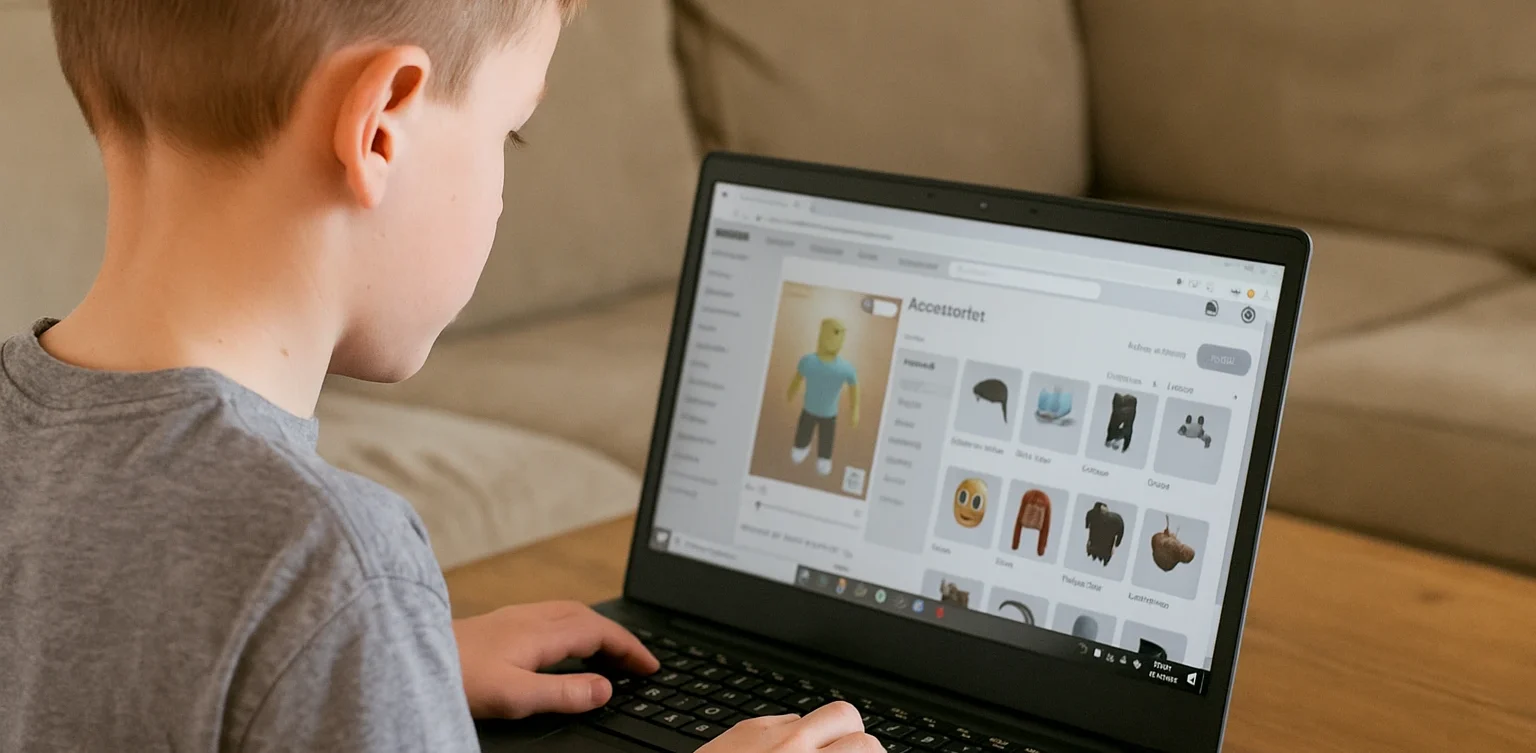
Here are 5 Reasons Why Do Children Like Playing Games image

Why do Children Like Playing Games? Playing games has become a very popular activity among children today. From mobile devices and tablets to consoles, games come in many forms that easily capture their attention. Parents often worry about the amount of time spent gaming, especially when it leads to concerns about children addicted to games. However, before judging too quickly, it is important for parents to understand why children are so attracted to the world of digital games.

Games Provide Challenges and a Sense of Achievement

One of the main reasons children love games is the clear challenges they offer. Games often feature levels or missions that must be completed. When children succeed, they feel proud and accomplished. This feeling can be very motivating, encouraging them to keep playing. Without proper guidance, though, this motivation may grow into children addicted to games as they constantly seek satisfaction from virtual victories.

Games as a Source of Entertainment

Why Do Children Like Playing Games

Games provide easily accessible entertainment anytime. With engaging graphics, exciting music, and compelling storylines, children can enjoy spending hours in front of a screen. For many, this is a way to relax after school. Yet, without boundaries, this entertainment can turn into overindulgence, leading to children addicted to games.

Social Factors and Interaction with Friends

Many modern games are designed with multiplayer features, allowing children to communicate and play with their peers. This social aspect makes gaming more exciting, as children can cooperate or compete with others. However, this interaction can also lead to children addicted to games if they become too comfortable in virtual socializing instead of real-life interactions.

Games as Exploration and Imagination

children addicted to games

Some games are built with vast fantasy worlds ready to be explored. This stimulates children’s imagination, making them feel as if they are adventuring into new worlds. For children with high curiosity, games offer a safe space to experiment. Even so, parents must remain cautious, as such exploration can be the entry point toward children addicted to games.

Lack of Alternative Engaging Activities

Often, children spend long hours playing games simply because they lack other engaging activities. Without opportunities to explore creativity, talents, or new skills, gaming becomes their main escape. This makes them more vulnerable to becoming children addicted to games.

How Parents Can Respond

Why Do Children Like Playing Games

Blaming games entirely is not the best solution. Parents should recognize that games are simply a modern form of entertainment. The key lies in supervision and guidance. Some practical steps include:

  • Limiting gaming time with consistent rules.
  • Introducing alternative activities such as sports, arts, or enrichment programs.
  • Having open communication about the content of the games children play.
  • Encouraging educational games that combine fun with learning.

With the right approach, children can still enjoy games without becoming addicted to games.

The Role of Digital Education in Overcoming Challenges

An effective way to redirect children’s interest in technology is through digital education. By joining the right courses, children can channel their interests into something productive. For example, learning coding, digital design, or animation not only provides enjoyment but also equips them with valuable future skills. This way, children are not only spending time on games but also building their potential, reducing the risks of children addicted to games.

Building a Future-Ready Generation

 Image

Playing games is a natural part of children’s lives in today’s digital age. There are many reasons behind their interest, ranging from entertainment and challenges to social interaction. Still, parents must remain vigilant to ensure that this fun activity does not turn into a serious issue like children addicted to games. Guidance, communication, and providing positive alternatives are the keys to maintaining balance.If you want to help your child channel their interests into something more meaningful, consider enrolling them at Timedoor Academy. Through fun and educational courses, children can learn digital skills that prepare them for the future. Sign up now for a free trial at Timedoor Academy and give your child the chance to grow in a positive and enjoyable way.

Keep Reading

<strong>5 Best! Free Coding Apps for Kids You Should Try</strong>
5 Best! Free Coding Apps for Kids You Should Try
Introducing free coding apps for kids is a powerful way to build their logical thinking, creativity, and problem-solving skills from an early age. With user-friendly and kid-safe platforms, children can explore how to code, design games, animate characters, and develop mini programs without paying for expensive software. Why Should Parents Discover the 5 Best Free Coding Apps for Kids? Coding is no longer just for tech-savvy teens or college students. Even elementary school kids can begin their digital journey through colorful and interactive interfaces. Below are five top recommendations of free coding apps for kids, each offering unique features and a fun learning experience. 1. Scratch Recommended Age: 8 to 16 yearsWhy It’s Great: Uses visual blocks instead of complicated text code, which is perfect for beginners Includes a safe online community where kids can share projects Offers guided tutorials that teach them how to create animations and games Parent Tip: Help your child start with a basic animation, then let them customize characters or add sound effects to boost engagement. 2. Code.org Recommended Age: 6 to 18 yearsWhy It’s Great: Offers a complete learning path from drag-and-drop to real coding with JavaScript Features Hour of Code activities with themes like Minecraft and Frozen Has tools for parents and teachers to track learning progress Parent Tip: Encourage your child to join Hour of Code events around the world to make the experience feel exciting and social. 3. Tynker Recommended Age: 7 to 14 yearsWhy It’s Great: Game-based learning with space, robot, and arcade themes Lets kids transition from visual blocks to text-based coding with Python or JavaScript Comes with ready-made project templates to jump-start creativity Parent Tip: Use the free Learning Path before exploring premium features. Make sure your child completes one level at a time to stay focused. 4. Grasshopper Recommended Age: 10 years and upWhy It’s Great: Developed by Google to teach JavaScript in bite-sized, mobile-friendly lessons Gives instant feedback with visual explanations Tracks daily learning streaks to encourage consistent practice Parent Tip: Set a goal for 15 minutes of coding each day. Short, regular practice is more effective than longer sessions once a week. 5. Kodable Recommended Age: 5 to 10 yearsWhy It’s Great: Uses fun maze games to teach programming logic like sequencing and loops Works offline, making it a great option for travel or areas with limited internet access Offers free lesson plans for teachers that parents can also use at home Parent Tip: Ask your child to explain what they did after each game level. Talking about the process helps reinforce their understanding. How to Maximize Learning from Free Coding Apps For Kids Create a Weekly RoutineKeep learning sessions short and fun. Younger children stay more focused with shorter screen time. Celebrate Their ProjectsPrint out screenshots or let them show their work to family. This helps build pride and motivation. Support Group LearningInvite a sibling or friend to try the same app. Coding becomes more fun when kids learn together. Connect to School LessonsUse these apps to explain math or science concepts. Coding is a powerful tool that makes abstract ideas more concrete. Why Free Coding Apps For Kids Matter Learning with free coding apps for kids provides valuable skills without financial barriers. These apps allow children to: Develop logical thinking and creativity Explore digital storytelling and simple game design Learn basic programming terms and structure Build confidence with hands-on digital tools What’s Next? Upgrade to Structured Learning at Timedoor Academy After exploring free coding apps for kids, you can take your child’s skills to the next level. Timedoor Academy offers online coding courses with expert instructors, real-world projects, and a fun, guided experience that grows with your child. Sign up now for a free trial coding class at Timedoor Academy and give your child a head start in the digital age.
<strong>6 Best Kids-Friendly Holiday Destinations in Bali</strong>
6 Best Kids-Friendly Holiday Destinations in Bali
Bali is not just famous as a romantic getaway or a paradise for nature lovers—it’s also a dream destination for families looking to treat their children to a memorable vacation. There are so many kids-friendly holiday destinations in Bali that offer exciting, educational, and truly child-friendly experiences. From adventure playgrounds and natural wonders to interactive learning centers, the Island of the Gods has it all. If you’re planning a family trip, here are some must-visit kids-friendly holiday destinations in Bali. Not only will your children have a blast, but these places also provide valuable bonding moments and opportunities for meaningful learning. 1. Bali Safari & Marine Park One of the most popular kids-friendly holiday destinations in Bali is Bali Safari & Marine Park. Here, children can see a variety of animals from around the world, watch entertaining and educational animal shows, and even take a thrilling Safari Journey. There’s also a mini water park and special children’s area for close-up encounters with friendly animals. This experience is not only fun, but also teaches kids the importance of protecting wildlife and nature. 2. Waterbom Bali No Bali holiday is complete without some fun in the water. Waterbom Bali is a favorite kids-friendly holiday destination in Bali, offering water rides and attractions for all ages. From lazy rivers and water slides to toddler zones, Waterbom is always bustling with families. The facilities are safe, clean, and equipped with dining areas and family rest zones. Children can burn energy and enjoy the Bali sunshine while staying active. 3. Bali Bird Park For kids who love animals, Bali Bird Park is an unforgettable kids-friendly holiday destination in Bali. The park is home to hundreds of exotic bird species from Indonesia and beyond. Children can feed the birds, take photos, and learn about biodiversity. Interactive experiences like this help foster a love for the environment and empathy toward living creatures. 4. Finns Recreation Club Looking for an all-in-one kids-friendly holiday destination in Bali? Finns Recreation Club has it all—water park, bowling, trampoline park, kids club, and indoor playgrounds. Every activity is designed to support children’s growth while also giving parents some well-deserved relaxation. Located in the heart of Canggu, it’s perfect for a full day of family fun. 5. 3D Trick Art Museum Learning through play? The 3D Trick Art Museum is a great educational and Instagrammable kids-friendly holiday destination in Bali. Kids can use their imagination and snap photos with realistic three-dimensional art. This activity encourages creativity, builds confidence, and lets children express themselves in fun ways. The whole family will surely enjoy the laughs and memories made here. 6. Bali Botanic Garden (Kebun Raya Bali) Bali isn’t just about beaches—kids-friendly holiday destinations in Bali can also include mountain nature retreats. Bali Botanic Garden in Bedugul offers cool air, flower gardens, and spacious picnic areas. Children can learn about various plants, explore mini forests, and go biking with the family. It’s a fantastic place to introduce kids to Indonesia’s rich natural heritage and nurture a love for the environment. Tips for a Memorable Kids’ Holiday in Bali To make your trip to kids-friendly holiday destinations in Bali even more meaningful, consider these tips: Plan your itinerary according to your child’s age and interests. Bring personal essentials such as extra clothes, sunblock, and healthy snacks. Make the most of the holiday by combining fun with learning, like visiting educational attractions. Don’t forget to capture family memories for keepsakes. Use Holiday Time to Develop New Skills Besides exploring different kids-friendly holiday destinations in Bali, parents can also fill the holiday with educational activities at home, such as learning to code. Coding is not just about computers; it strengthens logic, creativity, and problem-solving skills. If your child has never tried it, the holidays are the perfect time to introduce them to the world of technology in a fun and interactive way. Fun and Educational Holidays with Timedoor Academy A Bali vacation doesn’t have to be just about beaches or outdoor adventures. You can enrich your child’s holiday experience by giving them access to digital learning activities, such as coding classes at Timedoor Academy. Here, children can learn to code in a fun, interactive, age-appropriate way. No worries—Timedoor Academy offers a free trial class so your child can try coding for free before joining regular classes. So, make the most of your holiday in Bali by exploring these amazing kids-friendly holiday destinations in Bali and at the same time, empower your child’s future by learning to code with Timedoor Academy!
Children Using AI In Esducation
How to Use AI in Kids Education: A Step-by-Step Guide to Revolutionizing Learning
AI in kids education is transforming the way kids learn by offering personalized, engaging, and effective learning experiences. Whether you're an educator, parent, or guardian, using AI-powered tools in children's education can make a significant impact on their academic success. This step-by-step guide will show you how to incorporate AI in kids education from understanding its role to effectively using it in everyday learning settings. Step 1: Understand The Benefit of AI in Kids Education The first step in using AI in kids education is to understand its potential benefits. AI-powered tools can: Personalize learning by adapting to each child’s pace and needs. Provide instant feedback to help children improve faster. Offer a variety of learning resources, such as videos, quizzes, and games, that keep kids engaged. Support children with special needs by providing tailored learning tools. These benefits create a dynamic and effective learning environment, enabling kids to excel at their own pace. Step 2: Choose the Right AI-Powered Learning Apps to Support AI in Kids Education Choosing the right AI-powered learning apps is essential to support your AI in kids education. Here are some popular options: Khan Academy Kids: Offers personalized learning paths for children aged 2-8 in subjects like math, reading, and problem-solving. DreamBox: A math-focused app for kids in kindergarten through 8th grade that adjusts difficulty based on the child’s learning pace. Scratch: A visual programming language for children to learn coding through interactive games and animations. Duolingo: An AI-driven language learning app that helps kids learn new languages with immediate feedback. By selecting the best apps, you can ensure that your kid receives the most effective AI-enhanced education. Step 3: Implement AI in Kids Education For Daily Learning Routines Now that you have the right tools, to support AI in kids education, it’s time to integrate AI-powered educational tools into your child’s daily routine: Daily practice: Encourage daily use of AI apps for short sessions to reinforce what they’ve learned. Homework help: Use Socratic by Google for assistance with homework and to provide explanations for complex problems. Interactive learning: Incorporate fun, hands-on activities using Tynker for coding or Osmo for interactive learning games. Integrating AI into daily routines helps children make steady progress while keeping learning fun. Step 4: Track Progress and Adjust Learning Paths of AI in Kids Education One key benefit of using AI in kids education is its ability to track progress. Most AI-powered tools provide built-in analytics that monitor a child’s performance. Here’s how to track and adjust: Review progress reports: Apps like DreamBox and Khan Academy Kids provide reports that show areas of strength and where improvement is needed. Adjust learning paths: Based on progress reports, you can adjust your child’s learning path to focus on areas where they need more practice. Set goals: Work with your child to set goals and use AI data to track their achievements and motivate them to reach milestones. Regularly reviewing progress ensures the learning experience remains effective and keeps your children challenged. Step 5: Use AI in Kids Education to Support Special Education Needs AI in Kids Education can significantly support children with special educational needs. Personalized learning tools cater to the unique needs of each child, providing a more inclusive educational experience. Examples include: Speech recognition tools for children with hearing impairments or speech delays. Visual aids for children with autism spectrum disorders to better understand concepts. Cognitive training apps to improve focus and memory for children with ADHD. AI-powered tools designed for special education help create an inclusive learning environment where every child can thrive. Step 6: Foster Collaboration with Group Learning of AI in Kids Education AI is not just for individual learning—it also supports group learning. Many AI-powered apps allow children to collaborate on projects. Here’s how: Group challenges: Apps like Scratch and Tynker allow children to collaborate on coding projects, fostering teamwork and creative problem-solving. Peer learning: Platforms like Google Classroom foster group discussions and collaborative learning with real-time AI feedback. Teacher-student collaboration: AI tools assist teachers in monitoring group projects and providing personalized feedback to each student. Group learning with AI promotes communication and teamwork while enhancing learning outcomes. Step 7: Monitor Safety and Well-being of AI in Kids Education It’s essential to ensure that AI in Kids Education uses AI tools in a safe environment. Here are some key safety measures: Limit screen time: Set time limits for using AI apps to avoid overuse and encourage breaks. Monitor activity: Track the content your child engages with to ensure it is age-appropriate. Privacy settings: Ensure the apps have proper privacy settings and don’t collect unnecessary personal data. By monitoring your child’s use of AI tools, you can ensure a safe and productive learning experience. The Future of Learning with AI in Kids Education Using AI in kids education is revolutionizing the way kids learn, offering personalized, engaging, and inclusive learning experiences. By following these steps—understanding AI’s benefits, choosing the right tools, implementing them in daily routines, tracking progress, and ensuring safety—you can help your child make the most of AI-powered education. At Timedoor Academy, we leverage AI to enhance children's learning experiences, helping them develop critical skills like coding, problem-solving, and creativity. Join our free trial class and give your child the tools they need to succeed in the future of education.
float button