Jan 03, 2025

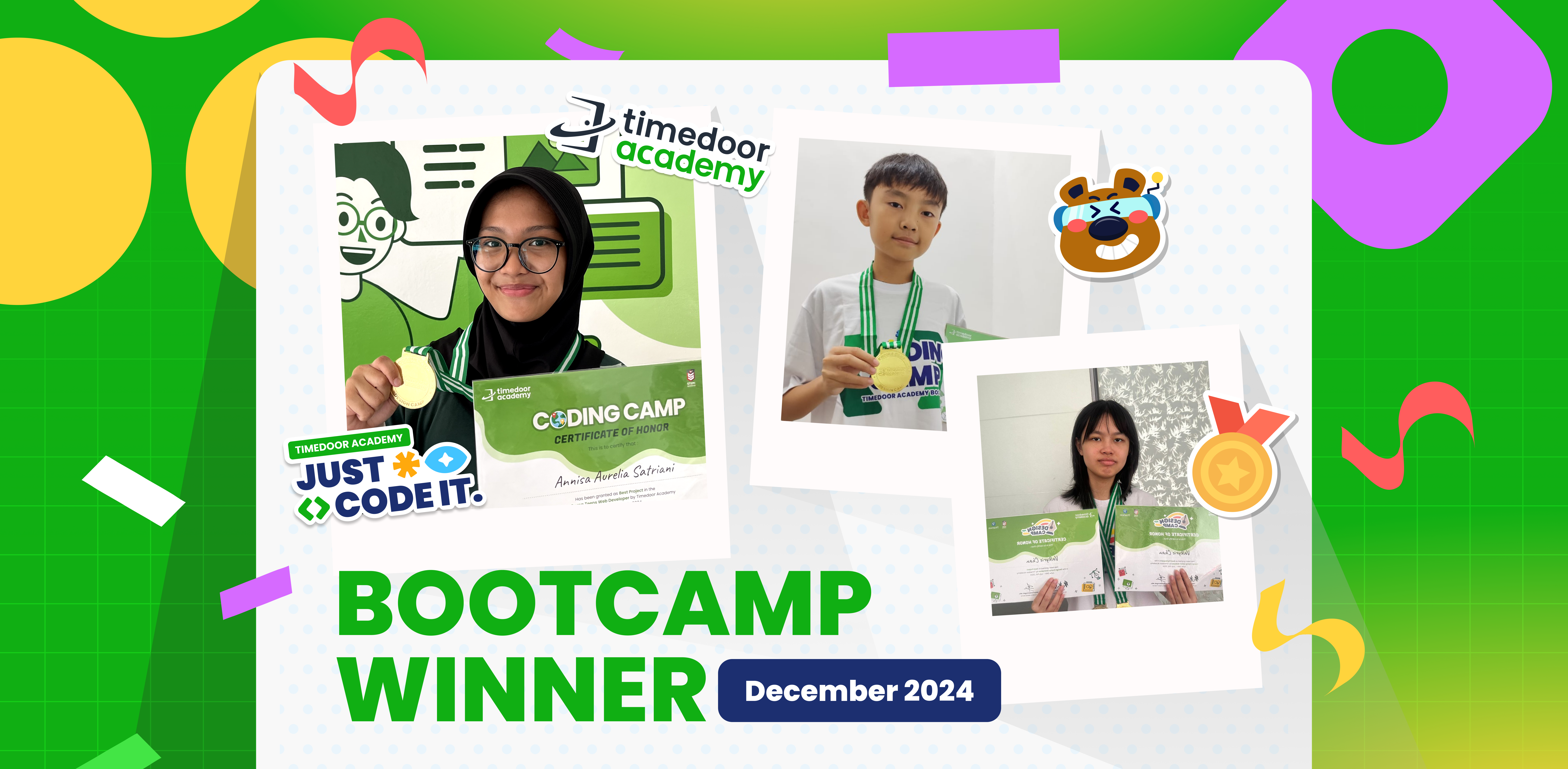
Winners’ Announcement of Bootcamp December 2024

Winners’ Announcement of Bootcamp December 2024 image

Timedoor Academy BootCamp 2024 was held from December 9 to 27, 2024, with over 200 participants from both Online and Offline classes across Indonesia. This year, we also launched two exciting new programs: Kids Machine Learning and Entrepreneurship, which generated even more excitement among our students.

Timedoor Academy offers a dynamic 5-day BootCamp, featuring various programs that allow students to choose based on their interests. The Coding Camp includes a wide range of courses such as Game Development, Website Development, Python Development, Roblox Development, Artificial Intelligence, and Internet of Things (IoT). Meanwhile, our Design Camp focuses on nurturing students’ creativity through programs like Animation Creation, Branding Design, UI/UX Design, and Comic Making.

At Timedoor Academy, we aim to help students become skilled programmers, designers, and comic artists in just 5 days by challenging them to create top-tier projects using cutting-edge platforms. This experience equips them to become digital experts ready to tackle the challenges of today and tomorrow!

Today, we’re excited to announce the top award recipients from each program category. The award winners are recognized for their Best Project and Best Participant achievements. Check out the list of winners below!

JUNIOR ANIMATOR
CATEGORY PARTICIPANT’S NAME BRANCH
Best Project Malik Akbar Pahlevi Cimanggu, Bogor
Best Participant Made Indah Widyasari Renon
JUNIOR 3D GAME
CATEGORY PARTICIPANT’S NAME BRANCH
Best Project Ibra Maimun Medan
Best Participant Azfar Milo Respati Gatsu
JUNIOR CONSTRUCT
CATEGORY PARTICIPANT’S NAME BRANCH
Best Project Randall Elmer Keeley Sanjaya Citraland
Best Participant Brigita Clarisa Kanaya Bandaso Cikarang
KIDS CONSTRUCT BEGINNER + WEBSITE
CATEGORY PARTICIPANT’S NAME BRANCH
Best Project Muhammad Iqbal Rachman Jambi
Best Participant M.Abizar Maimun Medan
KIDS MACHINE LEARNING
CATEGORY PARTICIPANT’S NAME BRANCH
Best Project Nabila Syahquita Pontianak
Best Participant I Gede Agasthya Putra Darmawan Gatsu
KIDS ANDROID APP DEVELOPER
CATEGORY PARTICIPANT’S NAME BRANCH
Best Project Raisa Raya Sabriya Jambi
Best Participant Fatih Rizqi Mubarok Jambi
KIDS ROBLOX
CATEGORY PARTICIPANT’S NAME BRANCH
Best Project Tyo Putra Daud Gorontalo
Best Participant Natanael Halim Cikarang
KIDS PYTHON
CATEGORY PARTICIPANT’S NAME BRANCH
Best Project Reinhart Amadeus Christianto Online ID
Best Participant Olivia Kisya Mahendra Jimbaran
KIDS AI DEVELOPER
CATEGORY PARTICIPANT’S NAME BRANCH
Best Project Jason Andrew Cikarang
Best Participant Gabriel Prathama Wijaya Online ID
TEENS PHASER
CATEGORY PARTICIPANT’S NAME BRANCH
Best Project Naufal Arfan Online ID
Best Participant Muhammad Rizki Mahendra Online ID
TEENS WEB DEVELOPER
CATEGORY PARTICIPANT’S NAME BRANCH
Best Project Arkaan Fatih Safaraz Pekanbaru
Best Participant Faeyza Nur Huda Online ID
TEENS ROBLOX
CATEGORY PARTICIPANT’S NAME BRANCH
Best Project Affa Danendra Sarwoko Pontianak
Best Participant Muhammad Vedro Alfadillah Pontianak
TEENS PYTHON
CATEGORY PARTICIPANT’S NAME BRANCH
Best Project Gregory Gaven Greenlake
Best Participant Komang Gede Bayu Sefti Wiguna Renon
TEENS APP DEV
CATEGORY PARTICIPANT’S NAME BRANCH
Best Project I Gusti Ayu Ari Cahya Widiadnyani Gatsu
Best Participant Valkyrie Chan Online ID
TEENS AI DEV
CATEGORY PARTICIPANT’S NAME BRANCH
Best Project Filigon Bryliant El Fikri Sirait Kelapa Gading
Best Participant Aghniya Kelapa Gading
 COMIC KIDS
CATEGORY PARTICIPANT’S NAME BRANCH
Best Project Razita Maryam Hernanda Online ID
Best Participant Christopher Martin Susanto Online ID
 COMIC TEENS
CATEGORY PARTICIPANT’S NAME BRANCH
Best Project Joanne Gracia Susanto Online ID
Best Participant Ulinnuha Inma Ghozali Online ID
 DESIGN BRANDING
CATEGORY PARTICIPANT’S NAME BRANCH
Best Project Kanaka Mahabarata Online ID
Best Participant Anja Ruci Berlian Online ID
 DESIGN ANIMATION
CATEGORY PARTICIPANT’S NAME BRANCH
Best Project Manuel Angelo Siburian Online ID
Best Participant Justin Clarence Luckijaya Gatsu
 DESIGN UI/UX WEB
CATEGORY PARTICIPANT’S NAME BRANCH
Best Project Jovan Wang Online ID
Best Participant Jonathan Wang Online ID
IOT KIDS & TEENS
CATEGORY PARTICIPANT’S NAME BRANCH
Best Project Kevin Hansel Wibowo Citraland
Best Participant Kadek Nirwasita Danaswara Gatsu

Keep Reading

Online Homecshooling
Online Homeschooling for Junior High School Students: A Flexible and Personalized Education Solution
With the advancement of technology and changing lifestyles, an increasing number of parents are considering alternative education paths for their children. One option that is becoming more popular is online homeschooling, a flexible, personalized learning model that adheres to national curriculum standards. For Junior High School students, online homeschooling offers a learning solution that can be tailored to the child’s needs, whether in terms of time, learning style, or emotional well-being. Children can still receive a quality education without being tied to the conventional school system. In this article, we will explore the benefits of online homeschooling for junior high school students and highlight several trusted platforms that provide officially recognized and legal homeschooling programs. Benefits of Online Homeschooling for Junior High School Students Flexible Learning ScheduleStudents can learn at their own pace and during the times when they are most productive. This helps improve learning effectiveness and reduces stress. Safer Learning EnvironmentLearning from home provides a sense of security for children, especially if they have previously experienced social pressure or difficulty adjusting to a traditional school environment. Customized to InterestsHomeschooling programs allow for exploration. In addition to core subjects, children can explore coding, digital arts, foreign languages, or even business from an early age. Increased Parental InvolvementHomeschooling enables parents to play an active role in their children's learning process, not just as supervisors but also as companions in character development. Recommended International Online Homeschooling Platforms 1. Wolsey Hall Oxford Established in 1894, Wolsey Hall Oxford is a distinguished British online school offering IGCSE and A-level courses to homeschoolers in over 120 countries. It is a registered online school of Cambridge Assessment International Education, providing a comprehensive curriculum with personalized support. Key Features: Customized curriculum Interactive video lessons Guidance from professional teachers Examinations and progress reports 2. Connections Academy Based in the United States, Connections Academy offers full-time online schooling for grades K–12 through its International Connections Academy. It provides a U.S.-based curriculum with a flexible learning environment, catering to students worldwide. Key Features: Full-time online school Flexible, personalized learning Accredited curriculum Interactive lessons and online communities 3. Bridgeway Academy Bridgeway Academy offers customizable homeschooling programs with U.S. accreditation. It provides options for live online classes, self-paced courses, and textbook-based learning, making it suitable for international families seeking a flexible educational experience. Key Features U.S. accredited programs Live online classes Self-paced and textbook-based learning Flexible schedule Cambridge Home School Cambridge Home School provides online education based on the British curriculum, offering courses from Primary Prep to Sixth Form College. Renowned for high academic standards and personalized learning experiences, it caters to students aged 7–19. Key Features: British curriculum High academic standards Personalized learning Online classes for students aged 7–19 Tips for Choosing the Best Online Homeschooling Program Check AccreditationEnsure that the program is officially accredited, offering a valid certificate or diploma recognized by the respective education authorities. Evaluate the Learning MethodChoose a program that fits your child’s learning style. Whether they prefer structured lessons or more flexible, self-paced learning, find the right approach for them. Consider Additional FeaturesSome programs offer extra classes in coding, foreign languages, or special skills development. These could be beneficial for your child’s overall growth. Communication with TeachersMake sure the program provides active communication and engagement with teachers, not just assignments and assessments. Does Online Homeschooling Reduce Social Interaction? One of the primary concerns parents have is whether online homeschooling will limit their child’s social interaction. Many online homeschooling programs include social aspects such as: Online group discussions Interactive classes Collaborative projects Local homeschooler communities (both online and offline) With these features, students still have the opportunity to develop social skills and engage in teamwork. Enhancing Digital Skills with Extra Classes Academics alone are no longer enough in today’s world. Children today need to be equipped with digital skills such as: Coding Graphic design Animation Game programming One platform offering such extra classes is Timedoor Academy, which focuses on technology and coding education for Junior High School to High School students. If your child is already homeschooling and has a flexible schedule, taking coding classes can be a fun and beneficial way to fill their time while also building their digital future. Timedoor Academy also offers a free trial class for those who want their kids to have a seamless experience learning about IT! Learning from Home, Growing Freely! Online Homeschooling is no longer just a temporary solution but has become an effective, legal, and increasingly popular education alternative. By choosing the right program and being actively involved in your child’s learning journey, homeschooling from home can be a rewarding experience that helps build strong character. So, are you ready to explore online homeschooling for your child?
<strong>6 Top Kid-Friendly Mountains in Indonesia for Family Adventures</strong>
6 Top Kid-Friendly Mountains in Indonesia for Family Adventures
Hiking is no longer just an activity for adults. It has become a popular choice for family holidays that are both educational and fun. In Indonesia, more and more parents are introducing nature and outdoor activities to their children from a young age. One of the best ways to do this is by taking your child to climb a kid-friendly mountains, which is a mountain with easy trails, a safe environment, and good facilities for families. Choosing a kid-friendly mountain does more than give your children a new experience. It also helps strengthen family bonds, nurtures a love for nature, and builds both physical and mental endurance in kids. Hiking can help children learn independence, teamwork, and greater self-confidence. No wonder more and more families are searching for kid-friendly mountains as an alternative to typical family vacations. To ensure a safe and enjoyable trip, it is important to pick a kid-friendly mountain with gentle trails, manageable distances, and beautiful scenery that keeps kids motivated. Here are six top recommendations for kid-friendly mountains in Indonesia that are perfect for family adventures. 1. Mount Papandayan, Garut Mount Papandayan in Garut, West Java is one of the most popular kid-friendly mountains in Indonesia. The trail is gentle and easy for both kids and beginners. The walk to the camping ground only takes about one to two hours, with views of volcanic craters, fields of edelweiss, and the unique "dead forest" area. Facilities near the basecamp are very complete, including toilets, food stalls, and a spacious parking area. Mount Papandayan is a favorite destination for families who want to enjoy the mountain atmosphere without the challenge of difficult climbs. 2. Mount Andong, Magelang This kid-friendly mountain is located in Magelang, Central Java. Mount Andong rises to only 1,726 meters above sea level but offers truly beautiful panoramic views. The hiking trail is short and perfect for children aged six and up who are used to light hiking. The summit is spacious enough for camping, and the cool air together with the rice fields at the base add to its charm. Many families and nature communities recommend Andong as one of the best kid-friendly mountains in Central Java. 3. Mount Prau, Dieng Famous as one of Indonesia’s best sunrise spots, Mount Prau in the Dieng Plateau is also considered a kid-friendly mountain. With an elevation of 2,565 meters above sea level, its gradual incline is safe for beginners and children. The hike to the summit generally takes just two to three hours, so it will not tire out the kids. At the top, children can enjoy sweeping views of clouds and beautiful savanna. Remember to bring warm clothing since it can get very cold at the summit, especially in the early morning. 4. Mount Bromo, East Java Mount Bromo is already famous as a family tourism destination and is definitely a kid-friendly mountain. The route to Bromo’s crater and the sea of sand is very accessible, and can be covered on foot or by horseback from the parking area. Children will love watching the sunrise from Penanjakan, playing in the sand, and learning about the local Tengger culture. The area’s facilities are excellent, with plenty of accommodations, public toilets, and a wide variety of local foods available. 5. Mount Penanggungan, Mojokerto Another great kid-friendly mountain is Mount Penanggungan, located in Mojokerto, East Java. Even though its elevation is 1,653 meters, the trail is gentle and can be completed in two to three hours. Along the way, children will pass historical sites from the ancient Majapahit Kingdom, making this an educational hike. The large camping grounds and beautiful sunrise views make Mount Penanggungan a perfect choice for family adventures. 6. Mount Puntang, Bandung Mount Puntang in South Bandung is the next kid-friendly mountain on our list. The trail is not too steep, there are plenty of water sources, and the camping ground is safe for children. In addition to hiking, families can camp, ride bikes, or simply enjoy a picnic under the cool pine forest. Mount Puntang is perfect for safely introducing children to outdoor activities and the joys of nature. Safety Tips for Hiking with Kids To make your hiking adventure more comfortable, here are some tips for families: Choose a kid-friendly mountain with a short, gentle trail and adequate facilities. Prepare hiking gear that is suitable for your child’s age, such as jackets, shoes, hats, snacks, and water. Always accompany your child while hiking and do not let them walk too far ahead or behind. Make the journey fun by helping your child learn about the local plants and animals along the trail. Take lots of photos and videos to capture your family moments. Balancing Outdoor Adventures and Digital Skills Introducing children to the adventure of hiking a kid-friendly mountain is a great way to nurture a love of nature and build their courage. At the same time, do not forget to equip your child with important skills for the twenty-first century, such as coding and digital literacy. A balance of outdoor experiences and technological knowledge will prepare children for the challenges of the future. If you want your child to experience coding in a fun and interactive way, try enrolling them in a free trial coding class at Timedoor Academy. Let your kids grow into adventurous, nature-loving, and tech-savvy individuals who are ready for tomorrow’s world.
How to Use Figma for Kids: A Fun and Simple Digital Design Guide
In today’s digital era, graphic design has become an increasingly essential skill, even for kids. Design is not just about drawing or creating illustrations. It also helps children develop creativity, visual logic, and systematic thinking. One of the most popular and beginner-friendly design tools to introduce early on is Figma. This article will guide you on how to use Figma for kids in a fun and easy-to-follow way. Figma is a web-based design platform widely used by UI/UX professionals and graphic designers. But because of its intuitive interface and real-time collaboration features, Figma can also be a great learning tool for children, especially those curious about digital design, posters, invitations, app layouts, or even simple games. Why Kids Should Learn Digital Design Digital design is not only about aesthetics, but also about communication. Kids who learn design early tend to express ideas visually, organize information clearly, and feel more confident experimenting with their creativity. Design skills also open doors to other fields like illustration, app development, animation, and branding. By learning how to use Figma for kids, the design process becomes more engaging. They can instantly try, rearrange, and explore design elements without needing to install any additional software. What to Prepare Before Using Figma Before your child starts designing, here are some things to set up: Figma account: Create a free account at figma.com. Use a parent’s email and assist during setup. Device: A laptop or desktop with a stable internet connection works best. Simple design theme: Start with fun, easy projects like a birthday card or character illustration. Benefits of Using Figma for Kids Here are some of the main benefits of using Figma as a learning tool for kids: Enhances creativity and visual aesthetics Builds logical thinking through layout structure Boosts confidence through hands-on creation Encourages teamwork and collaboration in online settings Step-by-Step Guide: How to Use Figma for Kids Below are specific steps on how to use Figma for kids, including core features and how to guide them: 1. Introduce the Interface and Basic Tools After logging in to a Figma account, walk your child through the main elements of the workspace: Canvas: the blank area where they’ll build designs Top toolbar: includes tools like Move, Frame, Shape, and Text Left panel: shows the object structure (layers) Right panel: used to adjust color, size, position, and effects Let them freely draw circles, squares, or stars and experiment with colors. This unstructured play helps them get familiar with Figma naturally. This is also a great starting point in how to use Figma for kids in a stress-free way. 2. Start a New Project Click New Design File and let your child name it something fun like “My Poster” or “Cute Cat Project.” Then: Create a Frame using A4 size or mobile screen dimensions Add shapes via the Shape tool, then change colors on the right panel Add text with the Text Tool, and adjust font size, color, and position This step of how to use Figma for kids feels like drawing on a digital piece of paper—fun and intuitive. 3. Add Images and Illustrations To make their design more dynamic, help them insert images: Click File > Place Image and choose from your computer Or simply drag and drop into the canvas Use the Unsplash plugin to find royalty-free images directly inside Figma This makes it easier for kids to create digital greeting cards, collages, or mood boards. These small projects are practical examples of how to use Figma for kids in real-life situations. 4. Create Simple App or Game Layouts For older kids, try introducing them to basic app layout design: Use Frames sized for iPhone or Android Add titles, icons, and buttons Turn elements into Components for duplication Use Prototype mode to simulate screen transitions This is a creative and exciting way to teach design logic and basic UX thinking. It’s also a more advanced stage in how to use Figma for kids who want to go deeper. 5. Collaborate and Present Figma is perfect for collaborative learning. Kids can: Click Share to invite parents, teachers, or friends Use Presentation Mode to view their design full-screen Receive comments directly on the canvas and learn from feedback These interactions help kids learn how to present and improve their ideas. How to use Figma for kids can extend into valuable lessons on teamwork and communication. Combine with Online Design Classes To support their learning journey, consider enrolling your child in an online design course. Timedoor Academy offers kid-friendly design programs based on fun projects and personalized learning. Learning how to use Figma for kids is much easier when supported by friendly mentors and structured activities. Tips for Parents to Support Learning To make the learning process smoother, parents can: Be present during the early stages, then give room to explore Ask about their designs and encourage storytelling Avoid focusing on perfection—celebrate creativity instead Try designing together as a bonding activity Ready to Introduce the World of Design? Introducing your child to digital creativity can begin with simple tools like Figma. With the right guidance and playful approach, how to use Figma for kids becomes a fun activity that sharpens logic, builds visual confidence, and sparks interest in technology. Timedoor Academy is here to support your journey. With interactive online classes and friendly instructors, your child can learn to design with confidence. Try a free class today and help your child discover their design potential from an early age.
float button