Jan 03, 2025

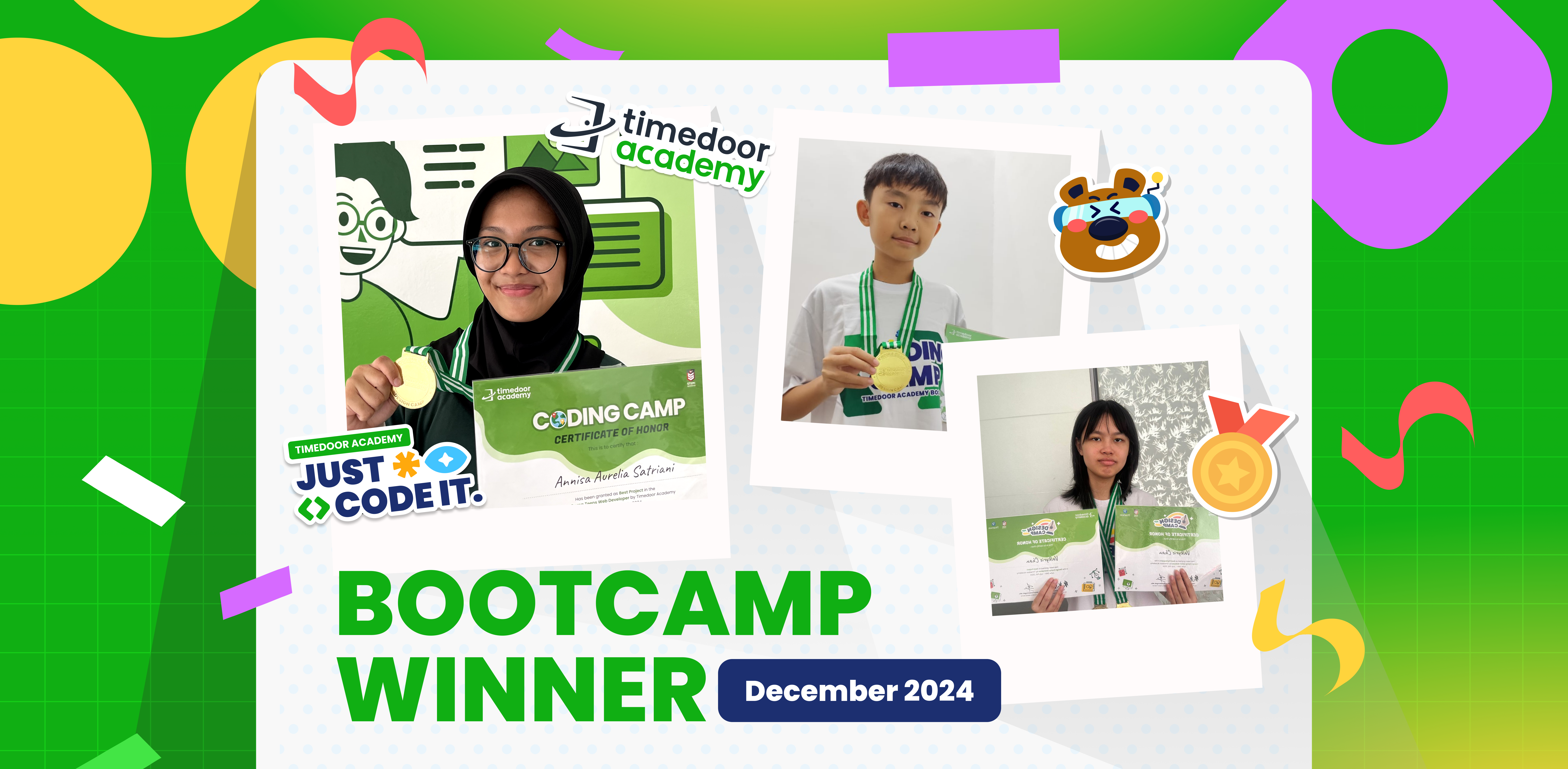
Winners’ Announcement of Bootcamp December 2024

Winners’ Announcement of Bootcamp December 2024 image

Timedoor Academy BootCamp 2024 was held from December 9 to 27, 2024, with over 200 participants from both Online and Offline classes across Indonesia. This year, we also launched two exciting new programs: Kids Machine Learning and Entrepreneurship, which generated even more excitement among our students.

Timedoor Academy offers a dynamic 5-day BootCamp, featuring various programs that allow students to choose based on their interests. The Coding Camp includes a wide range of courses such as Game Development, Website Development, Python Development, Roblox Development, Artificial Intelligence, and Internet of Things (IoT). Meanwhile, our Design Camp focuses on nurturing students’ creativity through programs like Animation Creation, Branding Design, UI/UX Design, and Comic Making.

At Timedoor Academy, we aim to help students become skilled programmers, designers, and comic artists in just 5 days by challenging them to create top-tier projects using cutting-edge platforms. This experience equips them to become digital experts ready to tackle the challenges of today and tomorrow!

Today, we’re excited to announce the top award recipients from each program category. The award winners are recognized for their Best Project and Best Participant achievements. Check out the list of winners below!

JUNIOR ANIMATOR
CATEGORY PARTICIPANT’S NAME BRANCH
Best Project Malik Akbar Pahlevi Cimanggu, Bogor
Best Participant Made Indah Widyasari Renon
JUNIOR 3D GAME
CATEGORY PARTICIPANT’S NAME BRANCH
Best Project Ibra Maimun Medan
Best Participant Azfar Milo Respati Gatsu
JUNIOR CONSTRUCT
CATEGORY PARTICIPANT’S NAME BRANCH
Best Project Randall Elmer Keeley Sanjaya Citraland
Best Participant Brigita Clarisa Kanaya Bandaso Cikarang
KIDS CONSTRUCT BEGINNER + WEBSITE
CATEGORY PARTICIPANT’S NAME BRANCH
Best Project Muhammad Iqbal Rachman Jambi
Best Participant M.Abizar Maimun Medan
KIDS MACHINE LEARNING
CATEGORY PARTICIPANT’S NAME BRANCH
Best Project Nabila Syahquita Pontianak
Best Participant I Gede Agasthya Putra Darmawan Gatsu
KIDS ANDROID APP DEVELOPER
CATEGORY PARTICIPANT’S NAME BRANCH
Best Project Raisa Raya Sabriya Jambi
Best Participant Fatih Rizqi Mubarok Jambi
KIDS ROBLOX
CATEGORY PARTICIPANT’S NAME BRANCH
Best Project Tyo Putra Daud Gorontalo
Best Participant Natanael Halim Cikarang
KIDS PYTHON
CATEGORY PARTICIPANT’S NAME BRANCH
Best Project Reinhart Amadeus Christianto Online ID
Best Participant Olivia Kisya Mahendra Jimbaran
KIDS AI DEVELOPER
CATEGORY PARTICIPANT’S NAME BRANCH
Best Project Jason Andrew Cikarang
Best Participant Gabriel Prathama Wijaya Online ID
TEENS PHASER
CATEGORY PARTICIPANT’S NAME BRANCH
Best Project Naufal Arfan Online ID
Best Participant Muhammad Rizki Mahendra Online ID
TEENS WEB DEVELOPER
CATEGORY PARTICIPANT’S NAME BRANCH
Best Project Arkaan Fatih Safaraz Pekanbaru
Best Participant Faeyza Nur Huda Online ID
TEENS ROBLOX
CATEGORY PARTICIPANT’S NAME BRANCH
Best Project Affa Danendra Sarwoko Pontianak
Best Participant Muhammad Vedro Alfadillah Pontianak
TEENS PYTHON
CATEGORY PARTICIPANT’S NAME BRANCH
Best Project Gregory Gaven Greenlake
Best Participant Komang Gede Bayu Sefti Wiguna Renon
TEENS APP DEV
CATEGORY PARTICIPANT’S NAME BRANCH
Best Project I Gusti Ayu Ari Cahya Widiadnyani Gatsu
Best Participant Valkyrie Chan Online ID
TEENS AI DEV
CATEGORY PARTICIPANT’S NAME BRANCH
Best Project Filigon Bryliant El Fikri Sirait Kelapa Gading
Best Participant Aghniya Kelapa Gading
 COMIC KIDS
CATEGORY PARTICIPANT’S NAME BRANCH
Best Project Razita Maryam Hernanda Online ID
Best Participant Christopher Martin Susanto Online ID
 COMIC TEENS
CATEGORY PARTICIPANT’S NAME BRANCH
Best Project Joanne Gracia Susanto Online ID
Best Participant Ulinnuha Inma Ghozali Online ID
 DESIGN BRANDING
CATEGORY PARTICIPANT’S NAME BRANCH
Best Project Kanaka Mahabarata Online ID
Best Participant Anja Ruci Berlian Online ID
 DESIGN ANIMATION
CATEGORY PARTICIPANT’S NAME BRANCH
Best Project Manuel Angelo Siburian Online ID
Best Participant Justin Clarence Luckijaya Gatsu
 DESIGN UI/UX WEB
CATEGORY PARTICIPANT’S NAME BRANCH
Best Project Jovan Wang Online ID
Best Participant Jonathan Wang Online ID
IOT KIDS & TEENS
CATEGORY PARTICIPANT’S NAME BRANCH
Best Project Kevin Hansel Wibowo Citraland
Best Participant Kadek Nirwasita Danaswara Gatsu

Keep Reading

<strong>5 Top Recommendations for Saving Accounts for Kids: Safe and Educational Options</strong>
5 Top Recommendations for Saving Accounts for Kids: Safe and Educational Options
Teaching children to save from an early age is a smart move to help them build healthy financial habits. One of the most effective steps parents can take is to open saving accounts for kids with a trusted bank. Through these special products, parents can introduce financial concepts, help children manage their allowance, and encourage a sense of responsibility about money management right from the start. Today, many banks around the world offer saving accounts for kids that are both attractive and educational. Parents can easily keep an eye on the balance and guide their children toward reaching their savings goals, whether it’s for a new toy, a book, or something they need for school. However, choosing saving accounts for kids should not be done on a whim. There are several factors to consider, including minimum deposit requirements, fees, as well as features like debit cards, mobile banking apps, and educational resources. Here are five of the best saving accounts for kids from globally recognized banks that are worth considering this year. 1. HSBC MySavings Youth Account The HSBC MySavings Youth Account is a popular choice among saving accounts for kids. Designed for children and teens (typically ages 7 to 17, though age requirements vary by country), this account helps kids understand banking basics and offers competitive interest rates with parental oversight. Highlights: No monthly fees Low minimum deposit Optional debit card with parental approval Online banking access for both parents and kids HSBC’s strong global network and easy-to-use digital services make it a reliable choice for families everywhere. 2. Santander 123 Mini Account The Santander 123 Mini Account is an excellent example of saving accounts for kids that are accessible internationally, especially in the UK and Spain. Suitable for children up to 17 years old, this account focuses on developing smart savings habits through a simple interface. Highlights: No monthly maintenance fees No minimum deposit Optional contactless debit card for older kids Online and mobile banking for parents and children This account lets parents supervise transactions while helping children learn the importance of saving and budgeting. 3. Capital One Kids Savings Account For families in the United States, the Capital One Kids Savings Account is an easy and fee-free way to get children started with saving accounts for kids. This account offers robust parental controls and is designed to be managed entirely online. Highlights: No monthly or annual fees No minimum balance requirement Competitive interest rates User-friendly mobile banking app Capital One also provides helpful resources for parents and kids to learn about money management together. 4. Revolut <18 (Under 18 Account) Revolut <18 is a digital solution for saving accounts for kids, available across Europe, the UK, Australia, Singapore, and other regions. Designed for children ages 6 to 17, it provides a digital wallet and a prepaid debit card under the supervision of a parent. Highlights: Instant app-based notifications Parental controls and spending limits Prepaid debit card for safe transactions Budgeting tools and goal setting Revolut <18 is ideal for families who want a modern, digital approach to teaching kids about saving and spending safely. 5. Chase First Banking Chase First Banking is one of the latest saving accounts for kids in the United States, created in partnership with Greenlight. It combines checking and savings features with strong parental controls and educational tools. Highlights: No monthly service fees Customizable saving, spending, and earning features Parental approval for key transactions Access to a large network of ATMs and branches Chase’s mobile app is intuitive and helps children learn to set goals, manage money, and track their progress in real time. Tips for Choosing the Right Saving Accounts for Kids To maximize the benefits, here are some useful tips for selecting saving accounts for kids: Choose an account that suits your child’s age and offers strong parental oversight. Look for low fees, reasonable minimum deposits, and attractive interest rates. Consider extra features such as mobile banking, debit cards, and educational content. Prefer banks with programs that reward good saving habits and offer financial education. Involve your child in the process of opening the account to build a sense of responsibility and motivation. Saving, Financial Literacy, and Digital Skills for the Future Introducing saving accounts for kids is not just about putting money away; it’s about building a foundation for lifelong financial literacy. In our increasingly digital world, it’s also wise to introduce children to essential digital skills like coding, preparing them for tomorrow’s challenges. If you want your child to become both financially responsible and tech-savvy, sign them up for a free trial coding class at Timedoor Academy. Kids can learn money management while developing logical thinking and creativity, helping them grow into a wise and innovative generation.
Amazing Benefits of Robotics Course for Elementary Students Every Parent Should Know
Technology is advancing rapidly year by year. Children who are currently in elementary school will face a future filled with innovation, automation, and artificial intelligence. Therefore, equipping them with relevant skills from an early age is crucial. One of the best ways to prepare them is through a robotics course for elementary students. With engaging and practical methods, children can learn to understand technology while also developing their creativity. What Is a Robotics Course? A robotics course is a learning program that introduces children to the process of designing, assembling, and programming simple robots. Through a robotics course for elementary students, children can explore the basic principles of science, technology, engineering, and mathematics, often referred to as STEM. These activities are designed to be fun and interactive, so children feel like they are playing while actually building valuable skills. The Benefits of Robotics Course for Children Many parents are choosing a robotics course for elementary students because of its wide-ranging benefits. First, children learn to think logically and systematically. Each robot component must be installed in the correct order, helping them understand cause-and-effect relationships. Second, they develop problem-solving skills. When the robot does not work as expected, children are encouraged to find creative solutions. Third, the course teaches patience and perseverance since building a robot requires time and dedication. Boosting Creativity and Imagination Beyond technical aspects, a robotics course for elementary students also nurtures creativity. Children are not limited to simply following instructions, but are encouraged to design and test their own ideas. For instance, they can build robots that walk, light up, or even play simple music. This process shows children that technology is not only something to use, but also something they can create themselves. Developing Social Skills Many robotics course for elementary students programs are conducted in groups. This allows children to collaborate with peers, exchange ideas, and solve challenges together. Learning how to work in a team will benefit them not only in school, but also in their personal and professional lives later on. Building a Strong Foundation for the Future In today’s world, technology skills are key to future success. By taking a robotics course for elementary students, children are not only prepared for academic challenges but also given a strong foundation for careers in technology-related fields. Areas such as artificial intelligence, data science, and mechanical engineering will be easier to grasp because they have already been introduced to the basics of robotics at a young age. The Role of Parents in Supporting Learning Parental support plays a major role in a child’s learning journey. Celebrating small achievements, assisting them during robot-building sessions, or simply listening to their stories about class experiences can boost their confidence. With such support, every session in a robotics course for elementary students will become even more meaningful. Why Choose Timedoor Academy? Timedoor Academy offers a robotics program tailored specifically for elementary school students. Its curriculum goes beyond technical knowledge by also focusing on creative thinking and collaboration. Each class is guided by experienced mentors who understand how to introduce technology to young learners effectively. With a fun and interactive environment, children will be excited to join every session. Enroll Your Child at Timedoor Academy! If you want your child to develop future-ready skills, now is the perfect time to take action. Register them for a Free Trial at Timedoor Academy and discover how robotics courses can transform curiosity into real abilities. Click the registration button today and give your child the best opportunity to grow and succeed.
Anak BeLajar coding di Rumah
DIY Coding Projects You Can Do with Your Kids at Home – Fun & Creative Learning Together!
If your kids are fascinated by the world of technology, they’ll be excited to explore coding and create something they can interact with. And guess what? Coding isn’t as intimidating as it may seem! It’s a fun and educational learning experience that both you and your kids can enjoy together. At Timedoor Academy, we believe in the power of hands-on learning. DIY coding projects not only teach kids essential coding skills but also spark creativity, problem-solving, and teamwork. Why not dive into the world of coding and engage your child in exciting learning activities today? To get started, we’ve compiled a list of fun coding activities that are perfect for kids aged 6 to 12. Let’s make learning and coding an adventure right at home! 1. Create a Simple Animation Using Scratch Learning by Coding Scratch is a beginner-friendly visual programming language that allows kids to create their own stories, games, and animations. This coding tool uses blocks of code that kids can drag and drop, making it easy to build interactive projects. Project Idea: • Create a simple animation where characters move across the screen or interact with one another. For example, you can create a story where a cat talks to a dog, or have a dancing sprite! Why It’s Great? • Scratch teaches kids basic concepts like sequencing, loops, and event handling. Plus, it’s a fun way to let their imagination run wild! 2. Build Your Own Interactive Coding Website with HTML & CSS Learning Want to introduce your child to the world of web development? Start with the basics of HTML (the structure of websites) and CSS (the styling). These simple tools lay the foundation for most websites and are an excellent way to teach coding while building something tangible. Project Idea: • Help your child design their first interactive website—perhaps a personal homepage, a family blog, or a site about their favorite hobbies. Add fun elements like color changes, buttons, and images to make it unique! Why It’s Great? • HTML and CSS are easy to learn and give kids a sense of accomplishment once they see their website live. It’s also a practical skill that could inspire future web development projects. 3. Create a Virtual Pet Game with Scratch or Python Coding Learning For a more advanced project, you can introduce your child to a text-based or graphical game. You can either start with Scratch for a simpler, drag-and-drop experience or move to Python for a more detailed, code-based game. Project Idea: • Make a simple virtual pet game where players can feed, play with, and take care of their pet. The game could involve a timer for pet care and scoring points for actions completed correctly. Why It’s Great? • This project teaches game design, logic, and conditionals (e.g., “If you feed the pet, it gets happier”). It’s a perfect introduction to more complex programming concepts, all while having fun creating a game! 4. Make a Digital Art Project by Coding with Tynker Learning Tynker is another great coding platform that teaches kids how to code using fun, interactive lessons. It’s perfect for visual learners and offers a wide range of activities, including digital art creation. Project Idea: • Use Tynker to create your own digital drawing or animation. You can have your child make a picture come to life by using basic coding blocks to animate shapes or objects. Why It’s Great? • Tynker makes learning coding feel like a creative art project. It’s also a wonderful way for children to combine their interest in drawing with coding! 5. Make a DIY Robot with Coding Kits Learning If you have access to coding kits such as LEGO Mindstorms, LittleBits, or other programmable robotics kits, this is a fantastic hands-on project to get kids into coding. Project Idea: • Build and program a robot that can move, detect objects, or follow simple commands. You can even create a challenge where the robot has to navigate a maze or complete a task, like picking up small objects. Why It’s Great? • Robotics introduces kids to both hardware and software, bridging the gap between the physical and digital worlds. It encourages problem-solving, critical thinking, and teamwork. 6. Create a Music Maker with Coding Learning If your child loves music, why not combine it with coding? There are several tools and platforms that allow kids to make music through programming. Project Idea: • Help your child create a simple music generator where different sounds or beats are played based on certain inputs. Platforms like Sonic Pi let kids create music with code, and they can even create rhythms and melodies! Why It’s Great? • This project combines creativity with coding and gives kids a fun way to engage with both music and technology. 7. Design a Choose-Your-Own-Adventure Story by Coding Learning A fun way to learn coding is by creating an interactive story, like a “Choose Your Own Adventure” game. You can use simple platforms like Twine, which allows kids to write stories with code-based choices. Project Idea: • Write an interactive story where the reader can make choices, and each choice leads to different outcomes. For example, “Should the character go left or right?” The story branches out from there! Why It’s Great? • This teaches kids logic, sequencing, and how their decisions in coding can affect the outcome. Plus, it’s a great way for kids to practice their writing and storytelling skills. Coding is Fun and Rewarding Learning! At Timedoor Academy, we believe that learning to code is not only about the technical skills—it’s also about sparking curiosity, creativity, and critical thinking. By taking on these DIY coding projects, you’ll not only teach your child valuable programming skills but also bond through shared, creative experiences. So, gather your tools, start coding, and most importantly, have fun with your child! Remember, the best way to learn is by doing—and what better way to learn together than through fun, hands-on projects? Ready to dive deeper into coding learning? Join one of Timedoor Academy's online coding classes and support your child's learning journey in a structured, fun and supportive environment. We offer a Free Trial to provide a no-cost first learning experience, so your child can try our classes before deciding to continue.  Our courses are designed to help children develop their coding skills while still enjoying every step of the way. Visit our website for more information here!
float button