Nov 19, 2024

Timedoor Academy Win Coding Competition in Southeast Asia!
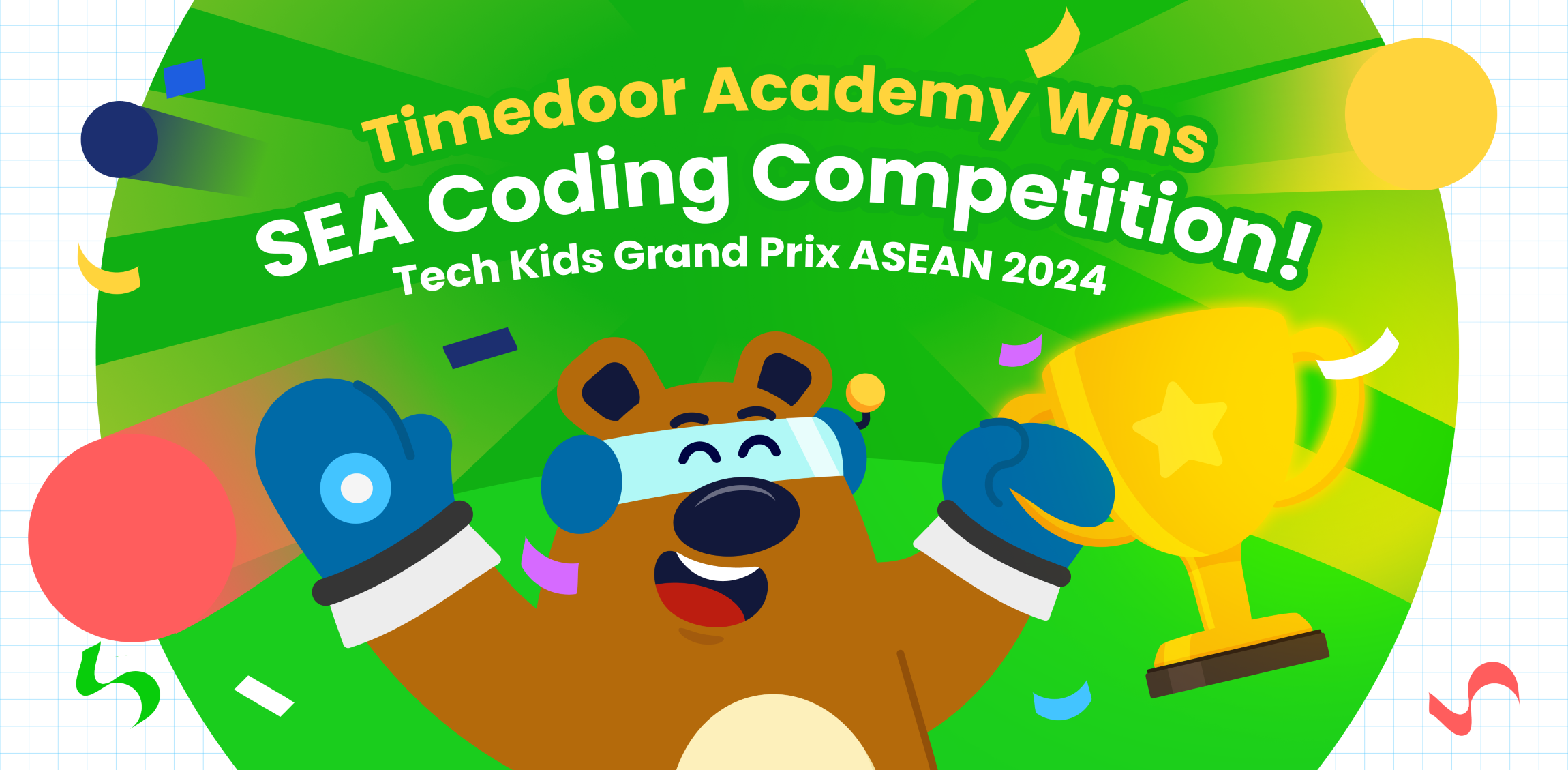
Timedoor Academy Win Coding Competition in Southeast Asia! image

Timedoor Academy Shines at the Biggest Kids Coding Competition in Southeast Asia!

We are thrilled to share the outstanding achievements of our students at the largest kids coding competition in Southeast Asia, Tech Kids Grand Prix ASEAN 2024, organized by a prominent Japanese company. This prestigious event brought together young coding enthusiasts from various countries, providing them with an incredible platform to showcase their creativity, skill, and determination.

An Unforgettable Event

This competition provided a platform for kids to showcase their unique coding projects, ranging from mobile apps to games, and even multimedia presentations. More than just a competition, it was an opportunity for students to explore their passions, push their boundaries, and connect with like-minded peers.

Timedoor Academy is thrilled to announce that three of our students stood out in the competition, earning impressive awards for their innovative work. Timedoor Academy also had several other students who earned Top 30 recognition, which further demonstrates the exceptional talent and dedication within our community.

Nadzkara Fakhri Madenda (Fay)

Fay menciptakan sebuah game interaktif kekayaan budaya Indonesia. Proyek ini memperkenalkan berbagai aspek budaya, seperti makanan tradisional, alat musik, pakaian, dan permainan rakyat daerah Indonesia. Fay meraih Presentation Award berkat kemampuannya dalam mempresentasikan proyek ini secara menarik dan detail di depan para juri.

Mohammad Fardeen

Fardeen dari Bangladesh, menciptakan sebuah aplikasi tabungan yang ditujukan untuk anak-anak. Fardeen terinspirasi dan merancang platform yang membantu anak-anak memahami pentingnya menabung dan literasi keuangan. Berkat visinya yang inovatif dan relevan, Fardeen berhasil meraih Product Award.

Top 30 Achievers

In addition to our winners, we also want to acknowledge the Top 30 students who represented Timedoor Academy with excellence. These students achieved impressive rankings that reflect their hard work and commitment:

  • I Nyoman Aditya Basudeva Mahaputra (Gatsu Branch)
  • Gede Agasthya Putra Darmawan (Gatsu Branch)
  • Theodorus Giovanni D (Gayungan Branch)
  • Jabir Sharwar (Online Bangladesh)
  • Mahrus Rahman Ayan (Online Bangladesh)

We are incredibly proud of all these students for their exceptional achievements and their contributions to the competition.

A Truly Memorable Experience

For our winners, this competition was more than just about winning—it was about growth, learning, and gaining invaluable experience. Both Fay and Fardeen expressed how meaningful the competition was to them, highlighting how much they learned throughout the process and how grateful they were for the guidance and support from Timedoor Academy and their dedicated teachers. Fay and Fardeen described the experience as “awesome” and said it was a journey they would always cherish.

Support from Timedoor Academy

To cheer on our students, Yutaka Tokunaga (CEO), Ayu Krisnasari (Curriculum Manager), and Bernadet Andini (Curriculum and Teacher Leader) flew to Singapore to provide their support during the event. Their presence was a testament to Timedoor Academy’s commitment to empowering students and supporting their growth at every stage of their learning journey.

We are incredibly proud of all the students who participated in this prestigious event. Their success is a reflection of their creativity, perseverance, and the dedication of the teachers and mentors who supported them. This competition has shown that Timedoor Academy students are truly capable of achieving greatness.

Looking Ahead

As we celebrate these incredible achievements, we are also looking forward to future opportunities for our students to shine. Timedoor Academy will continue to support and nurture young talent, helping them develop the skills they need to succeed in the digital world. We are excited to see what our students will accomplish next!

Stay tuned for more inspiring stories from Timedoor Academy as we continue to empower the next generation of innovators!

We provide opportunities for children to explore their potential in the programming world through our free trial sessions.

For more information, please visit the link here.
Keep Reading

Aplikasi Belajar Anak SD
Top 10 Technology Tools for Elementary Students in 2025
As we step into 2025, technology tools for elementary students are more important than ever. These tools enhance creativity, improve learning outcomes, and foster engagement both inside and outside the classroom. With the help of these technology tools for elementary students, children can develop essential skills that will serve them throughout their academic careers and beyond. Here’s a list of 10 essential technology tools for elementary students to boost their educational experience in 2025. Top 10 Technology Tools for Elementary Students in 2025 1. Kahoot! Focus: Interactive learning and quizzes Kahoot! remains one of the most popular technology tools for elementary students because it turns learning into a fun and competitive experience. Teachers and students can create customized quizzes on subjects like math, science, and language arts, fostering active participation. How to Use It: By incorporating Kahoot! in lessons, educators can make learning feel like a game. Students can play individually or in teams, which makes learning not only engaging but also interactive. With real-time feedback, teachers can adjust their lessons based on students' performance, ensuring that every child stays on track. 2. Seesaw Focus: Digital portfolio and communication Seesaw is another fantastic example of technology tools for elementary students that focuses on student documentation and communication. It allows students to create digital portfolios where they can showcase their work through photos, videos, and drawings. This tool strengthens the bond between teachers and parents, as they can track the progress of the students in real-time. How to Use It: With Seesaw, students can upload images of their assignments or record their thoughts on projects. Teachers can provide feedback and conduct virtual lessons or activities, keeping students and parents connected in an efficient, digital space. 3. Google Classroom Focus: Classroom management and assignment tracking Google Classroom is essential for managing assignments, tracking progress, and organizing classroom materials. As one of the top technology tools for elementary students, it helps both teachers and students streamline their work. Teachers can assign tasks, grade assignments, and provide real-time feedback, while students can easily access learning materials and submit work in one centralized platform. How to Use It: Teachers can post assignments and resources to Google Classroom, making it easy for students to stay organized. Additionally, it integrates with Google Drive, enabling students to collaborate on documents and presentations. This makes it easier to stay on top of deadlines and receive instant feedback. 4. Scratch Focus: Coding and creativity Scratch is one of the most popular technology tools for elementary students when it comes to learning programming. Through visual coding, students can create interactive stories, games, and animations, sparking creativity while teaching them important skills in computational thinking. How to Use It: Scratch is beginner-friendly and offers a drag-and-drop interface for students to build their own projects. Teachers can incorporate Scratch into STEM lessons, teaching logic, sequencing, and problem-solving through interactive coding challenges. This tool is a great starting point for young learners to get familiar with coding and digital creation. 5. Epic! Focus: Digital library for young readers For young readers, Epic! is an invaluable tool in the world of technology tools for elementary students. Epic! offers access to thousands of books, audiobooks, and educational videos. Its interactive features like read-aloud and quizzes make reading more engaging for children. How to Use It: Teachers can assign reading materials directly from Epic! to keep students engaged with books that suit their level. Students can explore a vast library of e-books or listen to audiobooks that cater to their individual reading preferences. Epic! fosters a love for reading by offering a fun and interactive approach to literature. 6. ClassDojo Focus: Classroom behavior and communication ClassDojo is one of the best technology tools for elementary students when it comes to fostering positive behavior and classroom culture. It allows teachers to reward students for good behavior, accomplishments, and teamwork. How to Use It: Teachers can assign points to students based on specific behaviors, such as being on task, helping others, or staying focused. These points can be exchanged for rewards like extra break time or special privileges. ClassDojo is an excellent tool for teaching students about responsibility and positive reinforcement. 7. TinkerCAD Focus: 3D design and engineeringFor students interested in design and engineering, TinkerCAD is one of the leading technology tools for elementary students. This user-friendly 3D design platform allows children to create their own digital models. How to Use It: Students can start by designing simple objects like keychains or toys and gradually work their way up to more complex 3D projects. Teachers can use TinkerCAD to introduce students to engineering and design concepts, making it easier for them to visualize their ideas and understand the basics of 3D modeling and printing. 8. Google Earth Focus: Geography and exploration Google Earth opens up the world to elementary students by allowing them to explore every corner of the globe. Whether for geography lessons or environmental studies, this tool is an essential part of technology tools for elementary students. How to Use It: Teachers can use Google Earth to give virtual tours of countries, cities, landmarks, and natural wonders. Students can explore geographical features and learn about different cultures and ecosystems. This immersive tool makes learning about the world fun and interactive. 9. Duolingo Focus: Language learning As one of the leading technology tools for elementary students, Duolingo helps young learners acquire new languages in a fun, gamified format. This app is perfect for introducing kids to a new language, including popular languages like Spanish, French, and German. How to Use It: Duolingo presents lessons in bite-sized segments that are both fun and educational. Students can practice daily and track their progress. This tool offers rewards and challenges, motivating students to keep learning new words and phrases while building language proficiency. 10. BrainPOP Focus: Educational videos and quizzes BrainPOP is a popular educational platform that offers animated videos and interactive quizzes. It covers a wide range of subjects, including science, math, and social studies, making it one of the best technology tools for elementary students to enhance their learning. How to Use It: Teachers can use BrainPOP to introduce new concepts in a fun and visual way. After watching the videos, students can complete quizzes and discuss the material in class. This helps reinforce key ideas and assess student understanding in an engaging, interactive manner. Why Technology Tools Matter for Elementary Students In 2025, technology tools for elementary students are not just an enhancement to traditional learning; they are essential to developing digital literacy and critical thinking skills. These tools help provide personalized learning experiences that adapt to the needs of each student, whether they need extra support or more challenging material. By incorporating technology tools for elementary students into the classroom, teachers can create an environment that promotes engagement, creativity, and collaboration, preparing students for future success in an increasingly digital world. Start Your Digital Learning Journey Today! Want to make learning even more engaging for your child? Explore Timedoor Academy and try free trial class today and discover how our digital learning platform can support your child’s educational growth with interactive lessons and expert-curated content.
Complete Guide How to Make a Roblox Skin for Your Child
For many children, gaming has evolved beyond entertainment. It has become a creative outlet and a way to express themselves. One of the most popular platforms among kids and teens today is Roblox. This game allows users to create virtual worlds and customize their avatars to reflect their unique personalities. That’s why learning how to make a Roblox skin can be both fun and educational for your child. What Is a Roblox Skin? In Roblox, a skin refers to the appearance of a player’s avatar. Children can personalize their avatars by changing clothing, skin tones, hairstyles, accessories, and more. These skins aren’t just for looks. They’re tools for creativity and learning, especially when kids use Roblox Studio to explore deeper customization options. Why Should Kids Learn to Make Their Own Skins? Introducing children to how to make a Roblox skin has numerous benefits. First, it encourages creativity. Kids get to explore color combinations, design themes, and styles. Second, they gain exposure to basic digital tools and visual design principles. This process also supports problem-solving skills. Children often need to experiment and refine their designs to achieve the result they envision. Best of all, it transforms screen time into something more productive and purposeful. What Tools Are Needed? To help your child get started with how to make a Roblox skin, you’ll need just a few basic items: An active Roblox account A computer or laptop Access to Roblox Studio (available free on Roblox’s official site) A downloadable Roblox skin template Roblox provides flat skin templates that show the layout of each part of the avatar, including the head, torso, arms, and legs. These templates serve as the base for customization. Step-by-Step Instructions on How to Make a Roblox Skin Here’s a simple guide that parents and children can follow together: Download the official template from the Roblox Developer site. This template helps with precise customization. Use a graphic editing tool such as Paint.NET, GIMP, or even Pixlr. Choose software that’s beginner-friendly and age-appropriate. Design the skin by adding colors, patterns, logos, or any details your child enjoys. Let them express their personality. Save the file in PNG format without altering the original dimensions. Upload the skin to Roblox Studio and preview how it looks in the game. These steps are not just technical but also developmental. Kids will become familiar with software tools, layout concepts, and creative thinking. Tips to Make the Experience More Enjoyable To ensure your child has fun while learning how to make a Roblox skin, here are a few practical tips: Encourage creative freedom. Allow children to explore their ideas without strict limitations. Turn it into a shared project. Parents can join the process to build stronger connections with their kids. Celebrate their creations. Offering praise builds self-confidence and motivates kids to keep learning. Making a Roblox skin is not just a hobby. It’s a gateway into the world of design and digital literacy. Connecting Hobbies with Digital Learning Exploring how to make a Roblox skin can be an entry point into broader tech skills. Roblox Studio even allows users to add scripts using Lua, a programming language. If your child shows an interest in going further, this could be an ideal time to introduce them to structured learning in technology. Through this hobby, children get a hands-on introduction to digital tools, design logic, and maybe even a little coding. It’s an excellent way to turn a pastime into a valuable learning experience. Try a Free Coding Class at Timedoor Academy Helping your child discover how to make a Roblox skin is more than just a gaming activity. It nurtures creativity, boosts digital confidence, and introduces the basics of design and technology. With the right guidance, what begins as a simple customization project can lead to a deeper interest in tech-based learning. If you’re looking for a fun and structured way for your child to explore coding, creativity, and digital tools, Timedoor Academy offers coding classes specially designed for kids. These programs are interactive, age-appropriate, and focus on building skills for the future.Sign up today for a free trial at Timedoor Academy and support your child’s journey into the world of technology in a fun and meaningful way.
bahasa pemrograman terbaik untuk anak
7 Top Programming Languages for Kids: A Comprehensive Guide for Young Learners
In today’s tech-driven world, learning how to code is an essential skill, especially for young learners. The best programming languages for kids help introduce coding concepts in an engaging and accessible way. When choosing the best programming languages for kids, it’s important to focus on languages that are easy to understand, fun to learn, and open up opportunities for creative projects. In this guide, we will explore some of the best programming languages for kids and why they are excellent choices for young learners eager to start coding. Why Should Kids Learn Programming? Programming isn’t just about learning to code; it’s about developing problem-solving skills, creativity, and logical thinking. The best programming languages for kids teach children how to think critically and break down problems into smaller, manageable tasks. Additionally, coding offers children the opportunity to build their own games, websites, and apps, providing a sense of accomplishment as they bring their ideas to life. Let’s look at some of the best programming languages for kids that can help them begin their coding journey. 1. Scratch Scratch is often considered one of the best programming languages for kids due to its visual interface and simple drag-and-drop functionality. It allows children to create animations, games, and interactive stories without needing to write any complex code. Scratch introduces children to programming logic, such as loops, conditionals, and variables, while keeping things fun and creative. The best programming languages for kids should focus on visual learning, and Scratch is a perfect example. It’s an excellent stepping stone for kids who are new to coding and want to explore the basics of programming in an interactive and playful way. 2. Python Python is one of the best programming languages for kids because it has simple syntax and is very readable, making it easier for young learners to pick up. Python is used in many real-world applications, including web development, data analysis, and game design, which makes it a versatile language to learn. With its broad use in the tech industry, learning Python at a young age gives kids a valuable skill that they can build upon as they grow older. Among the best programming languages for kids, Python stands out for its flexibility and ease of use, allowing children to start building more complex projects as they advance in their coding journey. 3. JavaScript For kids interested in creating websites and online games, JavaScript is one of the best programming languages for kids. It’s the primary language used for adding interactivity to websites, and learning it will allow kids to create dynamic and engaging online experiences. JavaScript is a bit more advanced than Scratch or Python, but it’s still one of the best programming languages for kids because it’s in high demand and offers a hands-on way to build real-world applications. By learning JavaScript, kids gain the foundational knowledge needed to work in web development and understand how websites function, making it a great choice among the best programming languages for kids. 4. Swift Playgrounds Swift Playgrounds is a unique app that teaches children how to code in Swift, which is Apple’s programming language used to build iOS and macOS apps. As one of the best programming languages for kids, Swift is powerful yet accessible, allowing kids to learn coding while solving fun, interactive puzzles. Swift Playgrounds offers an exciting, game-like experience that keeps kids engaged while learning how to code. For kids interested in app development, Swift Playgrounds is one of the best programming languages for kids to learn, as it provides a hands-on way to create mobile apps for iPhones and iPads. 5. HTML/CSS HTML (HyperText Markup Language) and CSS (Cascading Style Sheets) are fundamental languages for web development, and they’re also some of the best programming languages for kids to learn. HTML is used to structure content on the web, while CSS is used to style that content and make it look visually appealing. By learning HTML and CSS, kids can start building their own websites from scratch, gaining a deeper understanding of how the internet works. As two of the best programming languages for kids, HTML and CSS provide kids with a solid foundation in web development that will be useful if they want to learn more advanced languages in the future. 6. Blockly Blockly is a visual programming language developed by Google that teaches programming concepts through a drag-and-drop interface. Blockly is an excellent choice among the best programming languages for kids because it allows kids to focus on logic and problem-solving without worrying about complex syntax. It’s perfect for young learners who want to understand the fundamentals of coding before transitioning to text-based programming languages. For a fun introduction to coding, Blockly is one of the best programming languages for kids, helping kids develop the skills needed to progress to more advanced languages like Python or JavaScript. 7. Roblox Studio Roblox Studio is one of the best programming languages for kids who are passionate about gaming. It uses Lua, a scripting language that’s easy to learn and widely used in game development. With Roblox Studio, kids can create their own games, design interactive environments, and even monetize their creations. It’s an ideal platform for young learners interested in both coding and game design, making it one of the best programming languages for kids. Roblox Studio provides an engaging way for kids to learn programming while also fostering creativity, teamwork, and critical thinking. Kickstart Your Coding Journey with the Best Programming Languages for Kids Choosing the best programming languages for kids is an important step in setting them on the path to learning how to code. Whether they start with Scratch for simple game creation, move on to Python for general programming, or dive into JavaScript for web development, there are plenty of options to explore. Each of the best programming languages for kids offers unique learning opportunities and allows kids to create exciting projects while developing essential problem-solving skills. At Timedoor Academy, we offer coding courses designed specifically for kids, teaching them the best programming languages for kids in a fun and interactive way. Help your child discover the exciting world of coding by signing up for a free trial class at Timedoor Academy!
float button