Nov 19, 2024

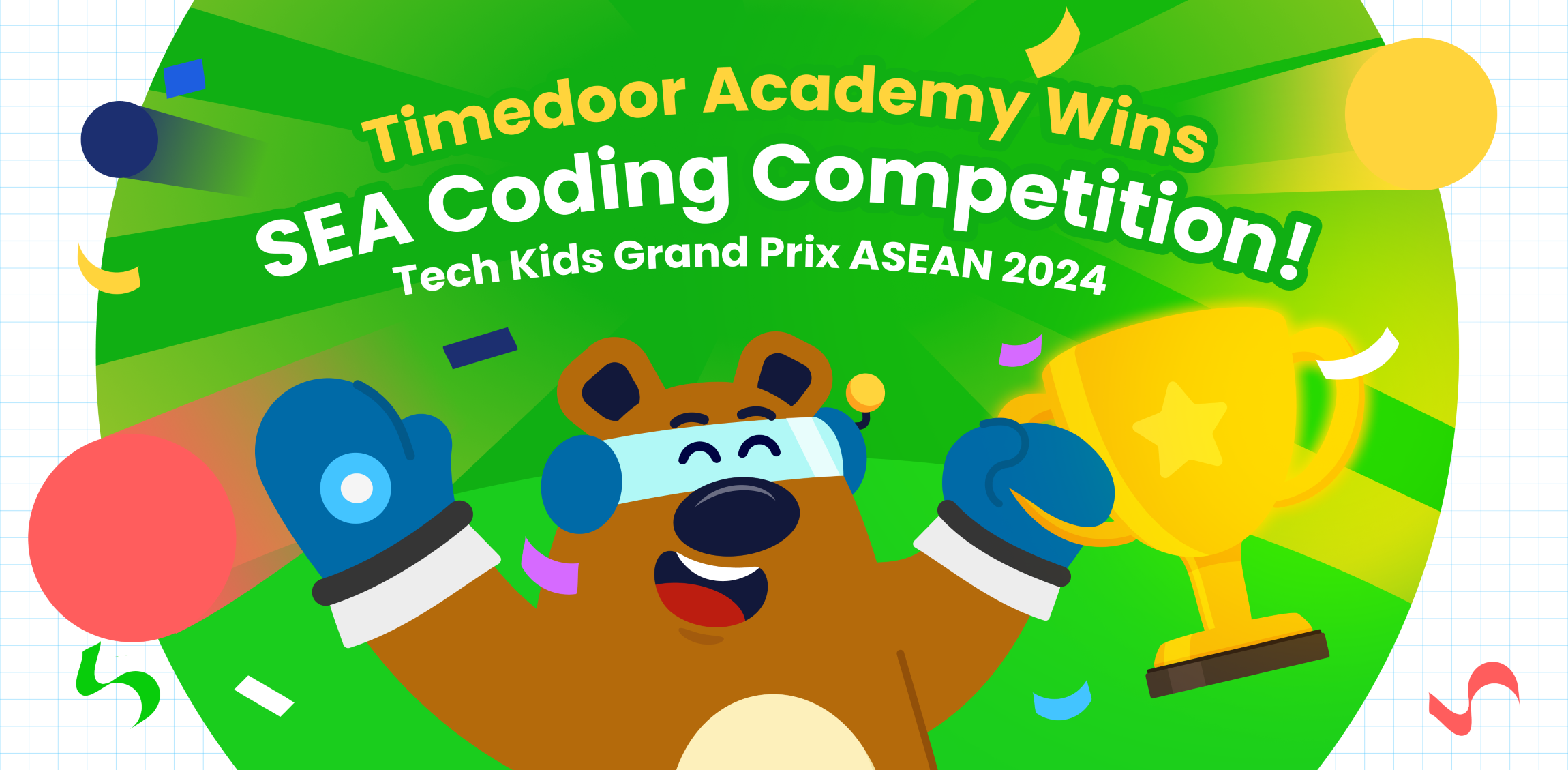
Timedoor Academy Win Coding Competition in Southeast Asia!
Timedoor Academy Win Coding Competition in Southeast Asia! image

Timedoor Academy Shines at the Biggest Kids Coding Competition in Southeast Asia!

We are thrilled to share the outstanding achievements of our students at the largest kids coding competition in Southeast Asia, Tech Kids Grand Prix ASEAN 2024, organized by a prominent Japanese company. This prestigious event brought together young coding enthusiasts from various countries, providing them with an incredible platform to showcase their creativity, skill, and determination.

An Unforgettable Event

This competition provided a platform for kids to showcase their unique coding projects, ranging from mobile apps to games, and even multimedia presentations. More than just a competition, it was an opportunity for students to explore their passions, push their boundaries, and connect with like-minded peers.

Timedoor Academy is thrilled to announce that three of our students stood out in the competition, earning impressive awards for their innovative work. Timedoor Academy also had several other students who earned Top 30 recognition, which further demonstrates the exceptional talent and dedication within our community.

Nadzkara Fakhri Madenda (Fay)

Fay menciptakan sebuah game interaktif kekayaan budaya Indonesia. Proyek ini memperkenalkan berbagai aspek budaya, seperti makanan tradisional, alat musik, pakaian, dan permainan rakyat daerah Indonesia. Fay meraih Presentation Award berkat kemampuannya dalam mempresentasikan proyek ini secara menarik dan detail di depan para juri.

Mohammad Fardeen

Fardeen dari Bangladesh, menciptakan sebuah aplikasi tabungan yang ditujukan untuk anak-anak. Fardeen terinspirasi dan merancang platform yang membantu anak-anak memahami pentingnya menabung dan literasi keuangan. Berkat visinya yang inovatif dan relevan, Fardeen berhasil meraih Product Award.

Top 30 Achievers

In addition to our winners, we also want to acknowledge the Top 30 students who represented Timedoor Academy with excellence. These students achieved impressive rankings that reflect their hard work and commitment:

  • I Nyoman Aditya Basudeva Mahaputra (Gatsu Branch)
  • Gede Agasthya Putra Darmawan (Gatsu Branch)
  • Theodorus Giovanni D (Gayungan Branch)
  • Jabir Sharwar (Online Bangladesh)
  • Mahrus Rahman Ayan (Online Bangladesh)

We are incredibly proud of all these students for their exceptional achievements and their contributions to the competition.

A Truly Memorable Experience

For our winners, this competition was more than just about winning—it was about growth, learning, and gaining invaluable experience. Both Fay and Fardeen expressed how meaningful the competition was to them, highlighting how much they learned throughout the process and how grateful they were for the guidance and support from Timedoor Academy and their dedicated teachers. Fay and Fardeen described the experience as “awesome” and said it was a journey they would always cherish.

Support from Timedoor Academy

To cheer on our students, Yutaka Tokunaga (CEO), Ayu Krisnasari (Curriculum Manager), and Bernadet Andini (Curriculum and Teacher Leader) flew to Singapore to provide their support during the event. Their presence was a testament to Timedoor Academy’s commitment to empowering students and supporting their growth at every stage of their learning journey.

We are incredibly proud of all the students who participated in this prestigious event. Their success is a reflection of their creativity, perseverance, and the dedication of the teachers and mentors who supported them. This competition has shown that Timedoor Academy students are truly capable of achieving greatness.

Looking Ahead

As we celebrate these incredible achievements, we are also looking forward to future opportunities for our students to shine. Timedoor Academy will continue to support and nurture young talent, helping them develop the skills they need to succeed in the digital world. We are excited to see what our students will accomplish next!

Stay tuned for more inspiring stories from Timedoor Academy as we continue to empower the next generation of innovators!

We provide opportunities for children to explore their potential in the programming world through our free trial sessions.

For more information, please visit the link here.
Keep Reading

<strong>5 Key Signs Your Child Needs a Psychologist</strong>
5 Key Signs Your Child Needs a Psychologist
Many parents often dismiss shifts in their child’s behavior as just another phase of growing up. But not every act that seems “naughty” is simply misbehavior. Sometimes, these behavioral changes may actually be signs your child needs a psychologist. In some cases, seeking help from a child psychologist can be a vital step to prevent more serious issues later in life. Recognizing the signs your child needs a psychologist helps parents avoid jumping to the wrong conclusions. By observing changes in your child’s emotions, behavior, and social interactions, you can become more attuned to their mental wellbeing. This article will highlight five of the most common signs that your child might benefit from professional psychological support. 1. Intense and Prolonged Emotional Changes It’s completely normal for children to experience emotions like anger, sadness, or fear. However, if these feelings are extreme and last for an extended period, they may be signs your child needs a psychologist. For example, frequent unexplained crying, outbursts over minor frustrations, or excessive anxiety can interfere with your child’s daily life and social relationships. When emotional disturbances become persistent and disruptive, it’s time to consider speaking with a professional. 2. Withdrawal from Social Activities A child’s social behavior can be a strong indicator of their mental state. If a previously outgoing child suddenly avoids playing with friends, refuses to go to school, or prefers to isolate themselves in their room, it could be cause for concern. Social withdrawal may be a self-protection mechanism triggered by pressure or emotional distress that the child struggles to express. These are also strong signs your child needs a psychologist, and should not be overlooked. 3. Significant Changes in Sleep and Eating Habits Sleep and appetite are closely tied to mental health. If your child starts having trouble sleeping, frequently experiences nightmares, or sleeps excessively, it might point to underlying stress. Likewise, a sudden drop in appetite or overeating can signal emotional strain. When such changes persist for more than two weeks without a clear medical cause, they may be signs your child needs a psychologist to help uncover and address what’s really going on. 4. Decline in Academic Performance or Interest in Learning Psychological stress often affects motivation and focus. A child under emotional strain may lose interest in activities they once enjoyed, including school. If your child suddenly avoids homework, loses enthusiasm for learning, or experiences a drop in grades without an obvious reason, don’t be quick to assume they’re just being lazy. These could be signs your child needs a psychologist, and getting support early can help them bounce back before the challenges deepen. 5. Aggressive or Self-Harming Behavior Aggression, whether directed at others or at oneself, is a serious red flag. A child who frequently throws things, hits, lashes out, or even harms themselves is expressing deep emotional turmoil. These intense behaviors are strong signs your child needs a psychologist. Children may act out physically when they don’t yet have the words to express what they feel inside. A trained professional can help them develop healthier coping mechanisms and guide the family through healing. Nurturing Emotional Resilience Through Positive Engagement Identifying signs your child needs a psychologist doesn’t mean you’re being overly anxious. It means you’re being proactive in supporting your child’s growth, both emotionally and physically. Children don’t always have the language to communicate their struggles, which makes parental awareness all the more important. Alongside mental health support, you can empower your child by encouraging positive learning activities that build confidence and logical thinking, like coding. At Timedoor Academy, children not only explore technology, but also learn to solve problems, think critically, and express ideas clearly. You can start by signing up for a free trial coding class to experience how this nurturing and supportive environment helps children grow — not just academically, but emotionally as well. Try a class today and see the difference it can make in your child’s journey.
dampak positif dan negatif ai terhadap anak
Positive & Negative Effects of AI on Kids
Artificial Intelligence (AI) is becoming a regular part of children's lives, from voice assistants and learning apps to smart toys and educational platforms. As this technology continues to shape the way children learn and interact with the world, parents and educators are beginning to ask an important question: what are the positive & negative effects of AI on kids? While AI can provide engaging and personalized learning experiences, it also raises concerns about screen time, privacy, and social development. In this article, we’ll explore both sides of the story and help you better understand how to manage AI in your child’s life. What Are the Positive & Negative Effects of AI on Kids? Understanding the positive & negative effects of AI on kids starts with identifying how AI is used in their daily routines. Many children today interact with AI-powered tools at home, in school, or even while playing. AI helps personalize lessons based on learning speed and style. It can adjust content difficulty, give instant feedback, and keep children motivated with gamified progress tracking. However, relying too much on AI can reduce face-to-face interactions and lead to excessive screen exposure. As we explore each aspect, keep in mind that moderation and parental guidance are essential to maximizing the benefits of AI while avoiding its downsides. Positive Effects of AI on Kids’ Learning and Development One of the major positive effects of AI on kids is how it transforms the learning process. AI can create personalized learning paths that help students progress at their own pace. This is especially useful for children who need more time with certain subjects or want to advance beyond the standard curriculum. Some common benefits include: Personalized education: Platforms like Duolingo, Khan Academy Kids, and Google’s Read Along adapt to a child’s learning speed and interests. Interactive engagement: AI-powered tools can make learning fun. Children feel like they are playing a game, which boosts motivation and retention. Support for special needs: AI can assist children with learning difficulties, such as dyslexia or ADHD, by providing tailored content and feedback. Language development: Tools like ChatGPT or AI-powered story apps can help kids practice conversation skills, learn vocabulary, and explore creative writing. When used thoughtfully, AI can support cognitive development, encourage independent learning, and make education more accessible to all children. Negative Effects of AI on Kids’ Behavior and Health While the benefits are impressive, the negative effects of AI on kids should not be overlooked. Increased screen time and constant engagement with digital devices can affect children in many ways. Here are some of the concerns: Reduced social interaction: Over-reliance on AI tools can limit kids' real-world communication and collaboration with peers. Privacy and data concerns: AI tools often collect personal data. Parents must stay aware of how and where their child’s information is stored and used. Impaired creativity: When kids rely too much on automated answers or suggestions, it may reduce their problem-solving and critical thinking skills. Health risks: Excessive screen time is linked to eye strain, poor posture, and decreased physical activity. These negative effects of AI on kids highlight the importance of setting boundaries and ensuring that AI is used as a supplement, not a replacement, for real-life experiences. Balancing the Positive & Negative Effects of AI on Kids at Home and School Finding the right balance between the positive & negative effects of AI on kids is the key to ensuring that technology supports rather than harms their development. Here are some strategies: Set clear screen time limits: Encourage breaks and schedule offline activities like outdoor play or reading. Choose high-quality apps: Use tools that offer educational value and avoid those filled with ads or mindless content. Stay involved: Talk to your child about what they’re learning, and encourage them to ask questions or reflect on what they discover. Encourage a mix of learning methods: Combine AI-based tools with traditional learning and hands-on activities. Teach digital responsibility: Help kids understand the importance of online privacy, respectful communication, and balanced usage. By creating a healthy digital environment at home and working with educators to do the same in schools, we can maximize the positive impact of AI while reducing the risks. Managing the Positive & Negative Effects of AI on Kids AI is here to stay, and its role in children's lives will only continue to grow. As with any technology, the key is to use it intentionally. When guided properly, the positive & negative effects of AI on kids can be managed in a way that supports learning, creativity, and healthy development. Parents, teachers, and caregivers all have a role in helping kids develop strong digital habits and a balanced approach to technology. With the right support, AI can be a powerful tool for growth rather than a source of distraction or harm. Make AI Work for Your Child at Timedoor Academy At Timedoor Academy, we believe in using technology the smart way. Our live, interactive coding and digital classes are designed to help kids explore AI, robotics, and programming while developing communication and critical thinking skills. Looking for a healthy way to introduce tech into your child’s routine? Try our free class and see how we guide students to grow in a structured and inspiring environment. Visit our website to learn more and start your child’s smart tech journey today!
How to Use Figma for Kids: A Fun and Simple Digital Design Guide
In today’s digital era, graphic design has become an increasingly essential skill, even for kids. Design is not just about drawing or creating illustrations. It also helps children develop creativity, visual logic, and systematic thinking. One of the most popular and beginner-friendly design tools to introduce early on is Figma. This article will guide you on how to use Figma for kids in a fun and easy-to-follow way. Figma is a web-based design platform widely used by UI/UX professionals and graphic designers. But because of its intuitive interface and real-time collaboration features, Figma can also be a great learning tool for children, especially those curious about digital design, posters, invitations, app layouts, or even simple games. Why Kids Should Learn Digital Design Digital design is not only about aesthetics, but also about communication. Kids who learn design early tend to express ideas visually, organize information clearly, and feel more confident experimenting with their creativity. Design skills also open doors to other fields like illustration, app development, animation, and branding. By learning how to use Figma for kids, the design process becomes more engaging. They can instantly try, rearrange, and explore design elements without needing to install any additional software. What to Prepare Before Using Figma Before your child starts designing, here are some things to set up: Figma account: Create a free account at figma.com. Use a parent’s email and assist during setup. Device: A laptop or desktop with a stable internet connection works best. Simple design theme: Start with fun, easy projects like a birthday card or character illustration. Benefits of Using Figma for Kids Here are some of the main benefits of using Figma as a learning tool for kids: Enhances creativity and visual aesthetics Builds logical thinking through layout structure Boosts confidence through hands-on creation Encourages teamwork and collaboration in online settings Step-by-Step Guide: How to Use Figma for Kids Below are specific steps on how to use Figma for kids, including core features and how to guide them: 1. Introduce the Interface and Basic Tools After logging in to a Figma account, walk your child through the main elements of the workspace: Canvas: the blank area where they’ll build designs Top toolbar: includes tools like Move, Frame, Shape, and Text Left panel: shows the object structure (layers) Right panel: used to adjust color, size, position, and effects Let them freely draw circles, squares, or stars and experiment with colors. This unstructured play helps them get familiar with Figma naturally. This is also a great starting point in how to use Figma for kids in a stress-free way. 2. Start a New Project Click New Design File and let your child name it something fun like “My Poster” or “Cute Cat Project.” Then: Create a Frame using A4 size or mobile screen dimensions Add shapes via the Shape tool, then change colors on the right panel Add text with the Text Tool, and adjust font size, color, and position This step of how to use Figma for kids feels like drawing on a digital piece of paper—fun and intuitive. 3. Add Images and Illustrations To make their design more dynamic, help them insert images: Click File > Place Image and choose from your computer Or simply drag and drop into the canvas Use the Unsplash plugin to find royalty-free images directly inside Figma This makes it easier for kids to create digital greeting cards, collages, or mood boards. These small projects are practical examples of how to use Figma for kids in real-life situations. 4. Create Simple App or Game Layouts For older kids, try introducing them to basic app layout design: Use Frames sized for iPhone or Android Add titles, icons, and buttons Turn elements into Components for duplication Use Prototype mode to simulate screen transitions This is a creative and exciting way to teach design logic and basic UX thinking. It’s also a more advanced stage in how to use Figma for kids who want to go deeper. 5. Collaborate and Present Figma is perfect for collaborative learning. Kids can: Click Share to invite parents, teachers, or friends Use Presentation Mode to view their design full-screen Receive comments directly on the canvas and learn from feedback These interactions help kids learn how to present and improve their ideas. How to use Figma for kids can extend into valuable lessons on teamwork and communication. Combine with Online Design Classes To support their learning journey, consider enrolling your child in an online design course. Timedoor Academy offers kid-friendly design programs based on fun projects and personalized learning. Learning how to use Figma for kids is much easier when supported by friendly mentors and structured activities. Tips for Parents to Support Learning To make the learning process smoother, parents can: Be present during the early stages, then give room to explore Ask about their designs and encourage storytelling Avoid focusing on perfection—celebrate creativity instead Try designing together as a bonding activity Ready to Introduce the World of Design? Introducing your child to digital creativity can begin with simple tools like Figma. With the right guidance and playful approach, how to use Figma for kids becomes a fun activity that sharpens logic, builds visual confidence, and sparks interest in technology. Timedoor Academy is here to support your journey. With interactive online classes and friendly instructors, your child can learn to design with confidence. Try a free class today and help your child discover their design potential from an early age.
float button