Apr 21, 2025

10 Cheap Smartphones for Kids in 2025: Prices and Features

10 Cheap Smartphones for Kids in 2025: Prices and Features image

In today’s digital age, smartphones are not just entertainment tools. For many children, they serve as a bridge to learning, communication, and creativity. Choosing the right device can help your child stay connected in school, access educational apps, and explore digital skills in a fun and productive way.

To help parents make smart and budget-friendly decisions, we have curated a list of the 10 best cheap smartphones for kids in 2025. These models offer great value, strong performance, and essential safety features that are perfect for young users.

What to Consider When Buying a Cheap Smartphone for Kids
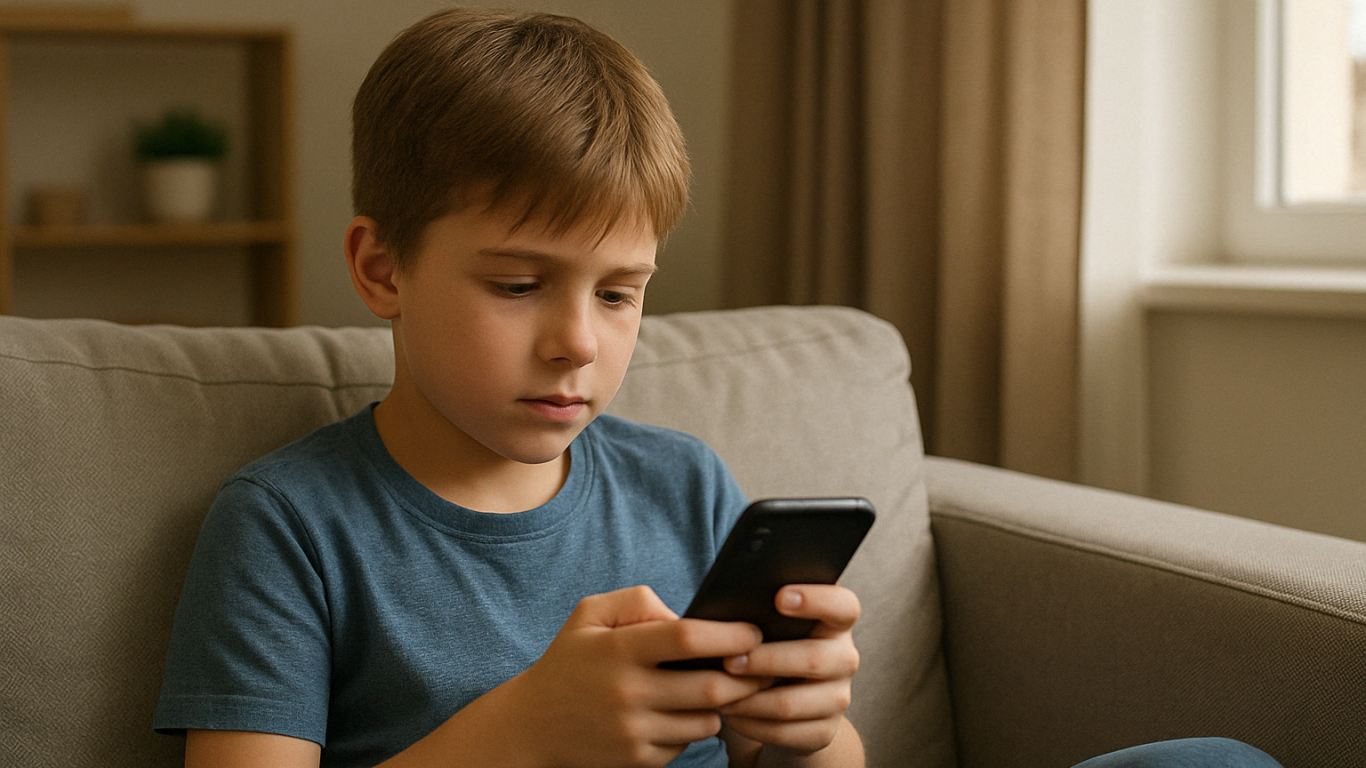
When shopping for cheap smartphones for kids, it is important to think beyond the price tag. Here are key things every parent should consider before making a choice:

Price
A good smartphone for kids does not need to be expensive. Many reliable devices under 180 dollars offer excellent features for school and everyday use.

Parental Controls
Smartphones with built-in parental control settings make it easier to monitor your child’s activity, manage screen time, and ensure safe browsing.

Battery
Look for phones with strong battery life that can support your child throughout a full day of studying, gaming, or video calling without frequent charging.

Durability
Children can be rough with gadgets. A solid build or phone that works well with a protective case will help prevent costly accidents.

Performance
At least 3 GB of RAM and 32 GB of storage is recommended for smooth learning app usage, media playback, and communication features.

10 Best Cheap Smartphones for Kids in 2025

1. Xiaomi Redmi Note 12

A favorite among cheap smartphones for kids, this model supports learning apps and video streaming with ease.


Price:
Around 170 USD
Display: 6.67 inch AMOLED
Processor: Snapdragon 4 Gen 1
RAM and Storage: 4 GB RAM and 128 GB
Camera: 50 MP triple rear
Battery: 5000 mAh with 33W fast charging


2. Realme Narzo 50A

Reliable and long-lasting, this phone is perfect for children attending full-day online classes or playing educational games.


Price:
Around 140 USD
Display: 6.5 inch HD Plus
Processor: MediaTek Helio G85
RAM and Storage: 4 GB RAM and 64 GB
Camera: 50 MP rear
Battery: 6000 mAh


3. Samsung Galaxy A14

A well-known brand delivering one of the most dependable cheap smartphones for kids with a simple interface.


Price:
Around 180 USD
Display: 6.6 inch Full HD Plus
Processor: Exynos 850
RAM and Storage: 4 GB RAM and 64 GB
Camera: 50 MP triple rear
Battery: 5000 mAh


4. Infinix Hot 12

This large-screen phone supports video learning and basic mobile games for children with curiosity.


Price:
Around 130 USD
Display: 6.82 inch HD Plus
Processor: MediaTek Helio G85
RAM and Storage: 4 GB RAM and 64 GB
Camera: 13 MP rear
Battery: 5000 mAh


5. Motorola Moto E40

A practical choice among cheap smartphones for kids with clean software and strong performance.


Price:
Around 150 USD
Display: 6.5 inch HD Plus
Processor: Unisoc T700
RAM and Storage: 4 GB RAM and 64 GB
Camera: 48 MP triple rear
Battery: 5000 mAh

6. OPPO A54

Stylish, dependable, and ideal for preteens who need extra storage for schoolwork and hobbies.


Price:
Around 155 USD
Display: 6.51 inch HD Plus
Processor: MediaTek Helio P35
RAM and Storage: 4 GB RAM and 128 GB
Camera: 13 MP triple rear
Battery: 5000 mAh

7. Tecno Spark 9

Simple and affordable, making it one of the easiest cheap smartphones for kids to learn with.


Price:
Around 130 USD
Display: 6.6 inch HD Plus
Processor: MediaTek Helio G37
RAM and Storage: 4 GB RAM and 64 GB
Camera: 13 MP dual rear
Battery: 5000 mAh


8. Huawei Y5p

Compact and lightweight, this is great for younger kids who are just starting out with digital devices.


Price:
Around 110 USD
Display: 5.45 inch LCD
Processor: MediaTek Helio P22
RAM and Storage: 2 GB RAM and 32 GB
Camera: 8 MP rear
Battery: 3020 mAh


9. Samsung Galaxy M12

Trusted by many parents, this phone balances power and price well for a first smartphone.


Price:
Around 160 USD
Display: 6.5 inch HD Plus
Processor: Exynos 850
RAM and Storage: 4 GB RAM and 64 GB
Camera: 48 MP quad rear
Battery: 6000 mAh

10. Realme C55

With high storage and RAM, this phone is excellent for older children who like creative apps and multitasking.


Price:
Around 170 USD
Display: 6.72 inch IPS LCD
Processor: MediaTek Helio G88
RAM and Storage: 6 GB RAM and 128 GB
Camera: 64 MP dual rear
Battery: 5000 mAh

Let Your Child Grow With Purpose

A smartphone should not just be a toy. With the right guidance, it can be a tool that helps children grow their knowledge, confidence, and independence. Whether it is joining virtual classes, discovering coding, or connecting with mentors online, cheap smartphones for kids can open doors when used wisely.

 Image

At Timedoor Academy, we believe that learning with technology should be meaningful. That is why we offer engaging online classes in coding, animation, and digital skills for children. If you want to help your child turn screen time into real learning, start with a free trial class. No pressure, just an open door to see what your child can create!

Keep Reading

Top 10 Educational Apps For Kids
Top 10 Educational Apps for Kids in 2025 – Learning Meets Fun!
How often do your kids ask, 'Mom, can I play with your phone?' It’s a question many parents hear daily. But what if that screen time could be transformed into a chance for kids to learn, grow, and explore through educational apps? At Timedoor Academy, we believe fun learning shouldn’t end when the school day does. With the right fun learning apps, your child can develop new skills, spark curiosity, and fall in love with education—all while having fun. To help you make the most of screen time, we’ve curated a list of the Top 10 Educational Apps for Kids in 2025—designed for children ages 4 to 12! Top 10 Educational Fun Learning Apps for Kids in 2025 1. Khan Academy Kids: Best Educational App for Kids’ Fun Learning • Age: 2–8 | Free - This all-time favorite keeps growing smarter. In 2025, Khan Academy Kids features more personalized learning paths and emotional learning tools, helping kids improve not just academically—but socially too. The app offers a broad range of subjects, from math and reading to social-emotional skills, making it ideal for holistic development. • Timedoor Tip: Great for early learners who enjoy story-based learning! 2. Duolingo ABC: Best Educational App for Kids’ Fun Learning • Age: 3–7 | Free - A charming spin-off from Duolingo, this app is now powered by AI-driven reading tutors. It helps young kids master the alphabet, phonics, and basic reading skills through interactive play. The app’s bright and engaging visuals keep children interested as they learn essential language skills step by step. • Encourages early literacy in both native and foreign languages. 3. Toca Life World: Best Educational App for Kids’ Fun Learning • Age: 6–12 | Freemium - More than just a game, Toca Life is a creative sandbox for storytelling, roleplaying, and problem-solving. In 2025, it includes educational missions designed by child psychologists and educators to foster creativity and teach key skills like emotional intelligence, cooperation, and critical thinking. • Great for building creativity and emotional intelligence. 4. Prodigy Math Game: Best Educational App for Kids’ Fun Learning • Age: 6–12 | Free with premium option - Prodigy gamifies math using an RPG-style format. The 2025 version introduces adaptive difficulty, so kids are constantly challenged at the right level. With multiplayer features, kids can “battle” with friends while solving math problems, turning learning into an interactive adventure. • Fun, fantasy, and fractions—all rolled into one! 5. CodeSpark Academy: Best Educational App for Kids’ Fun Learning • Age: 5–9 | Subscription - A coding app with no words! Kids learn the logic behind coding through puzzles, games, and story creation. In 2025, CodeSpark Academy introduces collaborative coding projects, allowing kids to work together and solve problems, making it even more engaging for young digital creators. • Perfect for young digital creators and future programmers! Read our another articles:https://timedooracademy.com/blog/winners-announcement-of-bootcamp-december-2024https://timedooracademy.com/blog/timedoor-academy-sea-coding-competition 6. Sago Mini World: Best Educational App for Kids’ Fun Learning • Age: 2–5 | Subscription - This charming app bundle includes over 40 educational games designed for toddlers, each focused on foundational concepts such as shapes, colors, and problem-solving. In 2025, the app adds new science and nature-themed adventures to spark curiosity and introduce environmental awareness. • Ideal for learning through play—especially in early childhood. 7. Elmo Loves ABCs: Best Educational App for Kids’ Fun Learning • Age: 2–5 | Paid - Beloved Elmo helps kids learn alphabets and counting through songs, games, and drawing. A timeless favorite, Elmo’s cheerful presence makes learning numbers fun and accessible for even the youngest learners. The app offers age-appropriate challenges that promote early math skills. • A great bonding activity for parents and toddlers. 8. Endless Alphabet: Best Educational App for Kids’ Fun Learning • Age: 3–7 | Paid - This delightful app uses playful animations and adorable characters to teach kids the alphabet and vocabulary. Each word is brought to life through fun puzzles, with vibrant visuals and friendly creatures that help reinforce each letter and its sound. It’s an excellent way to build literacy skills in young children. • Great for early literacy and word recognition skills. 9. Monkey Preschool Lunchbox: Best Educational App for Kids’ Fun Learning • Age: 2–5 | Paid - This app introduces young children to a variety of foundational concepts such as colors, shapes, numbers, and letters, all through engaging mini-games. The app’s friendly characters make the learning process playful and entertaining, providing a fun, hands-on way to practice essential skills. • Perfect for toddlers to build early math and reading skills in a fun way. 10. Epic!: Best Educational App for Kids’ Fun Learning • Age: 3–12 | Subscription - Epic! offers an extensive digital library of books, audiobooks, and educational videos, making reading more exciting for kids. The app adapts to your child’s interests and reading level, providing them with personalized recommendations and a wide variety of reading material that encourages independent learning. • Ideal for developing reading habits and expanding vocabulary. Turn Kids Curiosity Into Capable Fun Learning In 2025, the world of educational apps is more exciting than ever. Whether your child wants to build stories, solve puzzles, explore new languages, or code their first game—there’s an app waiting to spark that passion. As parents, we don’t just want our kids to be tech-savvy—we want them to be thoughtful, creative learners. The right apps, used with guidance, can be powerful tools for just that. Want to take your kids learning to the next level? Join one of Timedoor Academy's online coding classes and support their development in a structured, fun, and nurturing Llearning environment. Visit our website or contact our team to find the best course for your child.
<strong>How to Set Healthy Screen Time Limits for Children in 2025</strong>
How to Set Healthy Screen Time Limits for Children in 2025
In today’s digital world, children are growing up surrounded by gadgets and screens. Televisions, smartphones, tablets, and laptops have all become a normal part of their daily lives. While these devices bring convenience and learning opportunities, many parents are left wondering: how can we set screen time limits for children that support their healthy physical, mental, and social growth? When managed properly, screen time can be educational and entertaining. But when it becomes excessive, it may pose serious risks to children’s development. That’s why it’s essential for parents to create healthy screen time limits for children and stick to them consistently. Why Do Screen Time Limits for Children Matter? Children are naturally attracted to visual and interactive content. Without supervision, long hours in front of screens can lead to issues like poor sleep, eye strain, less physical activity, and difficulty with social interaction. At their developmental stage, children’s brains need real-world stimulation, not just digital input. Too much screen exposure can also shorten attention spans and reduce focus. Research shows that a lack of screen time limits for children may lead to lower academic performance, slower language development, and even emotional imbalance. Global Health Guidelines Both the World Health Organization (WHO) and the American Academy of Pediatrics (AAP) offer age-specific recommendations for managing screen use: Ages 0–2: Avoid screen time entirely, except for video calls with family. Ages 2–5: Limit screen time to a maximum of 1 hour per day with adult supervision. Age 6 and up: Monitor screen use to ensure it doesn’t interfere with sleep, exercise, or family time. Of course, duration is only one part of the equation. The type of content and how it’s used matter even more. Not all screen time is harmful—especially when it’s used for learning or creating. Risks of Excessive Screen Time Without reasonable screen time limits for children, several long-term consequences can appear: Sleep disruption: Blue light from screens can interfere with melatonin production, making it harder to fall asleep. Physical inactivity: Children who spend too much time on screens may become sedentary, leading to obesity risks. Eye strain: Prolonged use of devices can result in dry eyes and blurred vision. Delayed communication and social skills: Face-to-face interaction decreases, especially during early childhood. Emotional reactivity: Overuse of screens may lead to irritability, impatience, and difficulty managing emotions. How to Set Effective Screen Time Limits Here are several practical strategies that can help you manage screen time for your child: Create a clear daily routine: Only allow screen time after homework, reading, or chores are finished. Be a good role model: Reduce your own screen time at home so your child can follow your example. Use parental control features: Many devices and apps have built-in tools to manage screen access and usage time. Introduce fun offline activities: Encourage exercise, crafts, puzzles, or reading time to balance digital activities. Establish screen-free zones: Keep devices out of the bedroom, dining area, or family time spaces. Choose high-quality content: Use educational platforms or age-appropriate games and videos. Communicate openly: Explain the reasons behind setting limits and include your child in creating rules. Consistency, patience, and open dialogue will help your child build healthy digital habits that last. A Better Way to Use Screen Time: Learn Coding at Timedoor Academy Instead of banning screens altogether, guide your child toward something meaningful. Coding is one of the best ways to turn screen time into an active, creative, and skill-building experience. Children learn logic, problem-solving, and digital literacy in a fun and empowering way. At Timedoor Academy, we offer coding classes that teach children how to create games, websites, and animations while building responsible screen habits. With an international curriculum and project-based learning, screen time becomes a tool for growth—not just entertainment. Try our free trial class and see how your child can thrive with the right kind of digital learning.
<strong>5 Keys: The Differences Between Autism and ADHD in Children That Parents Should Know</strong>
5 Keys: The Differences Between Autism and ADHD in Children That Parents Should Know
Autism and ADHD in children. In the world of child development, two terms that often confuse parents are autism and ADHD. Both are neurodevelopmental conditions that affect how children learn, behave, and interact. However, understanding the differences between autism and ADHD in children is crucial to ensure the right support and approach are given. While they may appear similar at first glance because of overlapping behavioral challenges, the differences between autism and ADHD become clear with closer observation. This article helps parents identify the key traits of each condition and how to distinguish them in daily life. 1. Differences in Social Interaction One of the most noticeable differences between autism and ADHD in children lies in how they interact with others. Children with autism often struggle to understand facial expressions, body language, or social norms. They may seem less responsive during conversations or appear to live in their own world. On the other hand, children with ADHD usually want to engage socially but often interrupt, speak out of turn, or have trouble listening. Here, the differences between autism and ADHD are not just about social interest but also about how children manage their interactions. 2. Focus and Attention Another key difference between autism and ADHD in children is how they focus. Children with ADHD have a hard time staying on task, are easily distracted, and often switch activities without finishing them. In contrast, children with autism can be deeply focused on a specific interest for long periods. This is often called "hyperfocus," especially on topics like numbers, vehicles, or patterns. The differences between autism and ADHD here show opposite tendencies in attention and focus. 3. Behavior Patterns and Routine Children with autism often need consistent routines. Even small changes can cause stress or emotional outbursts. They may also engage in repetitive behaviors like hand flapping, spinning objects, or walking in a specific pattern. Meanwhile, children with ADHD tend to be more impulsive and enjoy change. They may make decisions without thinking and struggle to follow consistent rules. The differences between autism and ADHD in children become clear in how they respond to structure and routine. 4. Language and Communication Language development is another area where the differences between autism and ADHD stand out. Children with autism may have delayed speech or unusual speech patterns, such as repeating words or speaking in a flat tone. They might also prefer gestures over words. In contrast, children with ADHD usually have age-appropriate language skills but may talk excessively, interrupt others, or have trouble listening. These differences between autism and ADHD in children affect both verbal and nonverbal communication. 5. Response to the Environment Children with autism are often sensitive to bright lights, loud sounds, or certain textures. They can become overwhelmed easily by sensory input. On the other hand, children with ADHD often seek out stimulation and may appear constantly active or restless. Recognizing these differences between autism and ADHD helps parents adjust their child’s home or school environment to better support their needs. Diagnosis Requires Professional Evaluation While this article highlights the differences between autism and ADHD, it is important to remember that only a licensed professional, such as a child psychologist, psychiatrist, or developmental pediatrician, can make a formal diagnosis. Some children may show traits of both conditions, so a proper clinical assessment is essential. The Right Support Can Help Children Thrive Once the differences between autism and ADHD in children are understood, the next step is to provide the right support. Behavioral therapy, occupational therapy, and counseling can help children manage their emotions, improve social skills, and adapt to daily challenges. How Coding Helps Support Children’s Development For children with special needs like ADHD or autism, structured and creative activities can be especially beneficial. One such activity is learning to code. At Timedoor Academy, kids can join engaging, structured coding classes that encourage focus, problem-solving, and self-confidence through real digital projects. Try a free coding class at Timedoor Academy and discover how technology can be a powerful and fun learning tool for your child.
float button