Apr 28, 2025

7 Top Programming Languages for Kids: A Comprehensive Guide for Young Learners
7 Top Programming Languages for Kids: A Comprehensive Guide for Young Learners image

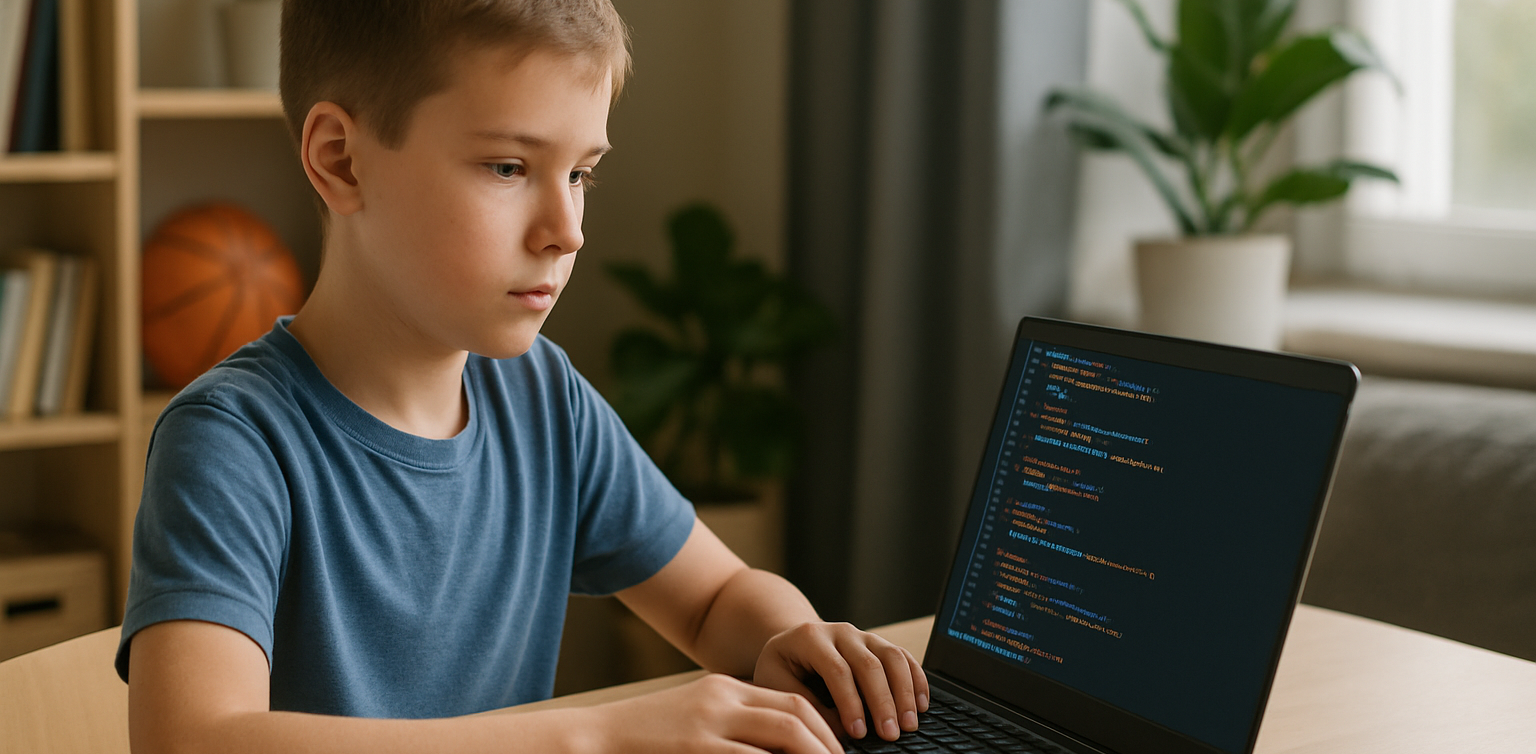
In today’s tech-driven world, learning how to code is an essential skill, especially for young learners. The best programming languages for kids help introduce coding concepts in an engaging and accessible way. When choosing the best programming languages for kids, it’s important to focus on languages that are easy to understand, fun to learn, and open up opportunities for creative projects. In this guide, we will explore some of the best programming languages for kids and why they are excellent choices for young learners eager to start coding.

Why Should Kids Learn Programming?

Programming isn’t just about learning to code; it’s about developing problem-solving skills, creativity, and logical thinking. The best programming languages for kids teach children how to think critically and break down problems into smaller, manageable tasks. Additionally, coding offers children the opportunity to build their own games, websites, and apps, providing a sense of accomplishment as they bring their ideas to life.

Let’s look at some of the best programming languages for kids that can help them begin their coding journey.

1. Scratch

programming languages for kids

Scratch is often considered one of the best programming languages for kids due to its visual interface and simple drag-and-drop functionality. It allows children to create animations, games, and interactive stories without needing to write any complex code. Scratch introduces children to programming logic, such as loops, conditionals, and variables, while keeping things fun and creative.

The best programming languages for kids should focus on visual learning, and Scratch is a perfect example. It’s an excellent stepping stone for kids who are new to coding and want to explore the basics of programming in an interactive and playful way.

2. Python
programming languages for kids

Python is one of the best programming languages for kids because it has simple syntax and is very readable, making it easier for young learners to pick up. Python is used in many real-world applications, including web development, data analysis, and game design, which makes it a versatile language to learn. With its broad use in the tech industry, learning Python at a young age gives kids a valuable skill that they can build upon as they grow older.

Among the best programming languages for kids, Python stands out for its flexibility and ease of use, allowing children to start building more complex projects as they advance in their coding journey.

3. JavaScript

programming languages for kids

For kids interested in creating websites and online games, JavaScript is one of the best programming languages for kids. It’s the primary language used for adding interactivity to websites, and learning it will allow kids to create dynamic and engaging online experiences. JavaScript is a bit more advanced than Scratch or Python, but it’s still one of the best programming languages for kids because it’s in high demand and offers a hands-on way to build real-world applications.

By learning JavaScript, kids gain the foundational knowledge needed to work in web development and understand how websites function, making it a great choice among the best programming languages for kids.

4. Swift Playgrounds

programming languages for kids

Swift Playgrounds is a unique app that teaches children how to code in Swift, which is Apple’s programming language used to build iOS and macOS apps. As one of the best programming languages for kids, Swift is powerful yet accessible, allowing kids to learn coding while solving fun, interactive puzzles. Swift Playgrounds offers an exciting, game-like experience that keeps kids engaged while learning how to code.

For kids interested in app development, Swift Playgrounds is one of the best programming languages for kids to learn, as it provides a hands-on way to create mobile apps for iPhones and iPads.

5. HTML/CSS

HTML (HyperText Markup Language) and CSS (Cascading Style Sheets) are fundamental languages for web development, and they’re also some of the best programming languages for kids to learn. HTML is used to structure content on the web, while CSS is used to style that content and make it look visually appealing. By learning HTML and CSS, kids can start building their own websites from scratch, gaining a deeper understanding of how the internet works.

As two of the best programming languages for kids, HTML and CSS provide kids with a solid foundation in web development that will be useful if they want to learn more advanced languages in the future.

6. Blockly
Blockly is a visual programming language developed by Google that teaches programming concepts through a drag-and-drop interface. Blockly is an excellent choice among the best programming languages for kids because it allows kids to focus on logic and problem-solving without worrying about complex syntax. It’s perfect for young learners who want to understand the fundamentals of coding before transitioning to text-based programming languages.

For a fun introduction to coding, Blockly is one of the best programming languages for kids, helping kids develop the skills needed to progress to more advanced languages like Python or JavaScript.

7. Roblox Studio

Roblox Studio is one of the best programming languages for kids who are passionate about gaming. It uses Lua, a scripting language that’s easy to learn and widely used in game development. With Roblox Studio, kids can create their own games, design interactive environments, and even monetize their creations. It’s an ideal platform for young learners interested in both coding and game design, making it one of the best programming languages for kids.

Roblox Studio provides an engaging way for kids to learn programming while also fostering creativity, teamwork, and critical thinking.

Kickstart Your Coding Journey with the Best Programming Languages for Kids

 Image

Choosing the best programming languages for kids is an important step in setting them on the path to learning how to code. Whether they start with Scratch for simple game creation, move on to Python for general programming, or dive into JavaScript for web development, there are plenty of options to explore. Each of the best programming languages for kids offers unique learning opportunities and allows kids to create exciting projects while developing essential problem-solving skills.

At Timedoor Academy, we offer coding courses designed specifically for kids, teaching them the best programming languages for kids in a fun and interactive way. Help your child discover the exciting world of coding by signing up for a free trial class at Timedoor Academy!

Keep Reading

apps for kids learning english
10 Best Apps for Kids Learning English in 2025 (Fun and Effective Tools)
In today's digital age, many parents are turning to technology to support their child's education. If you're searching for apps for kids learning English, you are in the right place. The right apps can help children build their vocabulary, improve pronunciation, and master grammar while having fun through interactive games, songs, and storytelling. This article features the 10 best apps for kids learning English in 2025. Whether your child is a complete beginner or looking to sharpen their English skills, these apps offer engaging ways to learn at home or on the go.   10 Best Apps for Kids Learning English in 2025 (Fun and Effective Tools)   1. Duolingo Kids Why it’s great: Duolingo Kids simplifies English learning with bite-sized, gamified lessons. The colorful design and rewards system make it exciting for young learners. Key Features: Fun vocabulary practice with visual cues Audio support for correct pronunciation Progress tracking for parents Ideal for: Children aged 4 to 10 who enjoy playful, interactive learning.   2. Lingokids – Playlearning App Why it’s great: Lingokids offers a complete English learning experience for kids. It includes games, songs, and videos that cover grammar, vocabulary, and conversation skills. Key Features: Adaptive learning based on skill level Downloadable content for offline use Weekly progress reports for parents Ideal for: Preschool and elementary-aged children who learn best through play.   3. Endless Alphabet Why it’s great: This app uses adorable animated monsters to introduce English words in a fun and engaging way. It's great for building vocabulary and early literacy skills. Key Features: Animated word puzzles Clear voice narration No ads or distractions Ideal for: Toddlers and young children who are just starting with apps for kids learning English.   4. ABCmouse Why it’s great: ABCmouse offers a full curriculum, including reading, phonics, and grammar lessons in English. With thousands of activities, kids stay engaged while learning. Key Features: Structured learning paths Hundreds of English storybooks Built-in reward system for motivation Ideal for: Kids aged 2 to 8 who need a well-rounded learning app.   5. Fun English by Studycat Why it’s great: This app uses games and songs to teach kids English vocabulary, phrases, and sentence structures. It's fun and suitable for both beginners and bilingual learners. Key Features: Voice recognition to practice speaking Games covering numbers, colors, and animals Easy navigation for kids Ideal for: Children who want to learn English in a playful environment.   6. Reading Eggs Why it’s great: Focused on reading and comprehension, Reading Eggs offers phonics-based lessons that improve vocabulary and fluency. Key Features: Interactive reading games English storybooks and lessons Adaptive difficulty levels Ideal for: Early readers who want to improve their English comprehension.   7. Khan Academy Kids Why it’s great: This free app includes English reading lessons along with math, logic, and social-emotional learning. The friendly characters guide kids through interactive stories and games. Key Features: High-quality educational content Creative learning tools No ads and completely free Ideal for: Parents looking for high-value, free apps for kids learning English.   8. Monkey Stories Why it’s great: Monkey Stories features a vast library of animated stories in English. Kids can follow along with subtitles, improving listening and reading skills. Key Features: 1,000+ English books and stories Interactive reading mode Daily learning goals Ideal for: Children who enjoy learning through storytelling.   9. Speakia Why it’s great: Speakia focuses on improving speaking and conversational English skills. It uses AI to simulate dialogues, helping kids speak more confidently. Key Features: Speaking practice with instant feedback Real-life conversation simulations Progress tracking Ideal for: Kids who need extra help with speaking and listening in English.   10. Hello English Kids Why it’s great: Hello English Kids offers lessons in vocabulary, sentence structure, and everyday conversations. The app is simple to use and designed for young learners. Key Features: Games and videos for better engagement English tests and flashcards Child-friendly interface Ideal for: Beginners looking for simple and effective apps for kids learning English.   Tips of Choosing Apps for Kids Learning English Choosing the best apps for kids learning English depends on your child's: Age and learning level: Make sure the content is age-appropriate. Learning style: Some children prefer stories, while others enjoy games or visuals. Screen time: Pick apps that are ad-free and encourage short, productive sessions. Look for apps that allow offline access and offer progress reports so parents can stay involved.   Final Thoughts There are plenty of amazing apps for kids learning English, but the key is to find one that suits your child’s unique interests and learning pace. From storytelling apps to full learning platforms, each of the ten apps mentioned above offers a different approach to mastering English in a fun, engaging way. If your child enjoys using technology to learn, why not take the next step with Timedoor Academy’s online coding classes? While they explore apps to improve their English, learning to code can help them develop logical thinking, creativity, and problem-solving skills. These are essential abilities in today's digital world. Try a free coding class at Timedoor Academy today and empower your child for the future.
<strong>Age Limit for Children Using Gadgets: When Is the Right Time?</strong>
Age Limit for Children Using Gadgets: When Is the Right Time?
In today's digital age, gadgets have become an inseparable part of daily life. Children are increasingly exposed to smartphones, tablets, and laptops from a very young age. This growing trend raises a crucial question for parents: what is the ideal age limit for children using gadgets? This question does not have a one-size-fits-all answer, as every child develops at their own pace. However, understanding the basic principles of when and how children should be introduced to gadgets is essential for developing healthy digital habits. Why Setting an Age Limit Matters Research shows that excessive gadget use at an early age, especially without supervision, can negatively affect a child’s cognitive, emotional, and social development. Therefore, setting an age limit for children using gadgets is not about banning technology entirely. Rather, it’s about protecting children and guiding them during their growth years. Children who spend too much time on gadgets may experience sleep disturbances, delayed speech development, or even early signs of screen addiction. That’s why it’s important for parents to know the right time to introduce gadgets and how to direct their usage in a positive way. Expert Recommendations Child development organizations such as the American Academy of Pediatrics (AAP) offer clear guidelines on the age limit for children using gadgets: 0–18 months: Avoid screen exposure except for video calls with family members. 18–24 months: If introducing gadgets, ensure the content is high-quality and that parents are present to assist and explain. 2–5 years: Limit screen time to one hour per day, focused on educational content. 6 years and older: Begin to teach children about screen time boundaries, digital responsibility, and the importance of physical activity. These recommendations can serve as a helpful starting point for parents to develop digital guidelines at home. When Is a Child Ready for Their Own Gadget? Beyond the question of screen time, many parents also wonder when it’s appropriate for children to have their own gadget. This goes beyond just age. The age limit for children using gadgets should take into account emotional maturity and responsibility. Here are a few things to consider before handing over a personal device: Has your child demonstrated a clear understanding of rules and limits? Can your child take care of their belongings responsibly? Does your child use digital tools for learning or productive activities? If your answers are mostly yes, it may be time to consider allowing a child to own a device, provided you set clear boundaries and maintain active supervision. The Role of Parents in Digital Guidance Establishing the age limit for children using gadgets is only effective if parents are actively involved in the process. It’s not just about creating rules. Parents should model good behavior by managing their own screen time and encouraging healthy tech habits. Use this opportunity to teach your children about digital literacy, including internet safety, online etiquette, and the importance of taking regular screen breaks. Additionally, promote offline activities like reading, outdoor play, and creative hobbies to create a more balanced lifestyle. Using Gadgets for Positive Purposes Gadgets are not inherently bad. When used properly, they can be powerful tools for learning and creativity. There are numerous educational platforms and apps designed specifically to enhance children’s knowledge and skills. That’s why the age limit for children using gadgets should be complemented by introducing them to productive tech-based activities like learning coding, animation, or basic digital design. When children use gadgets to create and explore, they develop valuable 21st-century skills while staying engaged in meaningful ways. Responsible Tech Starts with Age-Appropriate Use Understanding the age limit for children using gadgets is a foundational step in fostering healthy digital habits at home. While each family’s approach may differ, the underlying principles remain the same: supervision, clear time limits, and age-appropriate content. As parents, our role is not to fear the digital world, but to prepare our children for it with wisdom, support, and education. Would you like your child to use gadgets for something truly meaningful? Sign up for a free trial at Timedoor Academy, where your child can learn coding and digital skills in a fun, structured, and educational environment.
Winners’ Announcement of Bootcamp December 2024
Timedoor Academy BootCamp 2024 was held from December 9 to 27, 2024, with over 200 participants from both Online and Offline classes across Indonesia. This year, we also launched two exciting new programs: Kids Machine Learning and Entrepreneurship, which generated even more excitement among our students. Timedoor Academy offers a dynamic 5-day BootCamp, featuring various programs that allow students to choose based on their interests. The Coding Camp includes a wide range of courses such as Game Development, Website Development, Python Development, Roblox Development, Artificial Intelligence, and Internet of Things (IoT). Meanwhile, our Design Camp focuses on nurturing students’ creativity through programs like Animation Creation, Branding Design, UI/UX Design, and Comic Making. At Timedoor Academy, we aim to help students become skilled programmers, designers, and comic artists in just 5 days by challenging them to create top-tier projects using cutting-edge platforms. This experience equips them to become digital experts ready to tackle the challenges of today and tomorrow! Today, we’re excited to announce the top award recipients from each program category. The award winners are recognized for their Best Project and Best Participant achievements. Check out the list of winners below! JUNIOR ANIMATOR CATEGORY PARTICIPANT’S NAME BRANCH Best Project Malik Akbar Pahlevi Cimanggu, Bogor Best Participant Made Indah Widyasari Renon JUNIOR 3D GAME CATEGORY PARTICIPANT’S NAME BRANCH Best Project Ibra Maimun Medan Best Participant Azfar Milo Respati Gatsu JUNIOR CONSTRUCT CATEGORY PARTICIPANT’S NAME BRANCH Best Project Randall Elmer Keeley Sanjaya Citraland Best Participant Brigita Clarisa Kanaya Bandaso Cikarang KIDS CONSTRUCT BEGINNER + WEBSITE CATEGORY PARTICIPANT’S NAME BRANCH Best Project Muhammad Iqbal Rachman Jambi Best Participant M.Abizar Maimun Medan KIDS MACHINE LEARNING CATEGORY PARTICIPANT’S NAME BRANCH Best Project Nabila Syahquita Pontianak Best Participant I Gede Agasthya Putra Darmawan Gatsu KIDS ANDROID APP DEVELOPER CATEGORY PARTICIPANT’S NAME BRANCH Best Project Raisa Raya Sabriya Jambi Best Participant Fatih Rizqi Mubarok Jambi KIDS ROBLOX CATEGORY PARTICIPANT’S NAME BRANCH Best Project Tyo Putra Daud Gorontalo Best Participant Natanael Halim Cikarang KIDS PYTHON CATEGORY PARTICIPANT’S NAME BRANCH Best Project Reinhart Amadeus Christianto Online ID Best Participant Olivia Kisya Mahendra Jimbaran KIDS AI DEVELOPER CATEGORY PARTICIPANT’S NAME BRANCH Best Project Jason Andrew Cikarang Best Participant Gabriel Prathama Wijaya Online ID TEENS PHASER CATEGORY PARTICIPANT’S NAME BRANCH Best Project Naufal Arfan Online ID Best Participant Muhammad Rizki Mahendra Online ID TEENS WEB DEVELOPER CATEGORY PARTICIPANT’S NAME BRANCH Best Project Arkaan Fatih Safaraz Pekanbaru Best Participant Faeyza Nur Huda Online ID TEENS ROBLOX CATEGORY PARTICIPANT’S NAME BRANCH Best Project Affa Danendra Sarwoko Pontianak Best Participant Muhammad Vedro Alfadillah Pontianak TEENS PYTHON CATEGORY PARTICIPANT’S NAME BRANCH Best Project Gregory Gaven Greenlake Best Participant Komang Gede Bayu Sefti Wiguna Renon TEENS APP DEV CATEGORY PARTICIPANT’S NAME BRANCH Best Project I Gusti Ayu Ari Cahya Widiadnyani Gatsu Best Participant Valkyrie Chan Online ID TEENS AI DEV CATEGORY PARTICIPANT’S NAME BRANCH Best Project Filigon Bryliant El Fikri Sirait Kelapa Gading Best Participant Aghniya Kelapa Gading  COMIC KIDS CATEGORY PARTICIPANT’S NAME BRANCH Best Project Razita Maryam Hernanda Online ID Best Participant Christopher Martin Susanto Online ID  COMIC TEENS CATEGORY PARTICIPANT’S NAME BRANCH Best Project Joanne Gracia Susanto Online ID Best Participant Ulinnuha Inma Ghozali Online ID  DESIGN BRANDING CATEGORY PARTICIPANT’S NAME BRANCH Best Project Kanaka Mahabarata Online ID Best Participant Anja Ruci Berlian Online ID  DESIGN ANIMATION CATEGORY PARTICIPANT’S NAME BRANCH Best Project Manuel Angelo Siburian Online ID Best Participant Justin Clarence Luckijaya Gatsu  DESIGN UI/UX WEB CATEGORY PARTICIPANT’S NAME BRANCH Best Project Jovan Wang Online ID Best Participant Jonathan Wang Online ID IOT KIDS & TEENS CATEGORY PARTICIPANT’S NAME BRANCH Best Project Kevin Hansel Wibowo Citraland Best Participant Kadek Nirwasita Danaswara Gatsu
float button