Jun 11, 2025

5 Best! Free Coding Apps for Kids You Should Try
<strong>5 Best! Free Coding Apps for Kids You Should Try</strong> image

Introducing free coding apps for kids is a powerful way to build their logical thinking, creativity, and problem-solving skills from an early age. With user-friendly and kid-safe platforms, children can explore how to code, design games, animate characters, and develop mini programs without paying for expensive software.

Why Should Parents Discover the 5 Best Free Coding Apps for Kids?
free coding apps for kids

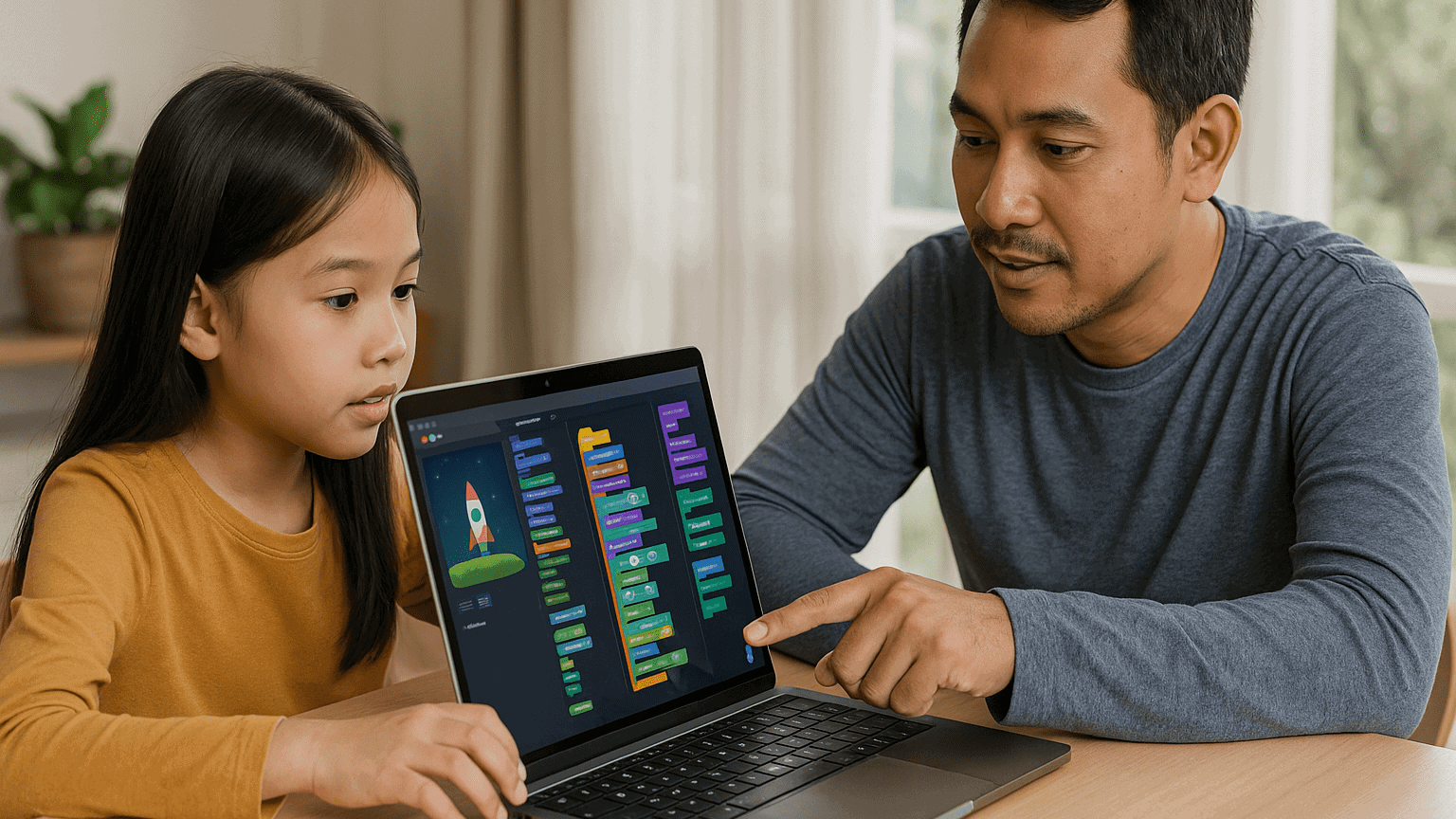
Coding is no longer just for tech-savvy teens or college students. Even elementary school kids can begin their digital journey through colorful and interactive interfaces. Below are five top recommendations of free coding apps for kids, each offering unique features and a fun learning experience.

1. Scratch

Recommended Age: 8 to 16 years
Why It’s Great:

  • Uses visual blocks instead of complicated text code, which is perfect for beginners
  • Includes a safe online community where kids can share projects
  • Offers guided tutorials that teach them how to create animations and games

Parent Tip: Help your child start with a basic animation, then let them customize characters or add sound effects to boost engagement.

2. Code.org

Recommended Age: 6 to 18 years
Why It’s Great:

  • Offers a complete learning path from drag-and-drop to real coding with JavaScript
  • Features Hour of Code activities with themes like Minecraft and Frozen
  • Has tools for parents and teachers to track learning progress

Parent Tip: Encourage your child to join Hour of Code events around the world to make the experience feel exciting and social.

3. Tynker

Recommended Age: 7 to 14 years
Why It’s Great:

  • Game-based learning with space, robot, and arcade themes
  • Lets kids transition from visual blocks to text-based coding with Python or JavaScript
  • Comes with ready-made project templates to jump-start creativity

Parent Tip: Use the free Learning Path before exploring premium features. Make sure your child completes one level at a time to stay focused.

4. Grasshopper

Recommended Age: 10 years and up
Why It’s Great:

  • Developed by Google to teach JavaScript in bite-sized, mobile-friendly lessons
  • Gives instant feedback with visual explanations
  • Tracks daily learning streaks to encourage consistent practice

Parent Tip: Set a goal for 15 minutes of coding each day. Short, regular practice is more effective than longer sessions once a week.

5. Kodable

Recommended Age: 5 to 10 years
Why It’s Great:

  • Uses fun maze games to teach programming logic like sequencing and loops
  • Works offline, making it a great option for travel or areas with limited internet access
  • Offers free lesson plans for teachers that parents can also use at home

Parent Tip: Ask your child to explain what they did after each game level. Talking about the process helps reinforce their understanding.

How to Maximize Learning from Free Coding Apps For Kids
  1. Create a Weekly Routine
    Keep learning sessions short and fun. Younger children stay more focused with shorter screen time.
  2. Celebrate Their Projects
    Print out screenshots or let them show their work to family. This helps build pride and motivation.
  3. Support Group Learning
    Invite a sibling or friend to try the same app. Coding becomes more fun when kids learn together.
  4. Connect to School Lessons
    Use these apps to explain math or science concepts. Coding is a powerful tool that makes abstract ideas more concrete.

Why Free Coding Apps For Kids Matter
aplikasi coding gratis untuk anak

Learning with free coding apps for kids provides valuable skills without financial barriers. These apps allow children to:

  • Develop logical thinking and creativity
  • Explore digital storytelling and simple game design
  • Learn basic programming terms and structure
  • Build confidence with hands-on digital tools

What’s Next? Upgrade to Structured Learning at Timedoor Academy

 Image

After exploring free coding apps for kids, you can take your child’s skills to the next level. Timedoor Academy offers online coding courses with expert instructors, real-world projects, and a fun, guided experience that grows with your child. Sign up now for a free trial coding class at Timedoor Academy and give your child a head start in the digital age.
Keep Reading

10 Practical Tips to Set Up a Comfortable and Productive Home Learning Space for Kids
In today’s digital age, children are not only learning at school but also through various online platforms from the comfort of home. That’s why setting up a home learning space for kids that is both comfortable and productive has become increasingly important. A well-organized learning environment supports better focus, enhances motivation, and encourages independent study habits from an early age. Here are ten simple yet effective tips to help parents create an ideal home learning space that supports both comfort and academic success. 10 Practical Tips to Set Up a Comfortable and Productive Home Learning Space for Kids 1. Choose a Quiet Spot with Minimal Distractions Start by picking a location that isn’t heavily trafficked throughout the day. Ideally, a home learning space for kids should be away from TVs, the kitchen, or play areas. If you don’t have a dedicated room, convert a quiet corner of the bedroom or living room into a learning zone. Use a bookshelf or lightweight divider to create a clear separation between study time and leisure time. 2. Ensure Good Lighting Lighting has a direct impact on mood and focus. Make sure the home learning space for kids has access to natural light during the day. For evening sessions, provide a desk lamp with bright but soft white lighting. Avoid dim lights, as they can cause drowsiness and reduce attention. 3. Provide Ergonomic Furniture A comfortable setup goes a long way. Use a chair and desk that match your child’s height to encourage proper posture. Add cushions or a footrest if needed, so your child can sit comfortably for longer study sessions. 4. Minimize Visual and Audio Distractions Overly bright or busy decor can be distracting in home learning space for kids. Stick to neutral or calming colors for the walls and furniture. Keep toys and unrelated devices out of reach during study hours. If noise from outside interrupts your child’s focus, consider using noise-cancelling headphones, especially during online classes. 5. Keep All Learning Materials Within Reach Equip the space with all the essentials: stationery, books, a laptop or tablet, headphones, and a reliable internet connection. Having everything nearby prevents unnecessary movement and keeps the child focused. Use storage bins or small shelves to keep the desk tidy and clutter-free. 6. Display a Daily Schedule Help your child develop a routine by creating a visual schedule. Post it on the wall near their desk using colorful charts or illustrations. The schedule can include study time, breaks, meals, and creative activities. Visual structure supports time management and builds responsibility. 7. Involve Your Child in the Setup Let your child have a say in how the space looks. Allow them to choose the colors, arrange the desk, or decorate with their favorite items. When kids feel ownership over their home learning space, they are more likely to use it enthusiastically and keep it tidy. 8. Ensure Good Air Circulation and Room Temperature A cool, fresh room helps maintain energy and concentration. Open windows regularly or use a fan or air conditioner if needed. Scent can also influence mood — try light, calming scents like lavender to create a relaxed environment. 9. Match the Setup to Your Child’s Digital Learning Needs If your child is involved in digital learning, make sure the equipment works smoothly. Check the laptop or tablet, webcam, microphone, and internet connection before class begins. Also, make sure their chair and desk setup supports good posture for screen-based learning. 10. Add Motivational Personal Touches Showcase your child’s artwork, awards, or inspiring quotes on the wall. Personal touches can boost confidence and make the space feel more welcoming and meaningful to them. Maximize Your Child’s Home Learning Space with the Right Learning Program Creating a home learning space for kids is a strong start, but it becomes truly effective when paired with the right learning content. Timedoor Academy offers a wide range of interactive online classes to help children grow academically and creatively — all from their home learning space. With subjects like coding, robotics, math, and digital creativity, your child can explore their interests in a fun and structured way. Sign up for a free trial class at Timedoor Academy today and give your child the opportunity to build skills for the future while learning comfortably at home.
7 Positive Impacts of Online Programming Classes for Beginners
In today’s digital era, programming skills have become one of the most in-demand abilities. Not only for those aiming to work in the tech field, but also as a valuable foundation to face modern challenges. By joining an online programming classes for beginners, kids and teens can learn logic, systematic thinking, and creativity in solving problems. Many parents still hesitate whether their children are ready to start programming lessons. In reality, the earlier they get introduced to programming, the greater their chances to grow into creative and innovative individuals. 1. Flexibility to Learn Anywhere One of the main advantages of an online programming classes for beginners is its flexibility. Kids don’t need to travel to a specific course location. With just a laptop or tablet, they can learn from home, the library, or even while traveling. This helps parents manage their child’s schedule without interfering with school or other main activities. 2. Beginner-Friendly Curriculum Many parents worry that programming is too difficult to understand. However, in an online programming classes for beginners, the curriculum is designed step by step. Children are introduced to basic concepts, such as simple logic, building small programs, and even creating simple games or applications. This approach builds confidence and motivates them to keep learning. 3. Enhances Problem-Solving Skills Every programming lesson encourages students to find solutions to challenges. By joining an online programming class for beginners, kids will get used to facing obstacles, trying different methods, and not giving up easily. This problem-solving mindset is useful not only in technology but also in their daily lives. 4. Fun and Interactive Learning Many programming programs for kids combine game elements with learning. For example, they can create simple games or fun animations. This makes online programming classes for beginners enjoyable. Children don’t feel pressured—instead, they have fun with interactive and engaging lessons. 5. Preparing for Future Careers With rapid technological growth, the demand for digitally literate talent keeps rising. By joining an online programming classes for beginners, kids gain valuable skills for their future. Whether they dream of becoming programmers, game designers, or digital entrepreneurs, these skills will always be relevant. 6. Boosting Children’s Creativity Programming is not just about numbers and codes—it’s also about imagination. In an online programming classes for beginners, kids are encouraged to turn their creative ideas into reality, such as interactive apps or animations. This nurtures their creativity and builds self-confidence. 7. Building Discipline and Responsibility Online classes still require commitment. Kids must learn to manage their study time and complete assignments. Through an online programming classes for beginners, they develop discipline and responsibility for their own learning process. This positively contributes to their character development. The Role of Parents in Supporting Kids Even though children join an online programming classes for beginners, parents still play an important role. Moral support, screen-time supervision, and encouragement can boost their motivation. Parents can also track their kids’ progress by observing the projects they create during the lessons. Why Choose Timedoor Academy? Timedoor Academy offers online programming classes for beginners specially designed for kids and teens. With experienced instructors, interactive curriculum, and fun teaching methods, Timedoor Academy is the right choice for parents who want to invest in their child’s education. A Great Investment for Children’s Future Joining an online programming classes for beginners is not only about learning technology but also about building essential life skills. Kids learn discipline, creativity, and resilience in facing challenges with a positive mindset. All these benefits serve as valuable assets for their future.If you want your child to have a meaningful yet enjoyable learning experience, register them now at Timedoor Academy. Schedule a free trial class and let them experience the excitement of learning programming from an early age.
What Is Vibe Coding? Understanding the Concept and Its Benefits for Kids
In today’s digital era, children are not only expected to excel academically but also to be creative, collaborative, and adaptable to technology. One learning method that is gaining attention in tech education is vibe coding. More parents and educators are beginning to ask: what is vibe coding, and how can it be used in a meaningful way to help children learn? This article will explain what is vibe coding, its core principles, and why this method is a fun and effective approach to introducing programming to young learners. If you’re considering a coding class that feels less rigid and more intuitive, vibe coding for kids might be the perfect fit. What Is Vibe Coding? To answer the question what is vibe coding, we need to understand the basic idea behind this learning method. Vibe coding refers to a teaching approach that emphasizes a fun, creative, and child-friendly atmosphere while learning programming. The word “vibe” represents the overall feeling or energy created during the learning experience. Unlike traditional programming lessons that can feel formal or rigid, vibe coding for kids focuses on letting children learn through play, imagination, and building meaningful projects. The emphasis is not just on the final product but also on enjoying the process of creating something. Why Is Vibe Coding a Great Fit for Kids? Once you understand what is vibe coding, it becomes clear why this method works especially well for children. Kids often get bored or overwhelmed by dry, technical lessons. Vibe coding for kids creates a fun, engaging environment that sparks curiosity and creativity. This approach incorporates storytelling, animations, music, and visuals to help children feel immersed in their projects. For example, kids can learn to code by creating their own video games, designing cartoon characters, or programming a virtual robot that follows commands. With this setup, children naturally learn the basics of coding such as logic, sequences, conditions, and loops. They’re not pressured to get everything right immediately. Instead, they’re encouraged to explore, try new things, and learn from mistakes. That’s the heart of vibe coding for kids: building a positive and flexible learning experience. Benefits of Vibe Coding for Kids For parents who are still unsure about this method, here are some key benefits that vibe coding for kids offers. It doesn’t just improve tech skills. It also supports broader developmental growth in young learners. Boosts creativityKids are encouraged to build things from their own ideas—games, animations, or simple apps. Develops logic and problem-solvingEven though the environment is playful, the foundation of vibe coding for kids is rooted in core programming logic. Promotes collaboration and communicationMany activities are group-based, teaching kids to discuss, share roles, and work as a team. Builds confidenceChildren gain pride and belief in their abilities when they successfully create something. Prepares them for the futureBy learning coding early, kids are better equipped for a digital-driven world. Vibe Coding at Timedoor Academy Now that you understand what is vibe coding, you might be wondering where your child can learn this method in a structured yet fun way. Timedoor Academy offers one of the best implementations of vibe coding for kids, combining creative programming with a child-centered teaching style. Timedoor’s platform is designed specifically for young learners, featuring project-based activities like game development, animations, and beginner-friendly applications. Every class is filled with engaging content and guided by experienced mentors who understand how kids learn best. The goal at Timedoor Academy is to make every student feel confident, curious, and excited about learning. Grades and tests are not the focus. Instead, it’s about exploring, creating, and enjoying the journey. This is exactly what vibe coding for kids is all about, and Timedoor applies it consistently across their programs. Conclusion: Let Your Kids Experience Vibe Coding Now you know what is vibe coding and how this approach makes learning programming enjoyable and effective for children. As our world becomes more digital, introducing kids to coding at an early age is no longer optional—it’s a smart and timely decision. If you’re looking for a coding class that sparks creativity, feels natural, and actually speaks your child’s language, vibe coding for kids at Timedoor Academy is a perfect choice. Sign your child up today and see how much fun they can have learning with vibe coding. Try a free trial class now at Timedoor Academy!
float button