Oct 06, 2025

5 Powerful Secrets of the Project Based Learning Method in Coding Education
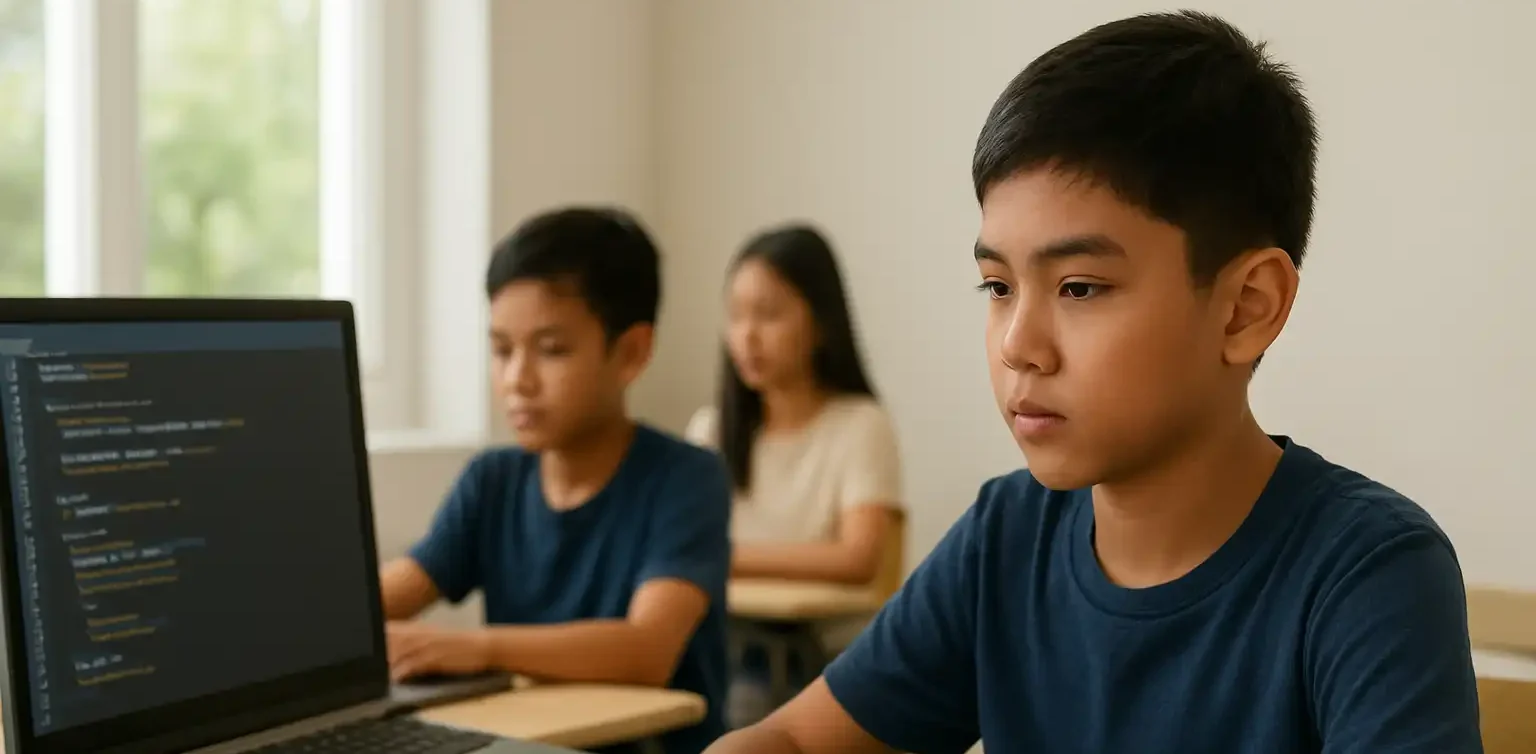
5 Powerful Secrets of the Project Based Learning Method in Coding Education image

In today’s modern education system, learning methods have evolved to become more dynamic and interactive. One of the most effective approaches in improving students’ engagement and understanding is the project based learning method. This approach focuses on learning through direct experience and the practical application of knowledge in real-world projects.

In the digital age, coding skills have become one of the most essential abilities for children to master early. However, learning coding is not just about memorizing syntax or following instructions. It’s about developing logical thinking, creativity, and problem-solving skills. That’s where the project based learning method plays a key role in helping children learn meaningfully and effectively.

Why the Project Based Learning Method Works for Coding

Children are naturally more interested when they can see the real results of their work. In the project based learning method, they don’t just listen to theory but are actively involved in creating projects such as simple games, interactive apps, or digital animations.

Through this approach, students learn by exploring, collaborating, and experimenting. They discover how to organize ideas, design solutions, and solve real problems using coding logic. This process makes learning more engaging, fun, and memorable.

Key Advantages of the Project Based Learning Method in Coding

project based learning method
  1. Boosts Learning Motivation
    When children see the outcomes of their own work, they gain a sense of pride and accomplishment. The project based learning method helps them feel that every lesson has a purpose. This builds intrinsic motivation to keep learning and exploring new things.
  2. Enhances Problem-Solving Skills
    Every project presents challenges that children must overcome. This trains them to think critically and find creative solutions. The project based learning method encourages perseverance and helps children build confidence in solving complex problems.
  3. Encourages Collaboration and Communication
    One of the most valuable elements of the project based learning method is teamwork. Students learn to share ideas, listen to others’ opinions, and combine their skills to achieve the best results. These social and communication skills are essential for their future success.
  4. Deepens Understanding of Technology Concepts
    By directly applying what they learn, children gain a deeper understanding of how technology works. They don’t just know how to write code; they understand the logic behind it and how it can be used to create meaningful solutions.

Implementation at Timedoor Academy

Timedoor Academy understands the importance of interactive and practical learning. That’s why our coding classes use the project based learning method to ensure every student learns actively and joyfully.

Each module is carefully designed so that students can work on real projects based on their skill levels. For example, beginners might create interactive animations, while advanced learners can develop simple games or websites.

Moreover, the instructors at Timedoor Academy act as mentors who guide children to think creatively behind every project. The learning experience not only produces digital products but also builds a problem-solving mindset that lasts a lifetime.

Positive Impacts on Child Development

project based learning method

Children who learn through the project based learning method show significant growth in various aspects. They become more confident as they complete real projects. Their critical thinking and time management skills also improve noticeably.

Additionally, this approach teaches children that making mistakes is part of the learning process. When their projects don’t work as expected, they learn to fix and try again. This growth mindset is crucial in today’s ever-evolving technological world.

Connecting Theory with Real Life

One of the biggest challenges in teaching coding is helping students understand the connection between theory and real-world application. With the project based learning method, children learn that every line of code has a real function and purpose.

For instance, they might create a simple app to organize their study schedule or design an educational game for their friends. Once they realize that coding skills can be used to build something useful, their enthusiasm for learning grows naturally.

Parents’ Role in Supporting Learning

project based learning method

Parents play a vital role in supporting their children’s journey using the project based learning method. Offering encouragement and appreciation for their work builds their confidence.

Giving children the space to experiment and explore also helps nurture independent thinking. Parents can support by asking about their learning process, not just the final outcome. This strengthens the bond between parents and children while encouraging continuous growth.

Conclusion: Active, Creative, and Meaningful Learning

 Image

Coding education through the project based learning method is more than just teaching children to write code. It’s about shaping analytical thinkers who are creative, resilient, and solution-oriented. This approach empowers them to face challenges positively while building essential skills for the future.If you want your child to learn coding in an engaging and meaningful way, sign them up for a Free Trial Class at Timedoor Academy. Let them experience the joy of learning through real projects that spark creativity and build confidence for a bright digital future.

Keep Reading

<strong>Age Limit for Children Using Gadgets: When Is the Right Time?</strong>
Age Limit for Children Using Gadgets: When Is the Right Time?
In today's digital age, gadgets have become an inseparable part of daily life. Children are increasingly exposed to smartphones, tablets, and laptops from a very young age. This growing trend raises a crucial question for parents: what is the ideal age limit for children using gadgets? This question does not have a one-size-fits-all answer, as every child develops at their own pace. However, understanding the basic principles of when and how children should be introduced to gadgets is essential for developing healthy digital habits. Why Setting an Age Limit Matters Research shows that excessive gadget use at an early age, especially without supervision, can negatively affect a child’s cognitive, emotional, and social development. Therefore, setting an age limit for children using gadgets is not about banning technology entirely. Rather, it’s about protecting children and guiding them during their growth years. Children who spend too much time on gadgets may experience sleep disturbances, delayed speech development, or even early signs of screen addiction. That’s why it’s important for parents to know the right time to introduce gadgets and how to direct their usage in a positive way. Expert Recommendations Child development organizations such as the American Academy of Pediatrics (AAP) offer clear guidelines on the age limit for children using gadgets: 0–18 months: Avoid screen exposure except for video calls with family members. 18–24 months: If introducing gadgets, ensure the content is high-quality and that parents are present to assist and explain. 2–5 years: Limit screen time to one hour per day, focused on educational content. 6 years and older: Begin to teach children about screen time boundaries, digital responsibility, and the importance of physical activity. These recommendations can serve as a helpful starting point for parents to develop digital guidelines at home. When Is a Child Ready for Their Own Gadget? Beyond the question of screen time, many parents also wonder when it’s appropriate for children to have their own gadget. This goes beyond just age. The age limit for children using gadgets should take into account emotional maturity and responsibility. Here are a few things to consider before handing over a personal device: Has your child demonstrated a clear understanding of rules and limits? Can your child take care of their belongings responsibly? Does your child use digital tools for learning or productive activities? If your answers are mostly yes, it may be time to consider allowing a child to own a device, provided you set clear boundaries and maintain active supervision. The Role of Parents in Digital Guidance Establishing the age limit for children using gadgets is only effective if parents are actively involved in the process. It’s not just about creating rules. Parents should model good behavior by managing their own screen time and encouraging healthy tech habits. Use this opportunity to teach your children about digital literacy, including internet safety, online etiquette, and the importance of taking regular screen breaks. Additionally, promote offline activities like reading, outdoor play, and creative hobbies to create a more balanced lifestyle. Using Gadgets for Positive Purposes Gadgets are not inherently bad. When used properly, they can be powerful tools for learning and creativity. There are numerous educational platforms and apps designed specifically to enhance children’s knowledge and skills. That’s why the age limit for children using gadgets should be complemented by introducing them to productive tech-based activities like learning coding, animation, or basic digital design. When children use gadgets to create and explore, they develop valuable 21st-century skills while staying engaged in meaningful ways. Responsible Tech Starts with Age-Appropriate Use Understanding the age limit for children using gadgets is a foundational step in fostering healthy digital habits at home. While each family’s approach may differ, the underlying principles remain the same: supervision, clear time limits, and age-appropriate content. As parents, our role is not to fear the digital world, but to prepare our children for it with wisdom, support, and education. Would you like your child to use gadgets for something truly meaningful? Sign up for a free trial at Timedoor Academy, where your child can learn coding and digital skills in a fun, structured, and educational environment.
Jumbo 2025 Movie Poster
Jumbo and Kids: 3 Inspiring Lessons on Imagination & Technology
As parents, we want to understand the world of children that often seems “absurd”-full of fantasy, but also full of potential. In today's digital era, that world of imagination can be realized not only through drawings or handwriting, but also through digital media such as coding, animation, and game development. So, what can we learn from Jumbo's story about children and technology? 1. Children's Imagination Is Their Greatest Asset Jo, the main character of Jumbo didn't create Jumbo because she was told to, but because she felt alone and wanted a friend. Children have a rich inner world, and imagination is often the bridge to expressing emotions or exploring new ideas. Unfortunately, in an education system that focuses too much on academics, children's imaginations can be forgotten. In fact, in the world of technology, creativity is a major force. Many great innovations were born not from knowledge, but from the courage to imagine things that do not yet exist. As parents, we can start by asking: “If you could make a robot like Jumbo, what would it be like? Can it do anything?” From there, children learn to think creatively and express ideas concretely. 2. Technology: Not an Enemy, But a Tool of Expression In the movie Jumbo, technology serves as a medium of expression-not just an entertainment tool. Just like Jo who built Jumbo from scrap, kids today can also create something from what they have: laptops, tablets, and internet connections. However, the use of technology must be directed. Gadgets are not always bad. If used with a clear purpose, they can be a means for children to learn to think logically, innovate, and even convey their feelings. Instead of forbidding children from playing with gadgets, we can ask: “What can you make with it?” “Do you want to try making your own game or animation?” This is where technology changes function: from passive consumption to active creation. 3. Every Child Can Be a Creator, Not Just a User The movie Jumbo gives us one important message: children have the capacity to create something extraordinary, as long as they are given the opportunity. Not every child has to be a scientist or engineer, but every child can be a creator-they just need the right platform. Nowadays, learning technology such as coding or animation can start as early as elementary school. Children don't need to build robots right away, but they can start by creating characters, organizing storylines, or creating small games. This process trains many things: from systematic thinking, problem solving, to cooperation. And most importantly? They learn to believe in their own ideas. Are we ready to give children the space to create? As parents, we have an important role to play in assisting and facilitating our children's explorations - not rigidly directing them. Children's imagination, like Jo in the movie Jumbo, is often the early foundation of 21st century skills: creativity, empathy, technological literacy and innovation. Giving space to play and imagine with technology could be the first step towards a brighter future for our children. Help Your Child Bring Their Wild Ideas to Life with Timedoor Academy At Timedoor Academy, we believe that every child has tremendous potential to create and not just follow. Through programs such as coding, animation, and digital design, children are encouraged to hone their imagination and put it into tangible form: from interactive games, animated characters, to personal digital projects that reflect their ideas and feelings. With a fun and structured approach, we help children understand that technology is not just consumption, but also a space for exploration. Our classes are online and interactive, guided by professional mentors from Indonesia and Japan, and designed for children aged 5 to 18 from various backgrounds. So if your child has an imaginary world as big as a Jumbo robot, maybe they just need one thing: the right environment to make it happen. Timedoor is here to be the bridge between a child's idea-rich world, and a bright future!
Aplikasi Belajar Anak SD
Top 10 Technology Tools for Elementary Students in 2025
As we step into 2025, technology tools for elementary students are more important than ever. These tools enhance creativity, improve learning outcomes, and foster engagement both inside and outside the classroom. With the help of these technology tools for elementary students, children can develop essential skills that will serve them throughout their academic careers and beyond. Here’s a list of 10 essential technology tools for elementary students to boost their educational experience in 2025. Top 10 Technology Tools for Elementary Students in 2025 1. Kahoot! Focus: Interactive learning and quizzes Kahoot! remains one of the most popular technology tools for elementary students because it turns learning into a fun and competitive experience. Teachers and students can create customized quizzes on subjects like math, science, and language arts, fostering active participation. How to Use It: By incorporating Kahoot! in lessons, educators can make learning feel like a game. Students can play individually or in teams, which makes learning not only engaging but also interactive. With real-time feedback, teachers can adjust their lessons based on students' performance, ensuring that every child stays on track. 2. Seesaw Focus: Digital portfolio and communication Seesaw is another fantastic example of technology tools for elementary students that focuses on student documentation and communication. It allows students to create digital portfolios where they can showcase their work through photos, videos, and drawings. This tool strengthens the bond between teachers and parents, as they can track the progress of the students in real-time. How to Use It: With Seesaw, students can upload images of their assignments or record their thoughts on projects. Teachers can provide feedback and conduct virtual lessons or activities, keeping students and parents connected in an efficient, digital space. 3. Google Classroom Focus: Classroom management and assignment tracking Google Classroom is essential for managing assignments, tracking progress, and organizing classroom materials. As one of the top technology tools for elementary students, it helps both teachers and students streamline their work. Teachers can assign tasks, grade assignments, and provide real-time feedback, while students can easily access learning materials and submit work in one centralized platform. How to Use It: Teachers can post assignments and resources to Google Classroom, making it easy for students to stay organized. Additionally, it integrates with Google Drive, enabling students to collaborate on documents and presentations. This makes it easier to stay on top of deadlines and receive instant feedback. 4. Scratch Focus: Coding and creativity Scratch is one of the most popular technology tools for elementary students when it comes to learning programming. Through visual coding, students can create interactive stories, games, and animations, sparking creativity while teaching them important skills in computational thinking. How to Use It: Scratch is beginner-friendly and offers a drag-and-drop interface for students to build their own projects. Teachers can incorporate Scratch into STEM lessons, teaching logic, sequencing, and problem-solving through interactive coding challenges. This tool is a great starting point for young learners to get familiar with coding and digital creation. 5. Epic! Focus: Digital library for young readers For young readers, Epic! is an invaluable tool in the world of technology tools for elementary students. Epic! offers access to thousands of books, audiobooks, and educational videos. Its interactive features like read-aloud and quizzes make reading more engaging for children. How to Use It: Teachers can assign reading materials directly from Epic! to keep students engaged with books that suit their level. Students can explore a vast library of e-books or listen to audiobooks that cater to their individual reading preferences. Epic! fosters a love for reading by offering a fun and interactive approach to literature. 6. ClassDojo Focus: Classroom behavior and communication ClassDojo is one of the best technology tools for elementary students when it comes to fostering positive behavior and classroom culture. It allows teachers to reward students for good behavior, accomplishments, and teamwork. How to Use It: Teachers can assign points to students based on specific behaviors, such as being on task, helping others, or staying focused. These points can be exchanged for rewards like extra break time or special privileges. ClassDojo is an excellent tool for teaching students about responsibility and positive reinforcement. 7. TinkerCAD Focus: 3D design and engineeringFor students interested in design and engineering, TinkerCAD is one of the leading technology tools for elementary students. This user-friendly 3D design platform allows children to create their own digital models. How to Use It: Students can start by designing simple objects like keychains or toys and gradually work their way up to more complex 3D projects. Teachers can use TinkerCAD to introduce students to engineering and design concepts, making it easier for them to visualize their ideas and understand the basics of 3D modeling and printing. 8. Google Earth Focus: Geography and exploration Google Earth opens up the world to elementary students by allowing them to explore every corner of the globe. Whether for geography lessons or environmental studies, this tool is an essential part of technology tools for elementary students. How to Use It: Teachers can use Google Earth to give virtual tours of countries, cities, landmarks, and natural wonders. Students can explore geographical features and learn about different cultures and ecosystems. This immersive tool makes learning about the world fun and interactive. 9. Duolingo Focus: Language learning As one of the leading technology tools for elementary students, Duolingo helps young learners acquire new languages in a fun, gamified format. This app is perfect for introducing kids to a new language, including popular languages like Spanish, French, and German. How to Use It: Duolingo presents lessons in bite-sized segments that are both fun and educational. Students can practice daily and track their progress. This tool offers rewards and challenges, motivating students to keep learning new words and phrases while building language proficiency. 10. BrainPOP Focus: Educational videos and quizzes BrainPOP is a popular educational platform that offers animated videos and interactive quizzes. It covers a wide range of subjects, including science, math, and social studies, making it one of the best technology tools for elementary students to enhance their learning. How to Use It: Teachers can use BrainPOP to introduce new concepts in a fun and visual way. After watching the videos, students can complete quizzes and discuss the material in class. This helps reinforce key ideas and assess student understanding in an engaging, interactive manner. Why Technology Tools Matter for Elementary Students In 2025, technology tools for elementary students are not just an enhancement to traditional learning; they are essential to developing digital literacy and critical thinking skills. These tools help provide personalized learning experiences that adapt to the needs of each student, whether they need extra support or more challenging material. By incorporating technology tools for elementary students into the classroom, teachers can create an environment that promotes engagement, creativity, and collaboration, preparing students for future success in an increasingly digital world. Start Your Digital Learning Journey Today! Want to make learning even more engaging for your child? Explore Timedoor Academy and try free trial class today and discover how our digital learning platform can support your child’s educational growth with interactive lessons and expert-curated content.
float button