Mar 09, 2026

Why was Roblox banned in Indonesia? Here is Komdigi’s explanation and how children can remain creative without risk!

Why was Roblox banned in Indonesia? Here is Komdigi’s explanation and how children can remain creative without risk! image

Source: katadata.co.id

Shocking news has come from the Ministry of Communication and Digital Affairs (Komdigi). On social media, official statements regarding restrictions on access to digital platforms for minors have begun to be widely discussed. Many parents are asking, ‘Is it true that Roblox will be banned?’

Through its official statement, the government has reaffirmed its commitment to protecting children from digital risks. Komdigi stated that starting on 28 March 2026, access to social media (such as TikTok and Instagram) and gaming platforms such as Roblox will be restricted for children under the age of 16. This is because these platforms are classified as high risk in terms of exposure to age-inappropriate content.

Why is the Government Concerned?

We must acknowledge that child safety in the virtual world is a major challenge. As a very popular platform, Roblox does pose risks if used without strict supervision, especially in relation to interactions with strangers or user-generated content that has not been fully filtered. This is what underpins the government’s decisive action to minimise the negative impact on the mental health and safety of our children.

Good News: Roblox Continues to Tighten Security

Despite the blocking issue, it is important for parents to know that globally, Roblox itself continues to make major updates to its security system. Based on information from Internet Matters and The Guardian, Roblox has launched new features to give parents greater control:

  1. Parental Accounts: Parents can now link their accounts to their children’s accounts to monitor their activities directly.
  2. Age Restrictions for Children Under 13: Children under the age of 13 are now restricted from accessing chat features outside of the game and are prohibited from entering social hangout categories that are considered less educational.
  3. Content Maturity Labels: A clearer rating system to ensure children only play content appropriate for their age category.

Don’t Let Children Be Sad, Turn Them Into ‘Creators’ 

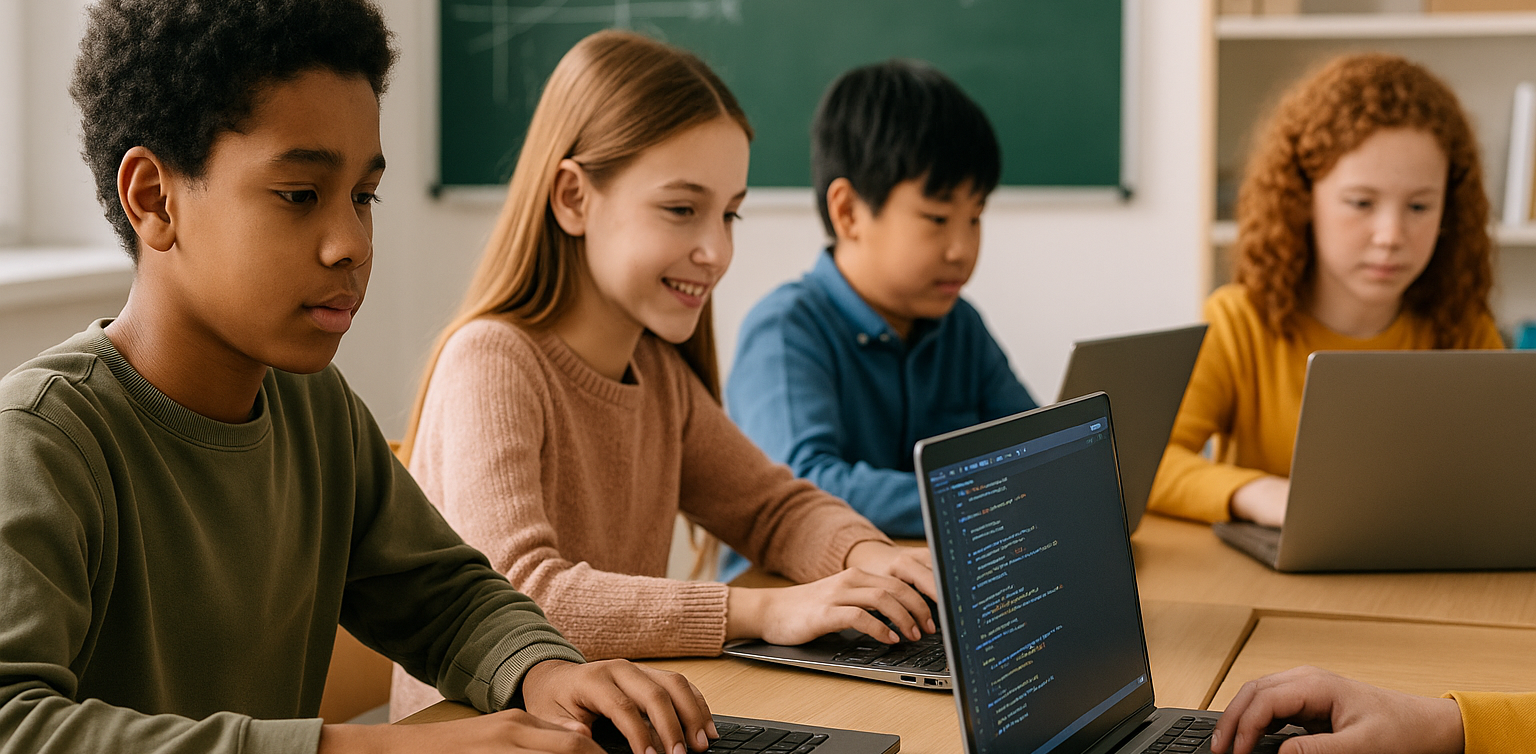
Looking at this issue, we need to see it from a broader perspective. The main problem is not with Roblox itself, but with how children use it. At Timedoor Academy, we help children transition from being passive Players (Users) to productive Creators through Roblox Studio.  

Why is learning in Roblox Studio safe and beneficial?

  1. Productive Platform: Roblox Studio is not a place to play games, but a professional game development tool. To date, there are no regulations prohibiting the use of Roblox Studio because its function is for education and creativity.
  2. Learning Future Skills: Through our curriculum, children learn programming logic (coding), mathematics, and even English in a very enjoyable way.
  3. Educational Games: The games we teach at Timedoor Academy focus on educational content, enabling children to build a positive digital world.

Safety Commitment at Timedoor Academy

Parents, don’t worry! At Timedoor Academy, we are fully committed to ensuring the safety and comfort of your children’s learning experience. We prioritise a safe learning environment, especially when teaching coding through Roblox Studio. Here are the concrete steps we take to protect our students:

  1. Full Supervision: Our main focus is to develop children’s productive skills through coding. Therefore, we will continue to supervise students in using Roblox Studio as long as there is no official ban from the government. This ensures that students’ learning continues to run smoothly.
  2. Identity Verification: If new regulations require stricter verification, we will ask for your consent as parents to use official IDs. The goal? To ensure that your child’s account remains legal, safe, and fully compliant with government regulations, so you can rest assured while your child creates.
  3. Total Transparency for Parents: We believe in complete openness. You can always access and check all the details of your child’s activities during class, from coding projects to any interactions.

With this approach, Timedoor Academy is not just a place to learn coding, but also a trusted partner in educating children safely.

Conclusion for Parents Instead of focusing our energy on our children’s disappointment over restricted access to play, let’s encourage them to see new opportunities. Turn their sense of ‘loss’ into motivation to create. With Timedoor Academy, children are no longer just spending time in front of a screen, but are building their own future as technology creators.

Want more advice on how to channel your child’s interest in technology in a more positive way? Join our community at Timedoor Academy!

Prepare your little one for the future through exciting learning experiences. Sign up for a free trial  session now!
Keep Reading

Anak BeLajar coding di Rumah
DIY Coding Projects You Can Do with Your Kids at Home – Fun & Creative Learning Together!
If your kids are fascinated by the world of technology, they’ll be excited to explore coding and create something they can interact with. And guess what? Coding isn’t as intimidating as it may seem! It’s a fun and educational learning experience that both you and your kids can enjoy together. At Timedoor Academy, we believe in the power of hands-on learning. DIY coding projects not only teach kids essential coding skills but also spark creativity, problem-solving, and teamwork. Why not dive into the world of coding and engage your child in exciting learning activities today? To get started, we’ve compiled a list of fun coding activities that are perfect for kids aged 6 to 12. Let’s make learning and coding an adventure right at home! 1. Create a Simple Animation Using Scratch Learning by Coding Scratch is a beginner-friendly visual programming language that allows kids to create their own stories, games, and animations. This coding tool uses blocks of code that kids can drag and drop, making it easy to build interactive projects. Project Idea: • Create a simple animation where characters move across the screen or interact with one another. For example, you can create a story where a cat talks to a dog, or have a dancing sprite! Why It’s Great? • Scratch teaches kids basic concepts like sequencing, loops, and event handling. Plus, it’s a fun way to let their imagination run wild! 2. Build Your Own Interactive Coding Website with HTML & CSS Learning Want to introduce your child to the world of web development? Start with the basics of HTML (the structure of websites) and CSS (the styling). These simple tools lay the foundation for most websites and are an excellent way to teach coding while building something tangible. Project Idea: • Help your child design their first interactive website—perhaps a personal homepage, a family blog, or a site about their favorite hobbies. Add fun elements like color changes, buttons, and images to make it unique! Why It’s Great? • HTML and CSS are easy to learn and give kids a sense of accomplishment once they see their website live. It’s also a practical skill that could inspire future web development projects. 3. Create a Virtual Pet Game with Scratch or Python Coding Learning For a more advanced project, you can introduce your child to a text-based or graphical game. You can either start with Scratch for a simpler, drag-and-drop experience or move to Python for a more detailed, code-based game. Project Idea: • Make a simple virtual pet game where players can feed, play with, and take care of their pet. The game could involve a timer for pet care and scoring points for actions completed correctly. Why It’s Great? • This project teaches game design, logic, and conditionals (e.g., “If you feed the pet, it gets happier”). It’s a perfect introduction to more complex programming concepts, all while having fun creating a game! 4. Make a Digital Art Project by Coding with Tynker Learning Tynker is another great coding platform that teaches kids how to code using fun, interactive lessons. It’s perfect for visual learners and offers a wide range of activities, including digital art creation. Project Idea: • Use Tynker to create your own digital drawing or animation. You can have your child make a picture come to life by using basic coding blocks to animate shapes or objects. Why It’s Great? • Tynker makes learning coding feel like a creative art project. It’s also a wonderful way for children to combine their interest in drawing with coding! 5. Make a DIY Robot with Coding Kits Learning If you have access to coding kits such as LEGO Mindstorms, LittleBits, or other programmable robotics kits, this is a fantastic hands-on project to get kids into coding. Project Idea: • Build and program a robot that can move, detect objects, or follow simple commands. You can even create a challenge where the robot has to navigate a maze or complete a task, like picking up small objects. Why It’s Great? • Robotics introduces kids to both hardware and software, bridging the gap between the physical and digital worlds. It encourages problem-solving, critical thinking, and teamwork. 6. Create a Music Maker with Coding Learning If your child loves music, why not combine it with coding? There are several tools and platforms that allow kids to make music through programming. Project Idea: • Help your child create a simple music generator where different sounds or beats are played based on certain inputs. Platforms like Sonic Pi let kids create music with code, and they can even create rhythms and melodies! Why It’s Great? • This project combines creativity with coding and gives kids a fun way to engage with both music and technology. 7. Design a Choose-Your-Own-Adventure Story by Coding Learning A fun way to learn coding is by creating an interactive story, like a “Choose Your Own Adventure” game. You can use simple platforms like Twine, which allows kids to write stories with code-based choices. Project Idea: • Write an interactive story where the reader can make choices, and each choice leads to different outcomes. For example, “Should the character go left or right?” The story branches out from there! Why It’s Great? • This teaches kids logic, sequencing, and how their decisions in coding can affect the outcome. Plus, it’s a great way for kids to practice their writing and storytelling skills. Coding is Fun and Rewarding Learning! At Timedoor Academy, we believe that learning to code is not only about the technical skills—it’s also about sparking curiosity, creativity, and critical thinking. By taking on these DIY coding projects, you’ll not only teach your child valuable programming skills but also bond through shared, creative experiences. So, gather your tools, start coding, and most importantly, have fun with your child! Remember, the best way to learn is by doing—and what better way to learn together than through fun, hands-on projects? Ready to dive deeper into coding learning? Join one of Timedoor Academy's online coding classes and support your child's learning journey in a structured, fun and supportive environment. We offer a Free Trial to provide a no-cost first learning experience, so your child can try our classes before deciding to continue.  Our courses are designed to help children develop their coding skills while still enjoying every step of the way. Visit our website for more information here!
Aplikasi Belajar Anak SD
Top 10 Technology Tools for Elementary Students in 2025
As we step into 2025, technology tools for elementary students are more important than ever. These tools enhance creativity, improve learning outcomes, and foster engagement both inside and outside the classroom. With the help of these technology tools for elementary students, children can develop essential skills that will serve them throughout their academic careers and beyond. Here’s a list of 10 essential technology tools for elementary students to boost their educational experience in 2025. Top 10 Technology Tools for Elementary Students in 2025 1. Kahoot! Focus: Interactive learning and quizzes Kahoot! remains one of the most popular technology tools for elementary students because it turns learning into a fun and competitive experience. Teachers and students can create customized quizzes on subjects like math, science, and language arts, fostering active participation. How to Use It: By incorporating Kahoot! in lessons, educators can make learning feel like a game. Students can play individually or in teams, which makes learning not only engaging but also interactive. With real-time feedback, teachers can adjust their lessons based on students' performance, ensuring that every child stays on track. 2. Seesaw Focus: Digital portfolio and communication Seesaw is another fantastic example of technology tools for elementary students that focuses on student documentation and communication. It allows students to create digital portfolios where they can showcase their work through photos, videos, and drawings. This tool strengthens the bond between teachers and parents, as they can track the progress of the students in real-time. How to Use It: With Seesaw, students can upload images of their assignments or record their thoughts on projects. Teachers can provide feedback and conduct virtual lessons or activities, keeping students and parents connected in an efficient, digital space. 3. Google Classroom Focus: Classroom management and assignment tracking Google Classroom is essential for managing assignments, tracking progress, and organizing classroom materials. As one of the top technology tools for elementary students, it helps both teachers and students streamline their work. Teachers can assign tasks, grade assignments, and provide real-time feedback, while students can easily access learning materials and submit work in one centralized platform. How to Use It: Teachers can post assignments and resources to Google Classroom, making it easy for students to stay organized. Additionally, it integrates with Google Drive, enabling students to collaborate on documents and presentations. This makes it easier to stay on top of deadlines and receive instant feedback. 4. Scratch Focus: Coding and creativity Scratch is one of the most popular technology tools for elementary students when it comes to learning programming. Through visual coding, students can create interactive stories, games, and animations, sparking creativity while teaching them important skills in computational thinking. How to Use It: Scratch is beginner-friendly and offers a drag-and-drop interface for students to build their own projects. Teachers can incorporate Scratch into STEM lessons, teaching logic, sequencing, and problem-solving through interactive coding challenges. This tool is a great starting point for young learners to get familiar with coding and digital creation. 5. Epic! Focus: Digital library for young readers For young readers, Epic! is an invaluable tool in the world of technology tools for elementary students. Epic! offers access to thousands of books, audiobooks, and educational videos. Its interactive features like read-aloud and quizzes make reading more engaging for children. How to Use It: Teachers can assign reading materials directly from Epic! to keep students engaged with books that suit their level. Students can explore a vast library of e-books or listen to audiobooks that cater to their individual reading preferences. Epic! fosters a love for reading by offering a fun and interactive approach to literature. 6. ClassDojo Focus: Classroom behavior and communication ClassDojo is one of the best technology tools for elementary students when it comes to fostering positive behavior and classroom culture. It allows teachers to reward students for good behavior, accomplishments, and teamwork. How to Use It: Teachers can assign points to students based on specific behaviors, such as being on task, helping others, or staying focused. These points can be exchanged for rewards like extra break time or special privileges. ClassDojo is an excellent tool for teaching students about responsibility and positive reinforcement. 7. TinkerCAD Focus: 3D design and engineeringFor students interested in design and engineering, TinkerCAD is one of the leading technology tools for elementary students. This user-friendly 3D design platform allows children to create their own digital models. How to Use It: Students can start by designing simple objects like keychains or toys and gradually work their way up to more complex 3D projects. Teachers can use TinkerCAD to introduce students to engineering and design concepts, making it easier for them to visualize their ideas and understand the basics of 3D modeling and printing. 8. Google Earth Focus: Geography and exploration Google Earth opens up the world to elementary students by allowing them to explore every corner of the globe. Whether for geography lessons or environmental studies, this tool is an essential part of technology tools for elementary students. How to Use It: Teachers can use Google Earth to give virtual tours of countries, cities, landmarks, and natural wonders. Students can explore geographical features and learn about different cultures and ecosystems. This immersive tool makes learning about the world fun and interactive. 9. Duolingo Focus: Language learning As one of the leading technology tools for elementary students, Duolingo helps young learners acquire new languages in a fun, gamified format. This app is perfect for introducing kids to a new language, including popular languages like Spanish, French, and German. How to Use It: Duolingo presents lessons in bite-sized segments that are both fun and educational. Students can practice daily and track their progress. This tool offers rewards and challenges, motivating students to keep learning new words and phrases while building language proficiency. 10. BrainPOP Focus: Educational videos and quizzes BrainPOP is a popular educational platform that offers animated videos and interactive quizzes. It covers a wide range of subjects, including science, math, and social studies, making it one of the best technology tools for elementary students to enhance their learning. How to Use It: Teachers can use BrainPOP to introduce new concepts in a fun and visual way. After watching the videos, students can complete quizzes and discuss the material in class. This helps reinforce key ideas and assess student understanding in an engaging, interactive manner. Why Technology Tools Matter for Elementary Students In 2025, technology tools for elementary students are not just an enhancement to traditional learning; they are essential to developing digital literacy and critical thinking skills. These tools help provide personalized learning experiences that adapt to the needs of each student, whether they need extra support or more challenging material. By incorporating technology tools for elementary students into the classroom, teachers can create an environment that promotes engagement, creativity, and collaboration, preparing students for future success in an increasingly digital world. Start Your Digital Learning Journey Today! Want to make learning even more engaging for your child? Explore Timedoor Academy and try free trial class today and discover how our digital learning platform can support your child’s educational growth with interactive lessons and expert-curated content.
Who Knew? Coding Helps Kids Excel at Math in 2025
When parents hear the word “coding,” they often picture kids staring at a screen, typing complicated commands. But did you know that this activity can actually boost a child’s math skills? Yes, coding helps kids excel at math, and this benefit has been proven through studies and real-world learning experiences from children around the globe. Coding is no longer just a skill for future programmers. It is becoming a fundamental part of modern education, and its impact reaches far beyond computer science. For many children, coding serves as a gateway to understanding mathematical logic, improving attention to detail, and enjoying learning more than ever before.   Why Are Coding and Math So Closely Connected? Coding teaches kids how to think logically and systematically. When learning to code, children practice problem-solving, recognizing patterns, and building algorithms. These are also core elements of math. As kids learn to write step-by-step instructions in coding, they are also training themselves to solve math problems in a structured way. For example, when creating a program that calculates average scores, a child is not just coding. They are applying addition and division. This is a clear, practical example of how coding helps kids excel at math in a fun and hands-on way. Moreover, understanding sequences, loops, and conditions in programming encourages children to think mathematically. These are the same skills used in operations, geometry, and even data analysis. These areas of math can feel abstract in a textbook but come to life through coding.   Learning Logic Instead of Memorizing Formulas Math often feels intimidating because it is full of formulas to memorize. Coding, on the other hand, emphasizes understanding the logic behind each concept. When kids write basic programs using loops or if-else statements, they are also learning repetition and decision-making. Both of these are critical in arithmetic and algebra. Through coding, kids build a solid understanding of math without relying on rote memorization. That is how coding helps kids excel at math while also boosting their confidence and reducing anxiety around the subject. Coding allows them to approach math from a new angle. It is not just something to study but something to apply and explore creatively. This kind of active learning can spark curiosity and make math less intimidating.   Coding Makes Math More Relevant Many students struggle with math because they do not see how it applies to the real world. Coding changes that. When children create simple games, calculators, or interactive animations, they realize that math is essential to making those programs work. This realization increases motivation. Kids get excited when they see how math helps bring their ideas to life. No wonder coding helps kids excel at math. It brings learning into context and makes it meaningful. With coding, abstract math concepts become tools that help kids build something real. Instead of solving equations on paper, they are using those equations to animate a character, solve a puzzle, or calculate a score. This deepens their understanding and interest.   It Builds Focus and Perseverance Coding requires attention to detail. One wrong character can break the whole program. This teaches kids how to stay focused, troubleshoot problems, and persevere through frustration. These are the same skills they will need when tackling long or complex math problems. So coding is not just about tech. It is about shaping a productive learning mindset. That is another reason why coding helps kids excel at math and also builds character along the way. As they debug code, children learn that making mistakes is part of the process. This resilience is essential in mathematics, where trial and error often leads to breakthroughs and better understanding.   Fits Every Learning Style Each child learns differently. Some are visual learners, while others prefer hands-on activities. Coding supports all learning styles. Kids can explore concepts through animations, games, and simulations. Many of these activities involve math. Thanks to this flexibility, coding helps kids excel at math in a way that feels natural and tailored to their strengths. It empowers children to take ownership of their learning and progress at their own pace.   Conclusion: A Powerful Duo for the Future In today’s digital world, parents need to equip their children with relevant skills. Coding is more than a tech trend. It enhances academic performance, especially in math. Start early and see how coding helps kids excel at math while preparing them for the future.   Want Your Child to Excel in Both Coding and Math? Join Timedoor Academy, where kids learn coding in a fun, interactive environment that also boosts their math and logical thinking skills. Our programs are designed to support every child’s growth in both technology and academics. Sign up for a free trial today and discover how coding helps kids excel at math from the very beginning.
float button