Jul 20, 2022

Coding Camp 2022 Awardee Announcement

Coding Camp 2022 Awardee Announcement image

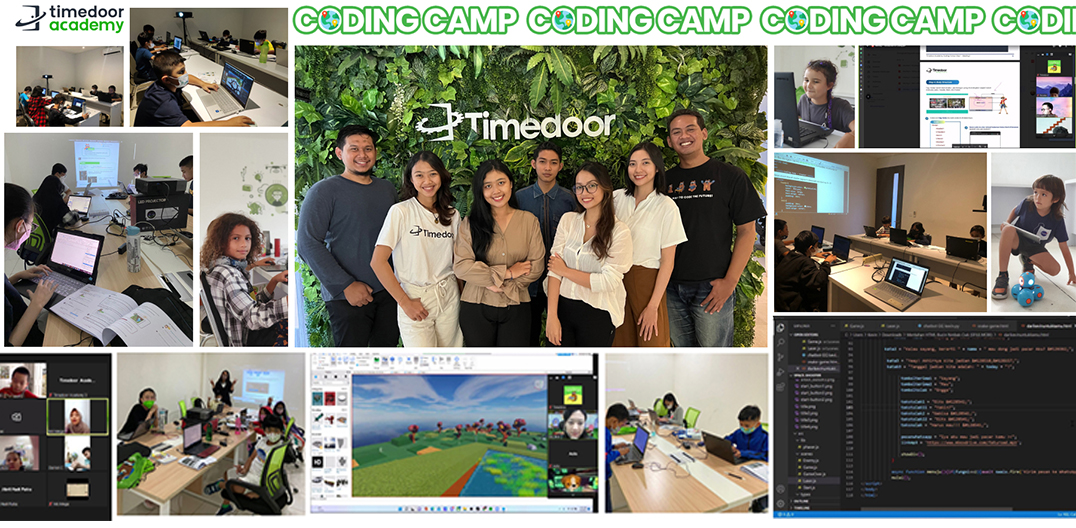
Timedoor Academy Coding Camp 2022 Batch 1 and Batch 2 have begun from 4 – 15 July 2022. With 200+ participants from our Online and Offline Branches in Jakarta and Bali, we offered a 5-day coding class with many subjects that students can choose from, such as Game Development, Website Development, Apps Development, Roblox, and Python.

Timedoor Academy sets the goal for students to be developers in 5 days by making projects using selected platforms and challenging them to be digital experts! As the goal sets, today, we will also announce the 3 best awardees from each category. The awardee consists of Best Project, Best Participant, and Most Enthusiastic Participant. Let’s take a look at the name of the Awardees below.

JUNIOR KODU BEGINNER
AWARDEE CATEGORY NAME
Best Project Diandra Ashura Kirani
Best Participant I Gede Kelvin Narendra Van Veggel
The Most Enthusiastic Participant Bernadette Abigail Kusuma
JUNIOR KODU ADVANCE
AWARDEE CATEGORY NAME
Best Project Kenzie Pranoto Ong
Best Participant Dhelfin Helmes
The Most Enthusiastic Participant Elroy Adrian Jose
KIDS CONSTRUCT BEGINNER + WEB
AWARDEE CATEGORY NAME
Best Project Asmara Stannard
Best Participant Benzema Malik Asyam
The Most Enthusiastic Participant Chee Yi
KIDS ROBLOX BEGINNER
AWARDEE CATEGORY NAME
Best Project Adli Rahmansah
Best Participant I Putu Daniswara Arta Surya
The Most Enthusiastic Participant Samy Ragheb Ahza
KIDS PYTHON
AWARDEE CATEGORY NAME
Best Project Jeslyn Felicia Tjandi
Best Participant Nayfa Krasnaya
The Most Enthusiastic Participant Joanne Faith Teguhsaputra
TEENS PHASER
AWARDEE CATEGORY NAME
Best Project Sandita Farid Akmal
Best Participant Ni Luh Putu Nadia Suwardewi Anjani
The Most Enthusiastic Participant Antonius Albertus Kevin Pratama
TEENS ROBLOX BEGINNER
AWARDEE CATEGORY NAME
Best Project Raquib Rafay Mahbeer
Best Participant Derren Jocevan
The Most Enthusiastic Participant Stanley Jonathan Indarto
TEENS WEB DEVELOPER
AWARDEE CATEGORY NAME
Best Project Raihan Radithya Yassar
Best Participant Ardhani Prayata Akmal
The Most Enthusiastic Participant Cornelius Rafanala Maheswara
TEENS APP DEVELOPER
AWARDEE CATEGORY NAME
Best Project Ngurah Danuh Putra
Best Participant Kezia Annabell Sugiarto
The Most Enthusiastic Participant Thio James Rakshita

All Awardees will get an exclusive medal and t-shirt from Timedoor Academy. Please send your address to admin for shipping.

Keep Reading

Top 5! How to Limit YouTube for Kids Effectively
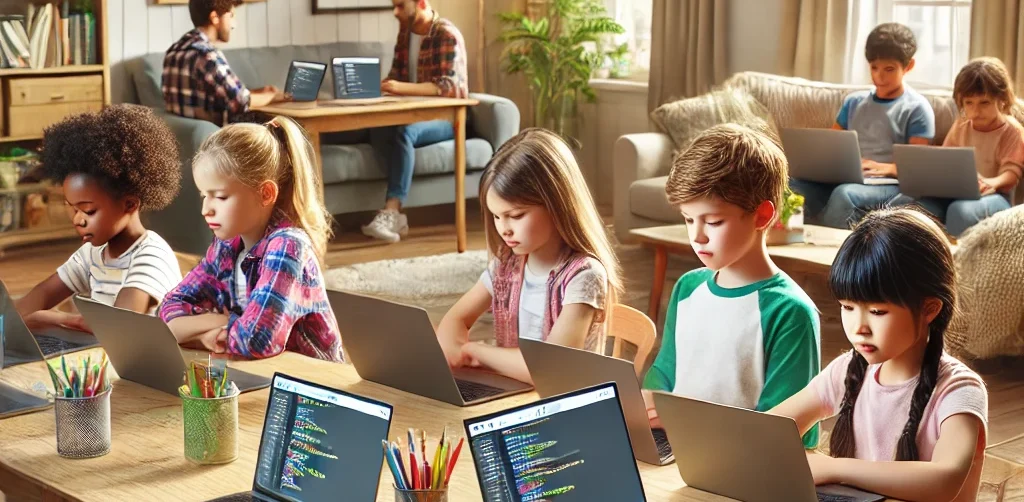
In today’s digital world, YouTube has become one of the most popular entertainment platforms for children. While it offers a wide variety of educational content, it also exposes kids to videos that may not be suitable for their age. That’s why many parents are searching for a clear and practical solution: how to limit YouTube for kids. Ensuring your child’s safety while exploring the internet is no easy task. YouTube’s algorithm often suggests videos based on watch history, not necessarily on age-appropriateness. This makes it even more critical for parents to learn how to limit YouTube for kids as part of responsible digital parenting. Why It’s Important to Monitor Kids on YouTube While YouTube can be a great source of learning—offering science experiments, storytime videos, and creative tutorials—it can also lead kids down a rabbit hole of violent, inappropriate, or misleading content. Without proper supervision, your child may unintentionally view content that contradicts the values you are trying to instill. That’s why understanding how to limit YouTube for kids is not just a parenting option, but an essential digital safety measure. How to Limit YouTube for Kids: Practical Steps Here are some concrete steps you can take as a parent: 1. Use YouTube Kids App YouTube offers a child-friendly version of its platform called YouTube Kids. This app is designed with automatic filters to block inappropriate content and provide age-appropriate viewing. It’s a strong first step in your approach to how to limit YouTube for kids. 2. Enable Restricted Mode If your child uses the standard YouTube app, you can enable “Restricted Mode” in the settings. This feature helps filter out videos flagged as unsuitable. It adds an extra layer of protection in your efforts to control what your child watches. 3. Set Parental Controls Both YouTube Kids and the regular app allow you to set screen time limits and control the types of content your child can access. These built-in parental controls are crucial in enforcing how to limit YouTube for kids without needing constant supervision. 4. Establish Viewing Schedules Create specific times for when your child is allowed to watch YouTube, such as after completing homework or during weekends. Clear time restrictions encourage discipline and help children value their screen time. 5. Watch Together Spend time watching YouTube with your child. It’s not just about monitoring—it’s an opportunity to bond, understand their interests, and gently guide them toward more enriching content. 6. Educate Your Child on Good Content Choices Teach your child how to recognize content that is inappropriate or makes them uncomfortable. Encourage them to speak up if they come across something they don’t understand or that feels wrong. This empowers them to be responsible digital citizens. 7. Use Third-Party Monitoring Apps Tools like Google Family Link can provide more detailed control over your child’s online behavior. You can view their activity, set time limits, and even approve or block apps. These tools are highly effective in supporting your journey in how to limit YouTube for kids. Common Challenges Parents May Face Setting limits is not always easy. Children may resist new rules or attempt to find workarounds to access restricted content. That’s why consistency, patience, and open communication are key. Involve your child in creating these rules so they feel included and understand the reasons behind them. It’s also important to strike a balance. Remember, the goal of learning how to limit YouTube for kids is not to ban access entirely but to guide children toward safe and meaningful digital experiences. Limiting is Not Banning, It’s Redirecting When done right, how to limit YouTube for kids becomes a way of redirecting your child’s screen time toward educational and creative growth. There are countless videos that can inspire innovation, critical thinking, and even spark a passion for science, art, or coding—when chosen wisely. As parents, we have the power to shape how children interact with technology. By combining digital tools with parental guidance and open conversations, we prepare them for a safer and smarter future online. Try a Free Coding Class at Timedoor Academy Parenting in the digital era requires new tools and strategies. With the right knowledge and support, you can protect your child from harmful content while encouraging their curiosity and creativity. If you're looking for a positive and productive way to introduce your child to the digital world, consider enrolling them in a fun and educational tech program. Timedoor Academy offers free trial courses in coding, tailored for children aged 5 to 19.
Cheap Laptops For Kids
10 Best Cheap Laptops for Kids in 2025: Specs and Prices
As digital learning becomes more integrated into daily education, laptops have become an essential tool for kids. From joining online classes to completing homework and exploring creative projects like coding or animation, a laptop can be a child’s gateway to limitless learning. In this article, we’ll share 10 best cheap laptops for kids in 2025 that strike the perfect balance between affordability, durability, and performance. Whether your child is in elementary or junior high school, these devices can support their learning journey without breaking your budget.   What to Look for in Cheap Laptops for Kids Before buying a laptop for your child, make sure you check the essentials: 1. Budget-friendly price Look for options ranging from $150 to $400 that still offer smooth performance for daily school needs. 2. RAM and Storage A minimum of 4 GB RAM and at least 64 GB storage is ideal for online learning, browsing, and video conferencing. 3. Battery Life Long battery life (6 to 10 hours) ensures your child can use the laptop for long school sessions without constantly needing to recharge. 4. Screen Size and Portability Laptops with 11 to 14 inch screens are the best for kids, offering a balance between portability and screen real estate for learning. 5. Operating System Windows 10 or 11 or ChromeOS laptops tend to support the widest range of educational apps and tools.   10 Best Cheap Laptops for Kids in 2025 Here are 10 cheap laptops for kids that are recommended based on their specifications and friendly prices as of April 2025:   1. ASUS Chromebook C204 Price: Around $220Display: 11.6-inch HDProcessor: Intel Celeron N4000RAM & Storage: 4 GB RAM, 32 GB eMMCBattery: Up to 10 hours This laptop is durable and perfect for younger kids who need something that can withstand a little rough handling. 2. Lenovo IdeaPad Slim 1 Price: Around $280Display: 14-inch HDProcessor: AMD 3020eRAM & Storage: 4 GB RAM, 64 GB eMMCBattery: Up to 8 hours An affordable laptop that packs just enough power for everyday school activities. 3. Acer Aspire 3 Slim A314 Price: Around $300Display: 14-inch HDProcessor: Intel Celeron N4500RAM & Storage: 4 GB RAM, 256 GB SSDBattery: Up to 9 hours This budget-friendly model is suitable for kids starting to experiment with design and coding. 4. HP Chromebook 11A G8 Price: Around $230Display: 11.6-inch HDProcessor: AMD A4RAM & Storage: 4 GB RAM, 32 GB eMMCBattery: Up to 10 hours Great for younger kids thanks to its simple design and intuitive ChromeOS. 5. Zyrex Sky 232 S2 Price: Around $210Display: 14-inch Full HDProcessor: Intel Celeron N3350RAM & Storage: 4 GB RAM, 128 GB SSDBattery: Up to 7 hours A local option that combines affordability with decent performance for online school activities. 6. Axioo MyBook 14E Price: Around $250Display: 14-inch HDProcessor: Intel Celeron N4020RAM & Storage: 4 GB RAM, 128 GB SSDBattery: Up to 8 hours This lightweight laptop is perfect for active kids who need to take their learning on the go. 7. Samsung Chromebook 4 Price: Around $240Display: 11.6-inch HDProcessor: Intel Celeron N4000RAM & Storage: 4 GB RAM, 32 GB eMMCBattery: Up to 12.5 hours A highly affordable energy-efficient device with an easy-to-use interface. 8. Dell Inspiron 11 3180 Price: Around $280Display: 11.6-inch HDProcessor: AMD A9RAM & Storage: 4 GB RAM, 64 GB eMMCBattery: Up to 9 hours Compact and sleek this laptop is perfect for light schoolwork and web browsing. 9. Lenovo Chromebook 3 14 Price: Around $300Display: 14-inch HDProcessor: MediaTek MT8183RAM & Storage: 4 GB RAM, 64 GB eMMCBattery: Up to 10 hours Perfect for kids using Google Classroom and other school apps. 10. HP Stream 11 Price: Around $260Display: 11.6-inch HDProcessor: Intel Celeron N4020RAM & Storage: 4 GB RAM, 64 GB eMMCBattery: Up to 10 hours Affordable portable and designed for basic school tasks and entertainment.   Cheap Laptops For Kids as Kids Learning Journey Support Giving laptops for kids is not just a financial decision. It’s an investment in their confidence independence and future potential. These cheap laptops for kids and affordable laptops for kids are not just tools. They’re a stepping stone into digital exploration. But to truly make the most of these tools your child also needs the right guidance. At Timedoor Academy we offer online classes in coding animation game development and more tailored for kids ages 7 to 18. Let your child explore the tech world with the support of expert mentors and interactive learning methods. Best of all you can try it out first. Sign up now for a free trial class and take the first step toward your child’s digital future.
5 Easy Ways in Teaching Kids to Save Money from an Early Age
Teaching kids to save money is one of the most important lessons parents can give. While many focus on academic learning, financial literacy is a life skill that is just as crucial. Instilling habits like saving and managing money early on helps children grow into responsible and independent adults. However, teaching kids how to save is not always easy. It requires fun, age-appropriate methods and plenty of patience. In this article, we’ll explore five practical ways to teach kids to save money in their daily lives. 1. Explain the Value of Money in Simple Terms The first step in teaching kids to save money is helping them understand what money is and how it works. You can start by showing them the difference between coins and bills, and explaining how money is used to buy things and pay for services. Use real-life situations, like shopping, to provide context. For example, tell your child that one ice cream costs around $2, but if they want a toy, they need to save up. Children between the ages of 4 and 7 can begin to understand these concepts better with visual aids or through role-playing games. 2. Teach the Difference Between Needs and Wants Another key lesson in teaching kids to save money is helping them recognize the difference between needs and wants. Needs include essentials like food, clothing, and school supplies. Wants are things like new toys or extra snacks that can be delayed or skipped. When your child asks for something, use the opportunity to talk. Ask them, “Do you need this, or do you just want it?” Over time, kids will learn to think before making purchases and develop a sense of mindful spending. 3. Give Them a Piggy Bank or Open a Savings Account One great way to introduce saving habits is by giving your child a piggy bank or setting up a dedicated children’s savings account. You can encourage them to save part of their pocket money or birthday gifts regularly. For older kids, set simple goals together. If they want a $20 toy, show them how to save $5 per week until they reach it. This approach not only teaches kids to save money but also introduces the idea of goal-setting and planning. 4. Be a Role Model with Your Own Saving Habits Children are natural imitators. They often learn more from what their parents do than what they say. That’s why one of the most effective ways to teach kids to save money is to show them your own responsible habits. Let them see you making a shopping list, comparing prices, or choosing not to buy something that is not necessary. When kids watch their parents make smart financial decisions, they are more likely to adopt the same mindset. 5. Involve Kids in Simple Financial Decisions Including your child in small financial choices at home can help them understand the reasoning behind spending and saving. Let them help you plan meals on a budget or choose between two similar items while grocery shopping. These hands-on experiences not only teach kids how to save money, but also help them build confidence and a sense of responsibility. As they grow older, they’ll be better prepared to handle money independently. Why Saving Habits Matter for Your Child’s Future Teaching children to save is more than just helping them stash away a few coins. It builds character, discipline, and long-term thinking. Kids who learn to delay gratification, set priorities, and understand the value of money early on are more prepared to manage their finances later in life. Saving also teaches children that they cannot always have everything instantly, which is an important life lesson. They learn that effort and planning are key to achieving their goals, whether financial or personal. Saving Is Important, but So Are Digital Skills While saving money is a valuable habit, introducing children to digital skills is also essential. Learning things like coding from a young age helps kids develop logical thinking, creativity, and problem-solving abilities. Timedoor Academy offers fun, interactive online coding classes for kids, making it easy to explore the world of programming in a child-friendly way. Try a free class today at Timedoor Academy!
float button