Jul 07, 2025

5 Best Free AI Apps for Kids That Make Learning Fun

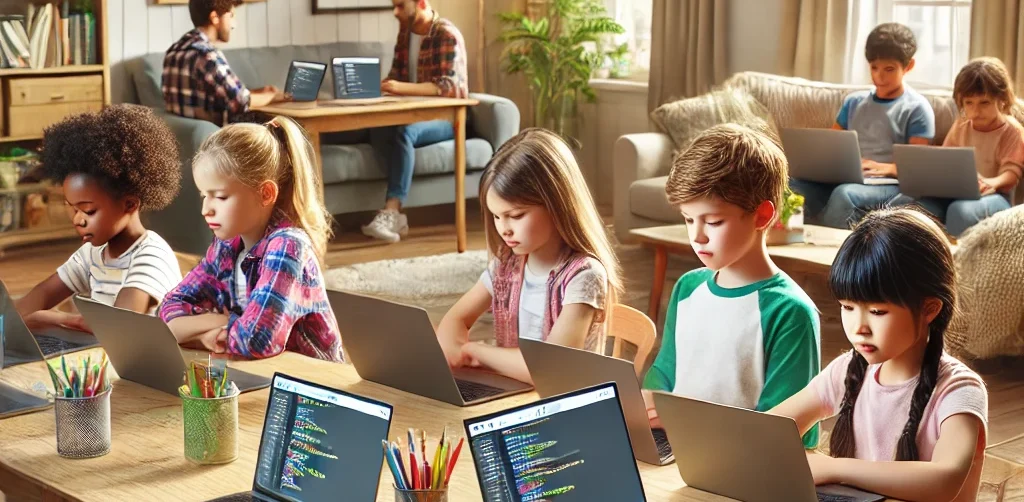
<strong>5 Best Free AI Apps for Kids That Make Learning Fun</strong> image

In today’s fast-paced digital world, free AI apps for kids have become an exciting solution for parents who want to support their children’s learning. Artificial Intelligence is no longer reserved for experts or professionals. Now, it’s available in engaging apps that help children read, solve problems, practice math, and boost creativity through fun and interactive tools.

Still, many parents are unsure which free AI apps for kids are safe, educational, and truly effective. This article highlights five reliable AI-powered apps that are not only easy to use and child-friendly, but also completely free to access.

1. Khan Academy Kids
free AI apps for kids

Khan Academy Kids is one of the most widely recommended free AI apps for kids. It offers interactive lessons in reading, math, creativity, and emotional development. With the help of AI, the app personalizes content based on each child’s learning progress and preferences.

The colorful design and engaging activities are tailored for children aged 2 to 8. Developed by education experts, the content is both fun and aligned with developmental stages.

2. Duolingo ABC
Duolingo ABC is a simplified version of the main Duolingo language app, created specifically to help young learners develop reading skills. Using AI, the app adjusts lesson difficulty in real time and offers immediate feedback to children learning letters, words, and sounds.

As one of the best free AI apps for kids focused on early literacy, Duolingo ABC is ad-free and safe for children when used with parental guidance.

3. Socratic by Google
Socratic is an AI-powered educational tool from Google that helps children understand academic questions in a simple and visual way. Kids can take a photo of a homework question or type it in, and the app will provide clear answers and explanations.

Ideal for children in elementary and middle school, Socratic supports learning in math, science, history, and language arts. It’s a smart choice among free AI apps for kids who need extra academic guidance and independence.

4. Quillionz

Quillionz is a creative app that lets children generate quizzes and learning questions using AI. It encourages active engagement with educational material by allowing kids to become content creators, not just consumers.

This app is especially helpful when reviewing lessons or preparing for schoolwork. Among the available free AI apps for kids, Quillionz stands out for promoting critical thinking and interactive learning at home or in the classroom.

5. Google Read Along

Google Read Along is an app that supports children in learning to read out loud. It uses AI to listen to their voice, offering helpful corrections and encouragement. The app includes dozens of age-appropriate stories that children can explore at their own pace.

It helps build reading confidence and fluency, making it one of the most effective free AI apps for kids who are just beginning their literacy journey. The progress tracking feature also lets parents follow along and celebrate their child’s improvement.

Help Your Child Use Technology in a Positive Way

Free AI apps for kids are a great way to introduce technology in a healthy, supportive way. But beyond using apps, it’s just as important to help children understand how technology works. Guiding them to learn and create with tech builds both digital awareness and real-life skills.

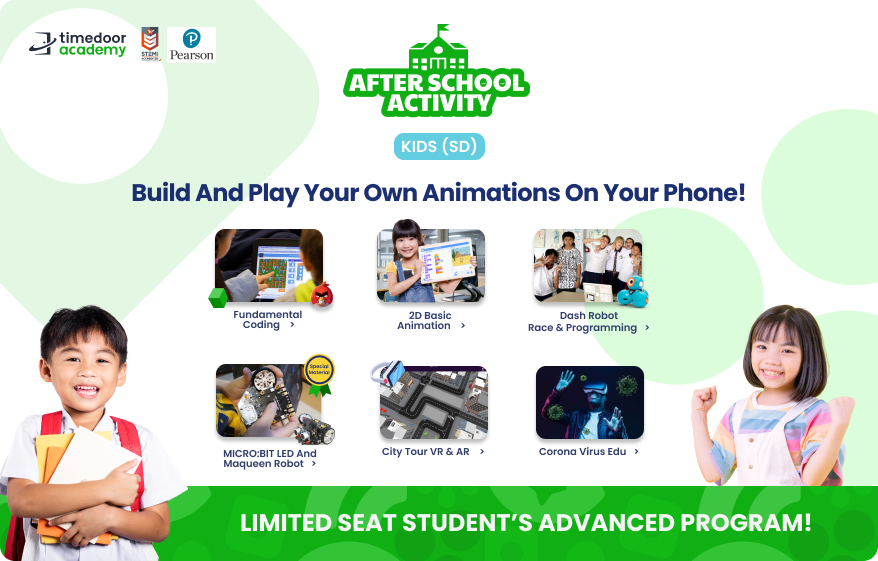
One highly recommended path is coding. At Timedoor Academy, children can join age-appropriate coding classes that strengthen logical thinking, communication, and problem-solving through engaging, hands-on projects.

Try a Free Coding Class at Timedoor Academy
Ingin tahu detail program? Image

Ingin tahu detail program?

If you’re curious how technology can help your child grow, try a free coding class at Timedoor Academy. It’s an opportunity for your child to turn screen time into learning time in a fun and supportive environment.

With expert mentors and project-based lessons, coding becomes a favorite activity that sparks confidence and creativity. Book your free trial today and explore the possibilities together.

Keep Reading

Why Coding for Kids Is Ideal Starting at Age 5
Many parents wonder if young children are ready to learn programming. The answer is absolutely yes, and it is highly encouraged. In recent years, coding for kids as young as five has become increasingly popular. It has been shown to support the development of logical thinking, creativity, and confidence from an early age. Learning to code doesn’t mean children have to type lines of complex code like adults. In fact, the methods used for teaching coding for kids are designed to be fun and visual, often using colorful blocks or interactive games. This makes the learning process feel more like play than work. 1. Age 5 Is a Golden Window for Brain Development Research shows that age 5 is a critical period for brain development. At this stage, children rapidly build their ability to think, absorb information, and recognize patterns. Coding for kids at age 5 takes advantage of this window to introduce logical and systematic thinking. As they solve simple coding challenges, children begin to develop strong problem-solving habits without even realizing it. 2. Builds Focus and Concentration One of the biggest challenges for parents is helping children stay focused during learning. Coding engages children in logical sequences and hands-on tasks like programming a character to move. These activities gradually strengthen concentration. Coding for kids at this age can be an effective way to improve attention span through playful and interactive tasks. 3. Enhances Communication and Collaboration Skills Coding isn’t always a solo activity. Many programs offering coding for kids at age 5 are built around collaboration. Children work in pairs or groups, share ideas, and express their thoughts. These moments naturally boost communication and teamwork, helping kids build social skills early on that will benefit them for years to come. 4. Introduces Technology in a Positive Way Today’s children are no strangers to gadgets and the internet. Instead of completely restricting screen time, parents can guide their kids to use technology for educational purposes. Coding for kids is a smart way to shift them from passive digital consumption to active understanding of how tech works. It fosters digital creativity and responsibility from a young age. 5. Opens Up Future Career Opportunities The future job market will be deeply rooted in technology. By introducing programming concepts early, parents give their children a head start. Coding for kids helps them develop not only technical skills, but also essential soft skills like perseverance, logical reasoning, and adaptability, all of which are vital for future success. Try a Free Coding Class at Timedoor Academy If you're curious to see the benefits of coding for kids firsthand, Timedoor Academy offers a free trial class you can join from home. With a project-based curriculum and engaging visual materials, children are encouraged to explore technology in a way that’s fun and age-appropriate. Timedoor’s curriculum is specially designed for young learners. Guided by professional mentors, children learn through play while building critical thinking skills and confidence. Don’t miss the chance to introduce your child to a positive and educational tech environment.
Cheap Laptops For Kids
10 Best Cheap Laptops for Kids in 2025: Specs and Prices
As digital learning becomes more integrated into daily education, laptops have become an essential tool for kids. From joining online classes to completing homework and exploring creative projects like coding or animation, a laptop can be a child’s gateway to limitless learning. In this article, we’ll share 10 best cheap laptops for kids in 2025 that strike the perfect balance between affordability, durability, and performance. Whether your child is in elementary or junior high school, these devices can support their learning journey without breaking your budget.   What to Look for in Cheap Laptops for Kids Before buying a laptop for your child, make sure you check the essentials: 1. Budget-friendly price Look for options ranging from $150 to $400 that still offer smooth performance for daily school needs. 2. RAM and Storage A minimum of 4 GB RAM and at least 64 GB storage is ideal for online learning, browsing, and video conferencing. 3. Battery Life Long battery life (6 to 10 hours) ensures your child can use the laptop for long school sessions without constantly needing to recharge. 4. Screen Size and Portability Laptops with 11 to 14 inch screens are the best for kids, offering a balance between portability and screen real estate for learning. 5. Operating System Windows 10 or 11 or ChromeOS laptops tend to support the widest range of educational apps and tools.   10 Best Cheap Laptops for Kids in 2025 Here are 10 cheap laptops for kids that are recommended based on their specifications and friendly prices as of April 2025:   1. ASUS Chromebook C204 Price: Around $220Display: 11.6-inch HDProcessor: Intel Celeron N4000RAM & Storage: 4 GB RAM, 32 GB eMMCBattery: Up to 10 hours This laptop is durable and perfect for younger kids who need something that can withstand a little rough handling. 2. Lenovo IdeaPad Slim 1 Price: Around $280Display: 14-inch HDProcessor: AMD 3020eRAM & Storage: 4 GB RAM, 64 GB eMMCBattery: Up to 8 hours An affordable laptop that packs just enough power for everyday school activities. 3. Acer Aspire 3 Slim A314 Price: Around $300Display: 14-inch HDProcessor: Intel Celeron N4500RAM & Storage: 4 GB RAM, 256 GB SSDBattery: Up to 9 hours This budget-friendly model is suitable for kids starting to experiment with design and coding. 4. HP Chromebook 11A G8 Price: Around $230Display: 11.6-inch HDProcessor: AMD A4RAM & Storage: 4 GB RAM, 32 GB eMMCBattery: Up to 10 hours Great for younger kids thanks to its simple design and intuitive ChromeOS. 5. Zyrex Sky 232 S2 Price: Around $210Display: 14-inch Full HDProcessor: Intel Celeron N3350RAM & Storage: 4 GB RAM, 128 GB SSDBattery: Up to 7 hours A local option that combines affordability with decent performance for online school activities. 6. Axioo MyBook 14E Price: Around $250Display: 14-inch HDProcessor: Intel Celeron N4020RAM & Storage: 4 GB RAM, 128 GB SSDBattery: Up to 8 hours This lightweight laptop is perfect for active kids who need to take their learning on the go. 7. Samsung Chromebook 4 Price: Around $240Display: 11.6-inch HDProcessor: Intel Celeron N4000RAM & Storage: 4 GB RAM, 32 GB eMMCBattery: Up to 12.5 hours A highly affordable energy-efficient device with an easy-to-use interface. 8. Dell Inspiron 11 3180 Price: Around $280Display: 11.6-inch HDProcessor: AMD A9RAM & Storage: 4 GB RAM, 64 GB eMMCBattery: Up to 9 hours Compact and sleek this laptop is perfect for light schoolwork and web browsing. 9. Lenovo Chromebook 3 14 Price: Around $300Display: 14-inch HDProcessor: MediaTek MT8183RAM & Storage: 4 GB RAM, 64 GB eMMCBattery: Up to 10 hours Perfect for kids using Google Classroom and other school apps. 10. HP Stream 11 Price: Around $260Display: 11.6-inch HDProcessor: Intel Celeron N4020RAM & Storage: 4 GB RAM, 64 GB eMMCBattery: Up to 10 hours Affordable portable and designed for basic school tasks and entertainment.   Cheap Laptops For Kids as Kids Learning Journey Support Giving laptops for kids is not just a financial decision. It’s an investment in their confidence independence and future potential. These cheap laptops for kids and affordable laptops for kids are not just tools. They’re a stepping stone into digital exploration. But to truly make the most of these tools your child also needs the right guidance. At Timedoor Academy we offer online classes in coding animation game development and more tailored for kids ages 7 to 18. Let your child explore the tech world with the support of expert mentors and interactive learning methods. Best of all you can try it out first. Sign up now for a free trial class and take the first step toward your child’s digital future.
What Children Should Learn in the Age of AI
Growing up today, children are surrounded by artificial intelligence – from voice assistants that answer their questions to apps that personalize learning. This rapid change can feel daunting, but it also opens exciting opportunities. Global experts note that nearly 44% of job skills will shift in the next five years due to AI. In demand are skills like critical thinking, creativity, and social intelligence – the very human qualities that AI cannot easily replicate. In other words, to thrive in the age of AI, children need a mix of tech know-how and human-centric skills. An illustration of the top 10 job skills predicted for 2023. Many of the leading skills are cognitive or social-emotional (such as analytical thinking, creativity, and empathy), highlighting the growing importance of human strengths in an AI-driven world. So what should kids learn, exactly? This article will explore three areas: formal education (what schools should teach), extracurricular activities, and things parents can do at home. By focusing on these, we can help our elementary and middle schoolers grow into curious, capable, and compassionate individuals in a high-tech world.     Formal Education: New Basics for the AI Age Schools still teach the ABCs and 123s, but in the AI era the curriculum must expand to new areas. As UNESCO notes, adding skills like empathy, creativity, and critical thinking into lessons is essential. Important areas schools should cover include: Coding and AI Literacy: The basics of coding (even simple drag-and-drop coding or robotics) help kids understand how technology works. Coding teaches logic and problem-solving. Many countries now introduce coding in elementary school, and some even start AI concepts early. Learning how a computer “thinks” empowers children to go from tech consumers to creators. Digital Literacy and Ethics: Children must learn to use digital tools safely and responsibly. This includes understanding online privacy, cyberbullying, and how to spot misinformation. As AI tools (like chatbots or deepfakes) appear, students should discuss ethics and fairness in technology. Early lessons in digital citizenship help kids navigate an AI-filled world with wisdom and care. Critical Thinking: Instead of memorizing facts, kids need to learn how to think. Schools can nurture this by tackling open-ended problems and encouraging questions. When children practice analyzing situations and learn from small failures, they become flexible thinkers. This skill is key in a future where they’ll constantly need to adapt and solve new challenges (often alongside AI tools). Creativity and Innovation: AI is good at following patterns, but human imagination is still unmatched. Through projects in art, writing, science, or coding, schools can spark creativity. Whether it’s writing a story or building a gadget, creative tasks teach students to experiment and innovate. By “thinking outside the box,” children learn to come up with fresh ideas – a trait that will help them stand out in an AI-driven future. Collaboration and Social Skills: Working well with others is a skill that never goes out of style. Group projects in class teach kids how to communicate, cooperate, and resolve conflicts. These experiences also build empathy – understanding and respecting others. In the future, most jobs will require teamwork (often human-AI teams), so learning to collaborate early on gives children a huge advantage. Not all schools have updated their curricula yet. In fact, only a few countries have launched formal AI lessons in K-12 education, while many others are still catching up. Parents can advocate for these changes, but learning doesn’t only happen at school. That’s where after-school experiences can help fill the gaps.     Learning Beyond the Classroom: Extracurriculars and Hobbies Beyond the classroom, extracurricular activities give kids a chance to explore and build skills in fun ways: Coding & Robotics: Many communities have coding classes or robotics teams for kids. In a coding club, children might create simple games or program robots, practicing logic and persistence as they debug problems. Robotics competitions get kids working together to solve challenges. These activities show them they can build technology, not just use it. STEM Clubs and Camps: Programs focused on science, technology, engineering, or math let kids dive into hands-on projects. They might design a gadget, launch a model rocket, or even experiment with a simple AI-powered game. The informal setting makes learning fun and fuels their curiosity. Tackling STEM challenges outside class also teaches kids to be resourceful and think on their feet with peers. Creative Arts & Making: Activities like art, music, drama, or creative writing nurture imagination and innovation – qualities machines can’t replicate. Joining a theater group or art class helps kids express themselves and think creatively. Maker workshops (like tinkering with crafts, coding a gadget, or 3D printing) encourage problem-solving from a fresh angle. By creating something of their own – a story, a song, a piece of art – children learn to think outside the box. Team Sports & Groups: Sports teams, scouting, or any group activity teach teamwork and perseverance. When kids play on a team or do a group project, they learn to communicate, solve conflicts, and bounce back from setbacks. These experiences build character and resilience. They also mirror the collaborative spirit needed in most workplaces. Knowing how to cooperate and lead will help your child no matter what career they pursue. Extracurriculars often ignite passions that carry into adult life. Whether your child loves coding, soccer, or painting, these activities complement academics with practical skills and confidence. Just as importantly, children see that learning can happen anywhere – not just in a classroom – keeping their love of discovery alive.     Parenting in the Age of AI: Fostering Skills at Home Home is where children develop habits and attitudes that last a lifetime. Here are a few ways parents can instill important skills: Encourage Curiosity: Embrace your child’s “why” and “how” questions. When they ask something, explore the answer together – look it up or do a quick experiment. Show them how you find information and think through problems. By feeding their curiosity, you teach them that learning is a fun, ongoing process. A child who knows how to learn will adapt more easily to new technology and ideas. Nurture Creativity: Provide opportunities for unstructured play and creative projects. Give them art supplies, blocks, or even cardboard boxes to invent games or stories. This kind of play develops creativity and problem-solving. It shows kids they can have fun and be imaginative without a screen. By encouraging make-believe and projects at home, you help your child practice thinking in original ways – a skill that leads to innovation. Model Lifelong Learning: Let your child see you learning new things too. Talk about a book you read, a recipe you tried, or a problem you solved. Show that adults also face challenges and figure things out. For example, say, “I didn’t know how to fix the Wi-Fi, so I watched a tutorial and now it works!”. This teaches kids that it’s okay not to know everything and that perseverance pays off. If a new app or gadget confuses you, learn it with your child – you might even ask them for help. Your example will teach them that learning never stops. Set Tech Boundaries: Establish healthy tech habits early – for example, no screens at dinner or no phones after 8 PM – and explain why (screen time can affect sleep, and family time is important). Teach basic online safety: don’t share personal info or talk to strangers online, and ask a parent if something seems odd. As they get older, discuss using the internet and AI responsibly. If they use a homework-help chatbot, remind them it’s for hints, not copying answers. By guiding them, you help your child develop a balanced relationship with technology – they’ll enjoy the benefits without the harms. Teach Empathy and Social Skills: Make kindness and communication a daily practice. Encourage your child to think about others’ feelings (“How do you think your friend felt when you said that?”). Practice listening and taking turns during family conversations. When conflicts happen, help your child talk through the situation calmly and see the other person’s perspective. These exercises build emotional intelligence. Kids who learn to manage emotions, be considerate, and resolve disagreements will have a big advantage working with others in the future. By nurturing curiosity, creativity, kindness, and responsible tech use at home, you’re giving your child a solid foundation. They will grow up comfortable with technology but not overdependent on it, and tech-savvy yet also empathetic and adaptable. In a world full of smart machines, those human qualities will set them up for success.   Conclusion: Preparing Kids for a High-Tech Future The age of AI is here to stay, and our children will grow up with technologies we can only imagine. As parents, we don’t have to predict the future; we just need to equip our kids with adaptable skills and strong values. By ensuring they learn both technical skills (like coding and digital literacy) and human skills (like creativity, critical thinking, empathy, and teamwork), we empower them to use AI as a tool and not be overshadowed by it. In many ways, the heart of parenting remains the same. Encouraging your child’s curiosity, supporting their dreams, teaching them right from wrong, and providing love and support will always be crucial. These foundations, combined with opportunities to learn about technology and the world, will help your child thrive no matter how things change. They’ll be tech-savvy but also creative, digitally literate but also kind. With that balance, your child won’t just be prepared for the future – they’ll be ready to shape it.       Glossary of Key Terms Artificial Intelligence (AI): Technology allowing computers or machines to perform tasks that typically require human intelligence, such as learning, reasoning, and problem-solving. Coding: Writing instructions for computers to execute tasks; fundamental for building software, apps, and robotics. Digital Literacy: The ability to effectively find, evaluate, use, and create information using digital technologies and tools. Digital Ethics: Understanding and applying ethical principles when interacting in digital environments, including respect for privacy and prevention of cyberbullying. Critical Thinking: Analyzing facts to form a judgment, solve problems effectively, and make informed decisions. Creativity and Innovation: The ability to produce original ideas, approaches, and solutions that are valuable in various contexts. Collaboration: Working effectively with others toward a common goal, emphasizing communication, teamwork, and problem-solving. Empathy: The capacity to understand and share the feelings of others, critical for emotional intelligence and successful relationships. STEM: Acronym for Science, Technology, Engineering, and Mathematics; an interdisciplinary approach to learning. Digital Citizenship: Responsible and ethical behavior when using technology, including understanding privacy, online etiquette, and digital safety.     Frequently Asked Questions (FAQ) What age should children start learning about AI and coding? Children can begin learning the basics of coding and AI concepts as early as elementary school. Simple visual coding languages and robotic toys are age-appropriate ways to introduce these topics and build foundational skills. How important is creativity in an AI-driven world? Creativity is crucial, as it allows humans to envision and develop original ideas and solutions. While AI excels at repetitive tasks and pattern recognition, human creativity remains unmatched in problem-solving and innovation, making it a highly valuable skill for the future. Can after-school programs really enhance my child's readiness for an AI-driven future? Yes, after-school programs provide hands-on, practical experiences that complement classroom learning. Activities like robotics clubs, STEM camps, arts programs, and team sports help children develop critical thinking, creativity, teamwork, and resilience—skills highly valued in the AI age. How can parents teach children digital ethics effectively at home? Parents can teach digital ethics by openly discussing online behaviors, setting clear rules about screen time, and modeling responsible technology use. Regularly talking about topics such as online privacy, cyberbullying, and misinformation helps children navigate digital environments safely and responsibly. What can parents do to foster emotional intelligence? Parents can encourage emotional intelligence by regularly discussing feelings, modeling empathy, resolving conflicts constructively, and encouraging their children to see things from another person’s perspective. Regular communication and open dialogue build strong emotional skills. Is critical thinking more important than memorization in education now? Yes, in the AI era, critical thinking is becoming increasingly essential. While memorization has its place, critical thinking skills enable students to analyze information, make informed decisions, and adapt to rapidly changing scenarios, helping them thrive in a dynamic and uncertain future.
float button