May 14, 2025

Kids Coding Course: A Smart Investment for Your Child’s Digital Future in 2025

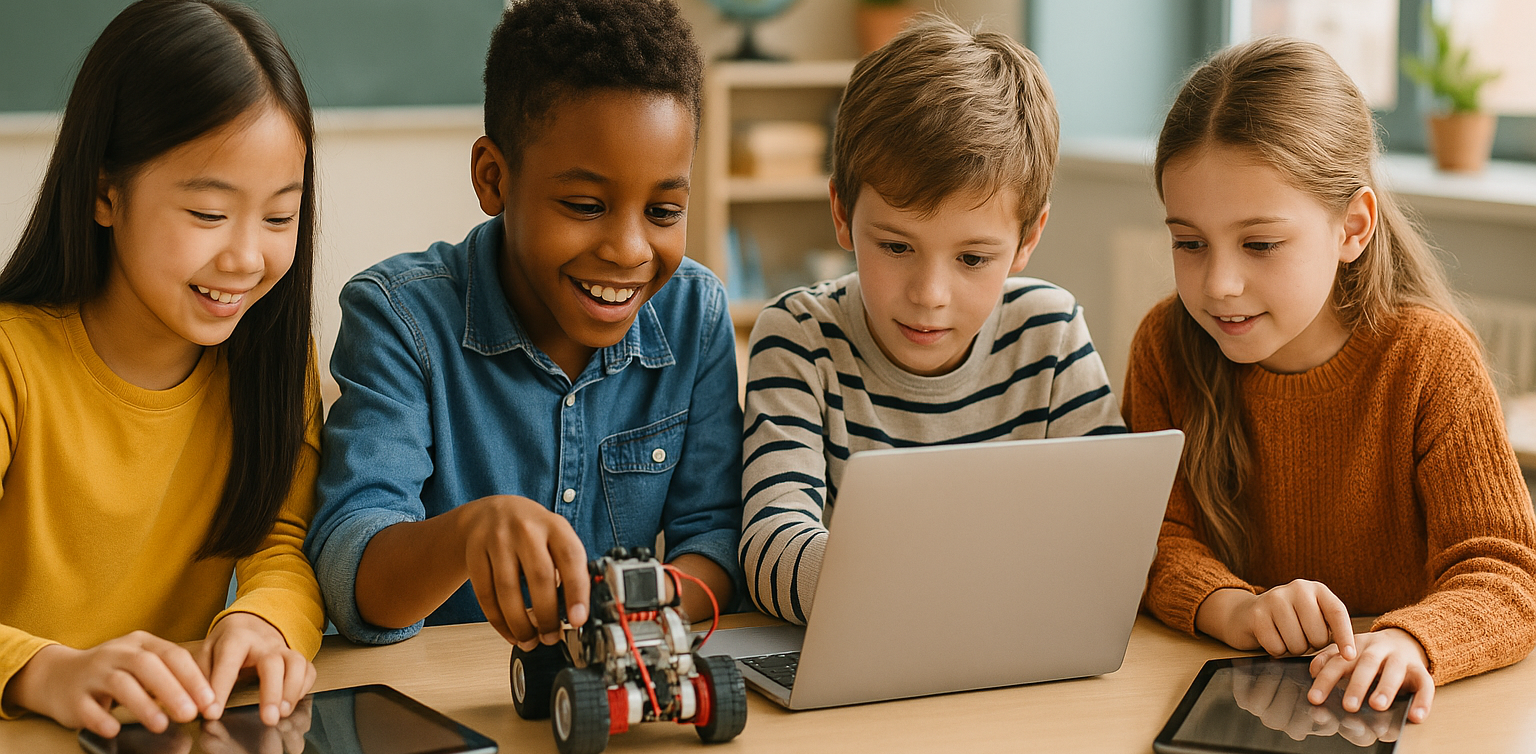
Kids Coding Course: A Smart Investment for Your Child’s Digital Future in 2025 image

In today’s digital era, children are growing up surrounded by technology. From playing games and watching educational videos to using learning apps, their daily lives are filled with gadgets and the internet. However, simply being passive users is no longer enough. To stay competitive in the future, children need to be equipped with digital skills from an early age. One of the best ways to achieve this is by enrolling them in a kids coding course.

This article will explore why a kids coding course is an essential investment for modern parents, the benefits it offers for children’s development, and how to choose the right coding program. Let’s dive in.

Why Is a Kids Coding Course Important?

kids coding course

Many parents still think learning to code is only for children who want to become programmers. In reality, the benefits go far beyond that. A kids coding course teaches critical thinking, problem-solving, and creativity—skills that are valuable across all fields, not just the tech industry.

According to the World Economic Forum, abilities like problem-solving, critical thinking, and creativity are among the top 10 skills required in the job market by 2030. By joining a kids coding course, your child will begin developing these competencies early, giving them a head start in facing future challenges.

The Benefits of a Kids Coding Course for Your Child’s Development

Here are some tangible benefits that a kids coding course offers for both children and parents:

1. Enhances Logical and Structured Thinking
Coding teaches children how to break down problems into smaller parts, find solutions, and troubleshoot errors. This way of thinking helps them tackle academic and everyday life challenges.

2. Boosts Creativity and Imagination
Through coding projects, children can create simple games, animations, and even mini-apps. This process nurtures their imagination while encouraging out-of-the-box thinking.

3. Builds Perseverance and Resilience
When a program doesn’t work as expected, children learn to troubleshoot and try again. This growth mindset fosters resilience and a never-give-up attitude, which are crucial for character development.

4. Prepares Them for Future Careers
Tech-related professions are growing rapidly. By enrolling in a kids coding course, your child gains a solid foundation to explore future career opportunities in the digital world.

When Should Children Start a Kids Coding Course?

It’s never too early to start learning coding. Children as young as six can begin understanding basic programming concepts through interactive visual platforms like Scratch or Blockly. For older kids, platforms like Python, Roblox, or even web development offer more challenging and exciting projects.

However, it’s essential for parents to choose a kids coding course that aligns with their child’s age and learning level to ensure the experience remains fun and engaging.

Tips for Choosing the Right Kids Coding Course

To maximize the benefits, here are a few tips for selecting the right kids coding course:

  • Ensure Age-Appropriate and Skill-Based Materials
    Choose programs with a progressive curriculum, starting from basics to more advanced real-world projects.
  • Experienced and Child-Friendly Mentors
    Instructors who understand how to communicate with children will create a more comfortable and effective learning environment.
  • Interactive Learning Methods
    Avoid courses that are too theoretical. Look for project-based learning where children can immediately apply what they’ve learned.
  • Certificates and Project Portfolios
    Certificates showcase achievements, while project portfolios help children build a digital track record from an early age.

Enroll Your Child in Timedoor Academy’s Kids Coding Course!

 Image

Don’t miss the opportunity to prepare your child for a tech-driven future. By joining a kids coding course at Timedoor Academy, your child will not only learn about technology but also develop creativity, logical thinking, and self-confidence from a young age. The fun and practical learning experience helps children see technology as something they can master, not something to fear.

If you want your child to enjoy a rewarding and exciting coding journey, Timedoor Academy is your perfect partner. We invite you to try a free trial class for our kids coding course. Register now and let your child explore the world of coding in a fun, structured, and inspiring way!

Keep Reading

What Children Should Learn in the Age of AI
Growing up today, children are surrounded by artificial intelligence – from voice assistants that answer their questions to apps that personalize learning. This rapid change can feel daunting, but it also opens exciting opportunities. Global experts note that nearly 44% of job skills will shift in the next five years due to AI. In demand are skills like critical thinking, creativity, and social intelligence – the very human qualities that AI cannot easily replicate. In other words, to thrive in the age of AI, children need a mix of tech know-how and human-centric skills. An illustration of the top 10 job skills predicted for 2023. Many of the leading skills are cognitive or social-emotional (such as analytical thinking, creativity, and empathy), highlighting the growing importance of human strengths in an AI-driven world. So what should kids learn, exactly? This article will explore three areas: formal education (what schools should teach), extracurricular activities, and things parents can do at home. By focusing on these, we can help our elementary and middle schoolers grow into curious, capable, and compassionate individuals in a high-tech world.     Formal Education: New Basics for the AI Age Schools still teach the ABCs and 123s, but in the AI era the curriculum must expand to new areas. As UNESCO notes, adding skills like empathy, creativity, and critical thinking into lessons is essential. Important areas schools should cover include: Coding and AI Literacy: The basics of coding (even simple drag-and-drop coding or robotics) help kids understand how technology works. Coding teaches logic and problem-solving. Many countries now introduce coding in elementary school, and some even start AI concepts early. Learning how a computer “thinks” empowers children to go from tech consumers to creators. Digital Literacy and Ethics: Children must learn to use digital tools safely and responsibly. This includes understanding online privacy, cyberbullying, and how to spot misinformation. As AI tools (like chatbots or deepfakes) appear, students should discuss ethics and fairness in technology. Early lessons in digital citizenship help kids navigate an AI-filled world with wisdom and care. Critical Thinking: Instead of memorizing facts, kids need to learn how to think. Schools can nurture this by tackling open-ended problems and encouraging questions. When children practice analyzing situations and learn from small failures, they become flexible thinkers. This skill is key in a future where they’ll constantly need to adapt and solve new challenges (often alongside AI tools). Creativity and Innovation: AI is good at following patterns, but human imagination is still unmatched. Through projects in art, writing, science, or coding, schools can spark creativity. Whether it’s writing a story or building a gadget, creative tasks teach students to experiment and innovate. By “thinking outside the box,” children learn to come up with fresh ideas – a trait that will help them stand out in an AI-driven future. Collaboration and Social Skills: Working well with others is a skill that never goes out of style. Group projects in class teach kids how to communicate, cooperate, and resolve conflicts. These experiences also build empathy – understanding and respecting others. In the future, most jobs will require teamwork (often human-AI teams), so learning to collaborate early on gives children a huge advantage. Not all schools have updated their curricula yet. In fact, only a few countries have launched formal AI lessons in K-12 education, while many others are still catching up. Parents can advocate for these changes, but learning doesn’t only happen at school. That’s where after-school experiences can help fill the gaps.     Learning Beyond the Classroom: Extracurriculars and Hobbies Beyond the classroom, extracurricular activities give kids a chance to explore and build skills in fun ways: Coding & Robotics: Many communities have coding classes or robotics teams for kids. In a coding club, children might create simple games or program robots, practicing logic and persistence as they debug problems. Robotics competitions get kids working together to solve challenges. These activities show them they can build technology, not just use it. STEM Clubs and Camps: Programs focused on science, technology, engineering, or math let kids dive into hands-on projects. They might design a gadget, launch a model rocket, or even experiment with a simple AI-powered game. The informal setting makes learning fun and fuels their curiosity. Tackling STEM challenges outside class also teaches kids to be resourceful and think on their feet with peers. Creative Arts & Making: Activities like art, music, drama, or creative writing nurture imagination and innovation – qualities machines can’t replicate. Joining a theater group or art class helps kids express themselves and think creatively. Maker workshops (like tinkering with crafts, coding a gadget, or 3D printing) encourage problem-solving from a fresh angle. By creating something of their own – a story, a song, a piece of art – children learn to think outside the box. Team Sports & Groups: Sports teams, scouting, or any group activity teach teamwork and perseverance. When kids play on a team or do a group project, they learn to communicate, solve conflicts, and bounce back from setbacks. These experiences build character and resilience. They also mirror the collaborative spirit needed in most workplaces. Knowing how to cooperate and lead will help your child no matter what career they pursue. Extracurriculars often ignite passions that carry into adult life. Whether your child loves coding, soccer, or painting, these activities complement academics with practical skills and confidence. Just as importantly, children see that learning can happen anywhere – not just in a classroom – keeping their love of discovery alive.     Parenting in the Age of AI: Fostering Skills at Home Home is where children develop habits and attitudes that last a lifetime. Here are a few ways parents can instill important skills: Encourage Curiosity: Embrace your child’s “why” and “how” questions. When they ask something, explore the answer together – look it up or do a quick experiment. Show them how you find information and think through problems. By feeding their curiosity, you teach them that learning is a fun, ongoing process. A child who knows how to learn will adapt more easily to new technology and ideas. Nurture Creativity: Provide opportunities for unstructured play and creative projects. Give them art supplies, blocks, or even cardboard boxes to invent games or stories. This kind of play develops creativity and problem-solving. It shows kids they can have fun and be imaginative without a screen. By encouraging make-believe and projects at home, you help your child practice thinking in original ways – a skill that leads to innovation. Model Lifelong Learning: Let your child see you learning new things too. Talk about a book you read, a recipe you tried, or a problem you solved. Show that adults also face challenges and figure things out. For example, say, “I didn’t know how to fix the Wi-Fi, so I watched a tutorial and now it works!”. This teaches kids that it’s okay not to know everything and that perseverance pays off. If a new app or gadget confuses you, learn it with your child – you might even ask them for help. Your example will teach them that learning never stops. Set Tech Boundaries: Establish healthy tech habits early – for example, no screens at dinner or no phones after 8 PM – and explain why (screen time can affect sleep, and family time is important). Teach basic online safety: don’t share personal info or talk to strangers online, and ask a parent if something seems odd. As they get older, discuss using the internet and AI responsibly. If they use a homework-help chatbot, remind them it’s for hints, not copying answers. By guiding them, you help your child develop a balanced relationship with technology – they’ll enjoy the benefits without the harms. Teach Empathy and Social Skills: Make kindness and communication a daily practice. Encourage your child to think about others’ feelings (“How do you think your friend felt when you said that?”). Practice listening and taking turns during family conversations. When conflicts happen, help your child talk through the situation calmly and see the other person’s perspective. These exercises build emotional intelligence. Kids who learn to manage emotions, be considerate, and resolve disagreements will have a big advantage working with others in the future. By nurturing curiosity, creativity, kindness, and responsible tech use at home, you’re giving your child a solid foundation. They will grow up comfortable with technology but not overdependent on it, and tech-savvy yet also empathetic and adaptable. In a world full of smart machines, those human qualities will set them up for success.   Conclusion: Preparing Kids for a High-Tech Future The age of AI is here to stay, and our children will grow up with technologies we can only imagine. As parents, we don’t have to predict the future; we just need to equip our kids with adaptable skills and strong values. By ensuring they learn both technical skills (like coding and digital literacy) and human skills (like creativity, critical thinking, empathy, and teamwork), we empower them to use AI as a tool and not be overshadowed by it. In many ways, the heart of parenting remains the same. Encouraging your child’s curiosity, supporting their dreams, teaching them right from wrong, and providing love and support will always be crucial. These foundations, combined with opportunities to learn about technology and the world, will help your child thrive no matter how things change. They’ll be tech-savvy but also creative, digitally literate but also kind. With that balance, your child won’t just be prepared for the future – they’ll be ready to shape it.       Glossary of Key Terms Artificial Intelligence (AI): Technology allowing computers or machines to perform tasks that typically require human intelligence, such as learning, reasoning, and problem-solving. Coding: Writing instructions for computers to execute tasks; fundamental for building software, apps, and robotics. Digital Literacy: The ability to effectively find, evaluate, use, and create information using digital technologies and tools. Digital Ethics: Understanding and applying ethical principles when interacting in digital environments, including respect for privacy and prevention of cyberbullying. Critical Thinking: Analyzing facts to form a judgment, solve problems effectively, and make informed decisions. Creativity and Innovation: The ability to produce original ideas, approaches, and solutions that are valuable in various contexts. Collaboration: Working effectively with others toward a common goal, emphasizing communication, teamwork, and problem-solving. Empathy: The capacity to understand and share the feelings of others, critical for emotional intelligence and successful relationships. STEM: Acronym for Science, Technology, Engineering, and Mathematics; an interdisciplinary approach to learning. Digital Citizenship: Responsible and ethical behavior when using technology, including understanding privacy, online etiquette, and digital safety.     Frequently Asked Questions (FAQ) What age should children start learning about AI and coding? Children can begin learning the basics of coding and AI concepts as early as elementary school. Simple visual coding languages and robotic toys are age-appropriate ways to introduce these topics and build foundational skills. How important is creativity in an AI-driven world? Creativity is crucial, as it allows humans to envision and develop original ideas and solutions. While AI excels at repetitive tasks and pattern recognition, human creativity remains unmatched in problem-solving and innovation, making it a highly valuable skill for the future. Can after-school programs really enhance my child's readiness for an AI-driven future? Yes, after-school programs provide hands-on, practical experiences that complement classroom learning. Activities like robotics clubs, STEM camps, arts programs, and team sports help children develop critical thinking, creativity, teamwork, and resilience—skills highly valued in the AI age. How can parents teach children digital ethics effectively at home? Parents can teach digital ethics by openly discussing online behaviors, setting clear rules about screen time, and modeling responsible technology use. Regularly talking about topics such as online privacy, cyberbullying, and misinformation helps children navigate digital environments safely and responsibly. What can parents do to foster emotional intelligence? Parents can encourage emotional intelligence by regularly discussing feelings, modeling empathy, resolving conflicts constructively, and encouraging their children to see things from another person’s perspective. Regular communication and open dialogue build strong emotional skills. Is critical thinking more important than memorization in education now? Yes, in the AI era, critical thinking is becoming increasingly essential. While memorization has its place, critical thinking skills enable students to analyze information, make informed decisions, and adapt to rapidly changing scenarios, helping them thrive in a dynamic and uncertain future.

Aplikasi Belajar Anak SD
Top 10 Technology Tools for Elementary Students in 2025
As we step into 2025, technology tools for elementary students are more important than ever. These tools enhance creativity, improve learning outcomes, and foster engagement both inside and outside the classroom. With the help of these technology tools for elementary students, children can develop essential skills that will serve them throughout their academic careers and beyond. Here’s a list of 10 essential technology tools for elementary students to boost their educational experience in 2025. Top 10 Technology Tools for Elementary Students in 2025 1. Kahoot! Focus: Interactive learning and quizzes Kahoot! remains one of the most popular technology tools for elementary students because it turns learning into a fun and competitive experience. Teachers and students can create customized quizzes on subjects like math, science, and language arts, fostering active participation. How to Use It: By incorporating Kahoot! in lessons, educators can make learning feel like a game. Students can play individually or in teams, which makes learning not only engaging but also interactive. With real-time feedback, teachers can adjust their lessons based on students' performance, ensuring that every child stays on track. 2. Seesaw Focus: Digital portfolio and communication Seesaw is another fantastic example of technology tools for elementary students that focuses on student documentation and communication. It allows students to create digital portfolios where they can showcase their work through photos, videos, and drawings. This tool strengthens the bond between teachers and parents, as they can track the progress of the students in real-time. How to Use It: With Seesaw, students can upload images of their assignments or record their thoughts on projects. Teachers can provide feedback and conduct virtual lessons or activities, keeping students and parents connected in an efficient, digital space. 3. Google Classroom Focus: Classroom management and assignment tracking Google Classroom is essential for managing assignments, tracking progress, and organizing classroom materials. As one of the top technology tools for elementary students, it helps both teachers and students streamline their work. Teachers can assign tasks, grade assignments, and provide real-time feedback, while students can easily access learning materials and submit work in one centralized platform. How to Use It: Teachers can post assignments and resources to Google Classroom, making it easy for students to stay organized. Additionally, it integrates with Google Drive, enabling students to collaborate on documents and presentations. This makes it easier to stay on top of deadlines and receive instant feedback. 4. Scratch Focus: Coding and creativity Scratch is one of the most popular technology tools for elementary students when it comes to learning programming. Through visual coding, students can create interactive stories, games, and animations, sparking creativity while teaching them important skills in computational thinking. How to Use It: Scratch is beginner-friendly and offers a drag-and-drop interface for students to build their own projects. Teachers can incorporate Scratch into STEM lessons, teaching logic, sequencing, and problem-solving through interactive coding challenges. This tool is a great starting point for young learners to get familiar with coding and digital creation. 5. Epic! Focus: Digital library for young readers For young readers, Epic! is an invaluable tool in the world of technology tools for elementary students. Epic! offers access to thousands of books, audiobooks, and educational videos. Its interactive features like read-aloud and quizzes make reading more engaging for children. How to Use It: Teachers can assign reading materials directly from Epic! to keep students engaged with books that suit their level. Students can explore a vast library of e-books or listen to audiobooks that cater to their individual reading preferences. Epic! fosters a love for reading by offering a fun and interactive approach to literature. 6. ClassDojo Focus: Classroom behavior and communication ClassDojo is one of the best technology tools for elementary students when it comes to fostering positive behavior and classroom culture. It allows teachers to reward students for good behavior, accomplishments, and teamwork. How to Use It: Teachers can assign points to students based on specific behaviors, such as being on task, helping others, or staying focused. These points can be exchanged for rewards like extra break time or special privileges. ClassDojo is an excellent tool for teaching students about responsibility and positive reinforcement. 7. TinkerCAD Focus: 3D design and engineeringFor students interested in design and engineering, TinkerCAD is one of the leading technology tools for elementary students. This user-friendly 3D design platform allows children to create their own digital models. How to Use It: Students can start by designing simple objects like keychains or toys and gradually work their way up to more complex 3D projects. Teachers can use TinkerCAD to introduce students to engineering and design concepts, making it easier for them to visualize their ideas and understand the basics of 3D modeling and printing. 8. Google Earth Focus: Geography and exploration Google Earth opens up the world to elementary students by allowing them to explore every corner of the globe. Whether for geography lessons or environmental studies, this tool is an essential part of technology tools for elementary students. How to Use It: Teachers can use Google Earth to give virtual tours of countries, cities, landmarks, and natural wonders. Students can explore geographical features and learn about different cultures and ecosystems. This immersive tool makes learning about the world fun and interactive. 9. Duolingo Focus: Language learning As one of the leading technology tools for elementary students, Duolingo helps young learners acquire new languages in a fun, gamified format. This app is perfect for introducing kids to a new language, including popular languages like Spanish, French, and German. How to Use It: Duolingo presents lessons in bite-sized segments that are both fun and educational. Students can practice daily and track their progress. This tool offers rewards and challenges, motivating students to keep learning new words and phrases while building language proficiency. 10. BrainPOP Focus: Educational videos and quizzes BrainPOP is a popular educational platform that offers animated videos and interactive quizzes. It covers a wide range of subjects, including science, math, and social studies, making it one of the best technology tools for elementary students to enhance their learning. How to Use It: Teachers can use BrainPOP to introduce new concepts in a fun and visual way. After watching the videos, students can complete quizzes and discuss the material in class. This helps reinforce key ideas and assess student understanding in an engaging, interactive manner. Why Technology Tools Matter for Elementary Students In 2025, technology tools for elementary students are not just an enhancement to traditional learning; they are essential to developing digital literacy and critical thinking skills. These tools help provide personalized learning experiences that adapt to the needs of each student, whether they need extra support or more challenging material. By incorporating technology tools for elementary students into the classroom, teachers can create an environment that promotes engagement, creativity, and collaboration, preparing students for future success in an increasingly digital world. Start Your Digital Learning Journey Today! Want to make learning even more engaging for your child? Explore Timedoor Academy and try free trial class today and discover how our digital learning platform can support your child’s educational growth with interactive lessons and expert-curated content.
Fun and Easy Coding Lessons for Kids in 2025
In today’s fast-moving digital world, coding has become an essential skill for children. It’s not just about preparing them to become future programmers, but also about helping them build logic, improve critical thinking, and solve problems in a structured way. That’s why introducing coding lessons for kids at an early age is a smart move for both parents and educators. Teaching coding to children, especially those in elementary school, requires a different approach than teaching older students or adults. The material must be adapted to their level of understanding and presented in a way that is fun and interactive, so they stay engaged and motivated. So, what kind of coding lessons for kids are best suited for young learners? Let’s explore the options. Why Kids Should Learn Coding Before diving into the types of coding lessons for kids, it’s important to understand why coding is valuable from a young age. Some of the key benefits include: 1. Strengthening logical thinkingCoding teaches kids how to think in steps and solve problems using logic. This helps develop structured and organized thought patterns. 2. Encouraging creativityThrough coding, children can build their own games, animations, and digital stories. It sparks imagination and creative expression. 3. Preparing for the digital futureAs technology becomes more integrated into everyday life and future careers, understanding coding gives kids a head start and builds a strong foundation. 4. Building resilienceWhen something in their code doesn’t work, kids are encouraged to find solutions and try again. This helps develop patience and problem-solving skills. Recommended Coding Lessons for Kids There are many ways to introduce coding lessons for kids, depending on their age and learning style. Here are some great starting points: 1. Understanding Basic Logic and Algorithms Before learning a programming language, kids need to grasp simple concepts like sequences, conditionals (if-then statements), and loops. These can be taught using hands-on activities like card games, unplugged coding puzzles, or guided problem-solving exercises. 2. Block-Based Programming Block-based platforms are one of the most effective ways to start coding lessons for kids. Kids drag and drop visual blocks that represent code to complete tasks. Some popular platforms include: Scratch: Designed for children to build animations, games, and interactive projects. Code.org: Offers beginner-friendly lessons with characters and stories that keep kids engaged. Blockly: Similar to Scratch and great for easing the transition into text-based programming. These tools make learning to code intuitive, visual, and fun. 3. Beginner Programming Languages Once children are comfortable with block-based coding, they can begin to explore simple programming languages such as: Python: Known for its readability and simplicity, perfect for beginners. HTML & CSS: Great for kids interested in web design and layout. Basic JavaScript: Helps kids understand interactivity and logic on websites. These coding lessons for kids should be introduced slowly and supported by mentors who understand how to guide young learners. 4. Real-Life Coding Applications To make learning more meaningful, kids can be shown how coding is used in real life. They can build educational games, simulate everyday systems like traffic lights, create interactive calendars, or program basic robots using tools like Micro:bit or LEGO Robotics. These hands-on applications show that coding can be both fun and useful. Tips for Teaching Kids to Code For coding lessons for kids to be effective, the teaching method is just as important as the content. Here are a few tips: Use interactive visualsChildren understand and retain more when they see how things work. Use videos, animations, and coding games. Make learning funIncorporate games, challenges, and reward systems to keep kids motivated and engaged. Celebrate small winsRecognizing achievements helps build confidence and encourages progress. Keep it gradualAvoid overwhelming kids by focusing on one concept at a time and allowing them to master it before moving on. Start Early, Build Strong Foundations The best coding lessons for kids are those that suit their developmental level, encourage creativity, and support essential skills like logical thinking and problem-solving. By starting early, children are not only introduced to the world of technology, but they also gain confidence in exploring and understanding how digital systems work around them. If you’re looking for a program that makes coding accessible, fun, and age-appropriate, Timedoor Academy offers interactive lessons led by experienced instructors. Sign your child up for one of our engaging classes and take advantage of our free trial session. It’s the perfect way to introduce coding lessons for kids in a positive and meaningful way!
float button