Oct 02, 2024

Timedoor Academy Youth Coding Competition in Syria!

Timedoor Academy Youth Coding Competition in Syria! image

Syria’s youth coding competition is a way to showcase young tech enthusiasts’ coding abilities at the Timedoor Academy Coding Competition in Syria!

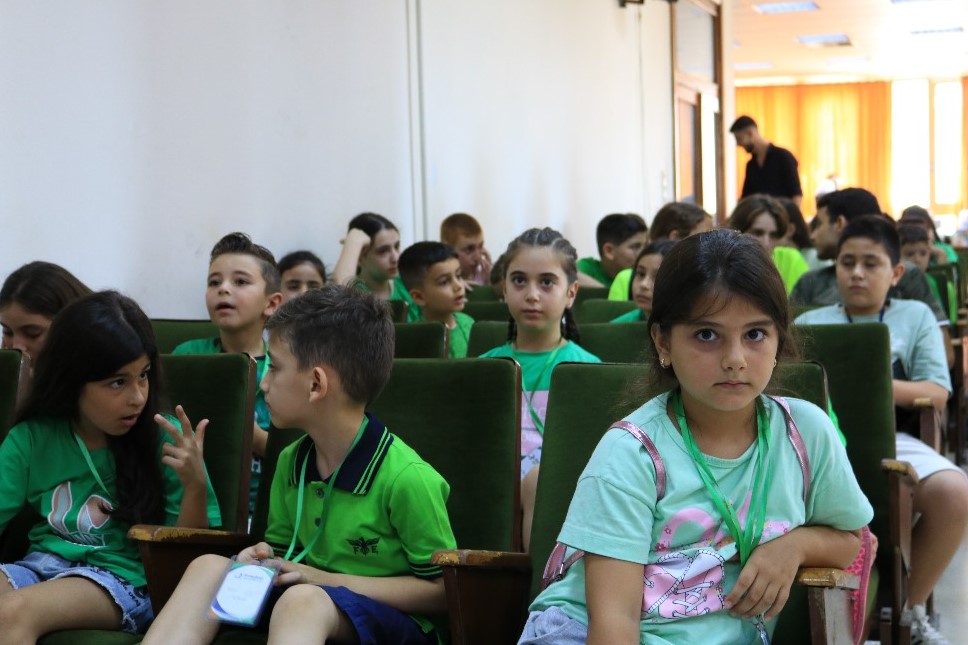
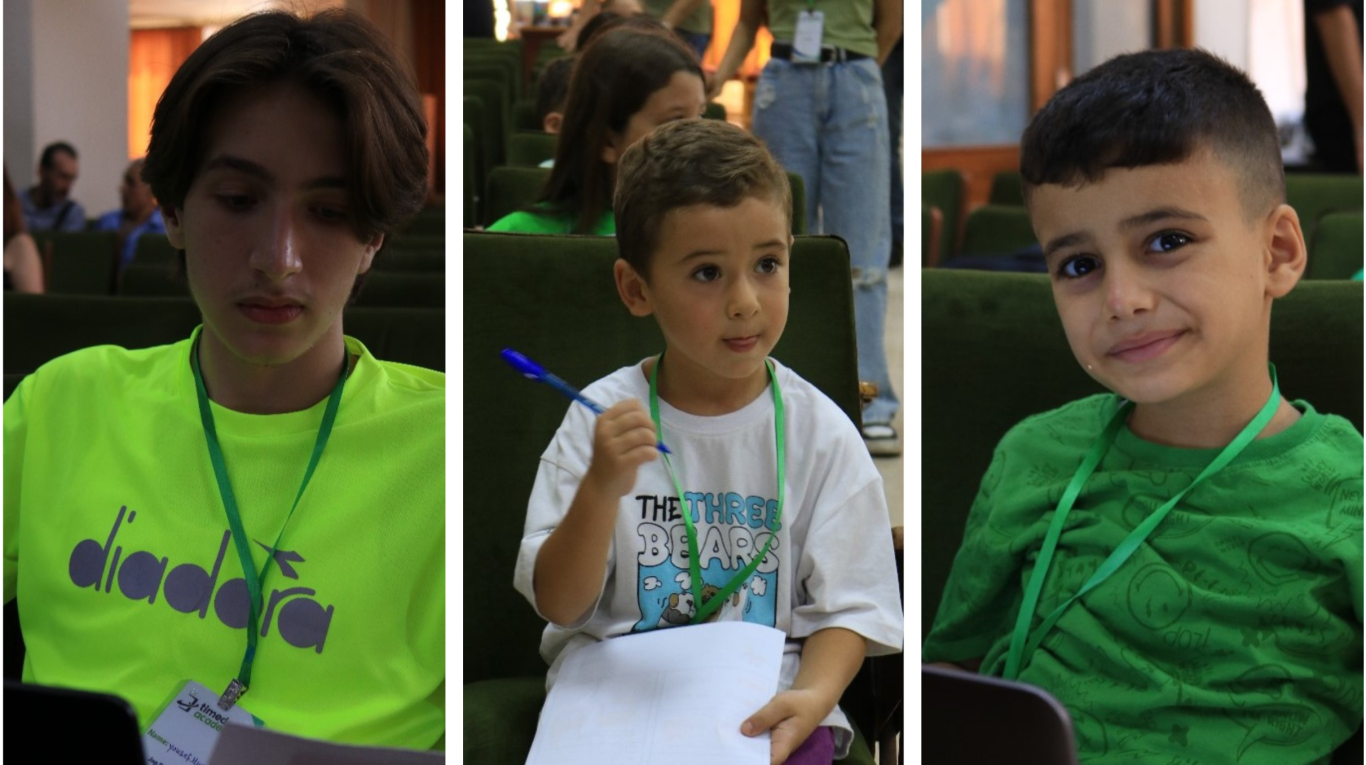
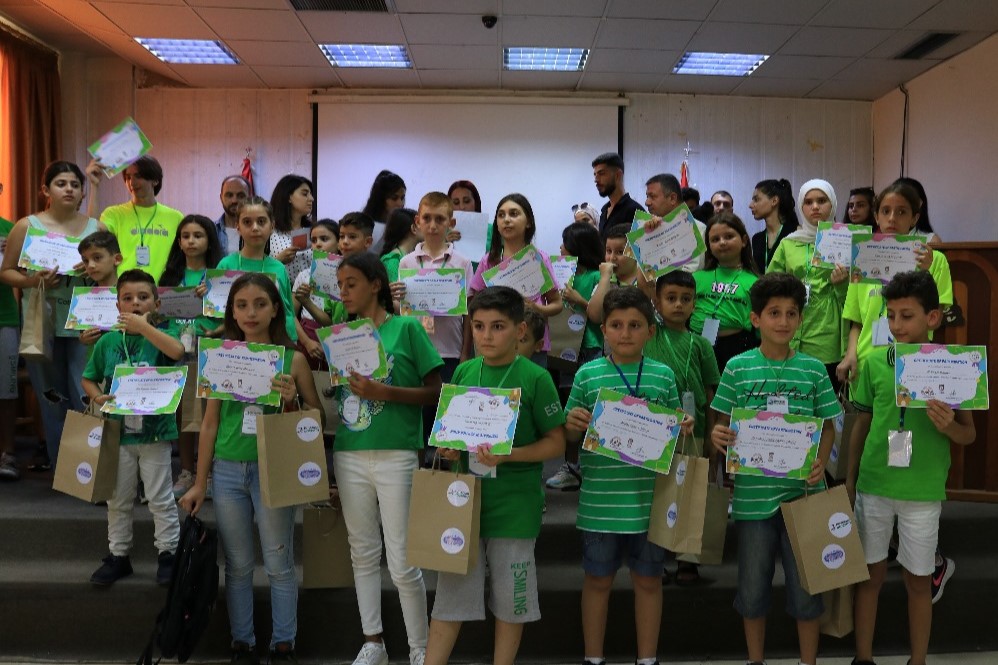
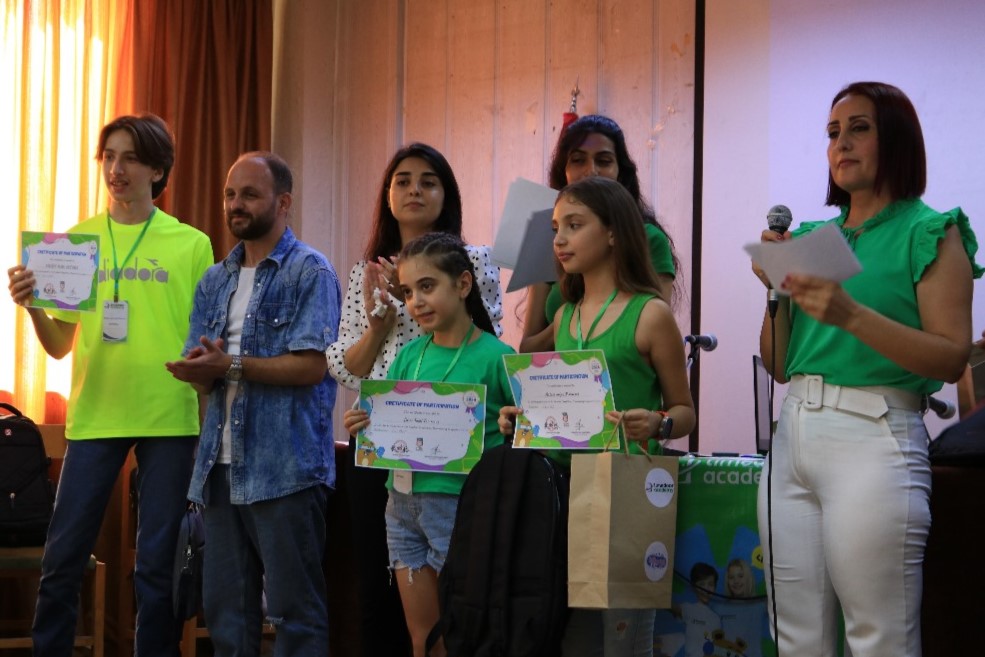
On August 3, 2024, Timedoor Academy held its big Coding Competition in Syria. Lots of young coders were looking forward to it. It was a day full of creative ideas and clever computer work. The event showed off the smart project of 150+ students who had taken face-to-face classes in Syria.

Kids, Children, Youth Coding Competition in Syria


Overview of The Event

The coding competition contest had two fun parts where coders were required to make a new project, from scratch, all by themselves in each part. At first, the 150+ eager young coders did their very best in the initial round.

When the competition got more intense, the competition narrowed down to the best 33 in each category. These top participants won a chance to show their further skills in the final round at the Cultural Center in Latakia.

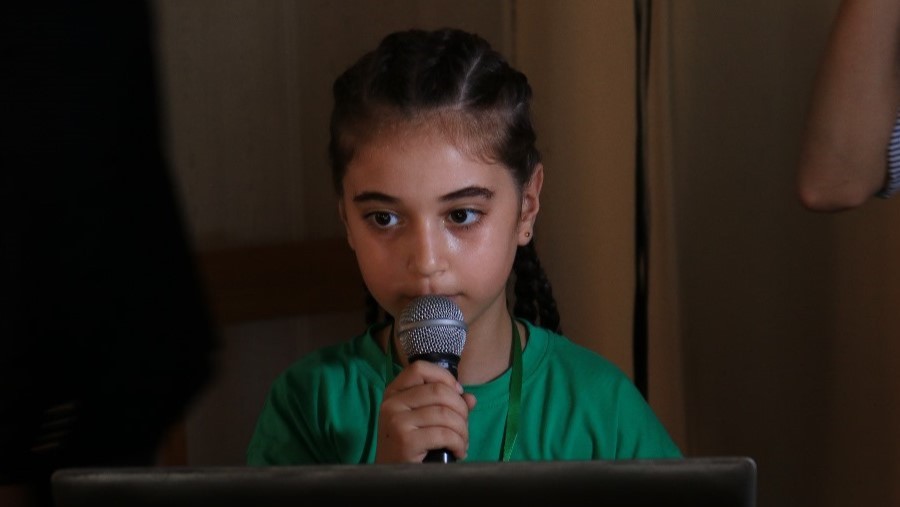
Making things even more exciting, the finals were extra special because 50+ proud parents were there to watch their kids show off their amazing coding skills in the finals. This proved that the young Syrian coders have what it takes to succeed in technology.

This remarkable display of skill and creativity from Syria’s young coders demonstrates promising talent emerging in technological aspects.


Highlights of  The Coding Competition in Syria!

At Timedoor Academy, we believe in nurturing the tech leaders of tomorrow. This competition was more than just an event but it was a celebration of young talent and bright future of technology in Syria.

Well done, and congrats to all winners in every group! Your dedication, effort, and coding know-how have shows what’s possible.

Thank you to every participant and parents who joined us on this amazing coding competition journey your hard work and creative thinking have made this event truly special.

Stay tuned for more exciting updates and opportunities to shine at Timedoor Academy!

Explore our cutting-edge courses and upcoming tech events by visiting our website. Don’t miss out – click here and start your digital adventure today!

Keep Reading

Complete Guide How to Make a Roblox Skin for Your Child
For many children, gaming has evolved beyond entertainment. It has become a creative outlet and a way to express themselves. One of the most popular platforms among kids and teens today is Roblox. This game allows users to create virtual worlds and customize their avatars to reflect their unique personalities. That’s why learning how to make a Roblox skin can be both fun and educational for your child. What Is a Roblox Skin? In Roblox, a skin refers to the appearance of a player’s avatar. Children can personalize their avatars by changing clothing, skin tones, hairstyles, accessories, and more. These skins aren’t just for looks. They’re tools for creativity and learning, especially when kids use Roblox Studio to explore deeper customization options. Why Should Kids Learn to Make Their Own Skins? Introducing children to how to make a Roblox skin has numerous benefits. First, it encourages creativity. Kids get to explore color combinations, design themes, and styles. Second, they gain exposure to basic digital tools and visual design principles. This process also supports problem-solving skills. Children often need to experiment and refine their designs to achieve the result they envision. Best of all, it transforms screen time into something more productive and purposeful. What Tools Are Needed? To help your child get started with how to make a Roblox skin, you’ll need just a few basic items: An active Roblox account A computer or laptop Access to Roblox Studio (available free on Roblox’s official site) A downloadable Roblox skin template Roblox provides flat skin templates that show the layout of each part of the avatar, including the head, torso, arms, and legs. These templates serve as the base for customization. Step-by-Step Instructions on How to Make a Roblox Skin Here’s a simple guide that parents and children can follow together: Download the official template from the Roblox Developer site. This template helps with precise customization. Use a graphic editing tool such as Paint.NET, GIMP, or even Pixlr. Choose software that’s beginner-friendly and age-appropriate. Design the skin by adding colors, patterns, logos, or any details your child enjoys. Let them express their personality. Save the file in PNG format without altering the original dimensions. Upload the skin to Roblox Studio and preview how it looks in the game. These steps are not just technical but also developmental. Kids will become familiar with software tools, layout concepts, and creative thinking. Tips to Make the Experience More Enjoyable To ensure your child has fun while learning how to make a Roblox skin, here are a few practical tips: Encourage creative freedom. Allow children to explore their ideas without strict limitations. Turn it into a shared project. Parents can join the process to build stronger connections with their kids. Celebrate their creations. Offering praise builds self-confidence and motivates kids to keep learning. Making a Roblox skin is not just a hobby. It’s a gateway into the world of design and digital literacy. Connecting Hobbies with Digital Learning Exploring how to make a Roblox skin can be an entry point into broader tech skills. Roblox Studio even allows users to add scripts using Lua, a programming language. If your child shows an interest in going further, this could be an ideal time to introduce them to structured learning in technology. Through this hobby, children get a hands-on introduction to digital tools, design logic, and maybe even a little coding. It’s an excellent way to turn a pastime into a valuable learning experience. Try a Free Coding Class at Timedoor Academy Helping your child discover how to make a Roblox skin is more than just a gaming activity. It nurtures creativity, boosts digital confidence, and introduces the basics of design and technology. With the right guidance, what begins as a simple customization project can lead to a deeper interest in tech-based learning. If you’re looking for a fun and structured way for your child to explore coding, creativity, and digital tools, Timedoor Academy offers coding classes specially designed for kids. These programs are interactive, age-appropriate, and focus on building skills for the future.Sign up today for a free trial at Timedoor Academy and support your child’s journey into the world of technology in a fun and meaningful way.
aplikasi python untuk anak
10 Best Python Apps for Kids to Learn Coding in 2025
In 2025, programming has become one of the most important skills for children to learn. With the rise of digital education, more parents and educators are introducing coding at an early age. Among the many programming languages, Python stands out for its readability and beginner-friendly structure, making it an ideal language for young learners. Today, there are plenty of Python apps for kids that make learning fun, interactive, and suitable for different age groups. These Python apps for kids are designed to simplify complex concepts and teach children how to think logically and solve problems creatively. Many of these apps use games, animation, and step-by-step challenges to help children build a strong foundation in Python coding. Whether your child is new to programming or already curious about how games and websites work, these apps will help them take their first steps into the world of technology. Here are the 10 best Python apps for kids that you can explore in 2025!   10 Best Python Apps for Kids to Learn Coding in 2025   1. Tynker Focus: Learn Python through games and puzzlesTynker is a highly recommended platform that offers a range of beginner to advanced courses, including Python. Its game-based lessons make learning Python enjoyable for kids and easy for parents to follow. How to Use It: Kids can choose a Python learning path, solve challenges, and build their own mini projects with guided instructions and instant feedback. 2. CodeCombat Focus: Coding adventure game with real Python codeCodeCombat combines learning with adventure. Kids control characters in a game by writing actual Python code. It’s one of the best Python apps for kids who enjoy storytelling and gaming. How to Use It: Children choose their characters, learn spells (code), and battle through levels by solving real coding problems using Python. 3. Trinket Focus: Write and share live Python code onlineTrinket is a coding tool that allows kids to write, run, and share Python code directly from their browser without installing anything. It’s simple and ideal for beginners. How to Use It: Children can explore beginner-friendly Python projects, experiment with code, and instantly see the output. Great for school use or homeschooling. 4. SoloLearn Focus: Mobile learning app for Python basicsSoloLearn is a mobile app that provides bite-sized Python lessons. While it’s suitable for learners of all ages, kids who are in upper elementary or middle school can benefit from its beginner courses. How to Use It: Kids can log in daily, go through short lessons, take quizzes, and interact with a global community of learners. 5. Pythonista (iOS Only) Focus: Real coding in Python for iPad usersPythonista is one of the more advanced Python apps for kids who are ready to try real-world coding environments. It features a full Python IDE on iOS. How to Use It: Young learners can build small apps, run scripts, and explore how Python works on mobile devices. Best for kids with prior coding experience. 6. EduBlocks Focus: Visual to text-based Python codingEduBlocks bridges the gap between block-based coding and text-based Python. It is perfect for transitioning from platforms like Scratch to actual Python code. How to Use It: Kids drag and drop visual blocks that automatically translate into real Python code, helping them understand syntax while building confidence. 7. PyGame Focus: Build games using Python If your child loves gaming, PyGame is one of the most engaging Python apps for kids. It is a set of Python modules used to make video games, and kids can create their own projects from scratch. How to Use It: Children can follow tutorials to build simple games such as pong or snake and then level up to more advanced interactive games. 8. Programming Hero Focus: Gamified learning and storytelling in PythonProgramming Hero teaches Python through colorful storytelling and missions. This makes it a great tool for children who enjoy visuals and creativity. How to Use It: Kids complete quests and unlock achievements while learning Python concepts like variables, loops, and functions in a game-like environment. 9. Blockly for Python Focus: Visual blocks to learn Python syntaxBlockly is a drag-and-drop visual coding app that helps kids learn the syntax of Python before they start writing the actual code. How to Use It: Kids create Python programs by dragging and arranging blocks to represent Python code, gradually transitioning to actual text-based coding. 10. Timedoor Academy’s Python Course for Kids Focus: Structured online classes with live mentorshipTimedoor Academy offers a fun and guided learning experience for kids who want to master Python. Lessons are designed by expert instructors who make programming fun and practical. How to Use It: Kids can join a free trial class, explore Python basics, and build real projects such as games and animations with a mentor’s help.   Why Use Python Apps for Kids? Python apps for kids are more than just learning tools. They are platforms that encourage curiosity, support creativity, and teach valuable skills in problem-solving, logic, and digital literacy. Unlike traditional learning methods, these apps allow children to experiment, make mistakes, and learn through interactive challenges. Python also offers a clean and easy-to-read syntax, which makes it perfect for beginners. Many schools and educators now include Python in their curriculum because it provides a strong foundation for learning other programming languages and STEM subjects in the future. By using Python apps for kids, your child can learn at their own pace, explore their interests, and even develop confidence in tech-related skills that may become essential in their careers later on.   Join a Free Trial with Timedoor Academy Looking for a structured yet fun way to help your child learn Python? Timedoor Academy provides interactive online coding classes that are tailored for kids. With live mentorship and project-based learning, children can build their own games, websites, and animations while learning real Python skills. Try a free trial class today and start your child’s coding journey with one of the best tech education platforms in Asia.
<strong>7 Early Signs of Autism in Children That Parents Often Miss</strong>
7 Early Signs of Autism in Children That Parents Often Miss
Every child grows and develops at their own pace. However, some parents begin to worry when their child shows behaviors that seem different from others their age. One of the most important things to recognize early is the signs of autism in children, because early detection increases the chances of receiving the right support. Autism, or Autism Spectrum Disorder (ASD), is a neurodevelopmental condition that affects how children interact, communicate, and behave. The symptoms can range from mild to more complex. Because it is a spectrum, many parents may not immediately realize their child is showing signs of autism. Here are some common signs of autism in children that parents should not ignore: 1. Limited Eye Contact One of the earliest signs is that a child rarely makes eye contact. For example, when being spoken to or played with, the child avoids looking at the other person's face. This can be an early sign of autism in children and is often mistaken for shyness or lack of focus. 2. Not Responding When Called by Name By around one year old, most children will respond when their name is called. However, children with autism often do not react at all. They may seem lost in their own world, not because of hearing issues, but due to differences in how their brains process social information. 3. Lack of Social Expressions and Gestures Children usually express emotions through smiles, waving, or pointing at things that catch their interest. If your child rarely shows these behaviors, it could be one of the signs of autism in children. Autistic children often have flat facial expressions and show limited interest in social interactions. 4. Delayed Speech or Lack of Functional Language Many children with autism experience speech delays. Some may say words but not use them for communication. Others prefer to use gestures rather than words to express their needs. This is one of the most common signs of autism in children, especially noticeable by the preschool years. 5. Unusual Play Patterns Most children enjoy role-playing or interacting with peers. But children with autism may fixate on certain parts of toys, like spinning wheels or lining up objects in repetitive ways. This kind of rigid play pattern is a typical sign of autism in children. 6. Over or Under Sensitivity to Senses Autistic children may show extreme reactions to loud noises, light touches, or bright lights. On the other hand, some may not respond at all to such stimuli. These unusual sensory responses are one of the signs of autism in children that can confuse many parents. 7. Repetitive Movements or Speech Children with autism often repeat specific movements or words, such as hand-flapping, jumping, or echoing phrases over and over. These behaviors provide comfort or stimulation and are a recognizable sign of autism in children. Should Parents Be Worried? Noticing several signs of autism in children does not mean you should panic. What matters most is observing consistently and consulting with professionals such as child psychologists or developmental pediatricians. A proper diagnosis requires thorough evaluation, and not every child with delays or unique behaviors is on the autism spectrum. Early identification helps children receive targeted interventions and therapies. Whether it is speech therapy, occupational therapy, or social skills support, these can help children reach their full potential. Bonus: How Technology Can Help Children Learn In addition to nurturing emotional and social development, parents can also introduce their children to structured and engaging activities that build focus and logic, such as coding. Coding teaches kids how to think logically, solve problems, and follow sequences. Timedoor Academy offers child-friendly coding courses tailored to different learning styles, including children who thrive in visual or structured environments. Try a free coding class today and discover how technology can support your child’s learning in a fun and meaningful way.
float button