Apr 29, 2025

Bringing Tech Education To Potential Youth: J Trust Bank and Timedoor Academy Empower Orphans in Karangasem
Bringing Tech Education To Potential Youth: J Trust Bank and Timedoor Academy Empower Orphans in Karangasem image

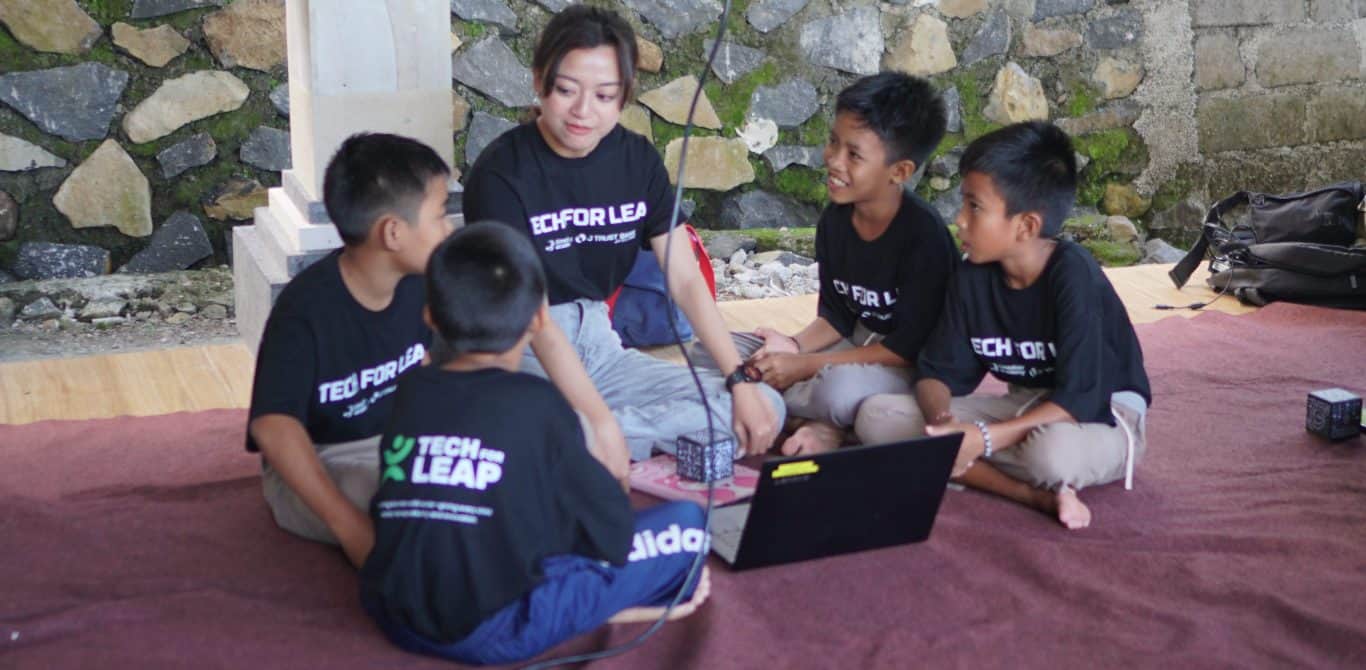
Karangasem, April 27, 2025 – To support IT education for underprivileged children in Indonesia, PT Bank JTrust Indonesia Tbk (J Trust Bank) has partnered with Timedoor Academy, a tech education startup, to launch a Corporate Social Responsibility (CSR) initiative. The program, titled “IT Education for Underprivileged Children and Orphans” took place in Seraya Timur Village, Karangasem District, Bali, and reached 15 children aged 7–18 from orphaned and economically disadvantaged backgrounds.

This initiative addresses the urgent need for IT education for underprivileged children who often face significant barriers such as poverty, limited educational infrastructure, and minimal access to technology. By equipping them with essential digital skills, J Trust Bank and Timedoor Academy aim to prepare these children for a brighter, more equitable future.

Program Focus: IT Education for Underprivileged Children
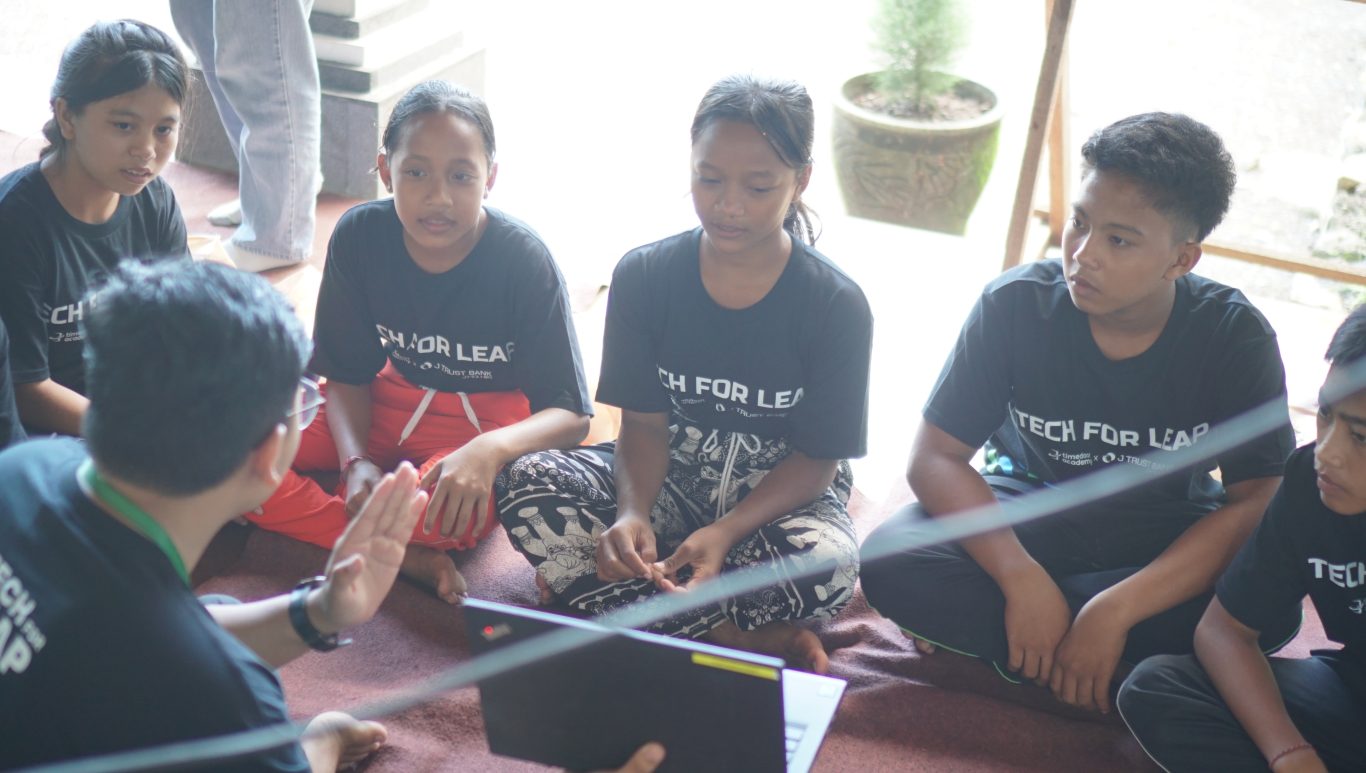
IT education for underprivileged children

As part of their commitment to IT education for underprivileged children, J Trust Bank and Timedoor Academy designed the program around three key pillars:

1. Training of Trainers (ToT):
This component equips local educators with both technical and teaching skills, enabling them to support and sustain tech education for potential youth in their communities.

2. Learning Management System (LMS) Access:
Students gain access to a digital platform offering curriculum-aligned learning materials for elementary to high school levels, helping to provide structured IT education for underprivileged children that meets their developmental needs.

3. Ongoing In-Person Training:
The children undergo 12 months of hands-on learning in coding and basic tech skills. This extended period reinforces the foundational goals of IT education for underprivileged children, building their confidence and digital literacy over time.

J Trust Bank’s Commitment to Inclusive Digital Learning
Ritsuo Fukadai, President Director of J Trust Bank, highlighted the importance of expanding IT education for underprivileged children to foster social equity.

“As a Japanese company operating in Indonesia, we believe technological education must be accessible to all. This program is our step toward opening doors for orphans and underprivileged youth to reach their full potential,” Fukadai explained.

This initiative is part of the bank’s broader mission to support sustainable, tech-driven social development in underserved areas.

Timedoor Academy’s Role in Delivering IT Education for Underprivileged Children
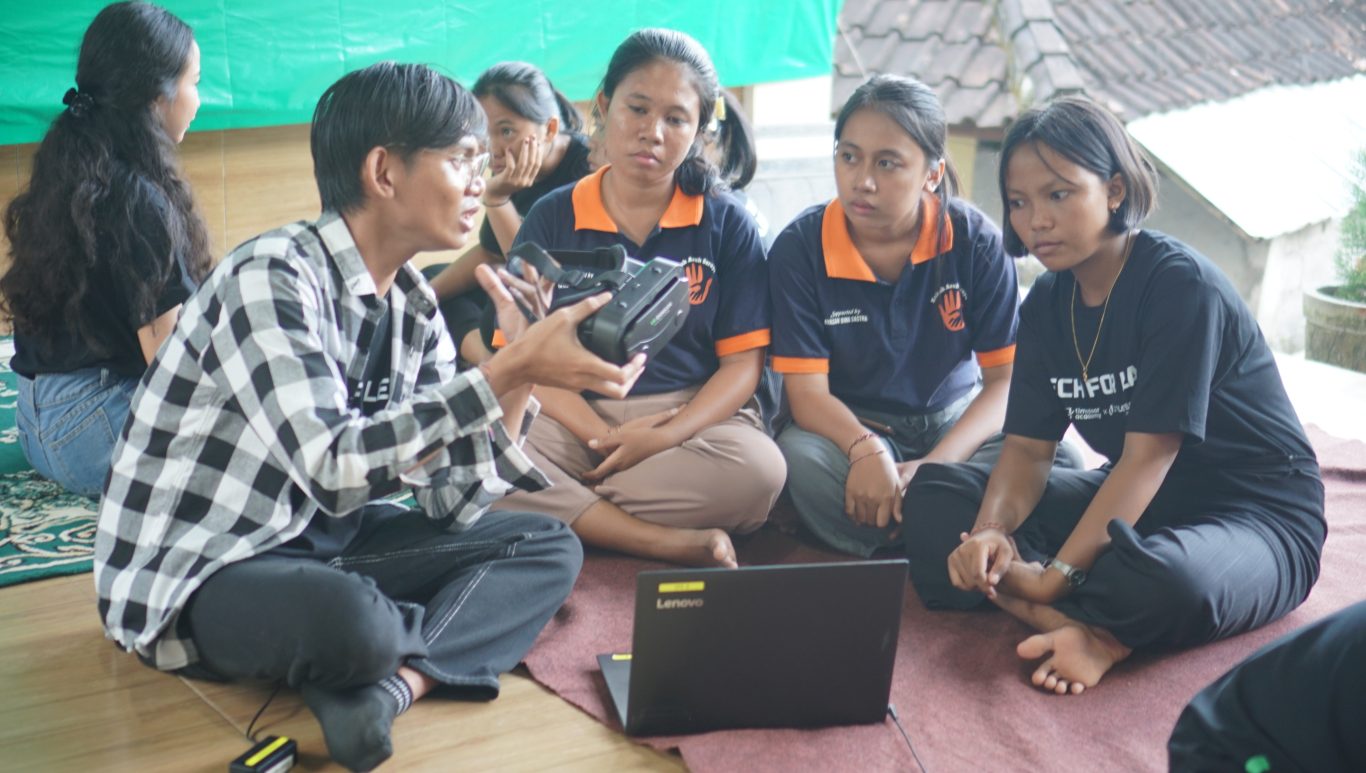
Timedoor Academy plays a vital role by offering a user-friendly LMS and relevant digital learning content tailored to the children’s educational levels. The academy also conducted training for local teachers to ensure continuity of IT education for underprivileged children even after the formal program concludes.

Beyond delivering technical knowledge, Timedoor Academy encourages creative thinking, problem-solving, and independence—core values that enrich IT education for underprivileged children in today’s digital age.

Positive Community Impact in Karangasem

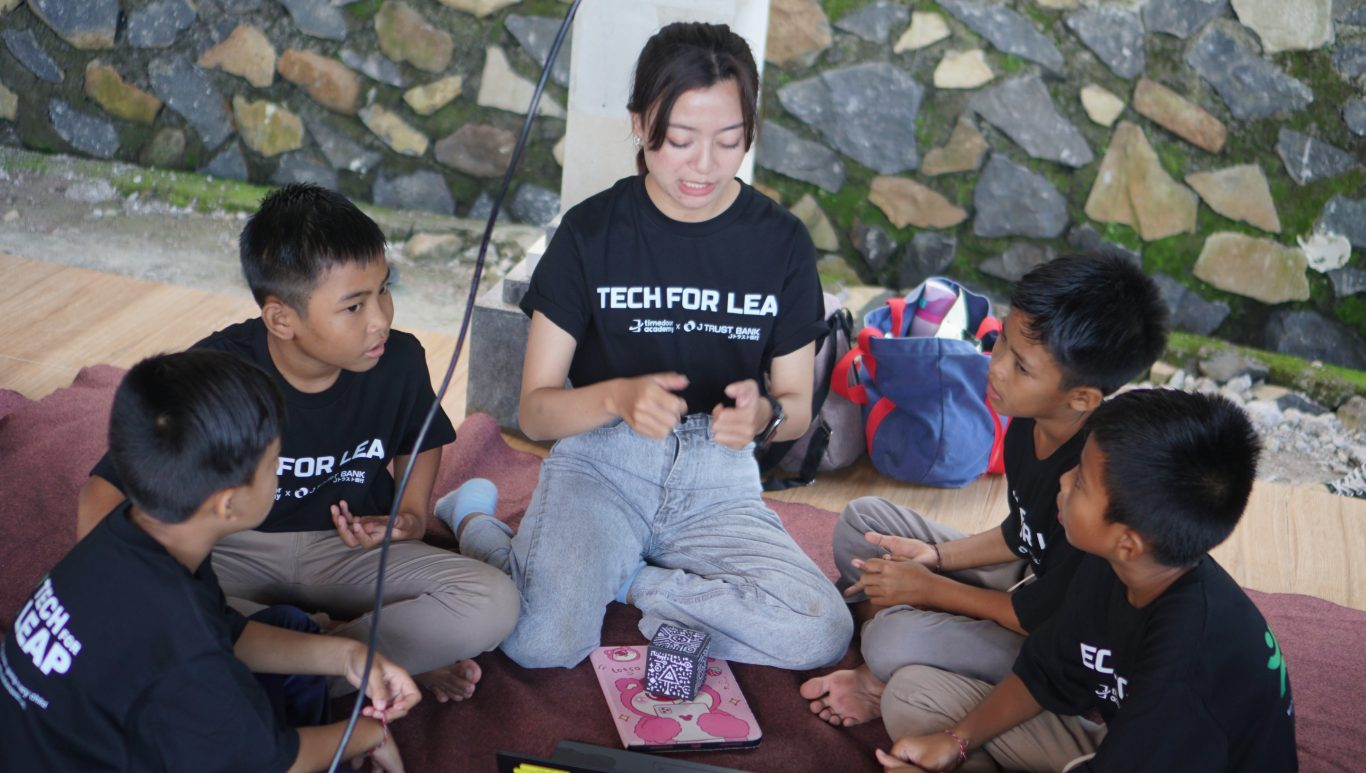
The response to the program was overwhelmingly positive. Children showed excitement and curiosity as they learned coding and created simple apps. Teachers who completed the ToT training appreciated the new methods and approaches offered by the program, enhancing their ability to deliver IT education for underprivileged children using technology.

With the shared vision of “Creating a Bright Future for the Next Generation with IT Education,” this collaboration sets a precedent for future efforts in IT education for underprivileged children across Indonesia. It proves that meaningful change is possible when education and opportunity are made accessible to all.


Keep Reading

10 Practical Tips to Set Up a Comfortable and Productive Home Learning Space for Kids
In today’s digital age, children are not only learning at school but also through various online platforms from the comfort of home. That’s why setting up a home learning space for kids that is both comfortable and productive has become increasingly important. A well-organized learning environment supports better focus, enhances motivation, and encourages independent study habits from an early age. Here are ten simple yet effective tips to help parents create an ideal home learning space that supports both comfort and academic success. 10 Practical Tips to Set Up a Comfortable and Productive Home Learning Space for Kids 1. Choose a Quiet Spot with Minimal Distractions Start by picking a location that isn’t heavily trafficked throughout the day. Ideally, a home learning space for kids should be away from TVs, the kitchen, or play areas. If you don’t have a dedicated room, convert a quiet corner of the bedroom or living room into a learning zone. Use a bookshelf or lightweight divider to create a clear separation between study time and leisure time. 2. Ensure Good Lighting Lighting has a direct impact on mood and focus. Make sure the home learning space for kids has access to natural light during the day. For evening sessions, provide a desk lamp with bright but soft white lighting. Avoid dim lights, as they can cause drowsiness and reduce attention. 3. Provide Ergonomic Furniture A comfortable setup goes a long way. Use a chair and desk that match your child’s height to encourage proper posture. Add cushions or a footrest if needed, so your child can sit comfortably for longer study sessions. 4. Minimize Visual and Audio Distractions Overly bright or busy decor can be distracting in home learning space for kids. Stick to neutral or calming colors for the walls and furniture. Keep toys and unrelated devices out of reach during study hours. If noise from outside interrupts your child’s focus, consider using noise-cancelling headphones, especially during online classes. 5. Keep All Learning Materials Within Reach Equip the space with all the essentials: stationery, books, a laptop or tablet, headphones, and a reliable internet connection. Having everything nearby prevents unnecessary movement and keeps the child focused. Use storage bins or small shelves to keep the desk tidy and clutter-free. 6. Display a Daily Schedule Help your child develop a routine by creating a visual schedule. Post it on the wall near their desk using colorful charts or illustrations. The schedule can include study time, breaks, meals, and creative activities. Visual structure supports time management and builds responsibility. 7. Involve Your Child in the Setup Let your child have a say in how the space looks. Allow them to choose the colors, arrange the desk, or decorate with their favorite items. When kids feel ownership over their home learning space, they are more likely to use it enthusiastically and keep it tidy. 8. Ensure Good Air Circulation and Room Temperature A cool, fresh room helps maintain energy and concentration. Open windows regularly or use a fan or air conditioner if needed. Scent can also influence mood — try light, calming scents like lavender to create a relaxed environment. 9. Match the Setup to Your Child’s Digital Learning Needs If your child is involved in digital learning, make sure the equipment works smoothly. Check the laptop or tablet, webcam, microphone, and internet connection before class begins. Also, make sure their chair and desk setup supports good posture for screen-based learning. 10. Add Motivational Personal Touches Showcase your child’s artwork, awards, or inspiring quotes on the wall. Personal touches can boost confidence and make the space feel more welcoming and meaningful to them. Maximize Your Child’s Home Learning Space with the Right Learning Program Creating a home learning space for kids is a strong start, but it becomes truly effective when paired with the right learning content. Timedoor Academy offers a wide range of interactive online classes to help children grow academically and creatively — all from their home learning space. With subjects like coding, robotics, math, and digital creativity, your child can explore their interests in a fun and structured way. Sign up for a free trial class at Timedoor Academy today and give your child the opportunity to build skills for the future while learning comfortably at home.
How to Use Google Family Link: Step by step Guide in 2025
In this digital era, parents play an increasingly important role in guiding and monitoring their children’s online activities. One of the most popular apps used by families to help keep children safe and maintain a healthy balance with technology is Google Family Link. Through this app, parents can set, limit, and monitor their child’s device usage directly from their own smartphones. However, many parents are still not fully familiar with how to use Google Family Link effectively, so that its benefits can be maximized. This article will provide a detailed explanation on how to use Google Family Link, along with practical tips and benefits for both parents and children. Google Family Link is a free app from Google specifically designed to help parents manage Android or Chromebook devices used by their children. With this app, parents can set time limits, monitor which apps are downloaded, and even decide which websites their children can access. All these features make how to use Google Family Link especially relevant for parents who want to stay involved in their children’s digital world without being overly controlling. How to Use Google Family Link: A Step-by-Step Guide Here are the steps on how to use Google Family Link effectively for your family: Download and Install the AppThe first step in how to use Google Family Link is to download the app on both the parent’s and the child’s devices. The app is free and available on both the Google Play Store and the App Store. Make sure the app is installed on both devices to begin setting things up. Create and Link Your Child’s Google AccountOnce the app is installed, parents need to create a dedicated Google account for their child or use an existing one. Follow the instructions provided by the app to link the child’s account with the parent’s account. This process ensures that every digital activity of the child can be monitored directly. Set Limits and ControlsThe next step in how to use Google Family Link is to set device usage time limits, restrict which apps can be downloaded, and manage which content can be accessed by your child. Parents can also block certain apps, set a bedtime schedule, and even track the location of the child’s device in real time. Regularly Monitor Your Child’s ActivitiesOne of the main benefits of how to use Google Family Link is the ability to monitor your child’s daily activities, such as which apps are used the most, total screen time, and other online activities. Parents will also receive notifications if the child tries to download a new app or access restricted websites. Discuss Rules with Your ChildAlthough how to use Google Family Link gives parents full control, it is still important to involve your child in a discussion about device use rules. Explain the purpose of monitoring, listen to your child’s opinions, and make agreements together so the child feels respected and trusted. Benefits of Using Google Family Link for Families By learning how to use Google Family Link, parents can enjoy several benefits, including: Reducing the risk of children being exposed to negative content online. Helping children form healthy and balanced digital habits. Making it easier for parents to monitor device usage without constant supervision. Providing a means for education and communication about digital ethics. Challenges and Tips for Using Google Family Link Successfully Even though the features in how to use Google Family Link are quite complete, there are still challenges that parents might face. Some children may feel their privacy is invaded or may try to bypass the controls. It is important for parents to explain the reason for using the app as a form of protection, not just control. Involve your child in creating the rules and give them space to learn responsibility for their choices. Also, parents should stay updated with technological developments and new features from Google Family Link to get the most out of all its benefits. Connecting Digital Literacy and Coding for Kids Beyond setting boundaries for device use, it is also important to equip children with digital literacy and 21st-century skills such as coding. Through coding, children learn to think critically, logically, and adapt to technological advances. Parents can make use of their children’s screen time for educational activities, such as joining interactive online coding classes. Try a Free Trial Coding Class at Timedoor Academy If you want your child to be smarter with technology, sign them up for a free trial coding class at Timedoor Academy. In these classes, children can learn coding in a fun and interactive way that relates to their daily life. In addition to building digital literacy, children will be guided by professional mentors, making the learning process more structured and positive. Visit our Timedoor Academy website or social media to schedule your child’s free trial coding class today. By understanding how to use Google Family Link, parents can feel more at ease letting their children explore the digital world. Do not forget to maintain open communication, provide digital ethics education, and introduce coding as an important skill for a bright future.
How to Deal with Child Tantrums: Smart Tips for Calm and Confident Parenting
For many parents, figuring out how to deal with child tantrums is one of the toughest parts of raising young kids. One moment they are fine, and the next, they are crying, shouting, or throwing things across the room. It is a stressful and exhausting situation that can easily test your patience. That is why every parent needs to understand how to deal with child tantrums calmly and effectively. With the right approach, tantrums do not have to turn into a daily battle. In fact, they can be valuable opportunities for both children and parents to learn and grow together.   Why Do Children Have Tantrums? Before diving into how to deal with child tantrums, it is important to understand why they happen in the first place. Tantrums are a normal part of early childhood development, especially for children between the ages of one and four. At this stage, children are still learning how to express their feelings in words. When they feel tired, hungry, frustrated, or overwhelmed, they express those emotions through tantrums. It does not mean they are being naughty or trying to manipulate you. They simply have not yet learned how to manage big emotions in a more appropriate way.   How to Deal with Child Tantrums Without Losing Your Cool Here are some practical steps to help you manage tantrums and keep the situation under control: 1. Calm Yourself The first and most important step in how to deal with child tantrums is managing your own emotions. Children often mirror their parents' reactions. If you remain calm, you are setting an example of emotional control. If you panic or get angry, your child is likely to escalate even more.   2. Acknowledge Their Feelings Instead of immediately trying to stop the outburst, take a moment to validate their emotions. Simple phrases like "You are upset because we cannot buy that toy, right?" help your child feel understood. This small step is a key part of how to deal with child tantrums effectively.   3. Redirect Their Attention After acknowledging their feelings, gently guide your child toward another activity. Offer to play a game, read a book, or suggest something they enjoy. Redirecting attention is a practical and proven method in how to deal with child tantrums, especially with younger kids.   4. Be Consistent with Boundaries Giving in to tantrums just to stop the noise might bring short-term relief but teaches the wrong lesson. Children will learn that tantrums are a way to get what they want. Staying consistent and firm with rules is essential when learning how to deal with child tantrums in a healthy and constructive way.   5. Teach Simple Breathing Techniques Introducing basic breathing exercises can help children learn to self-regulate. Encourage them to take slow, deep breaths when they feel upset. This method is a valuable tool in how to deal with child tantrums and builds long-term emotional resilience.   Turning Tantrums into Positive Learning Opportunities One effective way to support emotional growth is by giving children constructive outlets for their energy and feelings. For example, simple coding activities can help children develop patience, focus, and logical thinking. While coding might seem unrelated to tantrums, the process of breaking down problems step by step helps children build important self-regulation skills. In many ways, teaching a child how to deal with frustration during coding challenges mirrors the lessons you want to teach when figuring out how to deal with child tantrums.   Patience and Consistency Are Key Learning how to deal with child tantrums is not about finding an instant solution. Emotional regulation is a life skill that takes time and practice. The real key is showing patience and maintaining consistency in your responses. This approach helps children gradually learn how to manage their own emotions more effectively. Tantrums are not a sign of failure. They are a chance to guide children toward healthier ways of expressing their feelings.   Supporting Emotional Growth Through Positive Activities While tantrums can be exhausting, handling them with empathy and patience teaches children valuable emotional skills. Additionally, engaging kids in structured activities like coding provides another opportunity to practice focus, problem-solving, and perseverance. Coding encourages children to approach challenges with a calm and logical mindset. These are the same qualities they need when learning how to deal with child tantrums in everyday life. Curious how coding can help your child develop these skills? Timedoor Academy offers a free coding class designed especially for kids. The lessons are fun, interactive, and tailored to your child's learning pace. Give your child a positive and engaging learning experience. Register now for a free trial class at Timedoor Academy!
float button